HelloGrowthCRM software
Built for real small-business sales teams
HelloGrowthCRM helps reps qualify faster, follow up on time, and close more deals—with practical automation in one place.
- AI lead scoring and pipeline visibility
- Built-in dialer, WhatsApp, and email automation
- Sales forecasting and RevOps-ready reporting
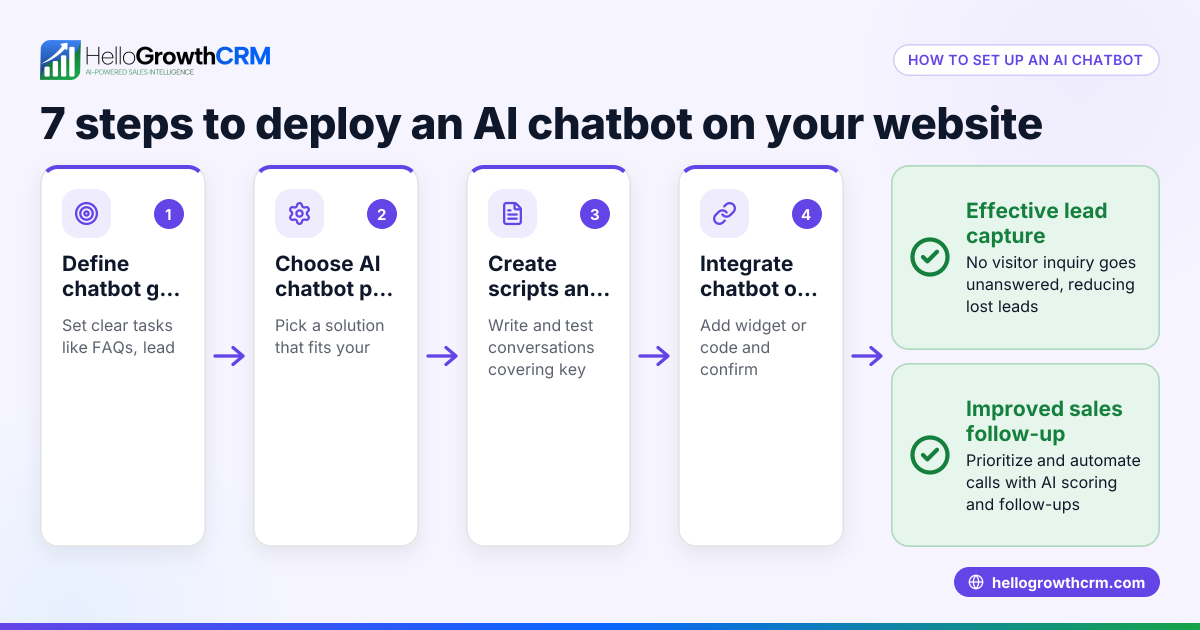
Adding a chatbot to your website helps small businesses engage visitors automatically, answer common questions, and capture leads without delay. To do this, you pick a chatbot platform, tailor the chatbot’s conversation to your needs, get the code snippet from the platform, and add it to your website’s code or builder interface. This guide covers why small businesses want chatbots, how to add one step-by-step, a sample cost example, common pitfalls, and FAQs.
Why this comes up / what goes wrong
Small business owners often want to add chatbots because they lose leads when follow-up is slow or inconsistent. Chatbots provide immediate responses to website visitors, helping capture inquiries and qualify leads even outside business hours. Many small businesses run sales through text messages, email, and spreadsheets, making lead management slow and error-prone. Adding a chatbot can automate lead capture and start conversations instantly.
However, business owners face challenges such as choosing the right chatbot platform, integrating it correctly with their website, and designing conversations that feel natural and helpful. Without proper setup, chatbots may frustrate visitors, fail to collect useful information, or not appear on mobile devices, which are often the main browsing tool.
Step-by-step
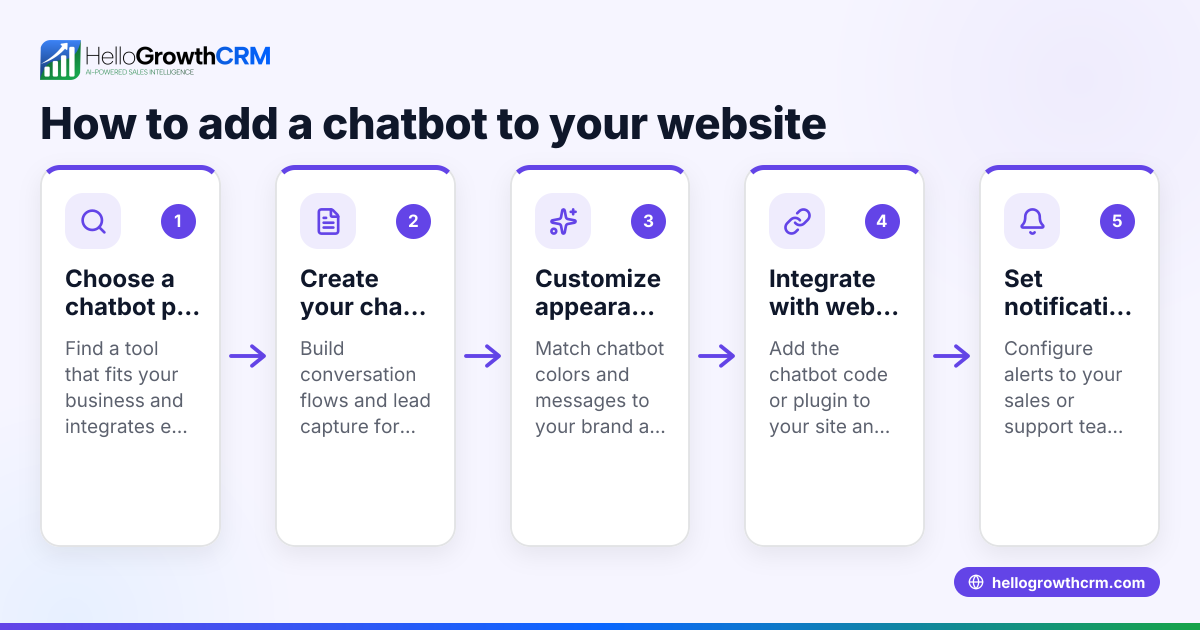
- Choose a chatbot platform: Look for platforms designed for small and mid-sized businesses. Check if they offer easy customization, lead capture forms, and integration options. Consider platforms that can connect with your sales tools or CRM.
- Design the chatbot conversation flow: Plan the questions your chatbot will ask and the answers it will provide. Include greetings, common FAQs, and options to collect visitor contact details. Also, design a way to escalate to a human if needed.
- Customize the chatbot appearance: Adjust colors, fonts, and welcome messages to match your website branding for a consistent visitor experience.
- Generate the chatbot code snippet: After finalizing the chatbot setup, the platform will provide a JavaScript or HTML code snippet.
- Embed the code on your website: Insert the chatbot code into your website’s HTML, usually before the closing </body> tag. If you use a website builder like WordPress, Wix, or Squarespace, use their custom code or widget section to add the snippet.
- Test the chatbot: Check your website on desktop and mobile devices to confirm the chatbot loads correctly and the conversation flows as planned.
- Monitor and update regularly: Review chatbot interactions to identify common visitor questions or issues and update the conversation flow accordingly.
Integrating chatbot leads with your sales process can improve follow-up efficiency. Tools like HelloGrowthCRM for the United States help manage leads captured via chatbots and unify communication channels.
Example (fictional figures)
Consider "Austin Pipe Masters," a plumbing company in Austin, Texas, adding a chatbot to capture service requests.
- They select a chatbot platform costing $50 per month.
- Setup requires 4 hours of staff time at $30 per hour.
- Embedding the chatbot code takes 1 hour of web developer time at $40 per hour.
Calculations:
Setup labor cost = 4 hours × $30 = $120 Embedding labor cost = 1 hour × $40 = $40 Monthly platform cost = $50
Total initial cost = $120 + $40 = $160
First month total cost = $160 + $50 = $210
By automating lead capture, Austin Pipe Masters expects fewer missed inquiries and faster sales follow-up.
Common mistakes
- Choosing an overly complex or too basic platform: Select a chatbot platform that fits your business size and integrates with your sales tools, such as WhatsApp and SMS CRM.
- Poor conversation design: Test chatbot scripts before launch to avoid visitor frustration and ensure the chatbot collects useful information.
- Incorrect code placement: Embed the chatbot code in the correct HTML location or website builder section so it loads properly.
- Ignoring mobile usability: Always test the chatbot on smartphones and tablets since many visitors use mobile devices.
- Neglecting chatbot updates: Regularly review chatbot conversations and update scripts to keep responses relevant.
- Not linking chatbot leads to sales workflows: Connect chatbot leads to your CRM or sales system, possibly using tools with a built-in CRM dialer for timely follow-up.
Frequently asked questions
What is the easiest way to add a chatbot to my website? The easiest way is to choose a chatbot platform with simple setup instructions, customize the chatbot flow, and embed the provided code snippet into your website’s HTML or website builder.
Do I need coding skills to add a chatbot? Basic website editing knowledge helps but is not always required. Many chatbot platforms offer plugins or widgets for popular website builders that require no coding.
Can a chatbot handle sales leads? Yes, chatbots can capture lead information, answer initial questions, and schedule appointments. Integrating chatbot leads with a CRM improves follow-up efficiency.
Will the chatbot work on mobile devices? Most modern chatbots are mobile-friendly but should be tested on various devices to ensure usability.
How do I update or improve my chatbot after adding it? Monitor chatbot conversations regularly to find common questions or issues, then refine the scripts and flows to enhance customer experience.
Key takeaways
- Adding a chatbot requires choosing a platform, designing conversations, embedding code, and testing.
- Proper chatbot design and placement prevent visitor frustration and improve lead capture.
- Regular monitoring and updates keep the chatbot effective and relevant.
- Integrating chatbot leads with your sales process enhances follow-up efficiency.
- Testing on mobile devices is essential for usability.
Adding a chatbot to your website can improve customer engagement and lead capture. To get started without risk, start on the Free Forever plan (200 leads, no credit card) and explore how automating communication can help your business grow.
Ready to put this into practice?
Set up your pipeline, WhatsApp follow-ups, and AI lead scoring in minutes — free, no credit card.
Try HelloGrowthCRM freeGet CRM tips in your inbox
Join thousands of sales professionals who get weekly insights on CRM strategy, AI automation, and pipeline optimization.

The HelloGrowthCRM team publishes guides on CRM strategy, AI sales tools, and revenue operations for small business sales teams.