HelloGrowthCRM software
Built for real small-business sales teams
HelloGrowthCRM helps reps qualify faster, follow up on time, and close more deals—with practical automation in one place.
- AI lead scoring and pipeline visibility
- Built-in dialer, WhatsApp, and email automation
- Sales forecasting and RevOps-ready reporting
Auto email is the process of sending emails automatically when certain conditions are met, such as a new enquiry, a scheduled follow-up, or after sending a quotation. Instead of manually composing and sending each email, auto email systems send them on your behalf at the right time. This keeps your leads engaged and reduces the chance of missing sales opportunities.
Why this comes up / what goes wrong
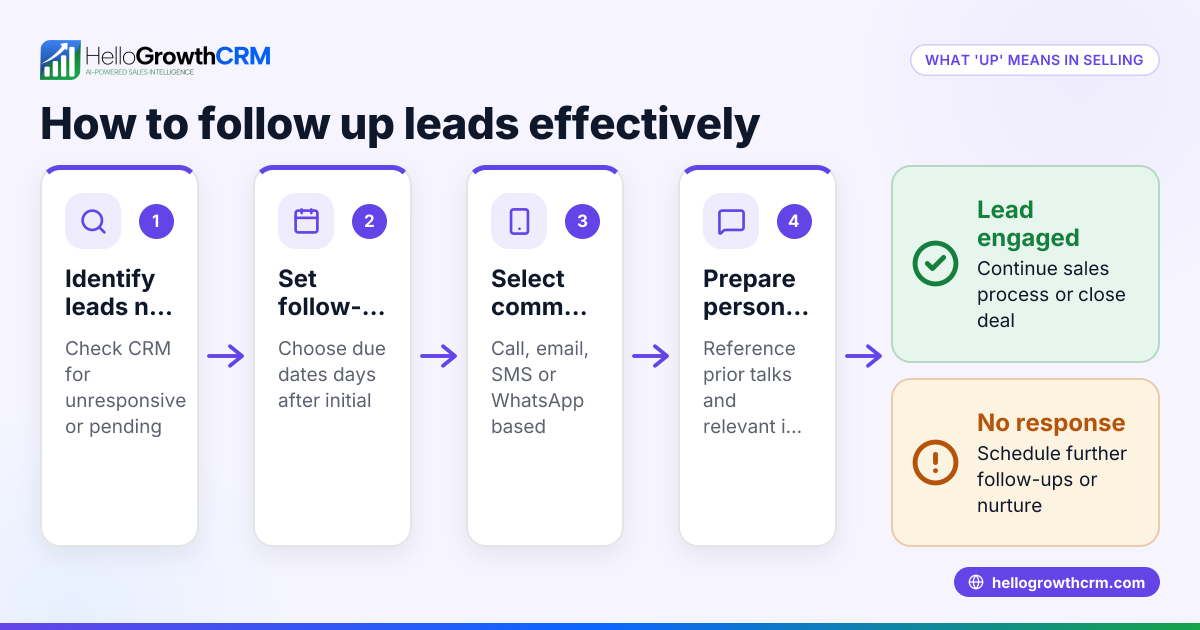
Small-business owners in the UK often find themselves losing leads because of slow or irregular email follow-up. They may send an initial quotation or reply but then forget to chase the prospect, or they might manually send emails from personal inboxes, which is time-consuming and prone to errors. This can cause leads to go cold and sales to drop. Auto email solves this by automating timely messages, ensuring consistent communication without extra effort.
Step-by-step
- Identify triggers for your auto emails: Decide which actions should start an automatic email. Common triggers include receiving a web enquiry, sending a quotation, or a set number of days after the last contact.
- Create your email templates: Write clear and concise email messages for each step of your follow-up sequence, such as initial contact, reminders, and final notices. Check spelling, tone, and include a clear call-to-action.
- Choose an auto email tool or CRM: Find software that supports automated email sequences and integrates with your lead capture methods.
- Set up the automation workflow: Program the sequence of emails, including timing intervals and conditions to stop sending once the prospect replies.
- Test the sequence: Send test emails to yourself or a colleague to verify the content, timing, and that replies stop the sequence as expected.
- Monitor and adjust: Track open rates, reply rates, and conversions. Use this data to refine your email templates and timing.
Example (fictional figures)
A recruitment consultancy in Bristol wants to automate quotation emails and follow-ups.
- On 01/03/2026, they set up an automation to send a quotation email immediately when a new lead is added.
- If no reply is received, a reminder email is sent 3 days later.
- A second follow-up is sent 7 days after the first reminder.
Assuming the consultancy receives 100 leads monthly:
Lead count = 100 Time saved per email sent = £5 Total time saved = 100 × £5 = £500
If 20% reply after the initial email: Replies after initial email = 100 × 20% = 20
Remaining leads after first reply = 100 - 20 = 80
If 10% reply after the first reminder: Replies after reminder = 80 × 10% = 8
Total replies = 20 + 8 = 28
This automation ensures timely follow-up without requiring extra staff time, improving lead engagement.
Common mistakes
- Not personalising emails: Generic emails can feel impersonal. Prevent this by using dynamic fields for names and company details.
- Sending emails too frequently: Overloading prospects with emails can annoy them. Space out your emails appropriately and monitor responses.
- Ignoring replies: Continuing to send automated emails after a prospect replies can damage relationships. Ensure your tool stops sequences immediately upon reply.
- Using multiple email platforms separately: Managing emails across different platforms can cause lost leads and replies. Use a shared inbox or CRM to keep all communication in one place.
- Failing to test sequences: Errors in email content or timing reduce effectiveness. Always test your sequences fully before launching.
Doing this in HelloGrowthCRM
HelloGrowthCRM offers a HelloMail shared inbox so your team can see all replies to quotation emails on the deal, preventing lost messages. Its sequences and campaigns feature lets you create a five-step follow-up over two weeks that runs automatically and stops immediately when a prospect replies. The built-in dialer helps reps work leads from inside the CRM, logging each call's outcome on the lead record. These tools help UK businesses automate email follow-up while keeping the whole team aligned. Learn more about email automation and sequences, WhatsApp and SMS CRM, and HelloGrowthCRM for the United Kingdom.
Frequently asked questions
What is the difference between auto email and regular email? Auto email is sent automatically based on triggers or schedules, while regular email requires manual sending each time. Auto email saves time and ensures consistent follow-up.
Can I personalise auto emails? Yes, most auto email tools allow you to insert personal details like names, company, or product interests dynamically into each message.
How do I stop auto emails if a customer replies? Set your automation workflow to detect replies and immediately stop further messages. This prevents annoying your prospects with repeated emails.
Is auto email expensive for small businesses? Many CRM systems offer affordable plans with auto email features. Using automation can save staff time and increase sales, often offsetting the cost.
Can I automate emails alongside WhatsApp and SMS? Yes, platforms like HelloGrowthCRM support multi-channel sequences including email, WhatsApp, and SMS to reach prospects on their preferred channel.
Key takeaways
- Auto email automates sending messages triggered by actions or schedules.
- It prevents lost leads by ensuring timely, consistent follow-up.
- Use a CRM or tool that stops sequences when prospects reply.
- Test and personalise emails to avoid common mistakes.
- HelloGrowthCRM supports email automation with shared inboxes and multi-step sequences.
Start automating your email follow-up today and improve your sales efficiency. Start on the Free Forever plan (200 leads, no credit card).
Ready to put this into practice?
Set up your pipeline, WhatsApp follow-ups, and AI lead scoring in minutes — free, no credit card.
Try HelloGrowthCRM freeGet CRM tips in your inbox
Join thousands of sales professionals who get weekly insights on CRM strategy, AI automation, and pipeline optimization.

The HelloGrowthCRM team publishes guides on CRM strategy, AI sales tools, and revenue operations for small business sales teams.