HelloGrowthCRM software
Built for real small-business sales teams
HelloGrowthCRM helps reps qualify faster, follow up on time, and close more deals—with practical automation in one place.
- AI lead scoring and pipeline visibility
- Built-in dialer, WhatsApp, and email automation
- Sales forecasting and RevOps-ready reporting
An auto dial phone is a system or software that automatically dials phone numbers from a predefined list and connects calls to agents when answered. This removes the need for manual dialing, allowing sales or support teams to focus on conversations instead of dialing numbers. Auto dial phones help small and mid-sized businesses improve outbound calling efficiency and lead follow-up.
Why this comes up / what goes wrong
Small-business owners often see their sales or support teams wasting time dialing numbers manually from spreadsheets, emails, or text messages. This slows down lead follow-up and reduces the total number of calls made daily. Without an auto dial phone, agents might also fail to track call outcomes consistently, making it harder to manage pipelines and prioritize leads. These inefficiencies can lead to lost sales and frustrated employees.
Step-by-step
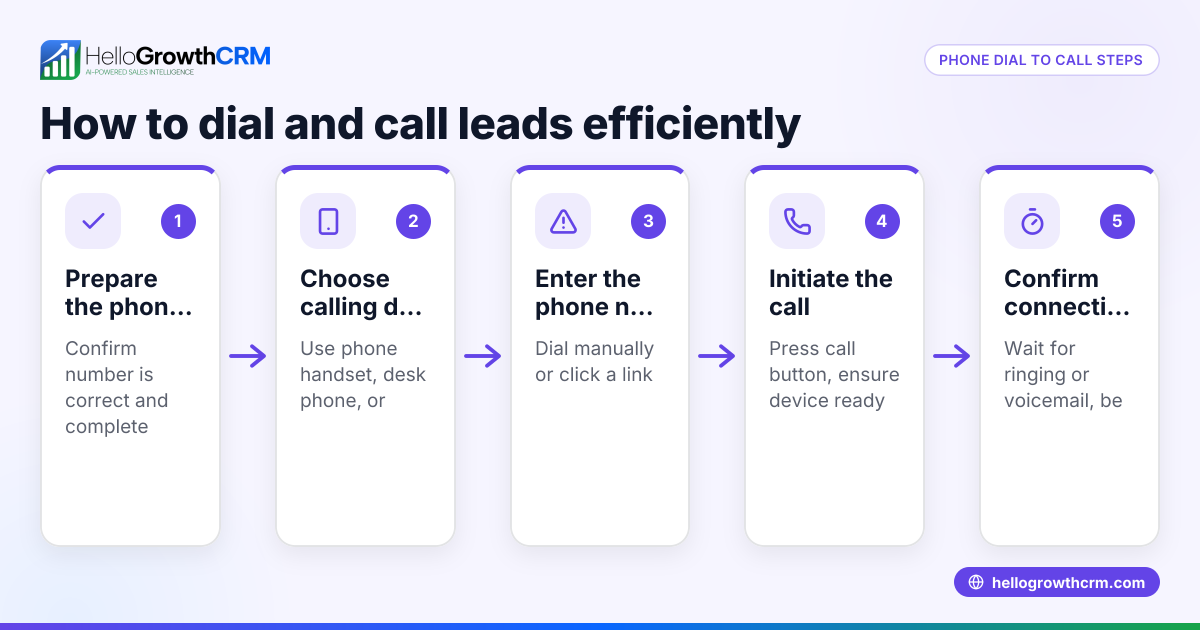
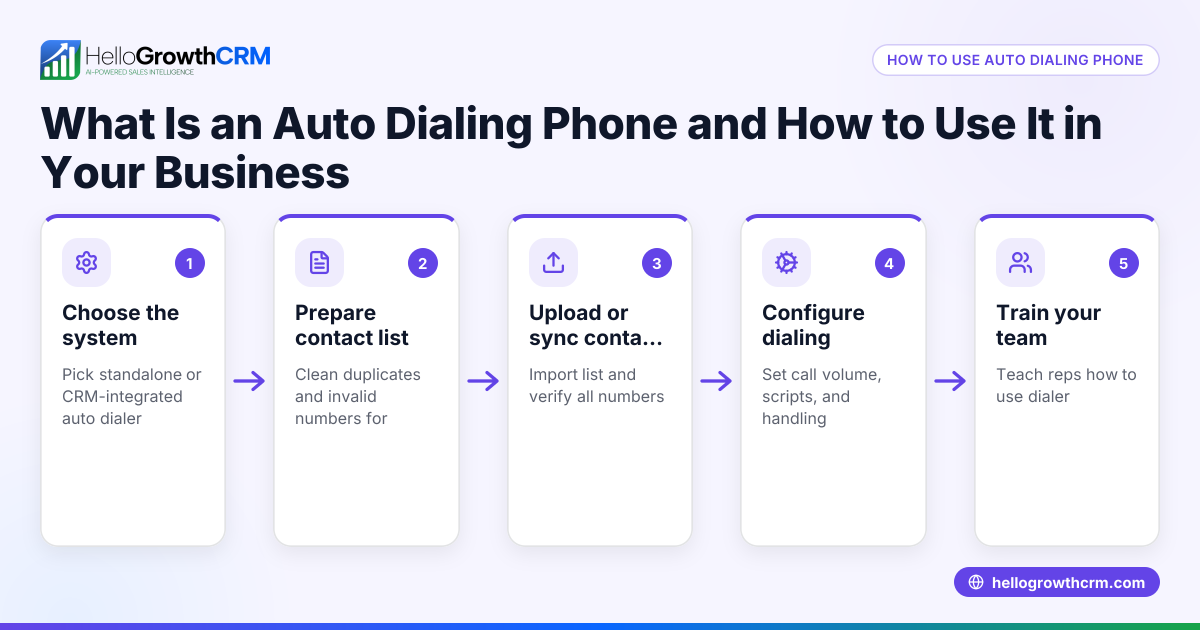
- Select an auto dial phone system or software: Choose one that fits your business size, calling volume, and integrates well with your sales tools.
- Prepare your call list: Organize phone numbers cleanly, removing duplicates and invalid entries. Import this list from your CRM or lead capture tools if possible.
- Upload or link your call list to the auto dialer: Ensure the system can access your list directly or through integration.
- Configure dialing settings: Set dialing speed, call retries, and agent availability to match your team's capacity and avoid overwhelming them.
- Train your agents: Make sure they understand how to receive calls from the auto dialer and how to log call outcomes properly.
- Monitor call results and adjust: Track call outcomes, dropped calls, and agent performance to optimize your process.
- Integrate the dialer with your CRM: Use a CRM with a built-in dialer to keep call history and lead data centralized.
Example (fictional figures)
A B2B software reseller in Denver, Colorado, wants to increase outbound calls to potential clients. They have a list of 1,000 leads and currently make 100 calls per day manually.
- Current calls per day: 100
- Average call duration: 5 minutes
- Time spent dialing manually per call: 30 seconds
Calculate time spent dialing manually per day: 100 calls × 30 seconds = 3,000 seconds 3,000 seconds ÷ 60 = 50 minutes
By using an auto dial phone, they eliminate 50 minutes of dialing time daily.
If they increase calls by 20% due to saved time: 100 calls × 1.20 = 120 calls per day
Additional calls per day: 120 - 100 = 20 calls
Assuming an average deal size of $5,000 and a conversion rate of 10%: 20 additional calls × 10% = 2 additional deals 2 deals × $5,000 = $10,000 additional revenue
This example shows how auto dial phones can improve calling efficiency and increase revenue.
Common mistakes
- Not cleaning the call list: Calling invalid or duplicate numbers wastes time. Prevent this by regularly updating and validating your list.
- Dialing too fast: Overloading agents can cause dropped or rushed calls. Prevent this by setting realistic dialing speeds.
- Ignoring call outcomes: Without logging results, leads can be lost. Prevent this by using a system that records call outcomes automatically.
- Insufficient agent training: Agents unfamiliar with the system may miss calls or log results incorrectly. Prevent this by providing proper training.
- No CRM integration: Disconnected systems cause data silos and lost insights. Prevent this by choosing a dialer integrated with your CRM.
Doing this in HelloGrowthCRM
HelloGrowthCRM includes a built-in dialer that lets reps work a call list directly inside the CRM. Each call’s outcome is logged on the lead, keeping a full call history tied to contact and deal records. This helps small and mid-sized businesses manage calls efficiently without switching apps. Learn more about the built-in CRM dialer and how it integrates with your sales process. For US businesses, see HelloGrowthCRM for the United States.
Frequently asked questions
What is an auto dial phone? An auto dial phone automatically dials phone numbers from a list and connects calls to agents without manual dialing. It helps sales teams increase call volume and efficiency.
How does an auto dial phone improve sales productivity? By automating dialing, agents spend more time talking to leads and less time manually dialing numbers. This increases the number of calls made and speeds up lead follow-up.
Can I use an auto dial phone with my existing CRM? Many auto dial phones integrate with CRMs to log call outcomes and update lead records. Using a CRM with a built-in dialer, like HelloGrowthCRM, keeps all call data and lead information in one place.
Do I need special hardware for an auto dial phone? Most modern auto dial phones are software-based and work on standard computers with headsets. Some offer local dialers that use existing phone lines.
Is it legal to use auto dial phones for sales calls? Regulations vary by location and purpose. In the US, compliance with laws like the Telephone Consumer Protection Act (TCPA) is important, including obtaining consent before calling. (fcc.gov)
Key takeaways
- Auto dial phones automatically dial numbers and connect calls to agents without manual effort.
- They save time and increase call volume for small business sales teams.
- Proper call list management, dialing speed, and call outcome logging are essential.
- Integrating the dialer with your CRM improves lead tracking and follow-up.
- HelloGrowthCRM’s built-in dialer allows calling directly inside the CRM and logs call outcomes automatically.
Start improving your calling efficiency today. Start on the Free Forever plan (200 leads, no credit card) to try HelloGrowthCRM’s built-in dialer and see how it fits your business.
Ready to put this into practice?
Set up your pipeline, WhatsApp follow-ups, and AI lead scoring in minutes — free, no credit card.
Try HelloGrowthCRM freeGet CRM tips in your inbox
Join thousands of sales professionals who get weekly insights on CRM strategy, AI automation, and pipeline optimization.

The HelloGrowthCRM team publishes guides on CRM strategy, AI sales tools, and revenue operations for small business sales teams.