HelloGrowthCRM software
Built for real small-business sales teams
HelloGrowthCRM helps reps qualify faster, follow up on time, and close more deals—with practical automation in one place.
- AI lead scoring and pipeline visibility
- Built-in dialer, WhatsApp, and email automation
- Sales forecasting and RevOps-ready reporting
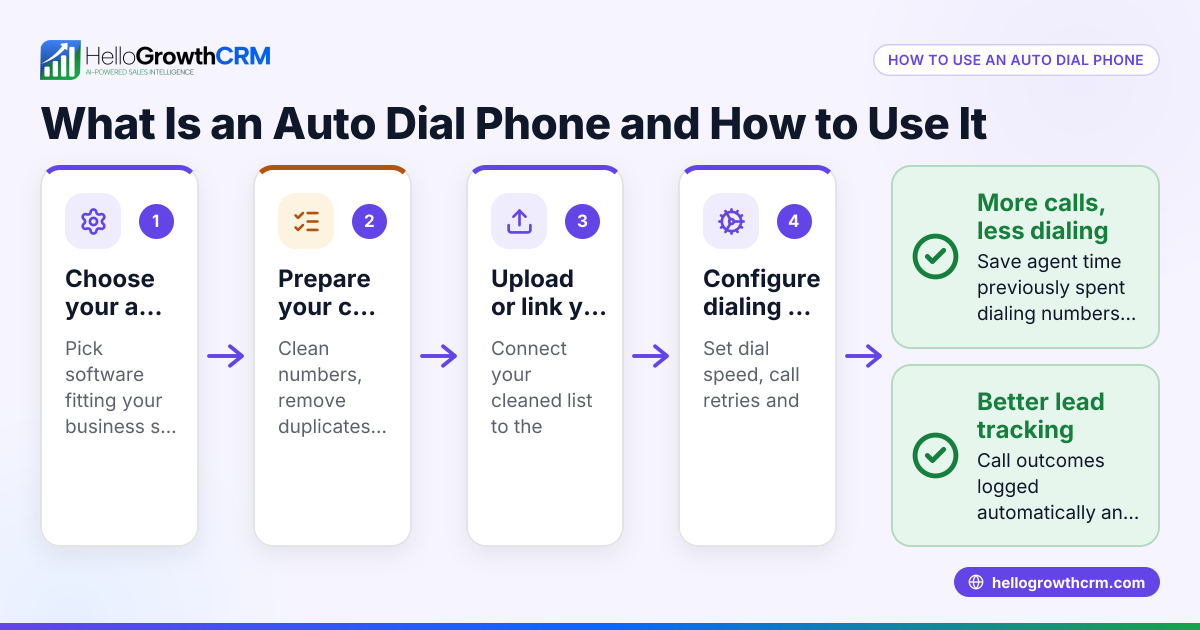
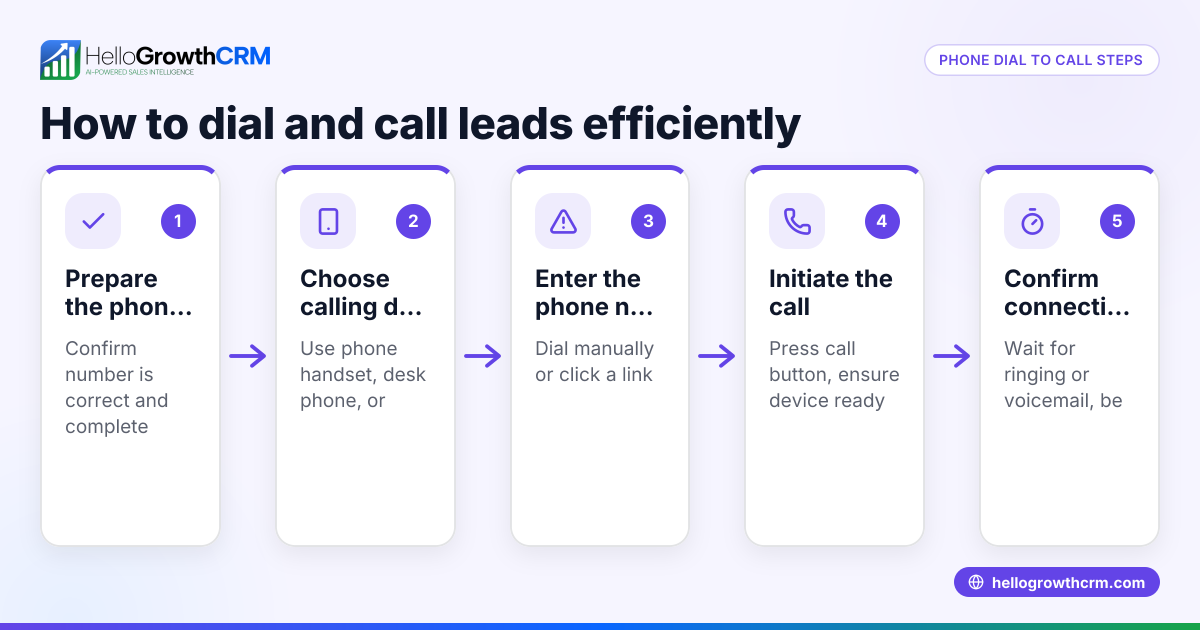
An auto dialing phone is a system or software that automatically dials phone numbers from a prepared list. It eliminates the need for salespeople or reps to manually enter each number, allowing them to focus on conversations and follow-ups. This increases call volume and reduces the time spent on dialing, which is critical for small businesses that want to improve lead follow-up and sales outcomes.
Why this comes up / what goes wrong
Many small businesses still rely on manual dialing using phone apps, spreadsheets, or text message lists. This process is slow and prone to errors such as misdialing or skipping leads. When sales reps spend too much time dialing, fewer calls get completed, and leads can go cold. Without a system to track call outcomes, follow-up can be inconsistent, causing lost sales opportunities. An auto dialing phone addresses these issues by automating dialing, speeding up outreach, and helping teams manage leads more effectively.
Step-by-step
- Select an auto dialing phone system or software: Choose between standalone auto dialers or those integrated with CRM software. Ensure it fits your team size and business requirements.
- Prepare your contact list: Clean your list by removing duplicates and invalid numbers. Format phone numbers consistently to avoid dialing errors.
- Upload or sync contacts: Import your list into the auto dialer or CRM system. Verify all numbers are imported correctly.
- Configure dialing settings and scripts: Set how many calls to make at once, handling of unanswered calls, and prepare call scripts for your sales reps.
- Train your team: Teach reps how to use the auto dialer interface, manage calls, and log call outcomes properly.
- Launch the calling campaign: Start auto dialing and monitor key metrics like call connection rates and talk time.
- Review and optimize: Analyze call results to improve scripts, timing, and lead quality.
For integrated calling options, see the built-in CRM dialer.
Example (fictional figures)
A B2B software reseller in Denver, Colorado, currently has one sales rep manually dialing 60 leads daily. Each call requires about 2.5 minutes of dialing and waiting before speaking.
- Dialing time per call: 2.5 minutes
- Calls per day: 60
- Total dialing time per day: 60 × 2.5 = 150 minutes (2.5 hours)
By switching to an auto dialing phone integrated with their CRM, the dialing time is eliminated, allowing the rep to make 90 calls per day.
- Time saved per call: 2.5 minutes
- Additional calls possible: 90 - 60 = 30
- Total calls per day with auto dialer: 90
If the rep converts 8% of calls into qualified leads, the extra 30 calls increase leads by:
30 × 8% = 2.4 leads
So, the rep gains about 2 additional qualified leads daily by using auto dialing.
This example shows how auto dialing can boost productivity by reducing dialing time and increasing call volume.
Common mistakes
- Using outdated or messy contact lists: Calling invalid or duplicate numbers wastes time. Regularly clean and verify your lists.
- Ignoring telemarketing regulations: Follow US laws like the Telephone Consumer Protection Act (TCPA), obtain consent, and honor opt-outs to avoid penalties.
- Setting too high call volumes without staff capacity: Overloading reps reduces call quality. Adjust dialing rates to match your team’s ability.
- Failing to track call outcomes: Without logging results, follow-ups suffer. Use tools that automatically record call details.
- Skipping training on the dialer system: Untrained reps may misuse the tool. Provide thorough training for best results.
See WhatsApp and SMS CRM for related communication tools.
Doing this in HelloGrowthCRM
HelloGrowthCRM offers a built-in dialer that lets reps work through lead lists directly inside the CRM. Each call’s outcome is logged on the lead record automatically, maintaining a full call history linked to contacts and deals. This saves time on manual dialing and helps your team track follow-ups effectively. Learn more about the built-in CRM dialer.
Frequently asked questions
What is an auto dialing phone? An auto dialing phone automatically calls numbers from a list without manual input. It helps sales teams reach more leads faster by removing the need to dial each number manually.
How does an auto dialer improve sales productivity? By automating dialing, sales reps spend more time talking to leads and less time entering numbers. This increases the number of calls made daily and improves lead follow-up.
Is auto dialing phone use legal for small businesses? Auto dialing is legal if you follow US telemarketing laws such as the Telephone Consumer Protection Act (TCPA), including obtaining consent and respecting do-not-call lists. (fcc.gov) Always verify current regulations.
Can I use auto dialing with text or WhatsApp messages? Auto dialing refers specifically to phone calls. For messaging automation, HelloGrowthCRM supports WhatsApp and SMS sequences separately. See WhatsApp and SMS CRM.
How do I track calls made with an auto dialing phone? Using a CRM with a built-in dialer can automatically log call outcomes and keep full call history tied to leads, making tracking and follow-up easier.
Key takeaways
- An auto dialing phone automatically calls numbers from a list, saving time and increasing call volume.
- Small businesses often lose leads due to slow manual dialing processes.
- Clean contact lists and compliance with telemarketing laws are critical.
- Proper training and call outcome tracking improve effectiveness.
- HelloGrowthCRM’s built-in dialer enables calling from within the CRM and logs call results automatically.
Start speeding up your sales calls and improving lead follow-up today. To try auto dialing with a CRM designed for small and mid-sized businesses, start on the Free Forever plan (200 leads, no credit card).
Ready to put this into practice?
Set up your pipeline, WhatsApp follow-ups, and AI lead scoring in minutes — free, no credit card.
Try HelloGrowthCRM freeGet CRM tips in your inbox
Join thousands of sales professionals who get weekly insights on CRM strategy, AI automation, and pipeline optimization.

The HelloGrowthCRM team publishes guides on CRM strategy, AI sales tools, and revenue operations for small business sales teams.