HelloGrowthCRM software
Built for real small-business sales teams
HelloGrowthCRM helps reps qualify faster, follow up on time, and close more deals—with practical automation in one place.
- AI lead scoring and pipeline visibility
- Built-in dialer, WhatsApp, and email automation
- Sales forecasting and RevOps-ready reporting
Auto logging calls in a CRM means phone calls with leads and customers are automatically recorded in the system, saving time and improving follow-up. This article covers why small businesses seek auto call logging, step-by-step setup guidance, common mistakes to avoid, a worked example with Australian figures, and how HelloGrowthCRM supports call logging with its built-in dialer, WhatsApp and SMS logging, and AI agents.
Why this comes up / what goes wrong
Many Australian small and mid-sized businesses rely heavily on phone calls to connect with leads and customers. When calls are logged manually in spreadsheets or notes, information can be lost or entered incorrectly. This leads to slow follow-up, missed sales opportunities, and inaccurate sales pipelines. Business owners and sales teams searching for "auto log calls in CRM" want a system that automatically captures call details—such as call time, duration, and outcome—directly linked to the right contact or deal. They want to reduce administrative tasks, avoid errors, and keep sales data accurate without extra effort.
Step-by-step
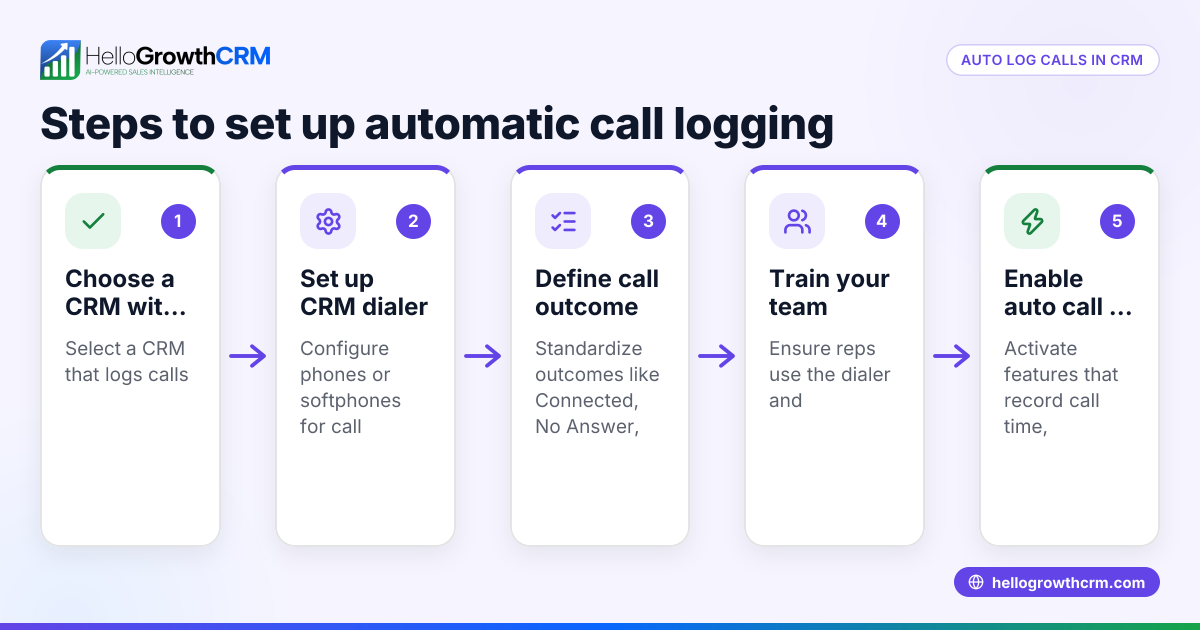
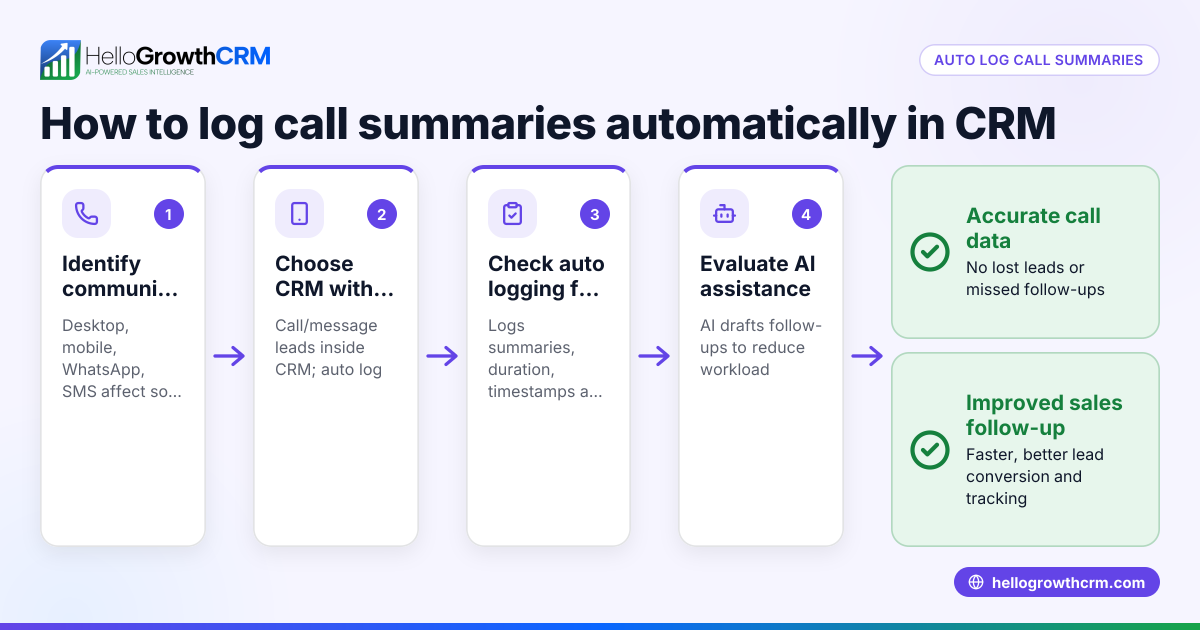
- Identify your CRM needs and call volume: Calculate how many calls your team makes daily and decide which call details you want logged automatically (e.g., call outcome, time, notes).
- Check CRM compatibility with your phone system: Confirm if the CRM offers a built-in dialer or integrates with your existing phone system to auto capture calls.
- Evaluate automatic call logging features: Look for call outcome logging, call history tied to contacts, and options for notes entry either manually or with AI assistance.
- Test the CRM’s call logging accuracy: Run a trial to ensure calls are logged correctly without missing details or linking to wrong contacts.
- Verify message logging capabilities: If your sales use WhatsApp or SMS, confirm the CRM logs these conversations automatically with the lead record.
- Assess AI assistance for follow-ups: Some CRMs offer AI agents to draft follow-up messages after calls, reducing manual work.
- Train your team on using the dialer and logging features: Proper training ensures consistent data entry and maximises the benefits of auto logging.
- Monitor and review logged calls regularly: Spot errors or missing information early and adjust processes or CRM settings as needed.
For details on dialers, see the built-in CRM dialer feature.
Example (fictional figures)
GreenThumb Landscaping in Newcastle, NSW, has 5 sales reps making about 30 calls daily to prospects. They want to auto log calls to avoid lost notes and speed up follow-ups.
- Average call duration: 7 minutes
- Calls per day: 30
- Days worked per month: 22
- Time spent manually logging each call: 2 minutes
Calculate monthly time spent manually logging calls:
30 calls × 2 minutes = 60 minutes per day 60 minutes × 22 days = 1,320 minutes per month 1,320 minutes ÷ 60 = 22 hours per month spent logging calls manually
Calculate the cost of manual logging time (assuming A$30 per hour wage per rep):
22 hours × A$30 = A$660 per month
By adopting a CRM with auto call logging and AI-drafted follow-ups, GreenThumb saves 22 hours monthly and A$660 in labour costs, allowing reps to focus on selling.
Common mistakes
- Choosing a CRM without a built-in dialer or proper integration: This can cause incomplete or inaccurate call logs. Prevent this by verifying dialer features or integration before purchase.
- Ignoring message logging for WhatsApp and SMS: Many sales happen on these channels. Without logging, conversations are lost. Choose a CRM that logs WhatsApp and SMS automatically, like the WhatsApp and SMS CRM.
- Not training staff on call logging workflows: Even with auto logging, users often need to input call outcomes or notes. Prevent errors with regular training.
- Overlooking AI assistance options: Manual follow-ups slow sales. Using AI agents to draft follow-ups can speed the process. Check if your CRM offers this feature, such as the AI agents available in HelloGrowthCRM.
- Failing to review call logs regularly: Errors or missed logs can accumulate unnoticed. Schedule regular audits to maintain data quality.
Doing this in HelloGrowthCRM
HelloGrowthCRM offers a built-in dialer that lets telecallers work a list from inside the CRM and automatically logs the outcome of each call on the lead record. WhatsApp and SMS conversations with leads are also logged automatically, keeping all communication in one place. Additionally, AI agents draft follow-up messages after calls, so reps only need to review and send, reducing manual effort. These features help Australian small businesses improve follow-up speed and keep sales data accurate. Learn more about HelloGrowthCRM’s built-in CRM dialer, WhatsApp and SMS CRM, and AI agents.
Frequently asked questions
Can I auto log calls if my team uses mobile phones? Auto logging calls usually requires calls to be made through the CRM’s built-in dialer or an integrated phone system. Calls made outside these systems (e.g., personal mobile phones) may not log automatically unless the CRM supports mobile app call logging or integration. Check your CRM’s capabilities.
Does auto logging capture call recordings? Auto call logging typically records call metadata like time, duration, and outcome but does not include audio recordings of calls. If call recording is required, verify if your CRM or phone system supports it separately. HelloGrowthCRM’s dialer logs call outcomes but does not record call audio.
Will WhatsApp chats be logged automatically? Some CRMs, including HelloGrowthCRM, log WhatsApp conversations with leads automatically in the lead record. This helps keep all communication history in one place and supports follow-up workflows.
How do AI agents help with call logging? AI agents can draft follow-up messages after a call based on the call outcome, saving time for sales reps. The rep reviews and sends the message, reducing manual typing and speeding up customer engagement.
Is auto call logging available on all CRM pricing plans? Auto call logging features like built-in dialers may be limited to certain plans. For example, HelloGrowthCRM’s dialer is available on Starter and above plans but not on the Free plan. Confirm plan details before choosing.
Key takeaways
- Auto logging calls saves time and reduces errors by capturing call details automatically in the CRM.
- Choose a CRM with a built-in dialer or strong phone system integration to ensure accurate call logs.
- Logging WhatsApp and SMS conversations is important for a complete communication history.
- AI agents can draft follow-up messages, speeding up sales workflows.
- Proper staff training and regular review of call logs maintain data quality.
- HelloGrowthCRM supports auto call logging with its built-in dialer, WhatsApp/SMS logging, and AI agents.
Start improving your sales follow-up by trying HelloGrowthCRM. Start on the Free Forever plan (200 leads, no credit card).
Ready to put this into practice?
Set up your pipeline, WhatsApp follow-ups, and AI lead scoring in minutes — free, no credit card.
Try HelloGrowthCRM freeGet CRM tips in your inbox
Join thousands of sales professionals who get weekly insights on CRM strategy, AI automation, and pipeline optimization.

The HelloGrowthCRM team publishes guides on CRM strategy, AI sales tools, and revenue operations for small business sales teams.