HelloGrowthCRM software
Built for real small-business sales teams
HelloGrowthCRM helps reps qualify faster, follow up on time, and close more deals—with practical automation in one place.
- AI lead scoring and pipeline visibility
- Built-in dialer, WhatsApp, and email automation
- Sales forecasting and RevOps-ready reporting
Automated customer follow up software helps small and mid-sized businesses keep in touch with leads and customers consistently. It reduces lost opportunities caused by slow or irregular follow-up by automating tasks and message sequences. This article explains why businesses seek this software, how to evaluate options step-by-step, a realistic example, common mistakes to avoid, and how HelloGrowthCRM supports automated follow-up.
Why this comes up / what goes wrong
Small business owners often rely on memory, email inboxes, or spreadsheets to track follow-up. This leads to missed or late responses, lost leads, and slower sales. Follow-up by text, email, or calls usually happens inconsistently, causing frustrated customers and lost revenue. Without automation, sales teams spend excessive time manually tracking who to contact next and when. This inefficiency makes automated customer follow up software essential.
Step-by-step
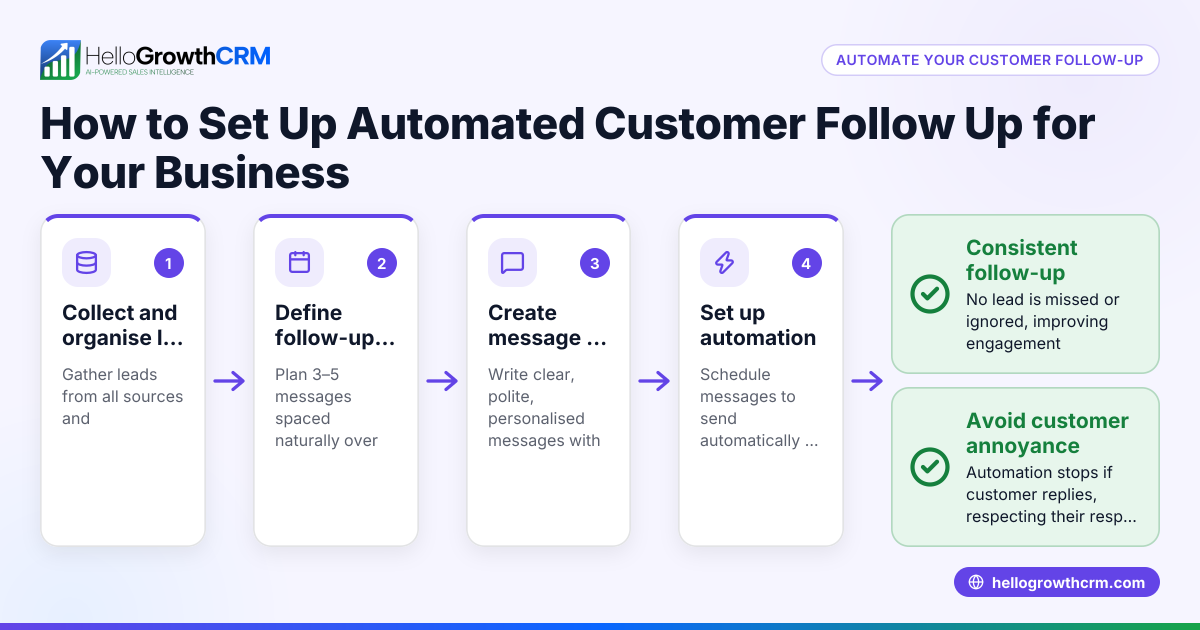
- Identify your follow-up channels and lead volume. Decide if you need automated follow-up via email, SMS, WhatsApp, or calls. Estimate how many leads you handle weekly to ensure the software can scale.
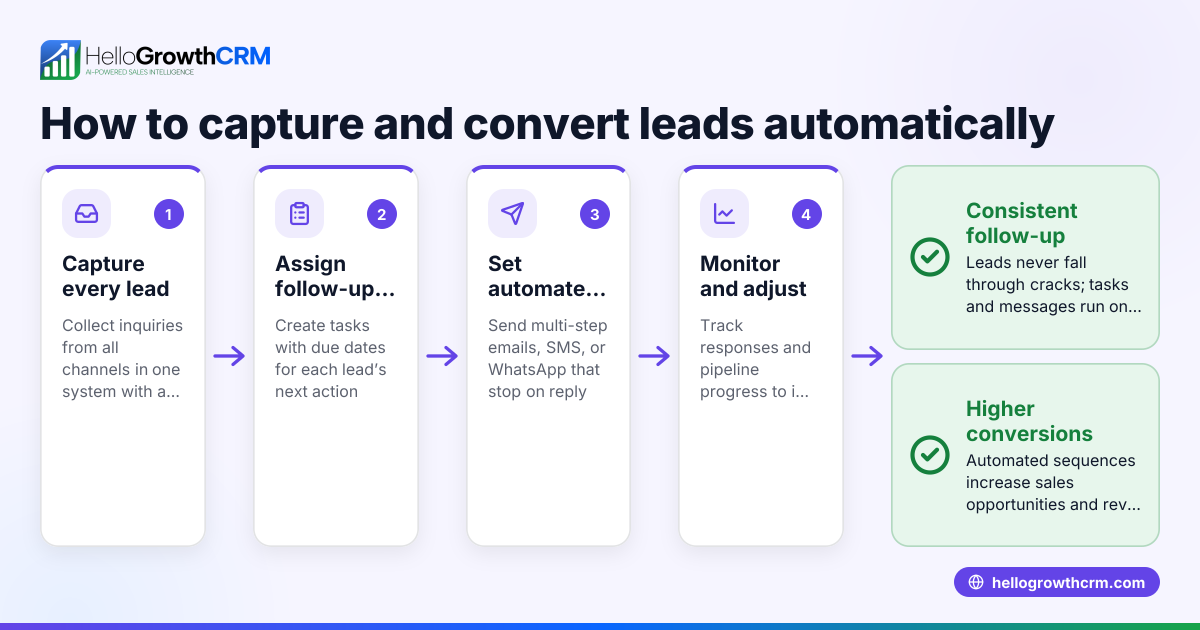
- Check task and activity management. The software should convert each follow-up into a task with a due date and provide daily call lists to avoid relying on memory. See sales task boards for examples.
- Evaluate automation workflows. Look for multi-step sequences that send timed messages across your chosen channels and stop automatically when the prospect replies. Learn more about email automation and sequences.
- Consider AI assistance. Some software offers AI agents that draft follow-up messages after calls, so reps only review and send, saving time.
- Review integration and reporting features. Ensure the software connects with your lead sources and provides visibility into follow-up status and the sales pipeline.
- Test ease of use and adoption. The tool should be simple for your team to use daily without excessive training.
Example (fictional figures)
A plumbing company in Austin, Texas, receives 100 new leads monthly. They want to automate a five-step follow-up over two weeks via email and SMS to increase conversions.
- Monthly leads = 100
- Conversion rate without automation = 10% (10 customers)
- Average deal value = $1,200
They estimate automation will increase conversions by 20% (from 10 to 12 customers).
Calculate increased revenue:
12 customers × $1,200 = $14,400
Previous revenue:
10 customers × $1,200 = $12,000
Additional revenue:
$14,400 - $12,000 = $2,400 monthly
This example shows automated follow-up can add $2,400 monthly by improving lead conversion.
Common mistakes
- Relying on manual reminders. Prevent this by using task boards that show daily calls and follow-ups clearly (sales task boards).
- Using generic messages for all leads. Prevent by customizing sequences and stopping automation when a prospect replies (email automation and sequences).
- Ignoring multi-channel follow-up. Prevent by choosing software supporting email, SMS, and WhatsApp.
- Not tracking follow-up history. Prevent by using software that logs all activities and notes tied to each lead.
- Overloading reps with writing follow-ups. Prevent by using AI agents to draft follow-ups for review (AI agents).
Doing this in HelloGrowthCRM
HelloGrowthCRM supports automated customer follow-up with these features:
- Activities and task boards: Each follow-up becomes a task with a due date; the day's calls appear as a list to avoid memory reliance. This keeps all interaction history tied to each lead. Learn more at sales task boards.
- Sequences and campaigns: Set up a five-step follow-up over two weeks that runs automatically and stops immediately when a prospect replies. This works across email, SMS, and WhatsApp. Details at email automation and sequences.
- AI agents: Currently in beta, these agents draft follow-up messages after calls so sales reps only need to review and send, saving time and improving consistency. See AI agents.
Frequently asked questions
What is automated email follow up software? Automated email follow up software sends a series of timed emails to leads or customers without manual sending. It tracks responses and stops the sequence when someone replies. This ensures consistent contact and helps increase conversion.
Can automated follow-up include SMS and WhatsApp? Yes, many modern follow-up tools support multiple communication channels including SMS and WhatsApp, letting you reach customers where they prefer.
How does AI help with customer follow-up? AI drafts personalized follow-up messages based on previous interactions, reducing the time sales reps spend writing and helping maintain timely contact.
Is it hard to get my sales team to use automated follow-up software? Adoption is easier when the software simplifies daily tasks, provides clear call lists, and integrates well with existing workflows. Task boards and automation reduce manual tracking.
Can automated follow-up sequences be customized? Yes, you can tailor message timing, content, and channels to fit your sales process and customer preferences. Automation stops when prospects respond to avoid over-contacting.
How do I measure the success of automated follow-up? Track lead conversion rates, response times, and sales pipeline movement before and after automation. Good software provides reporting features to monitor these metrics.
Key takeaways
- Automated follow-up software prevents lost leads by managing tasks and reminders systematically.
- Multi-step sequences across email, SMS, and WhatsApp improve contact consistency and conversion.
- AI agents can draft follow-ups, saving reps time and ensuring timely messages.
- Task boards provide daily call lists, reducing reliance on memory and manual tracking.
- Customizable sequences stop automatically when prospects reply, avoiding unnecessary messages.
- Measuring results requires tracking conversion and response metrics with reporting tools.
Start simplifying your customer follow-up today. Start on the Free Forever plan (200 leads, no credit card) with HelloGrowthCRM.
Ready to put this into practice?
Set up your pipeline, WhatsApp follow-ups, and AI lead scoring in minutes — free, no credit card.
Try HelloGrowthCRM freeGet CRM tips in your inbox
Join thousands of sales professionals who get weekly insights on CRM strategy, AI automation, and pipeline optimization.

The HelloGrowthCRM team publishes guides on CRM strategy, AI sales tools, and revenue operations for small business sales teams.