HelloGrowthCRM software
Built for real small-business sales teams
HelloGrowthCRM helps reps qualify faster, follow up on time, and close more deals—with practical automation in one place.
- AI lead scoring and pipeline visibility
- Built-in dialer, WhatsApp, and email automation
- Sales forecasting and RevOps-ready reporting
An automated lead follow up software demo lets you experience how the system captures new inquiries as leads, assigns owners, schedules follow-ups, and runs multi-step outreach sequences automatically until a prospect replies. This helps sales teams follow up quickly and consistently, reducing lost leads. This article covers why UAE business owners seek such software, how to evaluate demos step-by-step, common mistakes, and a worked example with local AED figures.
Why this comes up / what goes wrong
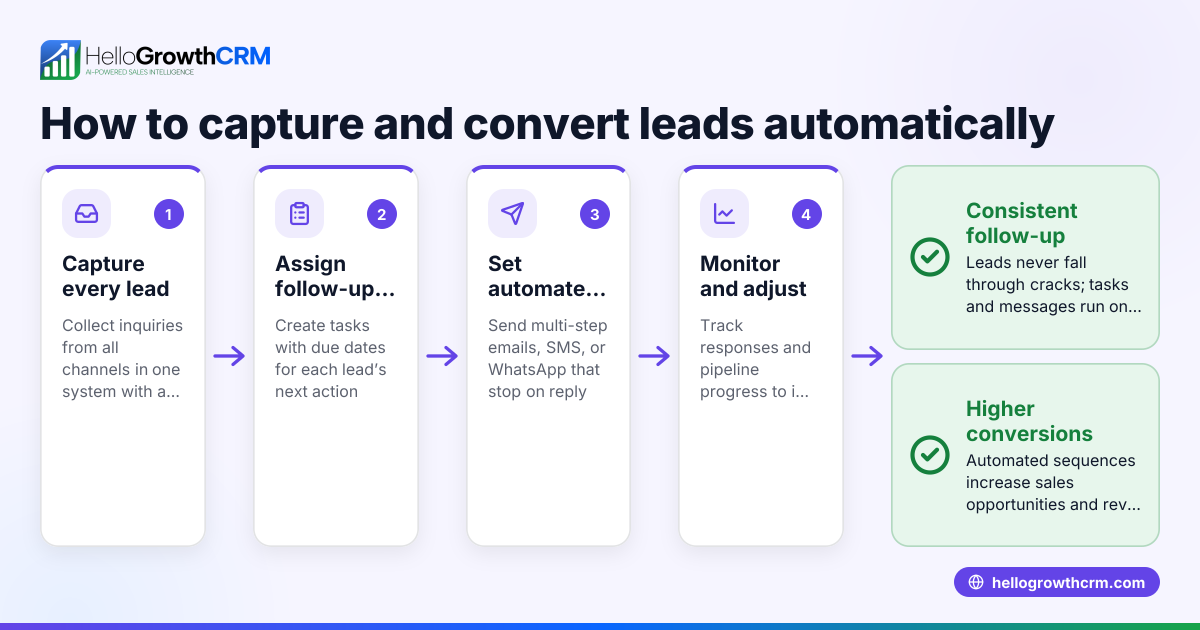
Many small and mid-sized businesses in the UAE rely on WhatsApp, calls, and spreadsheets to manage leads. This approach often leads to slow or missed follow-ups because there is no central system to organise leads or remind salespeople when to call next. Leads can get lost in notebooks or chat histories, and sales teams struggle to track who owns each lead or what the next step is. Business owners search for automated lead follow up software demos to find tools that can capture leads automatically from web forms, WhatsApp, or calls, assign them to team members, and schedule follow-ups without manual effort. They want a system that runs multi-step follow-up sequences and stops when the prospect responds, ensuring no lead is forgotten or followed up too late.
Step-by-step
- Identify your lead sources and integration needs: Check if the software can capture leads automatically from your main channels such as web forms, WhatsApp messages, or phone calls. Confirm it assigns leads to owners and creates next steps automatically.
- Request a demo focusing on lead capture and task management: During the demo, ask to see how new inquiries appear as leads with owners and due dates for follow-up tasks. Confirm that the system shows the day’s calls as a list to avoid relying on memory.
- Evaluate follow-up automation features: See if the software supports sequences—automated multi-step outreach workflows that send timed messages over email, WhatsApp or SMS until the prospect replies. Check if the sequence stops automatically upon response.
- Check usability and team adoption potential: Make sure the interface is simple enough for your salespeople to use daily without needing complex training. Ask how tasks and calls are logged and tracked.
- Review reporting and forecasting capabilities: Confirm the demo shows pipeline views and sales forecasting so you can track progress and predict revenue.
- Ask about limits and pricing: Understand any limits on leads, tasks, or sequences, and how pricing scales as your team grows.
Example (fictional figures)
A dental clinic in Jumeirah, Dubai, receives about 100 online appointment enquiries monthly. They try an automated lead follow up software demo with these features:
- Leads captured automatically from their website form and WhatsApp
- Each lead assigned to a dentist or receptionist
- Follow-up tasks scheduled with due dates
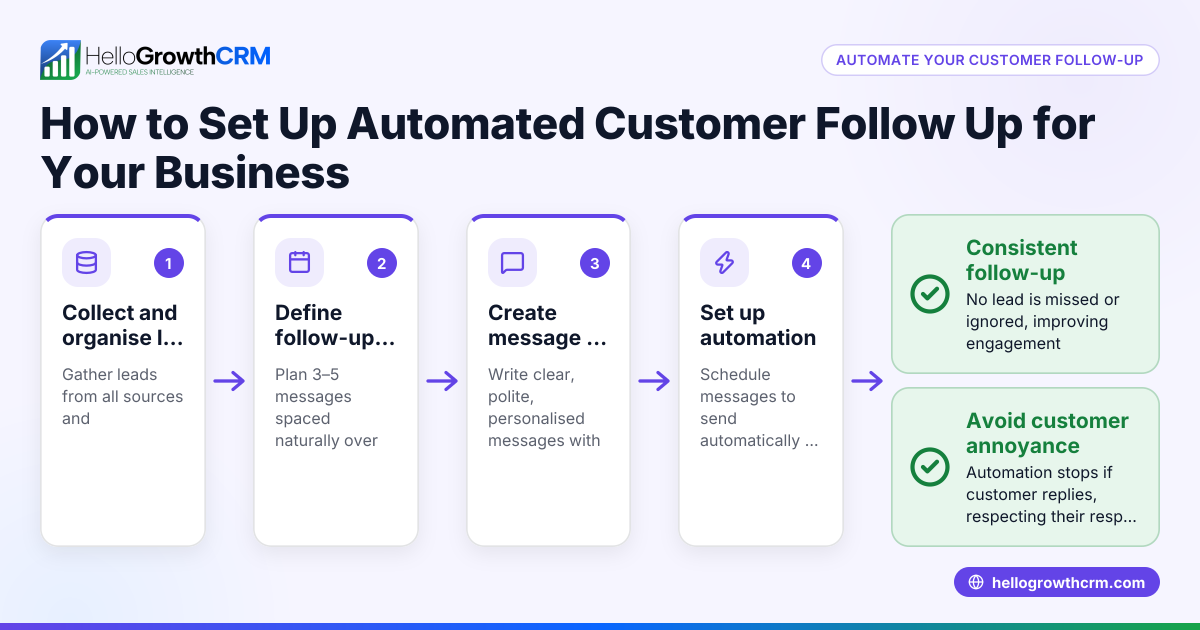
- A five-step WhatsApp and SMS sequence over two weeks
They estimate: Monthly enquiries = 100 Conversion rate without software = 20% Conversion rate with software demo = 30% (assumed for example) Average treatment value = AED 1,500
Current monthly revenue from enquiries = 100 × 20% × AED 1,500 = AED 30,000 Improved monthly revenue = 100 × 30% × AED 1,500 = AED 45,000 Monthly increase = AED 45,000 − AED 30,000 = AED 15,000
This example shows how better follow-up can increase conversions and revenue.
Common mistakes
- Choosing software without a live demo: Always ask for a hands-on demo to see if the features match your needs.
- Ignoring lead capture sources: Confirm the software captures leads from all your channels, not just web forms.
- Overlooking task and call management: Without task boards and call lists, follow-ups can still be missed. Check these features in the demo (sales task boards).
- Not testing sequences automation: Some software claims automation but requires manual steps. Verify sequences run fully automatically and stop on reply (email automation and sequences).
- Neglecting team usability: If the system is too complex, your team won’t use it consistently.
- Not considering scale and pricing: Understand limits on leads, tasks, and sequences before committing.
Doing this in HelloGrowthCRM
HelloGrowthCRM captures every enquiry from a form, call, or WhatsApp message as a lead with an owner and a next step, so no lead is lost in notebooks. Each follow-up becomes a task with a due date, and the day’s calls appear as a clear list, reducing memory reliance. Automated sequences run a five-step follow-up over two weeks via email, WhatsApp, and SMS, stopping immediately when the prospect replies. This helps small UAE businesses automate lead follow-up effectively and keep sales teams organised. Learn more about its AI lead scoring, sales task boards, and email automation and sequences.
Frequently asked questions
What is the ROI of automated lead follow up software? Automated follow-up software increases conversion rates by ensuring timely and consistent contact with leads. This often leads to higher sales and revenue without increasing sales staff. Use tools like a CRM ROI calculator to estimate your specific return.
How does lead capture work in automated follow-up software? Good software automatically captures leads from web forms, WhatsApp, and calls, assigning them to owners with next steps. This eliminates manual data entry and reduces lost leads.
Can automated follow-up sequences be customised? Yes, sequences usually allow you to set the number of steps, timing, and message channels like email, WhatsApp, and SMS. They stop automatically when a prospect replies, avoiding over-contact.
Is task management important in lead follow-up software? Yes, task boards and activity logs help sales teams track follow-up calls, meetings, and notes, ensuring no lead is forgotten. This also helps managers monitor team activity.
Will my sales team actually use the software? Choose software with a simple, clear interface and features that reduce manual work. A demo helps assess usability.
Key takeaways
- Automated lead follow up software demos show how leads are captured, assigned, and followed up automatically.
- Evaluate demos by checking lead capture, task management, follow-up sequences, usability, and reporting.
- Avoid common mistakes like skipping live demos or ignoring task boards and sequence automation.
- A local UAE business example shows how better follow-up can increase monthly revenue significantly.
- HelloGrowthCRM offers lead capture from forms, calls, and WhatsApp, task boards for follow-ups, and automated multi-step sequences that stop on reply.
Start your evaluation by trying a demo and focus on features that save time and improve follow-up consistency.
Try HelloGrowthCRM free with up to 200 leads and no credit card at Start on the Free Forever plan.
Ready to put this into practice?
Set up your pipeline, WhatsApp follow-ups, and AI lead scoring in minutes — free, no credit card.
Try HelloGrowthCRM freeGet CRM tips in your inbox
Join thousands of sales professionals who get weekly insights on CRM strategy, AI automation, and pipeline optimization.

The HelloGrowthCRM team publishes guides on CRM strategy, AI sales tools, and revenue operations for small business sales teams.