HelloGrowthCRM software
Built for real small-business sales teams
HelloGrowthCRM helps reps qualify faster, follow up on time, and close more deals—with practical automation in one place.
- AI lead scoring and pipeline visibility
- Built-in dialer, WhatsApp, and email automation
- Sales forecasting and RevOps-ready reporting
An automated lead follow up software demo lets business owners and sales teams experience how the software captures leads, organises follow-up tasks, and runs automated outreach sequences. It helps you check if the tool fits your sales process and team habits before committing.
Why this comes up / what goes wrong
Small and mid-sized business owners in Singapore often lose leads because follow-up is slow or inconsistent. Many still rely on WhatsApp chats, emails, and spreadsheets, which cause leads to slip through or get forgotten. When evaluating software, owners want to see a demo that shows how automation works in practice, how easy it is for their team to use, and how it integrates with existing tools.
A demo helps answer questions like: Can the software capture leads from web forms and WhatsApp? Does it remind sales reps about follow-ups? Can it run multi-step sequences and stop when a prospect replies? Without seeing these in action, it’s hard to know if the software will actually improve your sales follow-up.
Step-by-step
- Request a personalised demo: Ask for a demo tailored to your business size and sales process. Check if the software can capture leads from your usual sources like web forms, WhatsApp, or calls.
- Observe lead capture and ownership: During the demo, verify that every new enquiry lands as a lead assigned to a specific owner with a defined next step, instead of being lost in notes.
- Check task and activity management: See how follow-ups become tasks with due dates and how the day’s calls or tasks are presented. Confirm the system helps your team keep track without relying on memory.
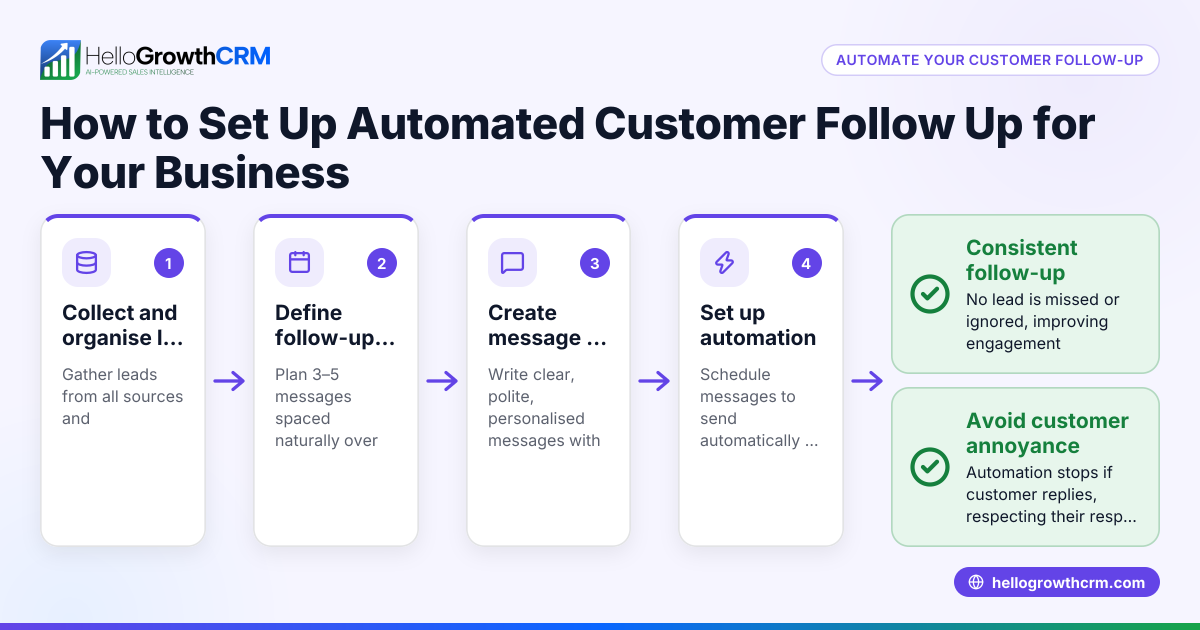
- Test automated sequences: Watch a demonstration of a multi-step follow-up sequence over days or weeks that sends emails, WhatsApp messages, or SMS automatically, and stops when a prospect replies.
- Ask about integrations and reporting: Find out if the software integrates with your existing tools and how sales forecasting or reporting is handled.
- Evaluate user experience: Ensure the interface is simple for your team to adopt, including mobile use if relevant.
- Request trial access if available: Hands-on use after the demo helps confirm the software suits your team.
For more on managing follow-ups, see sales task boards and email automation and sequences.
Example (fictional figures)
An F&B supplier in Woodlands receives 100 new enquiries monthly from their website and WhatsApp. They want to follow up on all leads within 24 hours and run a five-step follow-up sequence over two weeks.
- Leads captured monthly = 100
- Average conversion rate without automation = 15%
- Expected conversion rate with automation = 25% (assumed illustrative improvement)
- Average sale per converted lead = S$5,000
Calculations:
Current monthly sales = 100 × 15% = 15 leads converted
Current revenue = 15 × S$5,000 = S$75,000
Expected monthly sales with automation = 100 × 25% = 25 leads converted
Expected revenue = 25 × S$5,000 = S$125,000
Revenue increase = S$125,000 - S$75,000 = S$50,000
This example shows how automated follow-up software can help increase conversions and revenue by ensuring timely, consistent follow-ups.
Common mistakes
- Skipping the demo or rushing it: Without a proper demo, you may miss critical usability or feature gaps. Always schedule enough time and ask questions.
- Ignoring lead capture sources: If your software can’t capture leads from WhatsApp or your website forms, you’ll lose enquiries. Confirm these during the demo.
- Overlooking task management: Automated follow-up depends on good task boards and reminders. Ensure the system helps your team stay organised rather than adding complexity.
- Choosing software without sequence flexibility: Your follow-up sequences should stop automatically when prospects respond. Check this feature to avoid spamming.
- Neglecting team adoption: A tool that’s too complex or doesn’t fit your sales style won’t be used. Test user experience thoroughly.
- Not considering integrations: Your software should work with current tools and channels for smooth workflows.
Learn more about managing follow-ups with sales task boards and email automation and sequences.
Doing this in HelloGrowthCRM
HelloGrowthCRM captures every enquiry from forms, calls, or WhatsApp as a lead with an assigned owner and next step, preventing leads from being lost in notebooks. Each follow-up becomes a task with a due date, and the day’s calls appear as a clear list, so your team doesn’t have to remember everything. Automated five-step follow-up sequences run over two weeks, sending messages via email, SMS, or WhatsApp, and stop immediately when the prospect replies. This keeps your sales process organised and responsive. Learn more on HelloGrowthCRM for Singapore.
Frequently asked questions
What is the ROI of automated lead follow up software? Automated lead follow up software can increase your conversion rates by ensuring timely and consistent contact with prospects. This can lead to higher sales volume and revenue. Calculating ROI involves comparing increased sales against the software cost, factoring in time saved by sales staff. Try our CRM ROI calculator to estimate impact.
How do I know if the software fits my sales process? Request a personalised demo that shows lead capture from your sources and follow-up workflows. Check if task boards and sequences match how your team works. Hands-on trial access after the demo is ideal for testing fit.
Can automated sequences stop when a prospect replies? Yes, good software stops sending follow-up messages immediately when a prospect responds, avoiding annoyance and improving engagement.
What lead sources should the software handle? It should capture leads from all your channels, including web forms, WhatsApp, phone calls, and emails, to keep everything organised in one place.
How important is task management in follow-up software? Task management is crucial to keep follow-ups on schedule. Look for software with clear task boards and reminders so your team doesn’t rely on memory.
Key takeaways
- A demo lets you see lead capture, task management, and automated sequences in action.
- Verify lead capture from your main enquiry channels like WhatsApp and web forms.
- Automated sequences should stop immediately when prospects reply.
- Task boards and activity lists keep follow-ups organised and on time.
- User experience and team adoption are critical for success.
- HelloGrowthCRM supports these features with lead capture, task boards, and sequences.
Start your evaluation by requesting a demo or trying the software yourself. You can Start on the Free Forever plan (200 leads, no credit card) to see how automated lead follow-up works in practice.
Ready to put this into practice?
Set up your pipeline, WhatsApp follow-ups, and AI lead scoring in minutes — free, no credit card.
Try HelloGrowthCRM freeGet CRM tips in your inbox
Join thousands of sales professionals who get weekly insights on CRM strategy, AI automation, and pipeline optimization.

The HelloGrowthCRM team publishes guides on CRM strategy, AI sales tools, and revenue operations for small business sales teams.