HelloGrowthCRM software
Built for real small-business sales teams
HelloGrowthCRM helps reps qualify faster, follow up on time, and close more deals—with practical automation in one place.
- AI lead scoring and pipeline visibility
- Built-in dialer, WhatsApp, and email automation
- Sales forecasting and RevOps-ready reporting
Automated customer support means using technology to respond to customer inquiries, solve issues, and manage service requests automatically or with minimal human intervention. Small businesses often turn to automation to speed up response times, reduce workload on staff, and improve customer satisfaction. This article covers why automated support matters, how to set it up in clear steps, a realistic example, common pitfalls to avoid, and how HelloGrowthCRM can help you manage customer support efficiently.
Why this comes up / what goes wrong
Many small businesses start with manual customer service methods like answering emails, phone calls, or texts individually. As customer volume grows, this manual approach can lead to slow responses, missed requests, and frustrated customers. Sales and support teams juggling multiple communication channels without a unified system often lose track of issues or repeat work. This slows down problem resolution and hurts customer experience. Automated customer support helps by streamlining common tasks and providing self-service options, so your team can focus on complex issues.
Step-by-step
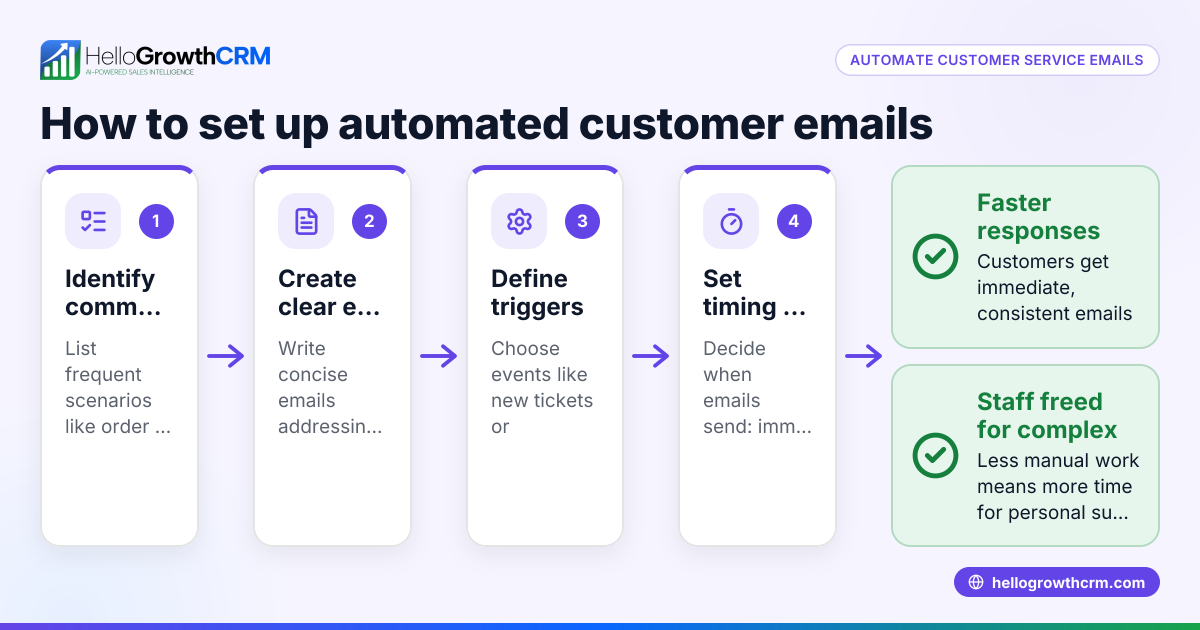
- Identify common customer inquiries and issues. List the questions customers ask most often or frequent problems they report. This helps you know what to automate.
- Choose automation tools that fit your business size and needs. Look for software with features like ticketing, knowledge bases, and customer portals. Check if it integrates with your current systems.
- Set up a self-service customer portal. Allow customers to find answers and submit support tickets online anytime without needing to call or email.
- Create a knowledge base with articles and FAQs. Write clear, concise answers to common questions and organize them for easy searching.
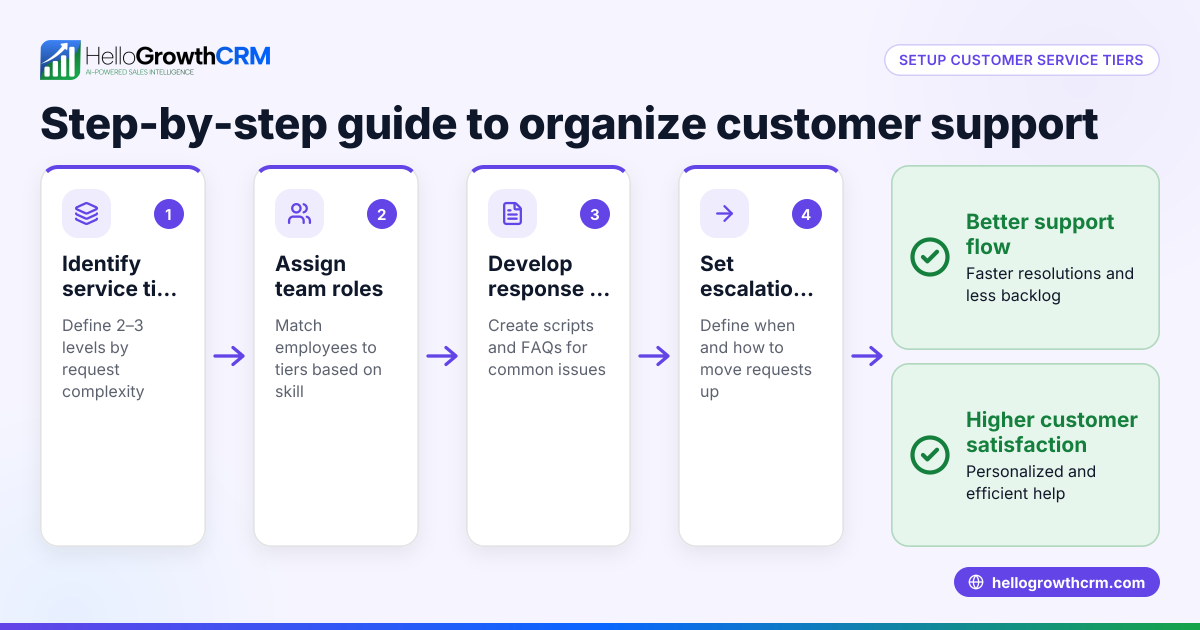
- Implement automated ticketing workflows. Configure your system to automatically assign tickets to the right team members and set priority levels.
- Use referral tracking if applicable. Encourage satisfied customers to refer others and track those referrals automatically.
- Train your team on using the automated support system. Make sure everyone knows how to access tickets, update statuses, and use the knowledge base.
- Monitor customer satisfaction and ticket resolution times regularly. Adjust automation rules and content based on feedback and performance.
Example (fictional figures)
A plumbing company in Austin, Texas, called "Austin Pipe Masters," receives 150 support requests monthly. They spend 30 minutes on average per request manually handling calls and emails.
Time spent monthly: 150 requests × 30 minutes = 4,500 minutes = 75 hours
At $25/hour average staff cost: 75 hours × $25 = $1,875 monthly support cost
After implementing automated customer support with a customer portal and ticket system, they reduce manual handling time to 10 minutes per request for complex cases only.
New time spent: 150 requests × 10 minutes = 1,500 minutes = 25 hours
New monthly cost: 25 hours × $25 = $625
Monthly savings: $1,875 - $625 = $1,250
This frees up 50 hours monthly for their team to focus on new sales and complex repairs.
Common mistakes
- Automating too much without human backup. Prevent by ensuring complex issues can escalate to live agents.
- Neglecting to update the knowledge base. Prevent by scheduling regular reviews and updates.
- Ignoring customer feedback on automated responses. Prevent by collecting feedback and adjusting automation accordingly.
- Using multiple disconnected tools. Prevent by choosing integrated solutions like HelloGrowthCRM that combine tickets, customer portal, and referrals.
- Failing to train staff properly. Prevent by providing thorough training and documentation.
Doing this in HelloGrowthCRM
HelloGrowthCRM supports automated customer support through its branded customer portal, where customers can self-serve and submit tickets. Support tickets and knowledge base articles stay linked to the same customer record as the deal, keeping all service requests organized in one place. Referral program tracking is also built-in to help grow your customer base. Learn more about how HelloGrowthCRM’s customer health score can help you monitor support effectiveness at customer health score. For US businesses, HelloGrowthCRM offers WhatsApp and SMS CRM features to keep all communications in one platform, improving response times and customer satisfaction (WhatsApp and SMS CRM, HelloGrowthCRM for the United States).
Frequently asked questions
What is automated customer support? Automated customer support uses software tools to handle routine customer service tasks like answering FAQs, managing support tickets, and providing self-service portals. It reduces the need for live agents to handle every inquiry.
How can small businesses start with automated support? Start by identifying common customer questions, then implement a ticketing system and knowledge base. A self-service portal lets customers find answers and submit issues anytime, reducing staff workload.
Will automation replace my customer service team? No. Automation handles routine tasks and frees your team to focus on complex issues that require human judgment and personalized service.
How does HelloGrowthCRM support customer service automation? HelloGrowthCRM provides a customer portal, ticketing system, knowledge base, and referral tracking all linked to customer records. This keeps service organized and efficient.
Can automated support improve customer satisfaction? Yes. Faster responses and self-service options mean customers get help when they need it, which increases satisfaction and loyalty.
Key takeaways
- Automated customer support uses software to handle common service tasks efficiently.
- Start by identifying frequent customer issues and setting up a self-service portal and ticketing system.
- Keep your knowledge base updated and train your team on the tools.
- Avoid over-automation; keep human support for complex cases.
- HelloGrowthCRM offers integrated customer portals, tickets, knowledge base, and referral tracking to streamline support.
Automated customer support can save your team time and improve customer satisfaction. To get started risk-free, Start on the Free Forever plan (200 leads, no credit card).
Ready to put this into practice?
Set up your pipeline, WhatsApp follow-ups, and AI lead scoring in minutes — free, no credit card.
Try HelloGrowthCRM freeGet CRM tips in your inbox
Join thousands of sales professionals who get weekly insights on CRM strategy, AI automation, and pipeline optimization.

The HelloGrowthCRM team publishes guides on CRM strategy, AI sales tools, and revenue operations for small business sales teams.