HelloGrowthCRM software
Built for real small-business sales teams
HelloGrowthCRM helps reps qualify faster, follow up on time, and close more deals—with practical automation in one place.
- AI lead scoring and pipeline visibility
- Built-in dialer, WhatsApp, and email automation
- Sales forecasting and RevOps-ready reporting
The best quotation management CRM in India for small businesses is one that combines easy quotation creation, lead management, and communication tracking in one place. This article covers how to evaluate CRMs for quotation management, the steps to choose the right one, common mistakes to avoid, and how HelloGrowthCRM supports quotation workflows.
Why this comes up / what goes wrong
Small business owners in India often lose leads or delay follow-ups because they rely on WhatsApp chats, spreadsheets, or notebooks to manage quotations. This scattered approach makes it hard to track which quotations were sent, viewed, or accepted. Without a central system, sales teams waste time duplicating work or miss opportunities to close deals. They search for the "best quotation management CRM India" to find software that streamlines sending, tracking, and following up on quotations while keeping lead details organized.
Step-by-step
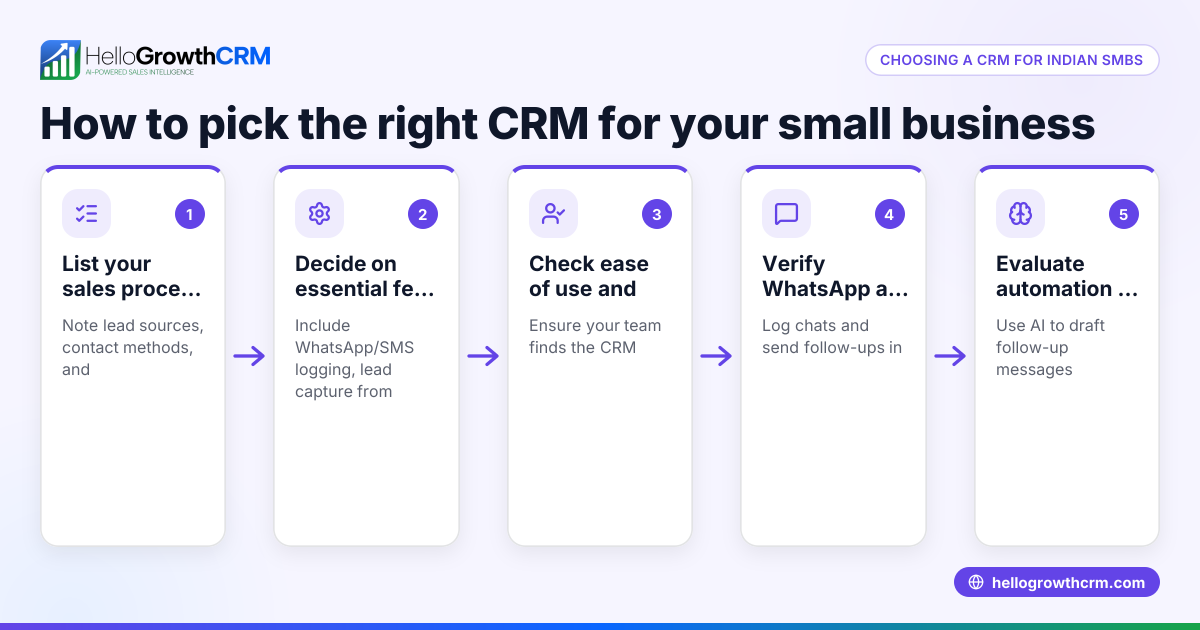
- List your business needs: Identify if you need quotation creation, tracking, lead capture, WhatsApp integration, or payment tracking. Prioritize features that solve your biggest pain points.
- Check for quotation and proposal tools: Ensure the CRM lets you build and send quotations directly from deals and track their status (sent, viewed, accepted) on the same screen.
- Evaluate lead management: Verify that enquiries from forms, calls, or WhatsApp automatically become leads with an assigned owner and next step, avoiding lost or forgotten prospects.
- Look for communication logging: Confirm that WhatsApp and SMS conversations with leads are logged on their records and that follow-ups can be sent as messages without switching apps.
- Consider invoice and payment features: If you want to generate invoices from closed deals and track payments, check if the CRM supports this.
- Compare pricing and plans: Review CRM pricing in India carefully to match your budget and required features. Free plans may lack quoting or messaging tools.
- Test usability: Choose a CRM your sales team will actually use. A WhatsApp-native CRM familiar to Indian teams can reduce training time.
- Read reviews and compare: Use resources to compare CRMs on features, ease of use, and support.
Example (fictional figures)
Rajesh runs a small electronics parts business in Pune. He wants to send quotations and track payments efficiently.
- Rajesh creates a deal for a customer inquiry on 01/03/2024.
- He builds a quotation for ₹1,50,000 using the CRM's proposal tool.
- The quotation is sent on 02/03/2024 and marked as "sent".
- The customer views the quotation on 04/03/2024, updating the status to "viewed".
- On 06/03/2024, the customer accepts the quotation.
- Rajesh generates an invoice for ₹1,50,000 from the deal.
- The customer makes a payment of ₹1,50,000 on 10/03/2024, which is recorded against the invoice.
This workflow keeps all information on one screen, linked to the deal, saving Rajesh time and reducing errors.
Common mistakes
- Using multiple disconnected tools: Leads, quotations, and messages scattered across WhatsApp, Excel, and notebooks cause data loss. Use a CRM that integrates these.
- Ignoring quotation status tracking: Sending quotations without tracking if they were viewed or accepted leads to missed follow-ups. Choose a CRM with real-time status.
- Not assigning lead owners or next steps: Without clear responsibility, leads slip through cracks. Pick a CRM that assigns owners and next actions automatically.
- Complicated user interfaces: Complex CRMs discourage usage. Opt for simple, WhatsApp-native CRMs familiar to your team.
- Skipping pricing comparison: Some CRMs charge extra for key features. Review CRM pricing in India before deciding.
- Neglecting mobile support: Sales teams in India often work on phones. Ensure the CRM supports mobile workflows and messaging.
Doing this in HelloGrowthCRM
HelloGrowthCRM offers a built-in quoting and proposal tool where you can build, send, and track quotations directly from a deal record. The quotation status (sent, viewed, accepted) is visible alongside the follow-up task, helping sales teams keep everything in one place. Leads from forms, calls, or WhatsApp are captured automatically with owners and next steps assigned, avoiding lost enquiries. WhatsApp conversations are logged on lead records, and follow-ups can be sent as WhatsApp or SMS messages without leaving the CRM. Invoices and payments are also linked to deals for full sales cycle tracking. Learn more about HelloGrowthCRM for India.
Frequently asked questions
What is the typical pricing for quotation management CRMs in India? Pricing varies widely depending on features and user count. Some CRMs offer free plans with limited quoting tools, while paid plans add invoicing, messaging, and lead management. Review detailed CRM pricing in India to find a plan that fits your budget.
Are there alternatives to quotation management CRMs in India? Yes, alternatives include standalone quoting software, spreadsheets, or manual WhatsApp communication. However, these often lack automation and tracking, leading to inefficiencies. A CRM that integrates quotations with leads and messaging improves sales productivity. See a compare CRMs guide for options.
Can a CRM also handle ticket management along with quotations? Some CRMs in India offer ticket or support management alongside sales features. If you need both, check if the CRM supports ticket workflows. This is useful for businesses handling after-sales service. HelloGrowthCRM focuses on sales pipeline and quotation management.
How does WhatsApp integration help in quotation management? WhatsApp integration lets you send quotations and follow-ups directly within the CRM, logging all conversations on the lead record. This reduces switching apps and ensures communication history is tracked for better customer engagement.
Is it necessary to have invoice and payment tracking in the same CRM? While not mandatory, having invoices and payments linked to deals and quotations in the same CRM provides a complete sales overview. This helps reconcile payments quickly and keeps financial data organized.
Key takeaways
- Choose a CRM that integrates quotation creation, lead capture, and communication tracking.
- Look for quotation status tracking (sent, viewed, accepted) on the same screen as follow-ups.
- Automate lead ownership and next steps to avoid lost enquiries.
- Prefer WhatsApp-native CRMs for easier adoption by Indian sales teams.
- Compare pricing and features carefully before selecting a CRM.
- Mobile support and invoice-payment tracking add valuable convenience.
To explore pricing and plans tailored for Indian businesses, See India pricing.
Ready to put this into practice?
Set up your pipeline, WhatsApp follow-ups, and AI lead scoring in minutes — free, no credit card.
Try HelloGrowthCRM freeGet CRM tips in your inbox
Join thousands of sales professionals who get weekly insights on CRM strategy, AI automation, and pipeline optimization.

The HelloGrowthCRM team publishes guides on CRM strategy, AI sales tools, and revenue operations for small business sales teams.