HelloGrowthCRM software
Built for real small-business sales teams
HelloGrowthCRM helps reps qualify faster, follow up on time, and close more deals—with practical automation in one place.
- AI lead scoring and pipeline visibility
- Built-in dialer, WhatsApp, and email automation
- Sales forecasting and RevOps-ready reporting
Builder automated follow up means setting up a system that automatically sends reminders, messages, or calls to prospects interested in your homes or construction services. This keeps your leads warm and helps you respond quickly, which is critical in the competitive real estate and building market.
Why this comes up / what goes wrong
Builders and residential real estate teams often lose leads because follow-up is inconsistent or too slow. For example, a home buyer might inquire about a new build, but if the builder’s sales rep delays responding or forgets to follow up, the lead cools off or goes to a competitor. Builders juggle multiple projects, site visits, and client meetings, making manual follow-up challenging. Accountants or business owners also want accurate records of communications for forecasting and cash flow planning.
Automated follow-up helps by creating a reliable process that doesn’t rely on memory or manual tracking. It ensures every lead gets timely contact, increasing the chance of conversion and improving sales forecasting.
Step-by-step
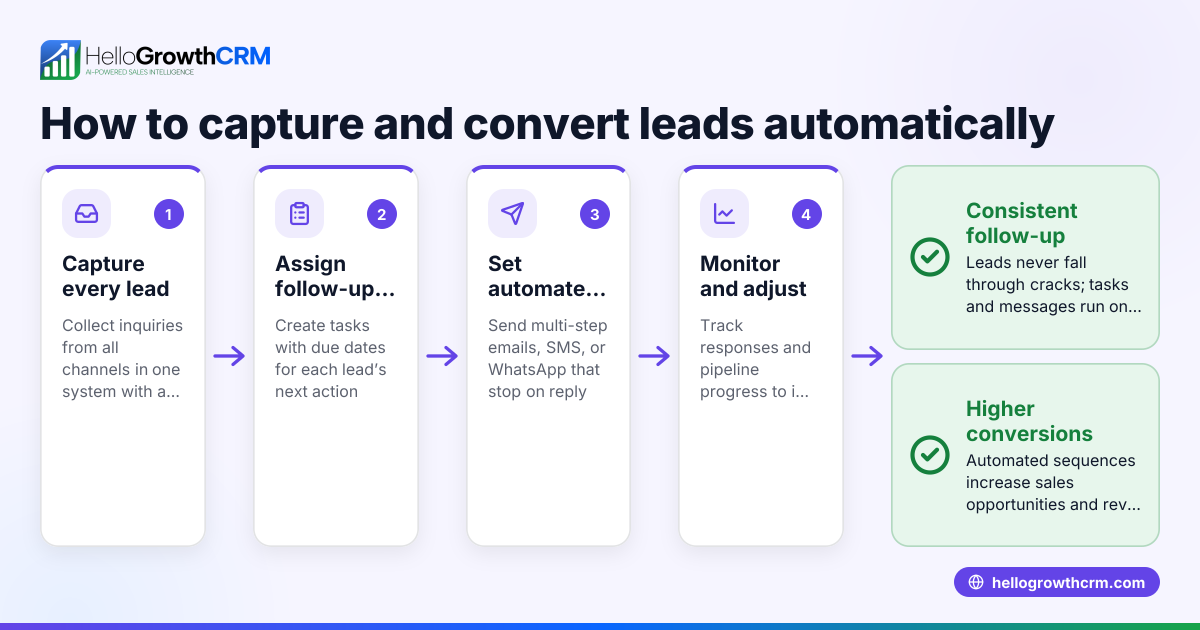
- Capture leads efficiently: Use web forms or integrations to collect lead information immediately when prospects inquire about a home or service.
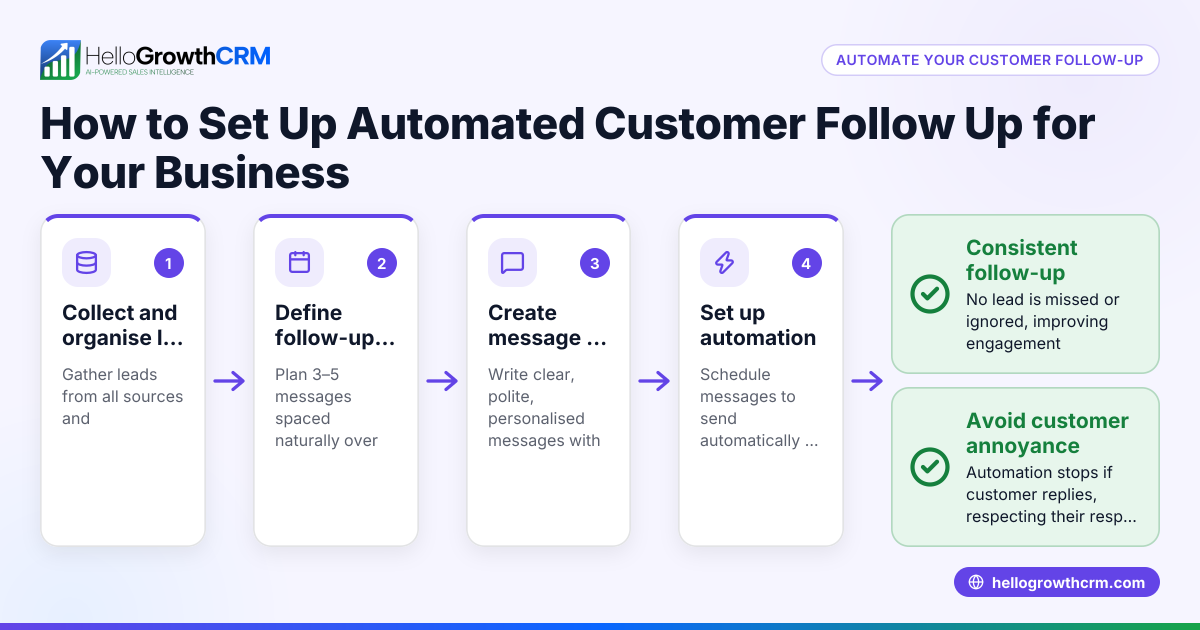
- Set up follow-up sequences: Create a multi-step outreach plan that sends emails, texts, or WhatsApp messages automatically over a set period, such as two weeks.
- Schedule follow-up tasks: Assign tasks with due dates for calls or meetings to your sales reps to keep daily follow-up organized.
- Use triggers to stop sequences: Make sure the system stops sending messages once the prospect replies, avoiding spamming or annoyance.
- Review and personalize messages: Use AI to draft follow-up messages after calls, then review and send to keep communication relevant.
- Track all interactions: Log calls, notes, and emails linked to each lead to maintain a complete history for better forecasting and team handoffs.
- Analyze results: Regularly check which follow-up steps convert best and adjust your sequences accordingly.
Check out sales task boards for organizing daily calls and tasks, and email automation and sequences for setting up multi-step outreach.
Example (fictional figures)
A residential real-estate team in Phoenix, Arizona, handles 100 new home inquiries monthly. They set up a 5-step follow-up sequence over 14 days to contact prospects via SMS and email.
- Average sale value per home: $350,000
- Conversion rate before automation: 10% (10 sales)
- Conversion rate after automation: 15% (15 sales)
Calculating increased revenue:
15 sales × $350,000 = $5,250,000
Before automation:
10 sales × $350,000 = $3,500,000
Increase in sales revenue:
$5,250,000 - $3,500,000 = $1,750,000
The automated follow-up system helped close 5 more sales, adding $1,750,000 in revenue.
Common mistakes
- Ignoring timing: Sending follow-ups too early or too late can annoy prospects or lose their interest. Use data or testing to find the right schedule.
- Overloading messages: Too many messages without stopping when a lead replies causes frustration. Use stop triggers in your sequences.
- Not personalizing: Generic messages feel robotic. Use AI drafting tools but always review to add personal touches.
- Forgetting task management: Without task boards, reps may miss calls or deadlines. Use tools to keep daily follow-up organized.
- Not tracking interactions: Without logging calls and notes, team members lack context. Always keep a complete interaction history.
Learn more about avoiding these errors with Real estate and builders best practices.
Doing this in HelloGrowthCRM
HelloGrowthCRM helps builders automate follow up with these features:
- Activities and task boards: Each follow-up becomes a task with a due date; the day’s calls appear on a list, so reps don’t have to remember everything. See sales task boards.
- Sequences and campaigns: Set up a five-step follow-up over two weeks that runs automatically and stops the moment the prospect replies. Learn about email automation and sequences.
- AI agents: After a call, an AI agent drafts the follow-up message so the sales rep only needs to review and send, saving time and keeping messages relevant. (Beta feature) Discover AI CRM.
Frequently asked questions
How can home builders automate follow-up without annoying prospects? Automate follow-up by scheduling messages at reasonable intervals and stopping sequences as soon as a prospect replies. Personalize messages to add value and avoid repetitive content.
What is the best timing for builder follow-up messages? Start with a quick follow-up within 24 hours, then space messages over the next two weeks. Adjust timing based on responses and lead behavior.
Can automated follow-up improve sales forecasting for builders? Yes, by logging every interaction and task, you get accurate data on lead status and pipeline health, which improves sales forecasts.
Is it hard to integrate builder follow-up automation with existing tools? Many CRMs, including HelloGrowthCRM, offer integrations and lead capture from web forms, making it straightforward to centralize follow-up.
What should builders ask before choosing an automated follow-up CRM? Ask about task management, multi-channel sequences, AI assistance, ease of use, and whether the system stops outreach when prospects respond.
Key takeaways
- Automated follow-up keeps builder leads engaged and reduces lost sales.
- Set up multi-step sequences that stop when prospects reply to avoid spamming.
- Use task boards to organize daily calls and follow-up tasks.
- AI drafting tools save time and personalize messages after calls.
- Track every interaction for better forecasting and team collaboration.
- Choose a CRM that fits builder workflows and supports multi-channel outreach.
Start automating your builder follow-up today with HelloGrowthCRM. Start on the Free Forever plan (200 leads, no credit card).
Ready to put this into practice?
Set up your pipeline, WhatsApp follow-ups, and AI lead scoring in minutes — free, no credit card.
Try HelloGrowthCRM freeGet CRM tips in your inbox
Join thousands of sales professionals who get weekly insights on CRM strategy, AI automation, and pipeline optimization.

The HelloGrowthCRM team publishes guides on CRM strategy, AI sales tools, and revenue operations for small business sales teams.