HelloGrowthCRM software
Built for real small-business sales teams
HelloGrowthCRM helps reps qualify faster, follow up on time, and close more deals—with practical automation in one place.
- AI lead scoring and pipeline visibility
- Built-in dialer, WhatsApp, and email automation
- Sales forecasting and RevOps-ready reporting
Business email newsletter templates are pre-formatted email designs that small businesses use to send regular updates, promotions, or valuable content to their customers and prospects. Using templates helps save time, maintain consistent branding, and improve email engagement by providing a professional and organized message structure.
Why this comes up / what goes wrong
Small-business owners often want to keep in touch with customers but struggle with the time and skill needed to create effective newsletters. Without templates, emails can take too long to write, look inconsistent, or fail to get opened. Owners might send emails irregularly or forget to include important elements like calls to action or unsubscribe links. This can lead to lost sales opportunities and weaker customer relationships.
Step-by-step
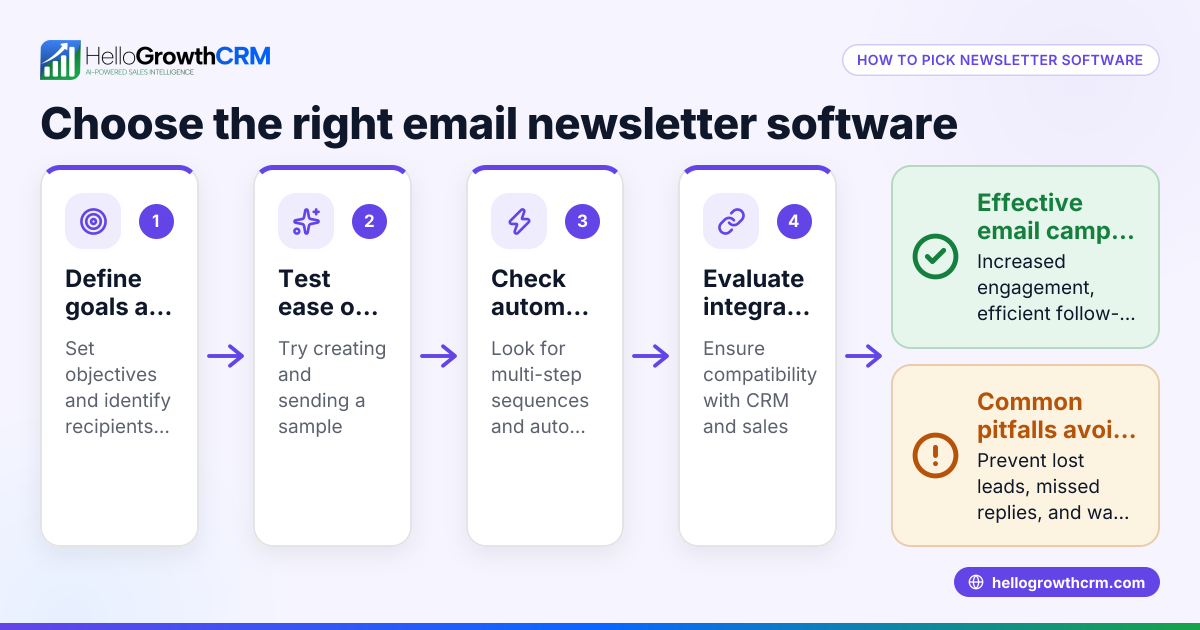
- Define your newsletter goal and audience: Decide if your newsletter’s purpose is to inform, promote, educate, or build loyalty. Identify who will receive it and what content they find valuable.
- Choose a template style: Select a layout that fits your brand colors, fonts, and tone. Ensure the design is clean and mobile-friendly.
- Create consistent sections: Include a header with your logo, a main message area, clear calls to action (CTAs), and a footer with contact info and unsubscribe links.
- Write clear, concise content: Use short paragraphs, bullet points, and engaging headlines. Personalize messages where possible to increase relevance.
- Add images and links carefully: Use visuals to support your message but avoid clutter. Link CTAs to relevant landing pages or offers.
- Test your template: Send test emails to check formatting on different devices and email clients to ensure readability.
- Schedule and automate sending: Plan regular send dates and use email automation tools to deliver newsletters consistently and on time.
- Track performance and adjust: Monitor open rates, click-through rates, replies, and conversions to improve future newsletters.
You can find examples to adapt in the sales templates section and learn about scheduling and automation in email automation and sequences.
Example (fictional figures)
A plumbing company in Austin, Texas, wants to send a monthly newsletter to 1,000 customers announcing a seasonal discount.
- They design a template with a header, a main offer section, and a CTA button.
- The discount offer is $50 off drain cleaning.
- They plan to send the newsletter on 07/01/2026.
- They expect a 20% open rate and 10% click-through rate.
Calculations:
1,000 customers × 20% open rate = 200 opens 200 opens × 10% click rate = 20 clicks
If 20 customers redeem the $50 discount:
20 customers × $50 discount = $1,000 total discount given
If each discounted service normally costs $150:
20 customers × $150 = $3,000 revenue from discounted services
Net revenue after discount:
$3,000 - $1,000 = $2,000
This example shows how a well-planned newsletter with a clear CTA can generate measurable business results.
Common mistakes
- Using inconsistent branding: Prevent this by creating a branded template and using it consistently across all newsletters.
- Overloading with text or images: Keep content concise and visuals relevant to avoid overwhelming readers.
- Neglecting mobile optimization: Always test emails on phones and tablets to ensure readability.
- Forgetting unsubscribe links or contact info: Include these to comply with email laws and build trust with recipients.
- Sending irregularly or too frequently: Set a realistic schedule and automate sending with tools like HelloGrowthCRM.
- Ignoring performance metrics: Use analytics to refine your content, timing, and targeting.
Download free sales templates and free sales tools and calculators to help avoid these mistakes.
Doing this in HelloGrowthCRM
HelloGrowthCRM offers features that help manage email newsletters efficiently. The HelloMail shared inbox lets your team see all replies to quotation emails on the deal, improving collaboration and response time. You can set up sequences and campaigns to automate a five-step follow-up over two weeks that stops automatically when a prospect replies. Plus, you can access free sales tools, templates, and calculators without an account to jumpstart your email cadence and pipeline management. Learn more at email automation and sequences.
Frequently asked questions
What should a business email newsletter template include? A good template includes a branded header, a clear message or offer, a call to action, and a footer with contact details and an unsubscribe option.
How often should I send newsletters? Most small businesses send newsletters monthly or biweekly. Choose a frequency you can maintain consistently without overwhelming your audience.
Can I personalize newsletter templates? Yes, personalization like addressing recipients by name or segmenting lists improves engagement. Many email tools support this.
Are there free newsletter templates available? Yes, you can find free templates online or download sales templates and tools from HelloGrowthCRM’s free sales tools and calculators section.
How do I measure the success of my newsletter? Track metrics such as open rates, click-through rates, replies, and conversions to see how your newsletter performs and adjust future campaigns accordingly.
Key takeaways
- Business email newsletter templates save time and ensure consistent branding.
- Define your goal and audience before choosing or creating a template.
- Use clear sections: header, message, CTA, and footer.
- Avoid common mistakes like inconsistent branding and ignoring mobile optimization.
- Automate and track newsletters using tools like HelloGrowthCRM.
Start sending better newsletters today. Start on the Free Forever plan (200 leads, no credit card) with HelloGrowthCRM to manage your email campaigns efficiently.
Ready to put this into practice?
Set up your pipeline, WhatsApp follow-ups, and AI lead scoring in minutes — free, no credit card.
Try HelloGrowthCRM freeGet CRM tips in your inbox
Join thousands of sales professionals who get weekly insights on CRM strategy, AI automation, and pipeline optimization.

The HelloGrowthCRM team publishes guides on CRM strategy, AI sales tools, and revenue operations for small business sales teams.