HelloGrowthCRM software
Built for real small-business sales teams
HelloGrowthCRM helps reps qualify faster, follow up on time, and close more deals—with practical automation in one place.
- AI lead scoring and pipeline visibility
- Built-in dialer, WhatsApp, and email automation
- Sales forecasting and RevOps-ready reporting
A business invitation email is a professional message sent to invite clients, partners, or prospects to an event, meeting, or business opportunity. This article explains what a business invitation email is, why it matters, how to write one step-by-step, common mistakes to avoid, and how to automate follow-ups efficiently.
Why this comes up / what goes wrong
Small-business owners often need to invite clients, partners, or prospects to meetings, product demos, networking events, or sales presentations. Sending a clear, polite, and compelling invitation email can improve attendance and strengthen business relationships. However, many business owners struggle with slow or inconsistent follow-up, unclear messaging, or juggling invitations through email, text, and spreadsheets. These issues lead to missed opportunities and lost leads.
Step-by-step
- Identify the purpose of your invitation: Be clear about what you are inviting the recipient to, such as a webinar, product launch, or one-on-one meeting. Confirm the event date and time.
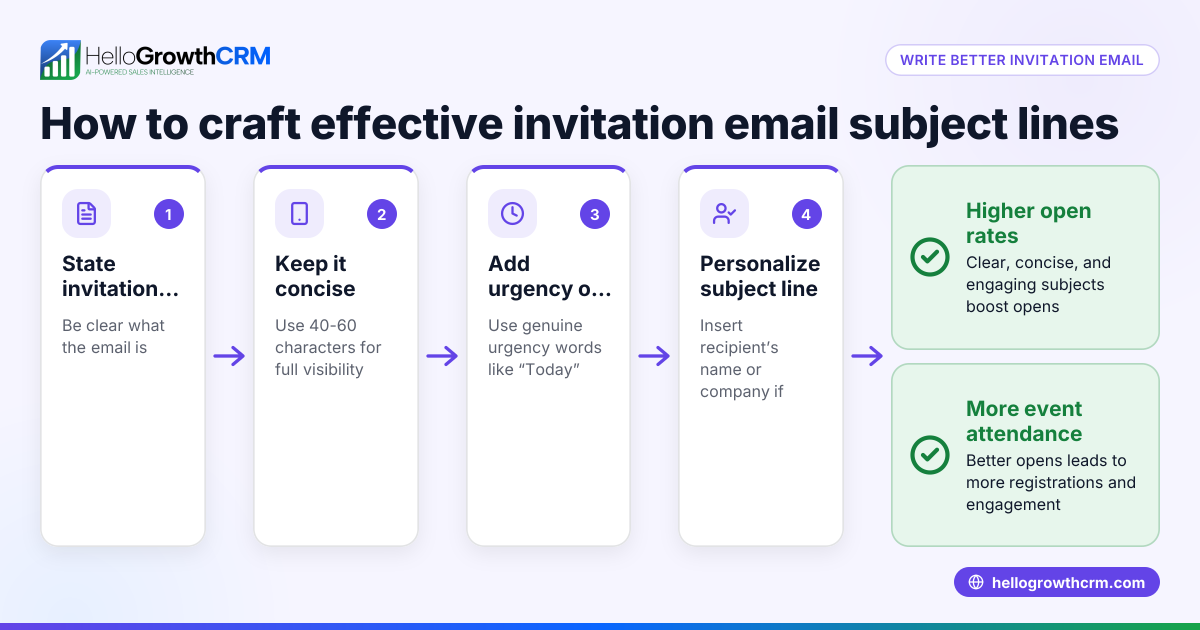
- Write a clear subject line: Use a subject that states the invitation purpose and encourages opening, for example, "Invitation: Join Our Exclusive Product Demo on 07/15/2026".
- Start with a polite greeting: Address the recipient by name if possible to personalize the email.
- State the invitation clearly in the opening sentence: Mention the event or meeting, the date, time, and location or link.
- Explain the benefits or relevance: Briefly explain why the recipient should attend and what value they will get.
- Provide a clear call to action (CTA): Ask the recipient to RSVP, confirm attendance, or register, and provide a link or contact details.
- Include any additional details: Such as agenda, dress code, or contact for questions.
- Close politely: Thank the recipient for their time and sign off with your name and contact information.
- Proofread and check for clarity: Ensure there are no typos or confusing phrases.
- Send and track your invitation: Use email tools or CRM sequences to automate follow-ups and monitor responses.
For managing email sequences and follow-ups, consider using email automation and sequences to save time and ensure timely outreach.
Example (fictional figures)
Phoenix Residential Realty, a real estate team in Phoenix, Arizona, wants to invite 50 prospects to a virtual home-buying seminar on 08/10/2026 at 6:00 PM.
- They draft the invitation email with the subject line: "Invitation: Virtual Home-Buying Seminar on 08/10/2026"
- The email states the date, time, and Zoom link.
- They send the invitations on 07/25/2026.
- They plan a two-week follow-up sequence to remind prospects who haven’t responded.
Calculations for follow-up email costs (assuming $0.10 per email sent):
- Initial emails sent: 50 × $0.10 = $5.00
- Follow-up sequence: 5 steps × 50 prospects = 250 emails
- Follow-up cost: 250 × $0.10 = $25.00
- Total email cost: $5.00 + $25.00 = $30.00
Tracking engagement helps prioritize leads and optimize follow-up efforts.
Common mistakes
- Sending vague invitations: Prevent by clearly stating the event, date, and purpose.
- Not personalizing the email: Prevent by using the recipient’s name and relevant details.
- Forgetting a clear call to action: Prevent by explicitly asking for RSVP or registration.
- Ignoring follow-up: Prevent by setting automated email sequences to remind recipients (email automation and sequences).
- Using multiple separate tools: Prevent by managing invitations and replies in one place like a shared inbox.
Doing this in HelloGrowthCRM
HelloGrowthCRM provides a HelloMail shared inbox where your sales team can manage inbound email from leads and customers without switching apps, so replies to your invitation emails are visible to the whole team on the deal. You can also set up sequences and campaigns to automate a five-step follow-up over two weeks that stops as soon as a prospect replies. This ensures consistent outreach and prevents leads from slipping through the cracks. Learn more about these features at email automation and sequences.
Frequently asked questions
What should I include in a business invitation email? Include a clear subject line, a polite greeting, the event or meeting details (what, when, where), the benefits of attending, a clear call to action, and your contact information.
How formal should a business invitation email be? Match the tone to your audience and industry. For small-business clients, a polite but friendly tone works best. Avoid overly casual language but keep it approachable.
How can I track who has responded to my invitation? Use CRM tools or email automation platforms that track opens, clicks, and replies. HelloGrowthCRM’s HelloMail shared inbox helps your team see all replies in one place.
How many follow-up emails should I send after the invitation? A common approach is a sequence of 3 to 5 follow-ups spaced over one to two weeks. Stop follow-ups as soon as the recipient responds to avoid annoyance.
Can I send business invitations via WhatsApp or SMS? Yes, many small businesses use WhatsApp and SMS for quick, direct invitations. HelloGrowthCRM supports WhatsApp and SMS CRM features to manage these channels efficiently. See WhatsApp and SMS CRM for details.
Key takeaways
- A business invitation email invites clients or prospects to events or meetings clearly and politely.
- Include essential details: what, when, where, benefits, and a clear call to action.
- Personalize and proofread your email to improve response rates.
- Use automated sequences to follow up consistently without manual effort.
- Manage replies and follow-ups in one shared inbox to avoid losing leads.
Start managing your business invitation emails and follow-ups efficiently. Start on the Free Forever plan (200 leads, no credit card).
Ready to put this into practice?
Set up your pipeline, WhatsApp follow-ups, and AI lead scoring in minutes — free, no credit card.
Try HelloGrowthCRM freeGet CRM tips in your inbox
Join thousands of sales professionals who get weekly insights on CRM strategy, AI automation, and pipeline optimization.

The HelloGrowthCRM team publishes guides on CRM strategy, AI sales tools, and revenue operations for small business sales teams.