HelloGrowthCRM software
Built for real small-business sales teams
HelloGrowthCRM helps reps qualify faster, follow up on time, and close more deals—with practical automation in one place.
- AI lead scoring and pipeline visibility
- Built-in dialer, WhatsApp, and email automation
- Sales forecasting and RevOps-ready reporting
A business meeting is a planned event where individuals come together to discuss specific work topics, make decisions, or coordinate tasks. For small business owners, meetings help align the team, clarify goals, and move projects forward. This article covers why business meetings are important, how to run them step-by-step, a practical example, common pitfalls, and how HelloGrowthCRM can simplify scheduling.
Why this comes up / what goes wrong
Small business owners often need to organize meetings to communicate with employees, partners, or clients. However, they may struggle with unclear agendas, poor timing, and inefficient follow-up. This can lead to wasted time, missed decisions, and lost opportunities. Without a clear process, meetings can feel unproductive or frustrating, especially when schedules are tight or communication happens over multiple channels like WhatsApp, email, or text.
Step-by-step
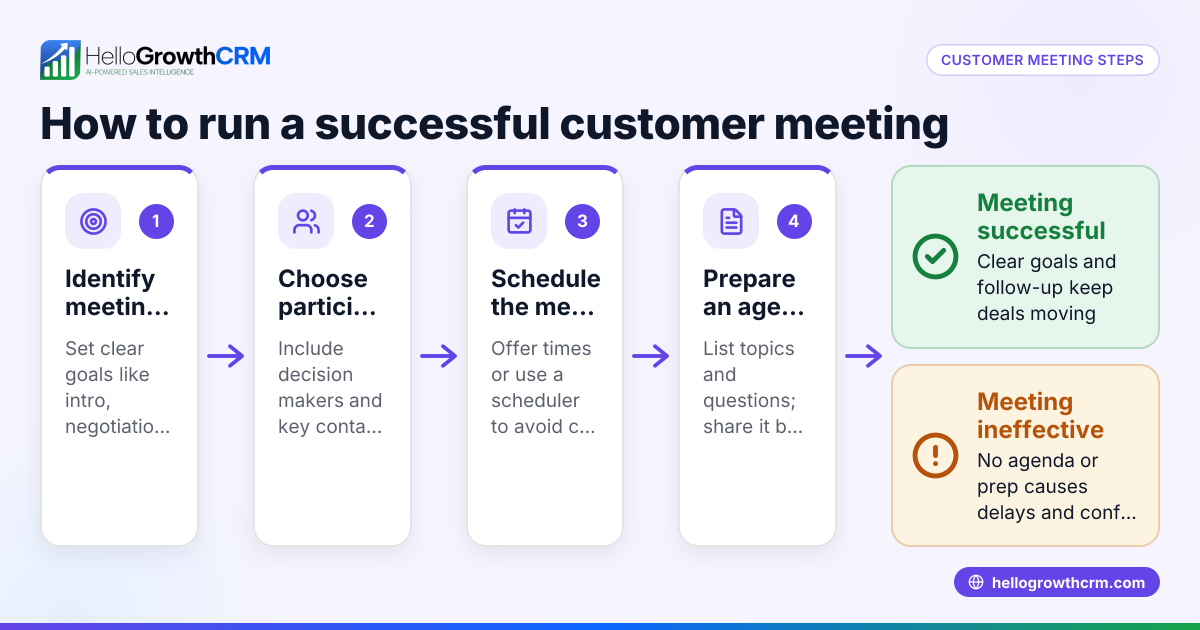
- Define the purpose: Decide what the meeting is for—decision-making, brainstorming, status updates, or problem-solving. Check that the topic justifies a meeting instead of an email.
- Prepare an agenda: List key points to cover and allocate time for each. Share this agenda with attendees in advance to set expectations.
- Choose participants: Invite only those whose input is necessary. Confirm their availability.
- Schedule the meeting: Pick a date and time that suits everyone. Use a meeting scheduler tool to avoid back-and-forth messages and double bookings. Check time zones if participants are remote.
- Book the meeting space or platform: Reserve a physical room or set up a video call link. Test any technology beforehand.
- Start on time: Begin promptly, review the agenda, and set ground rules (e.g., no interruptions).
- Keep the discussion focused: Guide the conversation to stay on topic. Encourage participation but manage time.
- Assign action items: Clearly state next steps, who is responsible, and deadlines.
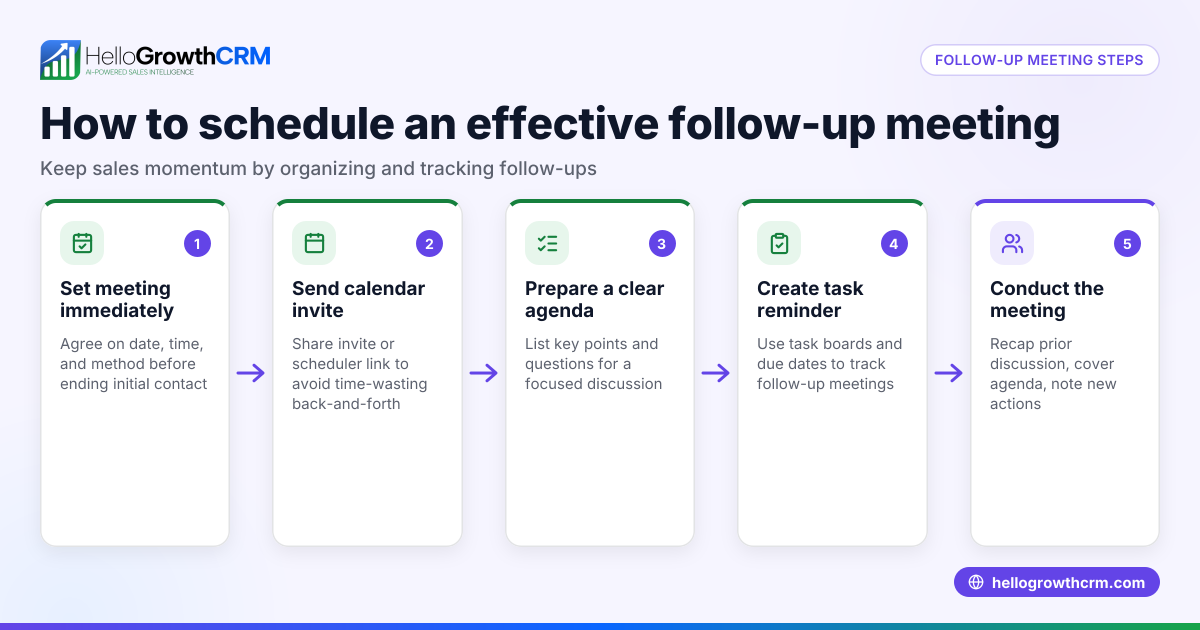
- Summarize and close: Recap decisions and tasks. Confirm the date and time for any follow-up meeting.
- Follow up: Send meeting notes and reminders for action items to all participants.
Example (fictional figures)
Linda runs a landscaping business in Charlotte, North Carolina. She needs to meet with her team to plan the busy spring season.
- Purpose: Schedule work shifts and assign equipment.
- Participants: 5 crew members.
- Date chosen: 03/15/2026 at 10:00 AM.
Linda uses a meeting scheduler link to let her crew pick the best time slot, avoiding multiple WhatsApp messages.
Meeting details:
- Agenda:
- Review last season’s challenges (15 minutes)
- Assign shifts (20 minutes)
- Equipment needs and maintenance (25 minutes)
- Q&A (10 minutes)
The meeting lasts 70 minutes. Linda assigns Mike to order supplies by 03/20/2026.
Cost impact example:
- Meeting time: 70 minutes × 5 employees = 350 total minutes
- Average hourly wage: $20
- Cost = (350 minutes ÷ 60) × $20 = $116.67
By preparing and scheduling efficiently, Linda minimizes downtime and ensures everyone is aligned.
Common mistakes
- No clear agenda: Leads to unfocused discussion. Prevent by preparing and sharing an agenda ahead.
- Inviting too many people: Causes distractions and longer meetings. Invite only essential participants.
- Poor scheduling: Results in no-shows or delays. Use a meeting scheduler to simplify booking and avoid conflicts. See meeting scheduler.
- Ignoring time zones: Can confuse remote attendees. Double-check time zones when scheduling.
- Lack of follow-up: Causes tasks to be forgotten. Send notes and reminders promptly.
- Using multiple communication channels: Makes tracking difficult. Centralize scheduling and communication, for example with a WhatsApp and SMS CRM.
Doing this in HelloGrowthCRM
HelloGrowthCRM offers a scheduling and booking feature that lets prospects or team members pick a meeting slot from a link. This eliminates the back-and-forth of finding a suitable time on WhatsApp or other messaging apps. It helps small businesses streamline meeting setup and reduce delays. Learn more about the meeting scheduler.
Frequently asked questions
What is the main purpose of a business meeting? A business meeting aims to discuss work topics, make decisions, share updates, or solve problems collectively. It helps align team members and clarify next steps.
How long should a business meeting last? Meetings typically last from 15 minutes to an hour, depending on the agenda. Short, focused meetings are more productive and respectful of everyone’s time.
How do I prepare for a business meeting? Define the meeting’s purpose, create and share an agenda, confirm participants, and schedule a convenient time. Testing technology beforehand is also important if it’s virtual.
Can meetings be done without in-person attendance? Yes. Virtual meetings via video calls or phone are common, especially for remote teams. Scheduling tools help coordinate these meetings efficiently.
How do I ensure meetings lead to action? Assign clear tasks with deadlines during the meeting and send follow-up notes. Tracking progress helps keep everyone accountable.
What tools can help schedule meetings easily? Scheduling tools integrated with communication platforms reduce back-and-forth. HelloGrowthCRM’s meeting scheduler allows attendees to pick slots directly from a link, simplifying the process.
Key takeaways
- A business meeting is a focused discussion to align teams and make decisions.
- Preparing an agenda and inviting the right people improves meeting effectiveness.
- Use scheduling tools to avoid conflicts and save time.
- Follow up with notes and action items to ensure progress.
- HelloGrowthCRM’s scheduling feature helps small businesses book meetings without messaging hassle.
Start organizing your business meetings more efficiently today. Start on the Free Forever plan (200 leads, no credit card) with HelloGrowthCRM.
Ready to put this into practice?
Set up your pipeline, WhatsApp follow-ups, and AI lead scoring in minutes — free, no credit card.
Try HelloGrowthCRM freeGet CRM tips in your inbox
Join thousands of sales professionals who get weekly insights on CRM strategy, AI automation, and pipeline optimization.

The HelloGrowthCRM team publishes guides on CRM strategy, AI sales tools, and revenue operations for small business sales teams.