HelloGrowthCRM software
Built for real small-business sales teams
HelloGrowthCRM helps reps qualify faster, follow up on time, and close more deals—with practical automation in one place.
- AI lead scoring and pipeline visibility
- Built-in dialer, WhatsApp, and email automation
- Sales forecasting and RevOps-ready reporting
Call center scheduling means organizing the work hours and shifts of call center agents to make sure there are enough people available to handle incoming and outgoing calls efficiently. It balances agent availability with expected call volume to avoid long wait times or idle staff.
Why this comes up / what goes wrong
Small business owners running call centers often struggle with scheduling because they have limited staff and fluctuating call volumes. Without a clear schedule, agents might be overworked during peak times or underutilized during slow periods. This leads to lost leads, poor customer experience, and employee dissatisfaction. Scheduling challenges also arise from last-minute changes, no-shows, or difficulty coordinating shifts through manual methods like spreadsheets or text messages.
Step-by-step
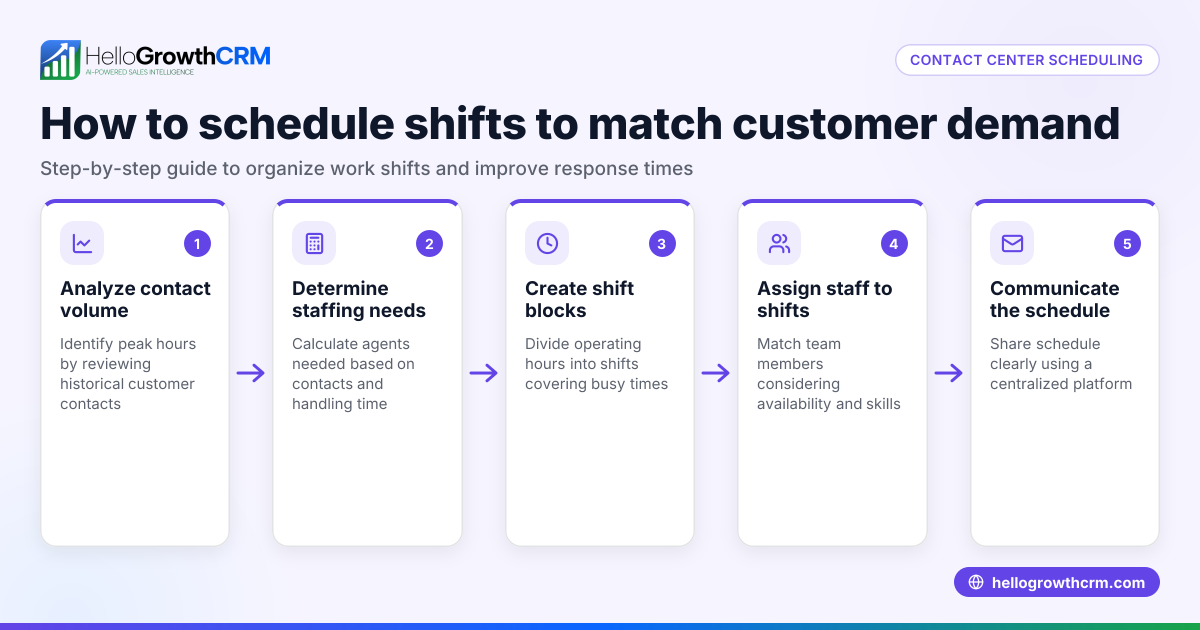
- Analyze call volume patterns: Track your call volume by hour and day to identify peak and slow periods. Check if your current staffing matches these patterns.
- Determine agent availability and preferences: Collect each agent’s available hours and preferences to build a schedule that respects their needs while covering demand.
- Create shifts based on call volume: Divide the day into shifts (e.g., morning, afternoon, evening) aligned with call volume peaks. Assign agents accordingly.
- Schedule breaks and overlap times: Ensure breaks are staggered to maintain coverage. Plan some overlap between shifts for smooth handoffs.
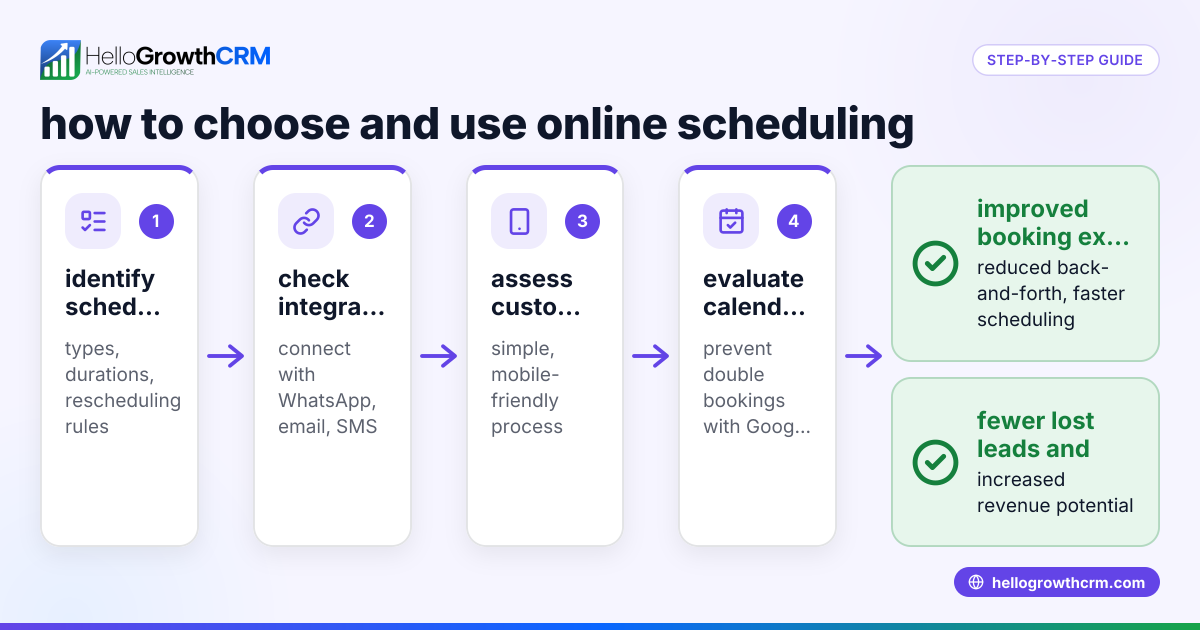
- Use scheduling tools or software: Replace manual scheduling with tools that allow agents to view and swap shifts easily. Check that the tool can send reminders and handle last-minute changes.
- Communicate the schedule clearly: Share the schedule in advance via email, messaging apps, or CRM tools so everyone knows when they work.
- Monitor and adjust regularly: Review call volume and agent performance weekly. Adjust schedules to improve coverage and employee satisfaction.
- Log calls and outcomes: Use a CRM with a built-in dialer to track calls and agent activity directly linked to schedules and leads.
Example (fictional figures)
A plumbing company in Austin, Texas, runs a small call center with 5 agents. They track call volume over a week and find peak calls from 9 AM to 12 PM and 3 PM to 6 PM.
- Peak morning calls: 180 calls over 3 hours = 60 calls/hour
- Peak afternoon calls: 150 calls over 3 hours = 50 calls/hour
They decide to schedule 3 agents in the morning shift (8:30 AM–12:30 PM) and 2 agents in the afternoon shift (2:30 PM–6:30 PM).
Calculating agent capacity:
- Each agent can handle 15 calls/hour
- Morning capacity = 3 agents × 15 calls/hour = 45 calls/hour
- Afternoon capacity = 2 agents × 15 calls/hour = 30 calls/hour
Adjusting:
- Morning shift is short by 15 calls/hour (60 - 45)
- Afternoon shift is short by 20 calls/hour (50 - 30)
They add 1 extra agent for the afternoon shift:
- New afternoon capacity = 3 × 15 = 45 calls/hour
Now, the morning shift still needs 1 more agent or process improvement, while the afternoon shift is closer to demand.
They schedule breaks staggered between 10 AM–11 AM and 4 PM–5 PM to keep coverage.
Common mistakes
- Ignoring call volume data: Prevent by analyzing call patterns before scheduling.
- Overloading agents without breaks: Prevent by planning staggered breaks.
- Using manual tools prone to errors: Prevent by adopting scheduling software or CRM tools.
- Poor communication of schedules: Prevent by sharing schedules early and confirming receipt.
- Not adjusting schedules regularly: Prevent by reviewing performance weekly.
- Failing to log call outcomes with schedules: Prevent by using a CRM with a built-in dialer to track calls and results.
Doing this in HelloGrowthCRM
HelloGrowthCRM offers a built-in dialer that lets your reps work a list from inside the CRM, logging the outcome of each call on the lead record. This keeps call history tied to contacts and deals for better tracking. For scheduling, HelloGrowthCRM provides meeting scheduling and booking pages where prospects pick a slot from a link, eliminating back-and-forth messaging on WhatsApp. These features help streamline call center scheduling and calling workflows efficiently. Learn more about the built-in CRM dialer and WhatsApp and SMS CRM.
Frequently asked questions
What is the best way to schedule call center agents? The best way is to base schedules on call volume data, agent availability, and business needs. Use scheduling tools to automate shift assignment and allow easy shift swaps. Communicate schedules clearly and review them regularly.
How can I reduce no-shows and last-minute changes in call center scheduling? Sending reminders via email or messaging apps helps reduce no-shows. Using scheduling software with notifications and allowing agents to swap shifts with approval also improves reliability.
Can scheduling software integrate with CRM systems? Yes, many scheduling tools integrate with CRMs to combine contact management, call logging, and scheduling in one place. HelloGrowthCRM includes scheduling and a built-in dialer to streamline this process.
How do I handle fluctuating call volumes in scheduling? Analyze call volume trends and create flexible schedules with part-time or on-call agents. Adjust shifts weekly based on recent data to match demand.
Is it better to schedule fixed shifts or flexible hours? Fixed shifts provide predictability and easier management, while flexible hours can improve agent satisfaction. A mix of both, aligned with call volume, often works best.
Key takeaways
- Call center scheduling matches agent shifts to call volume for better coverage.
- Analyze call patterns and agent availability before creating schedules.
- Use scheduling tools or CRM features to automate and communicate schedules.
- Stagger breaks and plan shift overlaps to maintain service levels.
- Regularly review and adjust schedules based on performance data.
- HelloGrowthCRM’s built-in dialer and scheduling features simplify call logging and appointment booking.
Organizing call center schedules efficiently improves customer service and employee satisfaction. To get started, try HelloGrowthCRM’s scheduling and dialer features by starting on the Free Forever plan (200 leads, no credit card).
Ready to put this into practice?
Set up your pipeline, WhatsApp follow-ups, and AI lead scoring in minutes — free, no credit card.
Try HelloGrowthCRM freeGet CRM tips in your inbox
Join thousands of sales professionals who get weekly insights on CRM strategy, AI automation, and pipeline optimization.

The HelloGrowthCRM team publishes guides on CRM strategy, AI sales tools, and revenue operations for small business sales teams.