HelloGrowthCRM software
Built for real small-business sales teams
HelloGrowthCRM helps reps qualify faster, follow up on time, and close more deals—with practical automation in one place.
- AI lead scoring and pipeline visibility
- Built-in dialer, WhatsApp, and email automation
- Sales forecasting and RevOps-ready reporting
A call center SOP is essential for small and mid-sized businesses that rely on phone calls to generate leads, close sales, or provide customer service. Without clear procedures, agents may handle calls inconsistently, leading to lost leads, poor customer experience, and wasted time. A well-crafted SOP documents the best practices for answering calls, managing leads, logging outcomes, and escalating issues.
Why this comes up / what goes wrong
Small business owners often discover the need for a call center SOP when their sales or support teams struggle with inconsistent call handling. For example, sales reps may miss follow-ups, forget to log call results, or use different scripts, causing confusion and lost revenue. These problems arise because there is no clear, accessible guide that everyone follows. Without an SOP, training new agents takes longer, and quality control becomes difficult.
Step-by-step
- Define the call center’s purpose and goals
- Decide what the main function is: sales, support, lead qualification, or appointment setting.
- Check that goals are measurable (e.g., number of calls per day, conversion rates).
- Outline call handling procedures
- Specify how to answer calls (greeting script).
- Include how to identify the caller and verify information.
- Detail how to handle common call types (inquiries, complaints, sales).
- Create scripts and templates
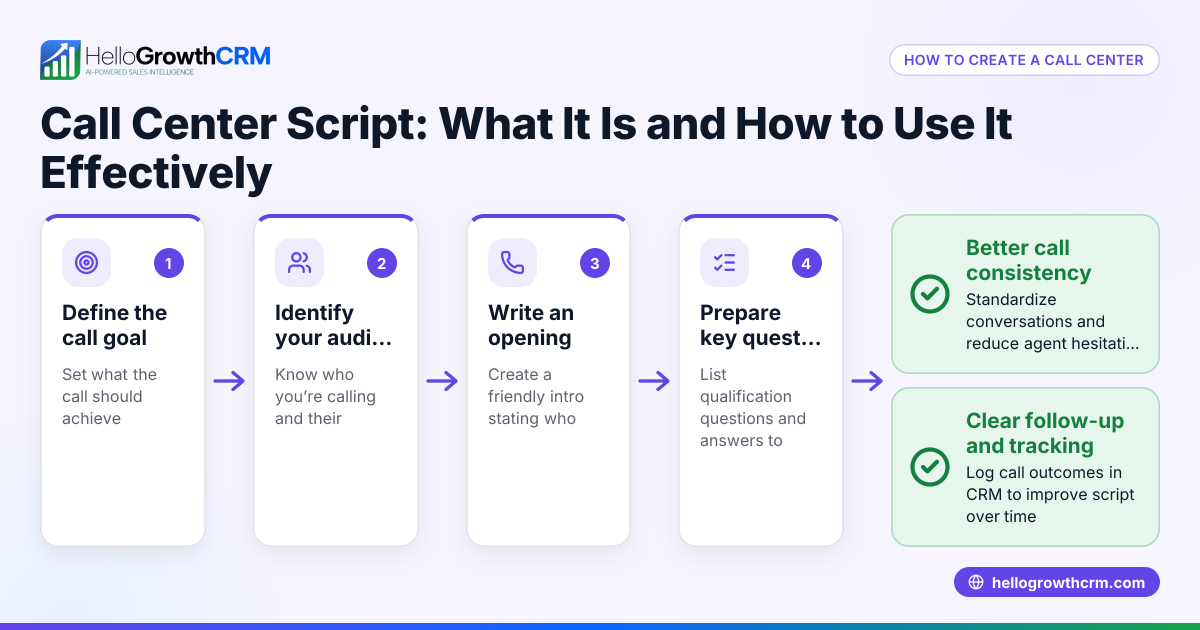
- Write clear scripts for different scenarios.
- Provide email or SMS follow-up templates if applicable.
- Set rules for logging and tracking calls
- Define what information to record after each call (outcome, next steps).
- Check that agents know how to update records promptly.
- Establish escalation paths
- Explain when and how to escalate difficult calls or issues.
- Verify that agents have contact info for supervisors.
- Train and review regularly
- Conduct training sessions based on the SOP.
- Schedule regular reviews to update procedures as needed.
- Use tools to support the SOP
- Implement a CRM with a built-in dialer to manage calls and log outcomes efficiently.
- Check that all agents have access and know how to use the system.
Example (fictional figures)
ABC Plumbing in Austin, Texas, wants to improve its outbound sales calls to increase new customer appointments. They set a goal to make 50 calls per day per agent with a 10% appointment booking rate.
- Calls per agent per day: 50
- Appointment booking target rate: 10%
- Expected appointments per agent per day = 50 × 10% = 5
They create a script that includes greeting, qualifying questions, and closing with an appointment offer. After each call, agents log the outcome in their CRM.
If ABC Plumbing has 4 agents:
- Total daily calls = 4 × 50 = 200
- Total daily appointments = 4 × 5 = 20
By tracking calls and outcomes, they identify which scripts work best and adjust the SOP quarterly.
Common mistakes
- No clear documentation: Prevent by writing down all procedures in one accessible place.
- Ignoring call logging: Prevent by training agents on the importance of logging outcomes immediately.
- Using overly rigid scripts: Prevent by allowing some flexibility to personalize conversations.
- Lack of regular updates: Prevent by scheduling quarterly SOP reviews.
- Not training new hires on the SOP: Prevent by including SOP training in onboarding.
- Not using technology to support calls: Prevent by adopting a CRM with a built-in dialer, like HelloGrowthCRM.
Doing this in HelloGrowthCRM
HelloGrowthCRM provides a built-in dialer that lets reps work a list directly inside the CRM. Each call’s outcome is logged on the lead automatically, keeping the full call history tied to contact and deal records. This supports your SOP by ensuring call tracking is accurate and easy. Learn more about the built-in CRM dialer and how HelloGrowthCRM can help your US business manage calls and leads efficiently with WhatsApp and SMS CRM features.
Frequently asked questions
What is the main purpose of a call center SOP? A call center SOP standardizes how calls are handled to ensure consistency, quality, and efficient lead or customer management. It helps agents know exactly what to do on each call.
How often should a call center SOP be updated? It’s best to review and update the SOP at least quarterly or whenever there are changes in products, services, or sales strategies to keep it relevant.
Can a small business create a simple call center SOP? Yes, even small teams benefit from a straightforward SOP that covers call scripts, logging, and escalation rules. It does not have to be complex to be effective.
How does technology like HelloGrowthCRM help with SOP compliance? Tools like HelloGrowthCRM’s built-in dialer help agents follow SOP steps by providing call lists, logging call outcomes automatically, and keeping records organized, which reduces manual errors.
Should scripts be strict or flexible? Scripts should provide guidance but allow agents to personalize conversations to sound natural and respond to caller needs effectively.
Key takeaways
- A call center SOP documents how to handle calls consistently and efficiently.
- Clear steps include defining goals, scripting, logging calls, and training.
- Regular reviews and updates keep the SOP effective.
- Common mistakes include poor documentation and ignoring call logging.
- HelloGrowthCRM’s built-in dialer supports SOP adherence by logging call outcomes automatically.
Start improving your call center operations today. Start on the Free Forever plan (200 leads, no credit card) with HelloGrowthCRM and see how the built-in dialer can help your team follow your SOP smoothly.
Ready to put this into practice?
Set up your pipeline, WhatsApp follow-ups, and AI lead scoring in minutes — free, no credit card.
Try HelloGrowthCRM freeGet CRM tips in your inbox
Join thousands of sales professionals who get weekly insights on CRM strategy, AI automation, and pipeline optimization.

The HelloGrowthCRM team publishes guides on CRM strategy, AI sales tools, and revenue operations for small business sales teams.