HelloGrowthCRM software
Built for real small-business sales teams
HelloGrowthCRM helps reps qualify faster, follow up on time, and close more deals—with practical automation in one place.
- AI lead scoring and pipeline visibility
- Built-in dialer, WhatsApp, and email automation
- Sales forecasting and RevOps-ready reporting
Call center statistics track important metrics such as call volume, average handling time, first-call resolution rate, and call outcomes. These figures help small businesses understand how well their phone interactions engage customers and convert leads into sales. This article covers why monitoring these stats matters, how to track them step-by-step, a practical example with USD figures, common mistakes to avoid, and how a built-in CRM dialer can improve your calling workflow.
Why this comes up / what goes wrong
Small-business owners in the US often rely on phone calls to connect with leads and customers. However, without tracking call center statistics, they may miss signs of inefficiency such as long wait times, dropped calls, or unproductive conversations. These issues can lead to lost sales opportunities and frustrated customers. Many small businesses manage calls manually using spreadsheets or personal phones, which makes it difficult to measure performance or improve.
Step-by-step
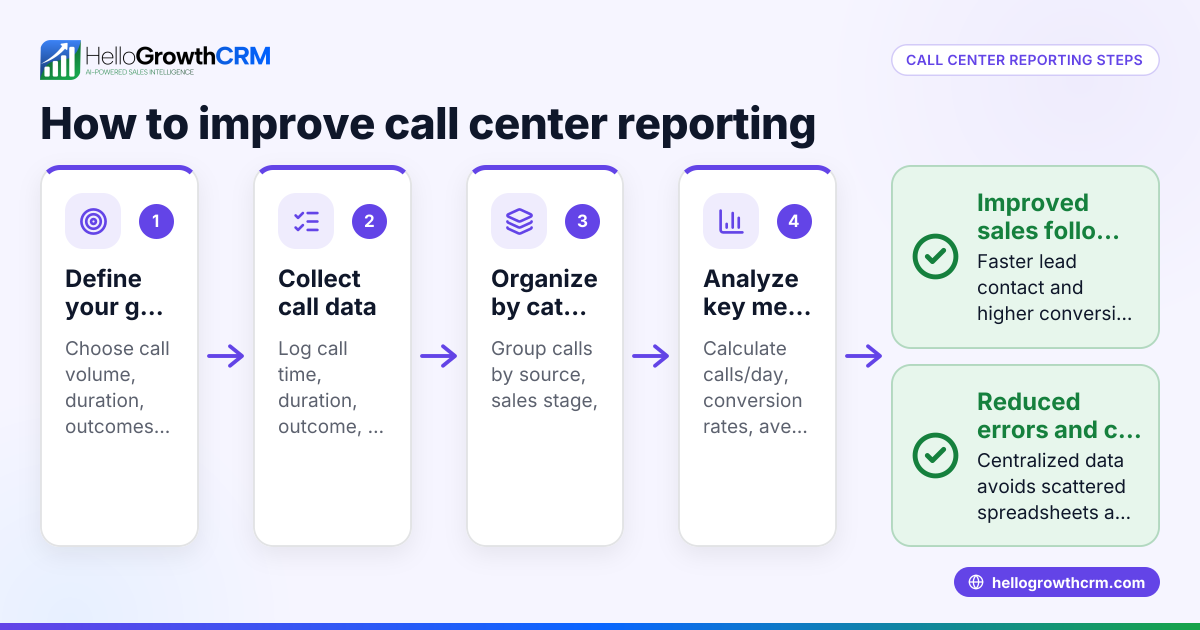
- Identify key call center metrics: Choose which statistics matter most for your business, such as call volume, average call duration, first-call resolution rate, and call outcome categories (sale, follow-up needed, no answer).
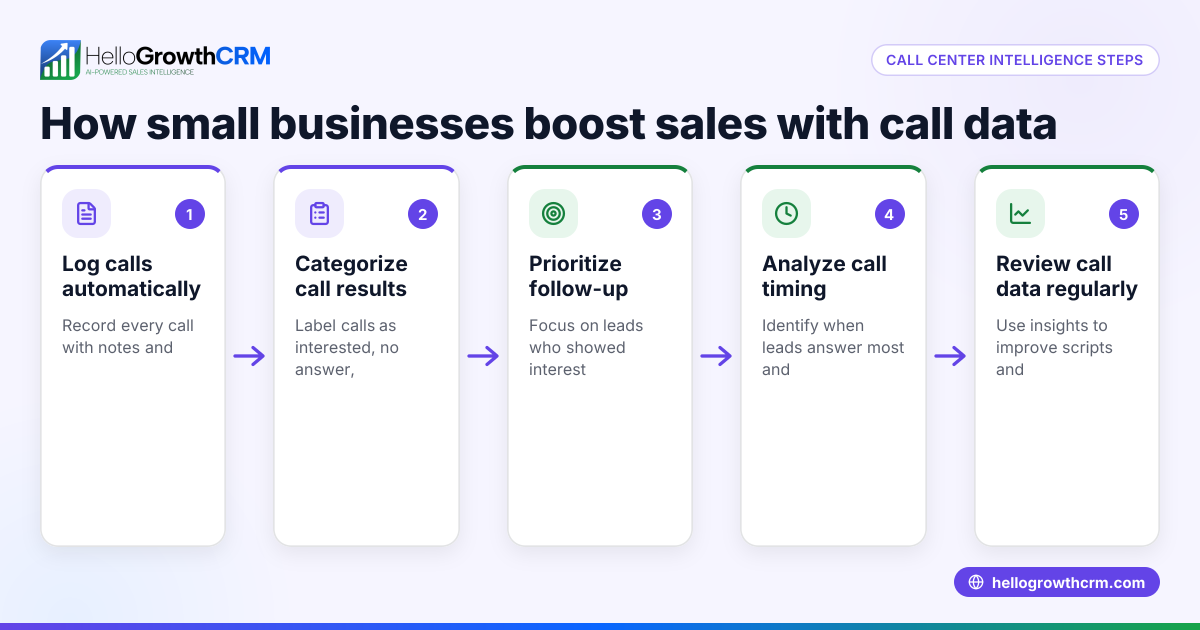
- Set up a call logging system: Use a CRM or call tracking tool to record details of each call, including date, time, duration, and outcome. This replaces manual tracking with spreadsheets.
- Log every call consistently: Make sure every call is logged immediately after completion. Consistent data collection ensures accurate statistics.
- Analyze call volume and timing: Track how many calls are made daily or weekly and identify peak calling times to optimize scheduling.
- Calculate average handling time: Find the average length of calls to detect if conversations are too short (rushed) or too long (inefficient).
- Measure first-call resolution rate: Determine the percentage of calls that resolve the customer's issue or close the sale without needing follow-up.
- Review call outcomes: Categorize calls by result to understand conversion rates and follow-up requirements.
- Use insights to improve: Adjust calling strategies, staff training, or scheduling based on the statistics to increase efficiency and sales.
Example (fictional figures)
A landscaping contractor in Charlotte, North Carolina, tracks call center stats for March 2026.
- Total calls made: 500
- Total call time: 1,250 minutes
- Calls resolved on first contact: 350
- Successful sales calls: 100
Calculations:
Average handling time = Total call time ÷ Total calls = 1,250 minutes ÷ 500 calls = 2.5 minutes per call
First-call resolution rate = Calls resolved on first contact ÷ Total calls × 100% = 350 ÷ 500 × 100% = 70%
Sales conversion rate = Successful sales calls ÷ Total calls × 100% = 100 ÷ 500 × 100% = 20%
These statistics show the contractor’s average call length is reasonable, with a strong first-call resolution and a 20% sales conversion rate. The owner can focus on improving follow-up calls and staff training to increase conversions.
Common mistakes
- Not logging calls consistently: Missing call logs cause inaccurate statistics. Prevent this by using a CRM with automatic call logging.
- Ignoring call outcomes: Without categorizing call results, you cannot measure success. Always log call outcomes.
- Focusing only on call volume: High call volume with poor quality wastes time. Balance quantity with call effectiveness.
- Neglecting follow-up calls: Not tracking follow-ups leads to lost sales. Schedule and log follow-ups carefully.
- Using multiple disconnected tools: Managing calls with spreadsheets and phones causes data loss and inefficiency. Use an integrated system like a CRM with a built-in dialer.
Doing this in HelloGrowthCRM
A built-in dialer lets reps work a list directly inside the CRM. Each call’s outcome is logged automatically on the lead record, ensuring no data is missed. This simplifies tracking call volume, duration, and results without switching apps. Learn more about the built-in CRM dialer and how it fits small US businesses on HelloGrowthCRM for the United States. For teams that also use messaging, the WhatsApp and SMS CRM features integrate with calling to streamline communication.
Frequently asked questions
What are the most important call center statistics for small businesses? Key statistics include call volume, average handling time, first-call resolution rate, call outcome, and sales conversion rate. These metrics help measure efficiency and customer satisfaction.
How can I improve my call center statistics? Consistently log calls and outcomes, analyze peak call times, train staff to resolve issues on the first call, and use a CRM with a built-in dialer to streamline calling and tracking.
Is it necessary to use a CRM for call center statistics? Manual tracking is possible but prone to errors and inefficiency. A CRM automates logging, reduces errors, and provides real-time insights, saving time and improving accuracy.
How does a built-in dialer help with call center management? A built-in dialer lets reps call directly from the CRM and logs outcomes on leads automatically. This makes it easier to track and analyze call statistics without extra tools.
Can I track follow-up calls and sales conversions with a CRM dialer? Yes, by logging call outcomes and scheduling tasks within the CRM, you can effectively monitor follow-ups and conversions.
Key takeaways
- Track key call center metrics like call volume, average handling time, and first-call resolution.
- Use a consistent system to log every call and its outcome.
- Analyze data regularly to identify areas for improvement.
- Avoid common mistakes like inconsistent logging and ignoring call outcomes.
- A built-in CRM dialer simplifies call tracking and improves data accuracy.
Start improving your call center efficiency today. Start on the Free Forever plan (200 leads, no credit card).
Ready to put this into practice?
Set up your pipeline, WhatsApp follow-ups, and AI lead scoring in minutes — free, no credit card.
Try HelloGrowthCRM freeGet CRM tips in your inbox
Join thousands of sales professionals who get weekly insights on CRM strategy, AI automation, and pipeline optimization.

The HelloGrowthCRM team publishes guides on CRM strategy, AI sales tools, and revenue operations for small business sales teams.