HelloGrowthCRM software
Built for real small-business sales teams
HelloGrowthCRM helps reps qualify faster, follow up on time, and close more deals—with practical automation in one place.
- AI lead scoring and pipeline visibility
- Built-in dialer, WhatsApp, and email automation
- Sales forecasting and RevOps-ready reporting
Call center intelligence is the practice of gathering detailed information from customer calls and analyzing it to improve sales performance, customer service, and internal workflows. For small businesses, this means turning phone calls into actionable insights that help prioritize leads, speed up follow-up, and optimize team efforts. This article covers why call center intelligence is important, the steps to implement it effectively, a realistic example, common mistakes to avoid, and how to use a CRM with a built-in dialer to support your call operations.
Why this comes up / what goes wrong
Small business owners often rely heavily on phone calls to connect with leads and customers. However, many still track calls manually using spreadsheets, notes, or separate apps. This scattered approach leads to lost information about which calls were made, their outcomes, and which leads need follow-up. Without this intelligence, sales teams follow up too slowly or contact the wrong leads, losing sales opportunities. Calls may also be repeated unnecessarily, annoying prospects. The lack of organized call data causes inefficiencies in sales and customer service, and it becomes difficult to measure which calls contribute to closing deals.
Step-by-step
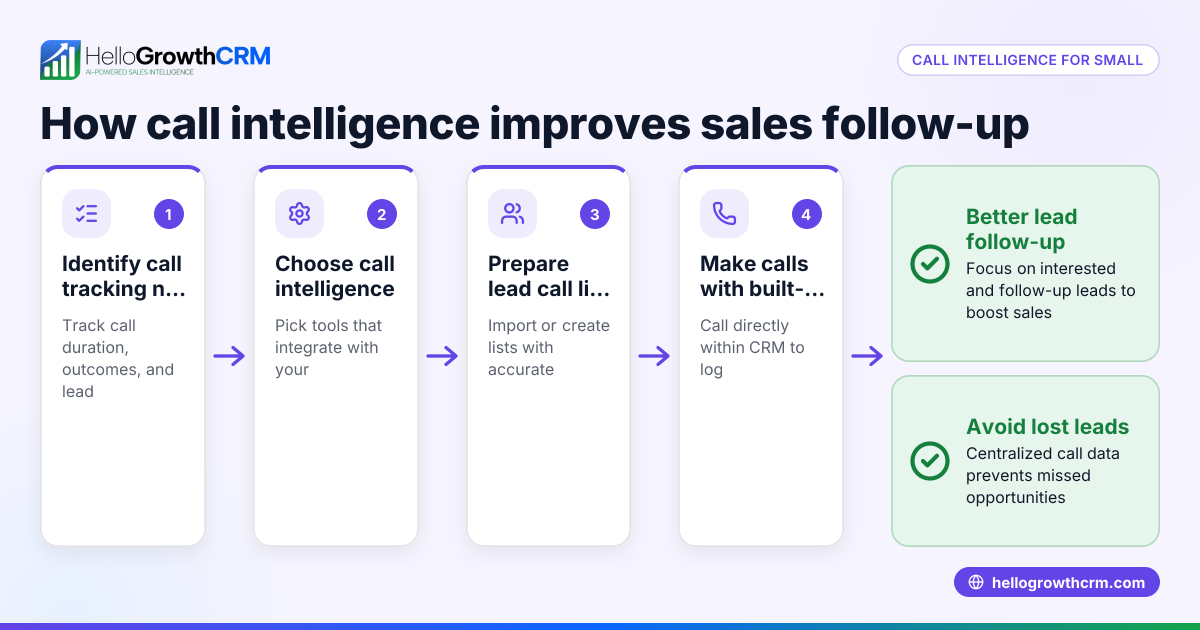
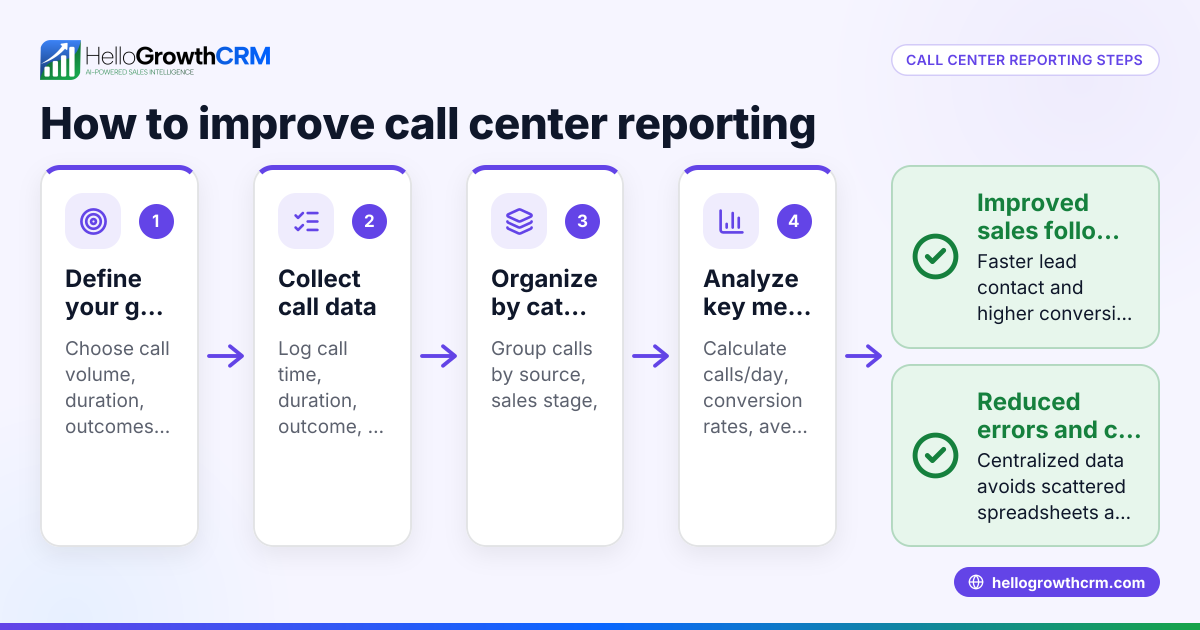
- Choose a system to log calls automatically. Use a CRM or call software that records every call made or received, including notes and call outcomes. This reduces manual errors and missed data.
- Categorize call results clearly. Label calls as interested, no answer, callback requested, or declined. Clear categories help prioritize which leads to focus on next.
- Prioritize follow-up based on call outcomes. Concentrate your sales efforts on leads who showed interest or asked for callbacks soon, ensuring timely contact.
- Track call frequency and timing. Analyze when calls are most likely to be answered and avoid calling the same leads too often to prevent annoyance.
- Review call data regularly. Look for patterns in successful calls, such as common questions or objections, and use this insight to improve scripts and train your team.
- Integrate call data with other communication channels. Combine call insights with email and text message records for a complete view of customer interactions, improving overall engagement.
Example (fictional figures)
Reliable Plumbing, a plumbing company in Austin, Texas, wants to improve its sales follow-up using call center intelligence. On 05/15/2026, the sales rep called 100 leads.
- Calls answered positively: 30
- Calls no answer: 50
- Calls declined: 20
The rep decides to prioritize the 30 positive leads for follow-up.
Assuming each positive lead has an average deal value of $2,000:
30 leads × $2,000 = $60,000 potential revenue
If the rep had called all 100 leads without prioritizing, the focus would be diluted.
By targeting the 30 positive leads, the rep can focus efforts on $60,000 in potential sales.
In addition, the rep notes that calls made between 2 PM and 4 PM had the highest answer rate, so future calls are scheduled during this window to increase efficiency.
Common mistakes
- Not logging call outcomes immediately: Leads get lost or forgotten. Prevent this by recording call results right after each call to keep data accurate.
- Ignoring call timing data: Calling at the wrong times lowers answer rates. Check call patterns and adjust calling hours accordingly.
- Overcalling leads: This annoys prospects and wastes time. Use call frequency tracking to space calls appropriately and respect customer preferences.
- Using multiple unlinked tools: Data scattered across texts, emails, and spreadsheets is hard to analyze. Use an integrated CRM with call logging to centralize information.
- Failing to review call data: Without analysis, you miss chances to improve sales scripts and training. Schedule regular reviews to identify trends and improve performance.
Doing this in HelloGrowthCRM
HelloGrowthCRM includes a built-in dialer that allows reps to work a call list directly inside the CRM. Each call’s outcome is logged on the lead record, keeping the full call history tied to contacts and deals. This centralizes call data, streamlines follow-up, and supports call center intelligence efforts. Learn more about the built-in CRM dialer. For US businesses, see HelloGrowthCRM for the United States.
Frequently asked questions
What is the main benefit of call center intelligence for small businesses? Call center intelligence helps small businesses prioritize leads, improve follow-up speed, and increase sales conversions by analyzing call data systematically.
How can I start collecting call data without expensive software? Begin by using a CRM with a built-in dialer that logs calls and outcomes automatically, avoiding manual tracking in spreadsheets.
Can call center intelligence improve customer service? Yes, by analyzing call patterns and feedback, businesses can identify common issues and train staff to handle calls more effectively.
Is call center intelligence only about phone calls? While focused on calls, it often integrates data from texts and emails to provide a full picture of customer interactions. See WhatsApp and SMS CRM for examples of multi-channel integration.
How does HelloGrowthCRM help with call center intelligence? Its built-in dialer logs call outcomes on leads inside the CRM, making it easy to track and analyze call performance.
Key takeaways
- Call center intelligence turns call data into actionable insights to improve sales and service.
- Systematic logging and analysis of calls help prioritize leads and speed up follow-up.
- Avoid common mistakes like not recording calls or overcalling leads to maintain efficiency.
- Using a CRM with a built-in dialer centralizes call tracking and outcome logging.
- Combining call data with texts and emails provides a complete customer interaction view.
Start improving your sales follow-up by using call center intelligence tools. You can Start on the Free Forever plan (200 leads, no credit card) today to organize your calls and leads efficiently.
Ready to put this into practice?
Set up your pipeline, WhatsApp follow-ups, and AI lead scoring in minutes — free, no credit card.
Try HelloGrowthCRM freeGet CRM tips in your inbox
Join thousands of sales professionals who get weekly insights on CRM strategy, AI automation, and pipeline optimization.

The HelloGrowthCRM team publishes guides on CRM strategy, AI sales tools, and revenue operations for small business sales teams.