HelloGrowthCRM software
Built for real small-business sales teams
HelloGrowthCRM helps reps qualify faster, follow up on time, and close more deals—with practical automation in one place.
- AI lead scoring and pipeline visibility
- Built-in dialer, WhatsApp, and email automation
- Sales forecasting and RevOps-ready reporting
Call handling time is the total time your team spends on a phone call, including the talk time and any after-call work such as updating records or writing notes. For small businesses, managing call handling time effectively can improve customer experience and increase sales efficiency. This article covers why call handling time is important, how to measure and improve it step-by-step, a practical example with figures, common mistakes, and how a CRM built-in dialer can help streamline the process.
Why this comes up / what goes wrong
Small business owners often focus on call handling time when trying to improve sales or customer service. If calls take too long, customers may wait longer and fewer calls get handled daily. Conversely, rushing calls can reduce service quality. Many small teams rely on personal phones, text messages, and spreadsheets to manage calls, making it hard to track call duration and after-call tasks accurately. Without clear data on call handling time, it is difficult to identify bottlenecks, train staff effectively, or improve follow-up speed. This can cause lost leads and inconsistent customer experiences.
Step-by-step
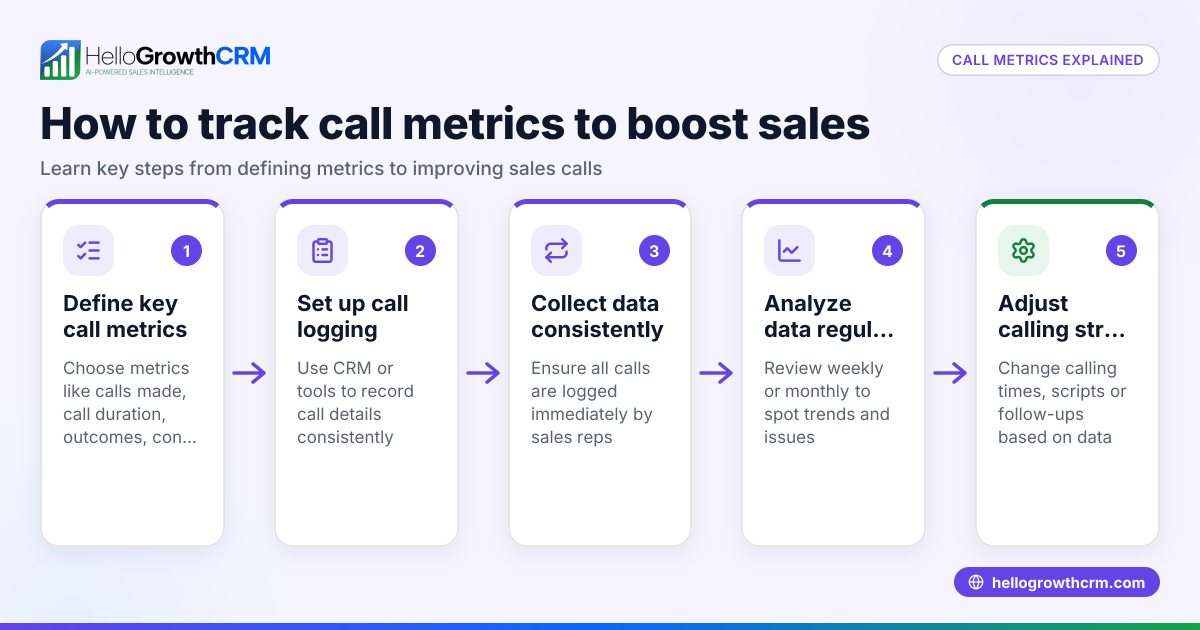
- Define what counts as call handling time. Decide if you include only the talk time or also after-call work like note-taking and CRM updates.
- Use a reliable method to track call start and end times. Avoid manual timing errors by using software or tools that automatically record call duration.
- Log the time spent on after-call work. Track how long it takes to complete tasks immediately after the call.
- Calculate average call handling time. Add talk time and after-call work time for each call, then divide by the total number of calls in a period.
- Segment call handling time by call type. Separate sales calls, support calls, or other categories to find differences.
- Set achievable benchmarks and goals. Use your data to define target call handling times that balance efficiency and quality.
- Train your team using the call handling time data. Review calls that took longer and discuss improvements.
- Use a CRM with a built-in dialer to simplify call logging and reduce after-call work. This saves time and improves accuracy.
Example (fictional figures)
A plumbing company in Austin, Texas, tracks call handling time for sales calls in March 2026.
- Total sales calls made: 200
- Total talk time: 1,000 minutes
- Total after-call work time: 300 minutes
Calculate total call handling time:
1,000 minutes + 300 minutes = 1,300 minutes total handling time
Calculate average call handling time per call:
1,300 minutes ÷ 200 calls = 6.5 minutes average call handling time per call
The company aims to reduce the average call handling time to 5.5 minutes by improving call scripts and using a CRM dialer.
Common mistakes
- Not including after-call work in call handling time. Prevent this by clearly defining what is measured.
- Using manual timing methods prone to errors. Prevent by using software with automatic call logging.
- Ignoring differences in call types. Prevent by categorizing calls before analysis.
- Setting unrealistic call time goals that hurt quality. Prevent by balancing efficiency with customer satisfaction.
- Failing to train staff based on call data. Prevent by regularly reviewing call handling times and coaching.
- Not using CRM tools that reduce manual work. Prevent by adopting systems with integrated dialers.
Doing this with a CRM built-in dialer
A CRM with a built-in dialer lets your reps work a list of leads directly inside the CRM. Each call outcome is logged automatically on the lead, keeping the full call history tied to contact and deal records. This reduces manual after-call work and helps you accurately track call handling time. Learn more about the built-in CRM dialer and how it supports WhatsApp and SMS CRM for US businesses on the HelloGrowthCRM for the United States page.
Frequently asked questions
What is considered a good call handling time? Good call handling time varies by industry and call purpose. Sales calls might average 5 to 7 minutes, balancing enough time to engage prospects without dragging calls. Support calls may take longer depending on issue complexity. Set goals based on your own data.
How can I reduce call handling time without hurting customer service? Prepare scripts and FAQs, use CRM tools to automate after-call work, and train your team on efficient communication. Avoid rushing calls; instead, streamline processes around the call.
Why is tracking after-call work important? After-call work often takes significant time and affects total call handling time. Tracking it helps identify inefficiencies and opportunities to automate or simplify tasks.
Can I track call handling time without special software? Yes, but manual timing and logging are less accurate and more time-consuming. Using a CRM with a built-in dialer improves accuracy and saves time.
How does a CRM built-in dialer help with call handling time? It logs call outcomes and histories automatically, reducing manual work and providing accurate call time data. This helps you monitor and improve your team’s call handling efficiency.
Key takeaways
- Call handling time includes talk time plus after-call work.
- Accurate tracking requires clear definitions and reliable timing methods.
- Analyze call handling time by call type to set realistic goals.
- Train your team using call handling time data to improve efficiency.
- Avoid common mistakes like ignoring after-call work or using manual tracking.
- Using a CRM with a built-in dialer can streamline call handling and logging.
Start managing your call handling time better. Start on the Free Forever plan (200 leads, no credit card) today and see how a CRM with a built-in dialer can help your small business stay organized and responsive.
Ready to put this into practice?
Set up your pipeline, WhatsApp follow-ups, and AI lead scoring in minutes — free, no credit card.
Try HelloGrowthCRM freeGet CRM tips in your inbox
Join thousands of sales professionals who get weekly insights on CRM strategy, AI automation, and pipeline optimization.

The HelloGrowthCRM team publishes guides on CRM strategy, AI sales tools, and revenue operations for small business sales teams.