HelloGrowthCRM software
Built for real small-business sales teams
HelloGrowthCRM helps reps qualify faster, follow up on time, and close more deals—with practical automation in one place.
- AI lead scoring and pipeline visibility
- Built-in dialer, WhatsApp, and email automation
- Sales forecasting and RevOps-ready reporting
Call screening means checking incoming calls before fully answering to decide how to handle them. For small businesses, this helps prioritize calls from real customers or leads and avoid wasting time on telemarketers, wrong numbers, or spam. Screening calls improves efficiency, saves time, and ensures important conversations get the attention they deserve.
This article covers why call screening is needed, a step-by-step guide to doing it well, a detailed example with figures, common mistakes to avoid, and how HelloGrowthCRM’s built-in dialer supports call screening.
Why this comes up / what goes wrong
Small businesses often juggle many calls daily, including sales inquiries, customer support, delivery questions, telemarketers, and accidental calls. Without call screening, owners and sales teams may waste time answering irrelevant calls or miss important ones. This leads to lost opportunities and frustrated customers.
Many small teams rely on text messages, email, and spreadsheets to track sales leads, which makes it harder to prioritize calls or keep a clear record of conversations. Without a system to screen calls, it’s easy to lose track of who called, what was discussed, and what follow-up is needed. This can slow down sales cycles and reduce revenue.
Call screening helps by giving a clear process to filter calls, identify priority contacts, and log outcomes for follow-up.
Step-by-step
- Set up caller identification: Use caller ID or a CRM to recognize known customers or leads. Check the caller’s number before answering to get context.
- Answer with a neutral greeting: Use a phrase like “Hello, this is [Business Name], how may I direct your call?” This encourages callers to state their purpose upfront.
- Listen for key details: Pay attention to what the caller says to determine if the call is urgent, sales-related, or can wait.
- Decide call priority: If the call is from a lead or important customer, take it or transfer it to the right person. If it’s a telemarketer or irrelevant, politely decline or send to voicemail.
- Log the call outcome immediately: Record the call result and any next steps in your CRM or call log to avoid forgetting.
- Follow up promptly: Schedule callbacks or actions for important leads without delay to keep the sales process moving.
Using a tool with a built-in CRM dialer can automate showing caller info and logging call outcomes, making screening easier and more reliable.
Example (fictional figures)
A residential real-estate team in Phoenix, Arizona, receives 50 calls daily. They want to screen calls to focus on serious buyers and avoid wasting time.
- Total calls per day: 50
- Estimated sales leads per day: 10 (20%)
- Average sale value: $350,000
- Conversion rate from calls: 10%
If the team fails to screen calls, they spend time on 40 non-leads daily. Screening helps focus on the 10 leads.
Calculations:
Potential revenue from leads per day: $350,000 × 10 leads = $3,500,000
Expected sales per day: 10 leads × 10% conversion = 1 sale
Daily revenue from screened calls: 1 sale × $350,000 = $350,000
Without screening, time wasted on 40 calls reduces follow-up quality, risking missed sales and lost revenue.
Common mistakes
- Answering every call immediately without screening: This wastes time and attention. Prevent it by using a neutral greeting and caller ID to evaluate calls first.
- Not logging call outcomes: Leads to lost follow-up and forgotten details. Prevent it by recording calls in a CRM or call log immediately after.
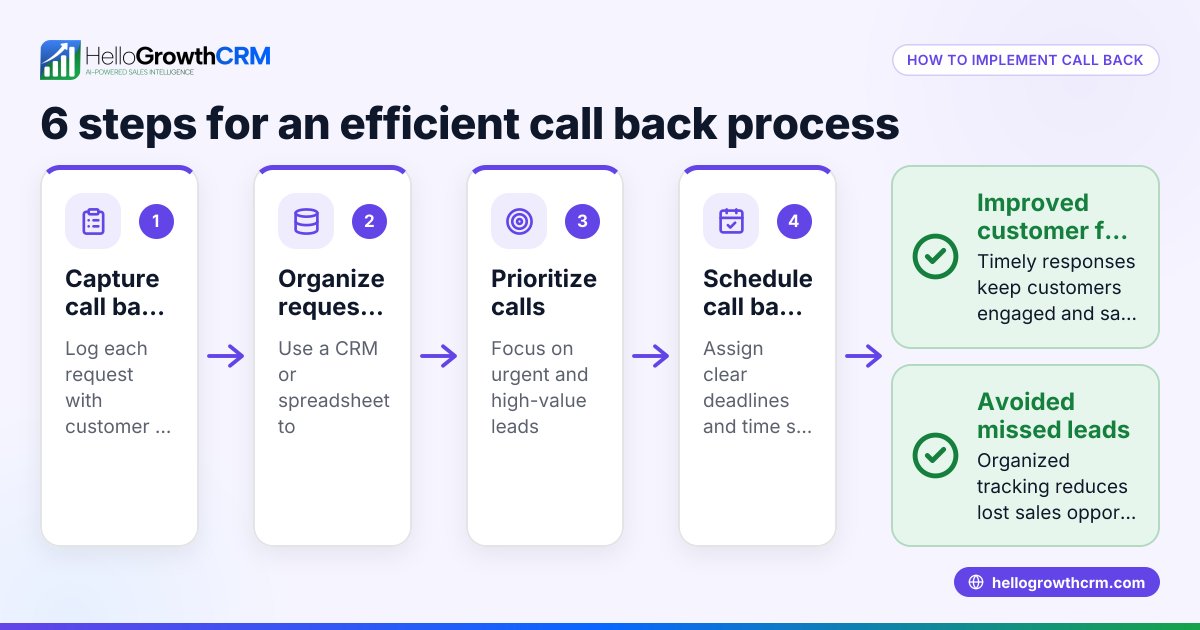
- Ignoring voicemail or callback requests: Misses opportunities. Prevent it by scheduling prompt callbacks and tracking them.
- Confusing telemarketers with real leads: Wastes time and frustrates staff. Prevent it by asking screening questions early to identify caller intent.
- Using multiple disconnected tools: Causes lost information and confusion. Prevent it by using a CRM with a built-in dialer that keeps calls and data together.
Doing this in HelloGrowthCRM
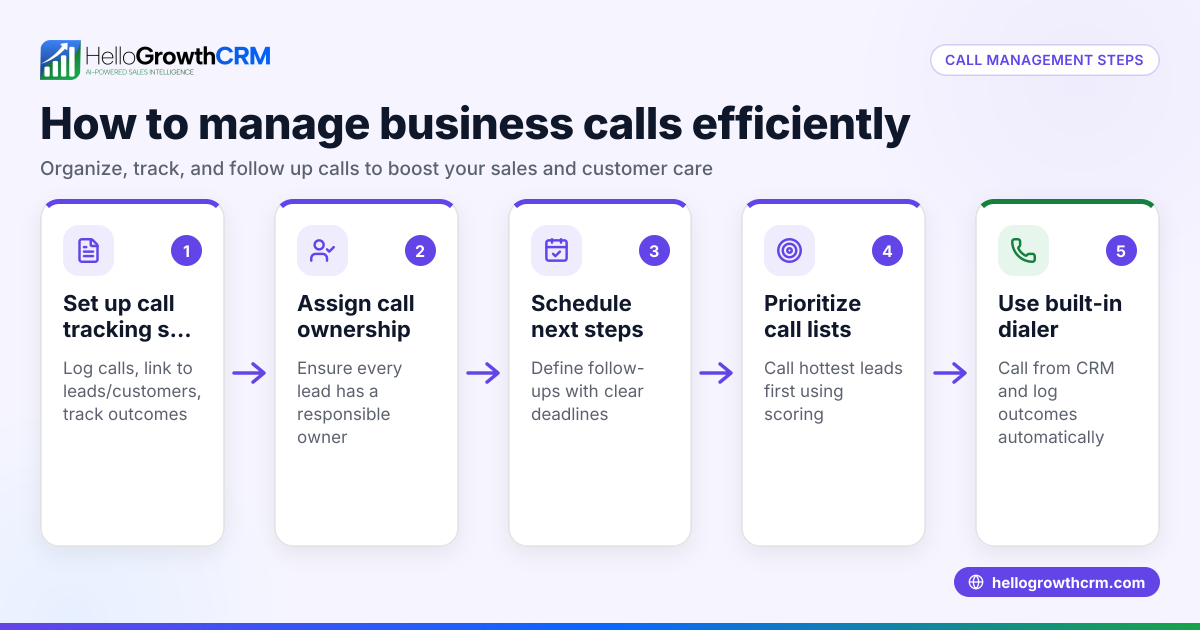
HelloGrowthCRM includes a built-in dialer that lets your rep work a list directly inside the CRM. Each call’s outcome is logged on the lead automatically, keeping a full call history tied to contact and deal records. This helps your team screen calls effectively and ensures no important lead is missed. Learn more about the built-in CRM dialer and how HelloGrowthCRM supports US businesses on the HelloGrowthCRM for the United States page.
Frequently asked questions
What is call screening? Call screening is the process of checking who is calling and deciding how to handle the call before fully engaging. It helps prioritize important calls and avoid interruptions from telemarketers or wrong numbers.
How do I screen a phone call for my small business? Use caller ID or CRM info to identify callers. Answer with a neutral greeting, listen for key details, decide if the call is urgent or sales-related, then take or defer the call accordingly. Logging the call outcome is essential.
Can I screen calls using a CRM? Yes. Some CRMs have built-in dialers that show caller info and log call results automatically, making screening easier and more organized. HelloGrowthCRM offers this feature.
Why should I screen calls instead of answering all? Screening saves time by focusing on valuable leads and customers, reducing distractions from telemarketers or wrong numbers. It improves efficiency and sales follow-up.
How does call screening improve sales follow-up? By identifying important calls early and logging outcomes, your team can follow up promptly, increasing chances of closing deals. It also helps keep all call information in one place.
Learn more about managing calls with HelloGrowthCRM’s WhatsApp and SMS CRM.
Key takeaways
- Call screening helps prioritize important business calls and avoid wasted time.
- Use caller ID and a neutral greeting to evaluate callers before engaging fully.
- Always log call outcomes and schedule prompt follow-ups.
- Avoid common mistakes like ignoring voicemails or not tracking calls.
- Use a CRM with a built-in dialer to keep call data organized and support call screening.
Start managing your calls better today. Start on the Free Forever plan (200 leads, no credit card).
Ready to put this into practice?
Set up your pipeline, WhatsApp follow-ups, and AI lead scoring in minutes — free, no credit card.
Try HelloGrowthCRM freeGet CRM tips in your inbox
Join thousands of sales professionals who get weekly insights on CRM strategy, AI automation, and pipeline optimization.

The HelloGrowthCRM team publishes guides on CRM strategy, AI sales tools, and revenue operations for small business sales teams.