HelloGrowthCRM software
Built for real small-business sales teams
HelloGrowthCRM helps reps qualify faster, follow up on time, and close more deals—with practical automation in one place.
- AI lead scoring and pipeline visibility
- Built-in dialer, WhatsApp, and email automation
- Sales forecasting and RevOps-ready reporting
Yes, you can have two email addresses for your business. Many UK small and mid-sized businesses find it practical to use more than one email address to organise communication effectively. This article covers why having two email addresses comes up, how to set them up step-by-step, a worked example, common mistakes to avoid, and how HelloGrowthCRM supports managing email communications.
Why this comes up / what goes wrong
Small-business owners often want to use two email addresses for their company to keep communications clear and efficient. For example, one email might be for sales enquiries and another for customer support. Using separate addresses helps teams focus on their tasks and respond faster. However, without proper management, having multiple addresses can cause confusion, missed replies, and duplicated work, especially if the team uses personal email accounts or mixes WhatsApp, email, and spreadsheets to track leads.
Step-by-step
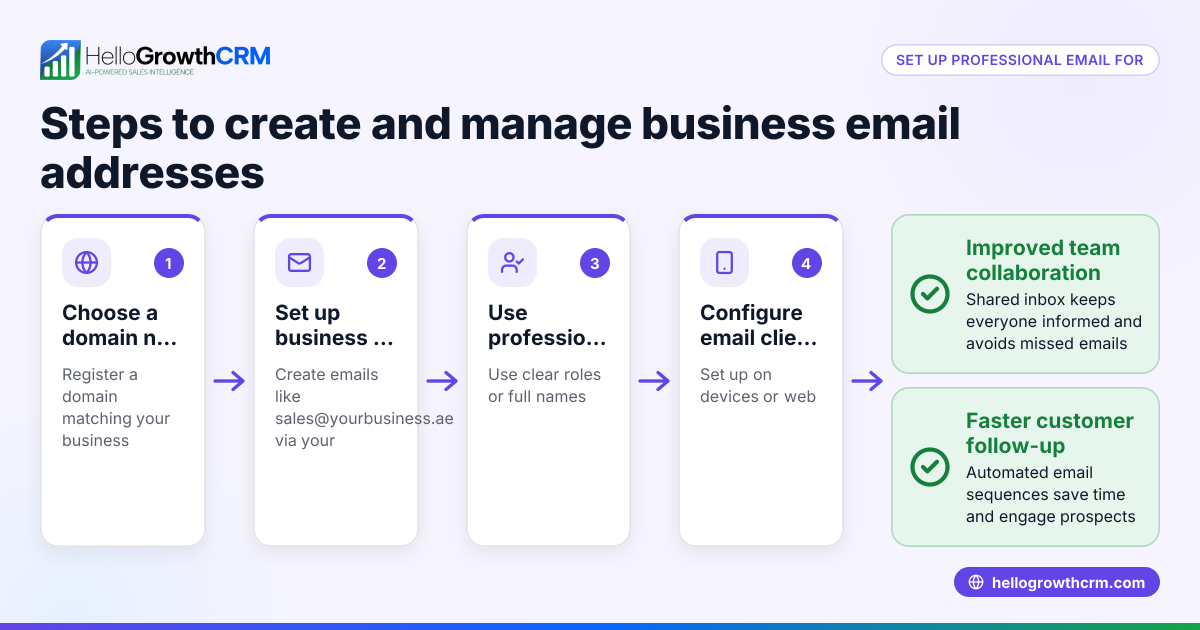
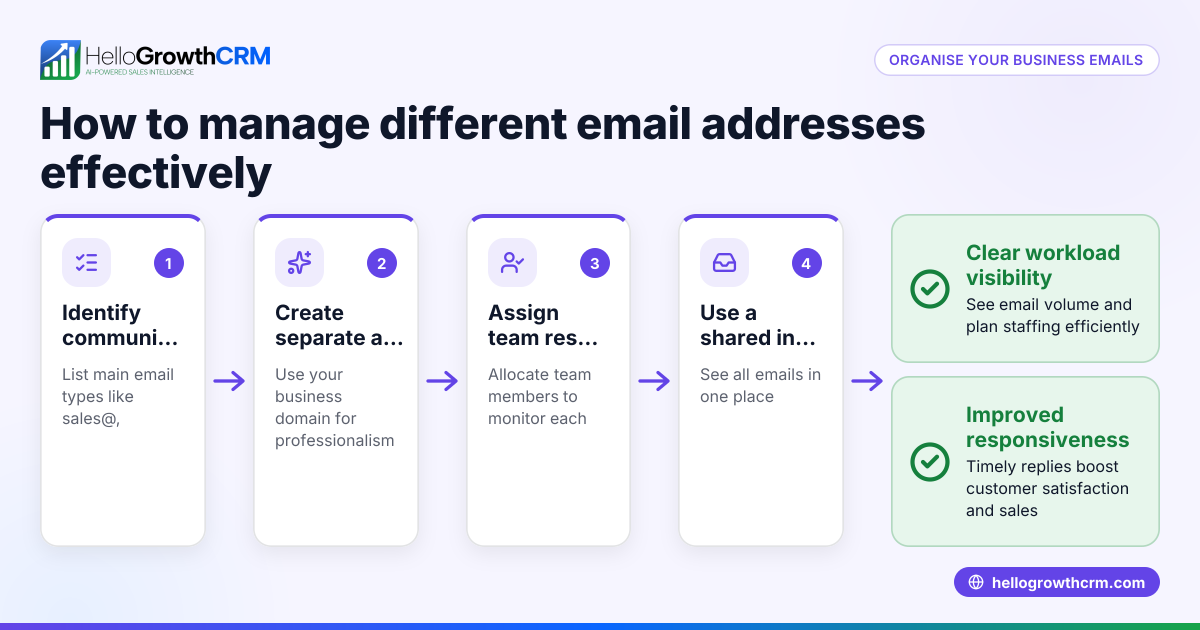
- Decide the purpose of each email address.
- For example, use one for sales@yourbusiness.co.uk and another for support@yourbusiness.co.uk.
- Check your domain hosting or email provider allows multiple addresses.
- Set up the email addresses with your domain provider or email host.
- Log in to your hosting control panel or email service.
- Create the new email accounts following their instructions.
- Verify the email addresses are active by sending test messages.
- Choose how to access the emails.
- Use an email client (Outlook, Gmail) or a CRM with a shared inbox.
- Ensure your team knows which address to check for their role.
- Organise incoming emails.
- Set rules or filters to route emails to the right team member.
- Consider using a shared inbox to avoid missed replies.
- Link email addresses to your sales and support workflows.
- Use email automation and sequences to follow up leads automatically.
- Track replies and tasks related to each email address clearly.
- Train your team on managing multiple addresses.
- Clarify who owns which inbox.
- Avoid forwarding emails manually to reduce errors.
- Review and adjust regularly.
- Check if the two-email setup is improving response times.
- Consolidate or add addresses as your business grows.
Example (fictional figures)
A solar-panel installer in Glasgow wants two email addresses: sales@glasgowsolar.co.uk and support@glasgowsolar.co.uk. They pay £120 per year for their domain and email hosting.
- Cost for domain and hosting: £120 per year
- Time to set up each email address: 30 minutes
- Estimated hourly rate for admin: £15 per hour
Calculation of setup cost:
2 email addresses × 0.5 hours = 1 hour
1 hour × £15 = £15
Total first-year cost = £120 + £15 = £135
This investment streamlines communication, reducing lost leads and improving customer satisfaction.
Common mistakes
- Using personal email accounts instead of business addresses.
- Prevent by setting up professional domain emails.
- Not centralising email replies, causing missed communication.
- Prevent by using a shared inbox or CRM email management.
- Manually forwarding emails between team members.
- Prevent by assigning clear inbox ownership and automated routing.
- Overcomplicating with too many email addresses too soon.
- Prevent by starting with two and reviewing needs regularly.
- Ignoring email follow-up sequences, leading to slow responses.
- Prevent by using automated email sequences to maintain contact.
Doing this in HelloGrowthCRM
HelloGrowthCRM offers a HelloMail shared inbox so your team can manage inbound email from leads and customers without switching to a separate email client. Replies to a quotation email are visible to the whole team on the deal, reducing missed replies. You can also set up sequences and campaigns to automate follow-up over two weeks, which stops as soon as the prospect replies. For founders without a sales manager, Managed RevOps can assign someone to work the follow-up queue weekly, ensuring no lead is forgotten. Learn more about email automation and sequences, WhatsApp and SMS CRM, and HelloGrowthCRM for the United Kingdom.
Frequently asked questions
Can I use two email addresses on one device? Yes, most email clients and apps allow you to add multiple email accounts and switch between them easily. You can also set up forwarding rules or use a shared inbox in a CRM to see all messages in one place.
Is it confusing for customers to have two email addresses? Not if you clearly communicate which address is for what purpose. For example, list sales@yourbusiness.co.uk for enquiries and support@yourbusiness.co.uk for help. This clarity improves customer experience.
Can I automate follow-up emails for both addresses? Yes, using email automation tools or a CRM with sequences, you can create tailored follow-up workflows for each email address. This helps maintain timely communication without manual effort.
Do I need to pay extra for multiple email addresses? It depends on your email hosting provider. Many include multiple email addresses as part of a package, but some charge per mailbox. Check your provider’s pricing.
How do I avoid missing emails when using two addresses? Use a shared inbox or CRM that consolidates emails and notifies your team of new messages. Assign responsibility for each inbox to specific team members.
Key takeaways
- You can have two email addresses to separate business functions like sales and support.
- Set them up via your domain provider and organise access and ownership clearly.
- Use email automation and shared inboxes to manage replies and follow-ups efficiently.
- Avoid common mistakes like using personal emails or forwarding manually.
- HelloGrowthCRM supports multi-email management with shared inbox and sequences.
Start managing your business emails better by starting on the Free Forever plan (200 leads, no credit card).
Ready to put this into practice?
Set up your pipeline, WhatsApp follow-ups, and AI lead scoring in minutes — free, no credit card.
Try HelloGrowthCRM freeGet CRM tips in your inbox
Join thousands of sales professionals who get weekly insights on CRM strategy, AI automation, and pipeline optimization.

The HelloGrowthCRM team publishes guides on CRM strategy, AI sales tools, and revenue operations for small business sales teams.