HelloGrowthCRM software
Built for real small-business sales teams
HelloGrowthCRM helps reps qualify faster, follow up on time, and close more deals—with practical automation in one place.
- AI lead scoring and pipeline visibility
- Built-in dialer, WhatsApp, and email automation
- Sales forecasting and RevOps-ready reporting
An email address is a unique identifier that allows you to send and receive messages electronically. It consists of a username, the @ symbol, and a domain name, such as example@yourbusiness.ae. For UAE small businesses, having professional and functional email addresses is essential for communication with customers, suppliers, and partners.
Why this comes up / what goes wrong
Many UAE small business owners start using personal or free email accounts like Gmail or Yahoo for their business communication. While this may seem convenient at first, it can cause confusion and reduce professionalism. Using personal emails often leads to scattered communication, missed replies, and difficulty tracking conversations. This slows down follow-up with leads and customers, which can result in lost sales opportunities or frustrated clients. Additionally, if multiple team members handle customer emails, personal accounts make it hard to share information and coordinate responses.
Without a proper system to manage business email addresses, small businesses struggle to keep track of inquiries, quotations, and customer support requests. This lack of organisation can damage your brand reputation and reduce team productivity.
Step-by-step
- Choose a domain name: Select a domain that matches your business name or brand (e.g., yourbusiness.ae). Check availability through a domain registrar and register it.
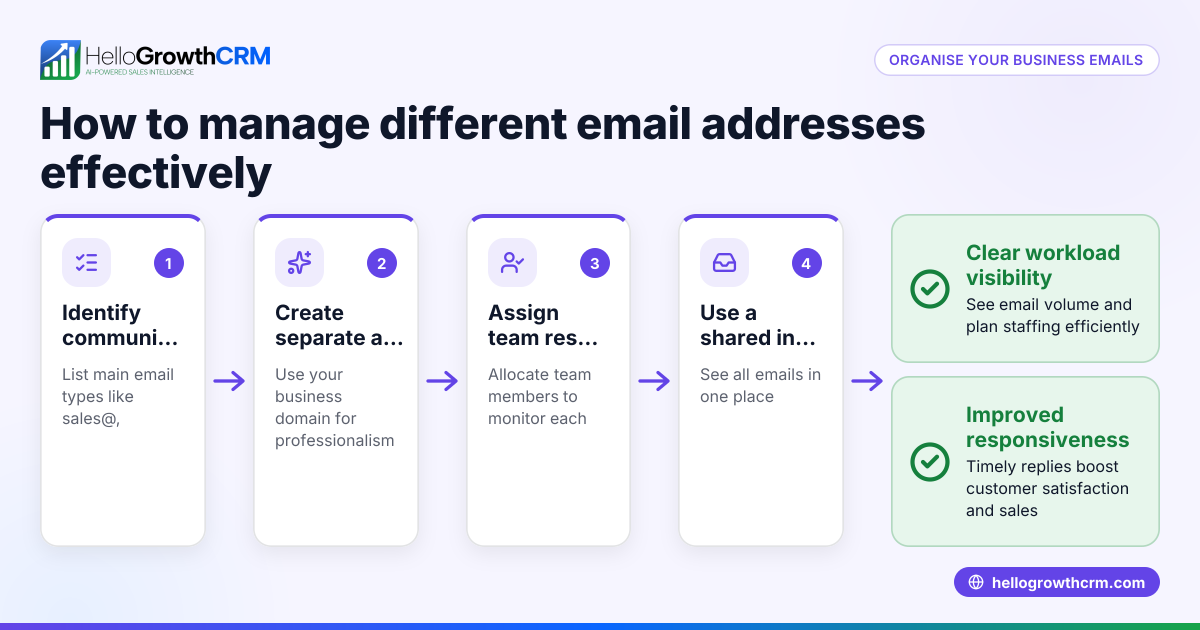
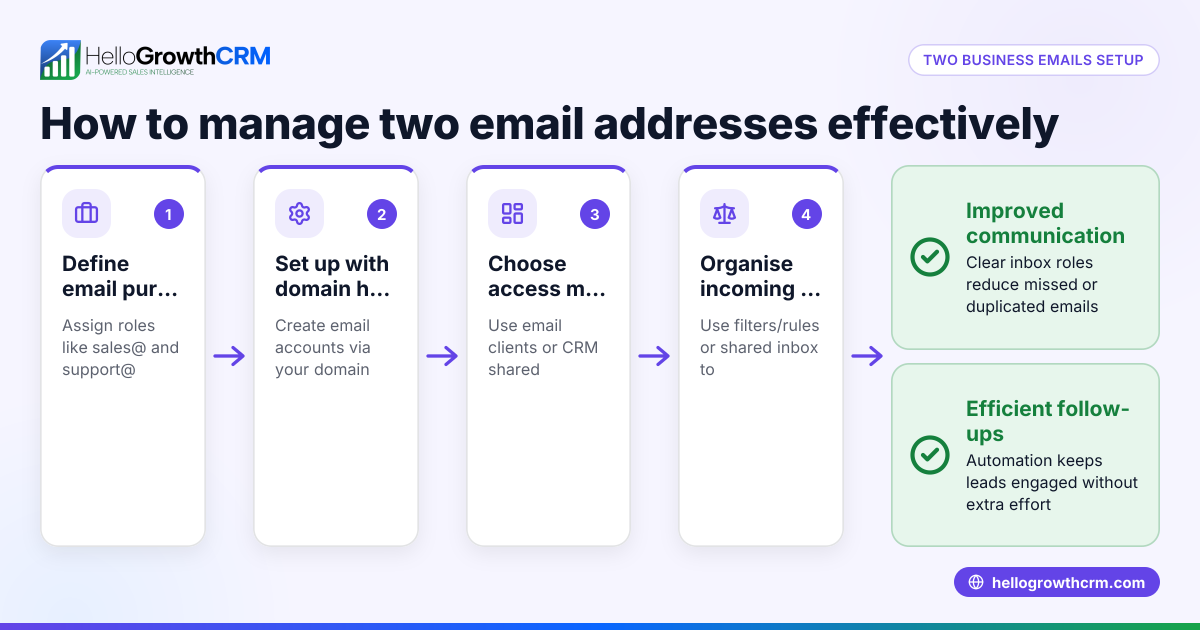
- Set up business email accounts: Use your domain to create email addresses such as sales@yourbusiness.ae or support@yourbusiness.ae. Many hosting providers or email services offer this feature as part of your domain package.
- Use professional usernames: Avoid generic or personal nicknames. Use clear roles or names, like info@, support@, or firstname.lastname@yourbusiness.ae to keep communication clear and credible.
- Configure email clients or webmail: Set up your email accounts on devices or use webmail portals to send and receive messages efficiently.
- Ensure security: Use strong passwords and enable two-factor authentication to protect your email accounts from unauthorised access.
- Organise emails with a CRM: Centralise your email communication using a CRM system so your team can see all replies and follow-ups without switching apps. This helps avoid missed messages and speeds up response times. Learn more about email automation and sequences.
Example (fictional figures)
Sharjah-based interior fit-out contractor “Desert Designs” registered the domain desertdesigns.ae on 15/02/2026. They created sales@desertdesigns.ae and support@desertdesigns.ae email addresses.
They pay AED 500 per year for domain registration and AED 1,200 per year for email hosting.
Setup costs calculation: AED 500 + AED 1,200 = AED 1,700 per year
Using sales@desertdesigns.ae, their sales team sends quotations and receives customer inquiries. Replies are shared in HelloGrowthCRM’s shared inbox, improving response speed and team coordination. Automated follow-up sequences run over two weeks to keep prospects engaged, stopping as soon as the prospect replies.
Common mistakes
- Using personal email for business: Leads to unprofessional impressions and scattered communication. Prevent this by setting up domain-based business emails.
- Ignoring email organisation: When emails are scattered across personal inboxes, replies get missed or delayed. Prevent this by using a shared inbox or CRM system.
- Weak passwords and poor security: Increases risk of hacking and data loss. Use strong passwords and enable two-factor authentication.
- Not tracking email follow-up: Leads get cold when follow-up is manual or inconsistent. Use automated sequences to maintain consistent contact, as explained in email automation and sequences.
- Overlooking team visibility: When replies to quotations or queries are only visible to one person, the team can’t assist or follow up promptly. Use a shared inbox like HelloMail to keep everyone informed.
Doing this in HelloGrowthCRM
HelloGrowthCRM offers HelloMail, a shared inbox inside the CRM where all replies to your quotation emails are visible to the whole team on the deal. This prevents emails from being missed or hidden in personal inboxes. Additionally, you can set up sequences and campaigns that automate a five-step follow-up over two weeks, which stops immediately when the prospect replies. This ensures timely and consistent communication without manual effort. Learn more about WhatsApp and SMS CRM and email automation and sequences.
Frequently asked questions
What is a professional email address for my business? A professional email address uses your business domain, such as sales@yourbusiness.ae, rather than a generic free email. It improves credibility and makes communication easier to manage.
How do I set up an email address with my business domain? First, register a domain name that matches your business. Then, use your domain registrar or hosting provider’s email service to create email accounts. Configure them on your devices or webmail.
Why should I use a shared inbox for emails? A shared inbox lets your team see all incoming and outgoing emails related to leads and customers. This avoids missed messages and ensures everyone stays informed about conversations.
Can I automate email follow-ups to leads? Yes, using CRM tools like HelloGrowthCRM, you can create email sequences that automatically send follow-ups at set intervals until the prospect responds, saving time and improving lead conversion.
How do I keep my email accounts secure? Use strong, unique passwords and enable two-factor authentication. Regularly update passwords and educate your team about phishing risks.
What are the benefits of using a CRM for email communication? A CRM centralises your email communication, making it easier to track conversations, share replies with your team, and automate follow-ups. This improves customer service and sales efficiency.
Key takeaways
- Email addresses identify where to send and receive electronic messages.
- Use your business domain for professional, trustworthy email addresses.
- Organise and share emails with your team to avoid lost leads and missed replies.
- Automate follow-up emails with sequences to maintain timely contact.
- Protect your email accounts with strong security measures like two-factor authentication.
- Using a CRM with a shared inbox improves team collaboration and sales follow-up.
Start managing your email communication better by trying HelloGrowthCRM. Start on the Free Forever plan (200 leads, no credit card).
Ready to put this into practice?
Set up your pipeline, WhatsApp follow-ups, and AI lead scoring in minutes — free, no credit card.
Try HelloGrowthCRM freeGet CRM tips in your inbox
Join thousands of sales professionals who get weekly insights on CRM strategy, AI automation, and pipeline optimization.

The HelloGrowthCRM team publishes guides on CRM strategy, AI sales tools, and revenue operations for small business sales teams.