HelloGrowthCRM software
Built for real small-business sales teams
HelloGrowthCRM helps reps qualify faster, follow up on time, and close more deals—with practical automation in one place.
- AI lead scoring and pipeline visibility
- Built-in dialer, WhatsApp, and email automation
- Sales forecasting and RevOps-ready reporting
A chatbot for social media is a software program that automatically communicates with your customers through social media messaging apps. It can answer common questions, collect contact information, and guide prospects toward making a purchase or booking a service. Small businesses use chatbots to speed up response times and reduce lost leads caused by slow or inconsistent follow-up.
Why this comes up / what goes wrong
Many small business owners rely on social media platforms like Facebook Messenger or Instagram Direct to generate leads and communicate with customers. However, manual follow-up can be slow or inconsistent due to limited staff or competing priorities. Leads can get lost if messages go unanswered or if the owner forgets to reply. A chatbot helps by automatically engaging customers 24/7, qualifying leads, and routing hot prospects to sales staff for personal follow-up. This reduces the risk of losing potential sales and improves customer satisfaction.
Step-by-step
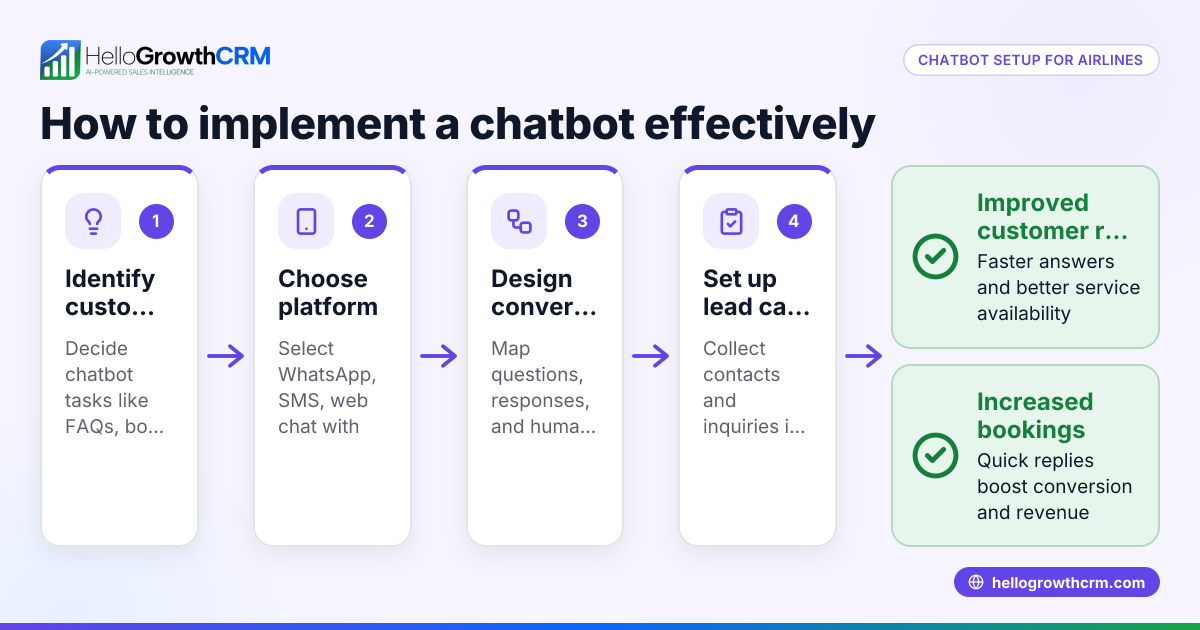
- Choose the right social media platform: Identify where your customers spend the most time (Facebook, Instagram, WhatsApp, etc.). Check if the platform supports chatbot integrations.
- Select a chatbot tool: Pick a chatbot software that integrates well with your chosen platform and meets your business needs (lead capture, FAQs, appointment booking).
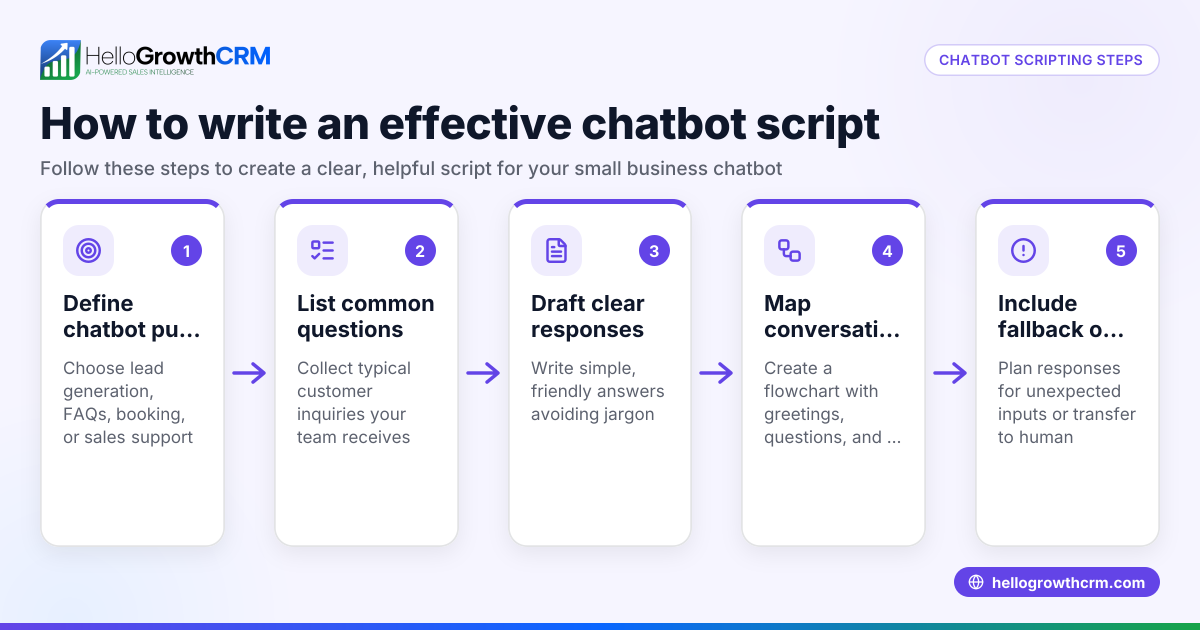
- Design chatbot conversation flows: Map out common customer questions and how the chatbot should respond. Keep answers clear and direct.
- Set up lead capture and routing: Configure the chatbot to collect contact details and qualify leads by asking key questions. Set rules for when to alert your sales team.
- Test the chatbot thoroughly: Simulate customer interactions to ensure the chatbot responds correctly and routes leads properly.
- Launch and monitor performance: Go live and track chatbot interactions, lead conversions, and customer feedback to improve over time.
- Integrate with your CRM: Connect chatbot leads to your CRM system to centralize follow-up and sales tracking. A CRM with WhatsApp and SMS capabilities can streamline this process.
Example (fictional figures)
A plumbing company in Austin, Texas, installs a Facebook Messenger chatbot to handle inquiries.
- Monthly leads before chatbot: 100
- Estimated lost leads due to slow follow-up: 30 leads
- Leads captured by chatbot after launch: 130
- Estimated lost leads after chatbot: 13 leads
Calculations: 130 leads - 13 lost leads = 117 leads successfully engaged
If each lead is worth $500 in revenue: 117 leads × $500 = $58,500 monthly revenue
Before chatbot: 70 leads × $500 = $35,000 monthly revenue
Revenue increase: $58,500 - $35,000 = $23,500 additional revenue monthly
This example shows how a chatbot can increase lead capture and reduce lost sales.
Common mistakes
- Setting up overly complex chatbots: Avoid long or confusing conversation flows. Keep interactions simple to prevent customer frustration.
- Ignoring chatbot testing: Always test all possible customer paths to catch errors before launch.
- Failing to integrate with CRM: Without integration, leads collected by chatbots can be lost or not followed up promptly. Use a CRM with WhatsApp and SMS features to centralize lead management.
- Not monitoring chatbot performance: Regularly review chatbot reports and customer feedback to improve responses and lead qualification.
- Relying solely on automation: Balance chatbot use with human follow-up for complex questions or high-value leads.
Doing this with Managed RevOps
Managed RevOps provides a revenue specialist who works your sales follow-up queue every week. This is ideal for founders without a dedicated sales manager. The specialist ensures leads captured via chatbot or other channels get timely follow-up, pipeline cleanup, and weekly KPI reporting. This support helps small businesses maintain momentum with social media leads and turn conversations into sales. Learn more about Managed RevOps and CRM features with WhatsApp and SMS support, including the built-in CRM dialer to call leads directly from the system.
Frequently asked questions
What is the main benefit of a chatbot for social media? A chatbot provides instant responses to customer inquiries, captures leads automatically, and frees up time for your sales team. This reduces lost leads from slow follow-up and improves customer engagement.
Can a chatbot handle all customer questions? No, chatbots work best with common or simple questions. Complex issues should be escalated to a human agent. Designing chatbot flows with clear escalation paths is important.
How do I connect a social media chatbot to my CRM? Many chatbot tools offer integration options via API or third-party connectors. A CRM supporting lead capture from web forms and integrations helps centralize your sales pipeline.
Is a chatbot expensive for small businesses? Costs vary by platform and features. Some basic chatbot builders are free or low cost. Consider the time saved and increased sales from better lead follow-up when evaluating cost.
Do I need technical skills to set up a chatbot? Basic chatbot builders often require no coding, but designing effective conversation flows and integration may need some technical know-how or help from a specialist.
How does Managed RevOps help with chatbot leads? Managed RevOps provides a revenue specialist who manages your follow-up queue weekly, ensuring chatbot-generated leads get timely attention and pipeline hygiene.
Key takeaways
- A chatbot for social media automates customer interaction and lead capture on platforms like Facebook and WhatsApp.
- Small businesses use chatbots to reduce lost leads caused by slow or missed follow-up.
- Setting up a chatbot involves choosing a platform, designing conversation flows, testing, and CRM integration.
- Common mistakes include complex flows, poor testing, and lack of CRM integration.
- Managed RevOps supports founders by managing weekly follow-up queues for chatbot leads.
Start automating your social media lead follow-up with a chatbot and keep your sales pipeline active. To get started, try the Free Forever plan with 200 leads and no credit card required at Start on the Free Forever plan (200 leads, no credit card).
Ready to put this into practice?
Set up your pipeline, WhatsApp follow-ups, and AI lead scoring in minutes — free, no credit card.
Try HelloGrowthCRM freeGet CRM tips in your inbox
Join thousands of sales professionals who get weekly insights on CRM strategy, AI automation, and pipeline optimization.

The HelloGrowthCRM team publishes guides on CRM strategy, AI sales tools, and revenue operations for small business sales teams.