HelloGrowthCRM software
Built for real small-business sales teams
HelloGrowthCRM helps reps qualify faster, follow up on time, and close more deals—with practical automation in one place.
- AI lead scoring and pipeline visibility
- Built-in dialer, WhatsApp, and email automation
- Sales forecasting and RevOps-ready reporting
A check in email template is a concise, polite message to reconnect with a lead or customer who hasn't responded. It typically includes a greeting, a reminder of the previous interaction, a clear question or call to action, and a friendly closing. This article provides a step-by-step guide, a practical example, common mistakes to avoid, and how to manage check in emails efficiently using HelloGrowthCRM.
Why this comes up / what goes wrong
Small business owners often lose leads or delay deals because follow-up emails are forgotten, too vague, or come across as pushy. Without a clear and polite check in email template, it’s easy to write messages that confuse or annoy recipients. This leads to missed opportunities and slower sales cycles. Many owners rely on manual tracking with spreadsheets or scattered email threads, which causes inconsistent follow-up timing and unclear next steps.
Step-by-step
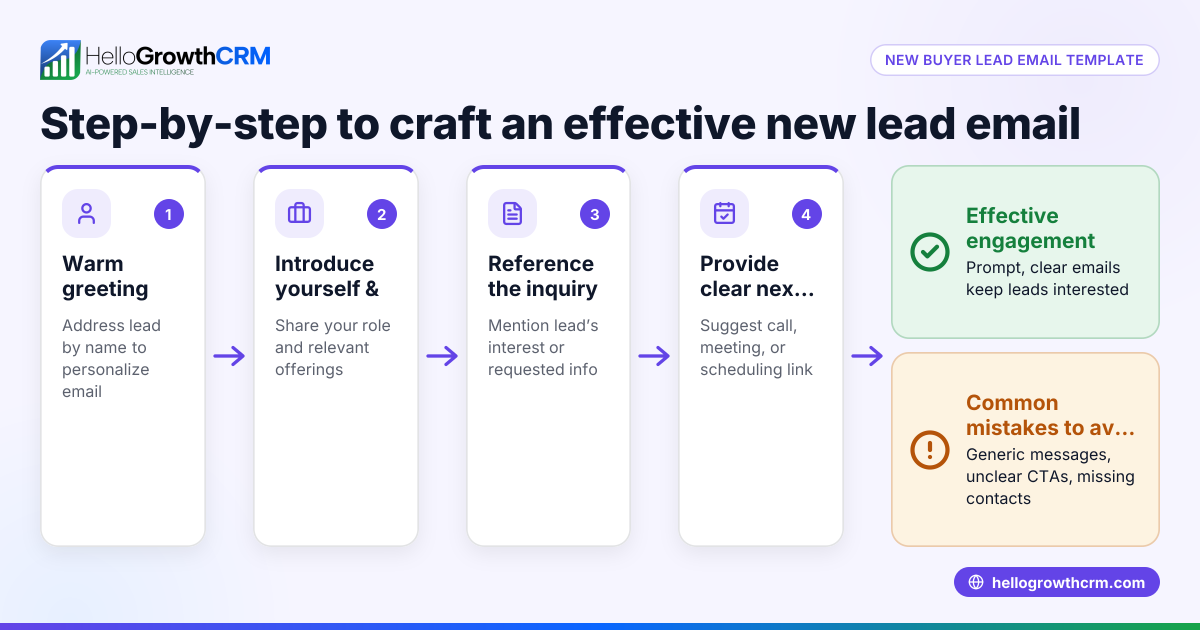
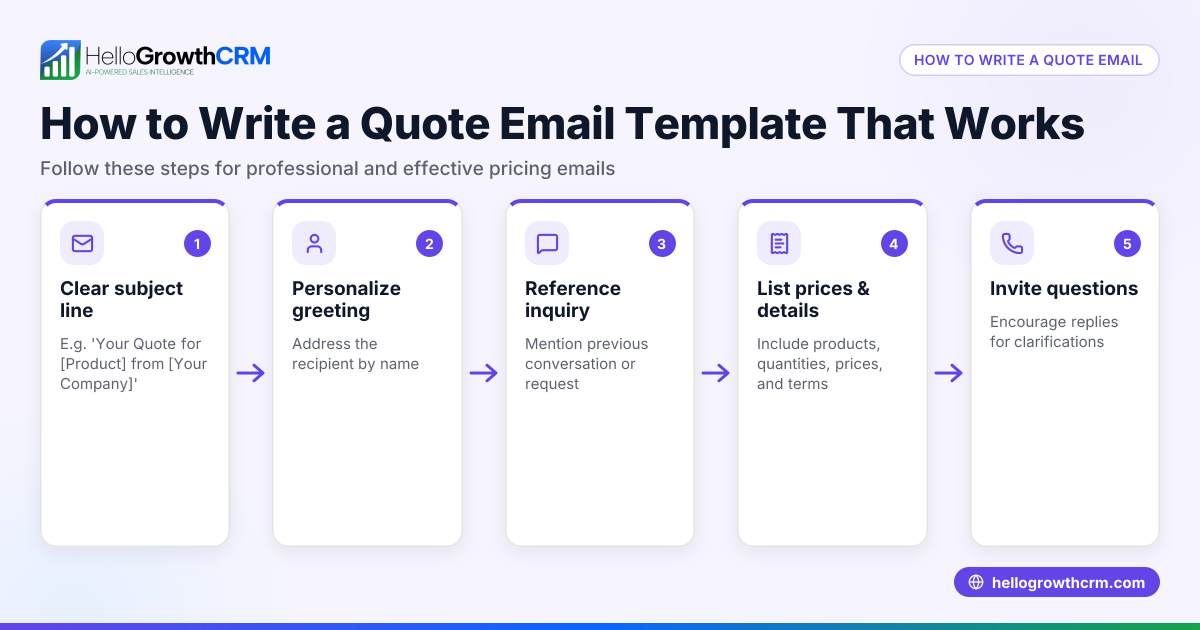
- Start with a friendly greeting: Use the recipient's name to personalize the message and establish rapport.
- Reference the previous interaction: Briefly mention the last contact or proposal to remind them why you’re reaching out.
- State the purpose clearly: Ask a direct question or suggest the next step, such as scheduling a call or confirming interest.
- Keep it brief and polite: Avoid long paragraphs or aggressive language; respect their time and decision.
- Include a call to action (CTA): Make it easy for them to respond, for example, "Please let me know if you have any questions or would like to proceed."
- Close warmly: Use a friendly sign-off like "Best regards" or "Looking forward to your reply."
- Check for errors: Review spelling, grammar, and tone to ensure professionalism.
- Track your email: Use tools or CRM features to monitor if the email is opened and schedule follow-ups accordingly.
For more templates and follow-up sequences, see our sales templates and email automation and sequences.
Example (fictional figures)
Jane runs a B2B software reseller in Denver, Colorado. She sent a proposal on 05/01/2026 for $15,000 but hasn’t heard back by 05/10/2026. Here is her check in email:
Subject: Checking in on your software proposal
Hi Alex,
I hope you’re well. I wanted to follow up on the software proposal I sent on 05/01/2026 for $15,000. Please let me know if you have any questions or if you'd like to discuss next steps.
Looking forward to your reply.
Best regards, Jane
This email is polite, references the previous proposal, and invites a response without pressure.
Common mistakes
- Being too vague: Avoid generic messages like "Just checking in." Always reference the last interaction to provide context.
How to prevent: Include specific details about dates, amounts, or topics discussed.
- Writing too long or complex emails: Long emails can overwhelm or bore the recipient.
How to prevent: Keep your check in email concise and to the point.
- Sounding pushy or impatient: Aggressive language can alienate leads.
How to prevent: Use polite, friendly wording and give the recipient space to respond.
- Forgetting to include a clear call to action: Without a CTA, recipients may not know how to respond.
How to prevent: End with a specific question or next step.
- Neglecting to track follow-ups: Without tracking, you might miss when to send the next email.
How to prevent: Use a CRM or follow-up tools to schedule reminders.
- Not proofreading: Typos and errors reduce professionalism.
How to prevent: Always review your email before sending.
For more tips on follow-up sequences and tracking, check out our free sales tools and calculators.
Doing this in HelloGrowthCRM
HelloGrowthCRM offers a shared inbox called HelloMail where replies to your check in or quotation emails are visible to your whole sales team on the deal. This prevents missed responses and keeps everyone aligned. You can also download free sales templates and follow-up cadence templates without an account from our free sales tools and calculators. Additionally, the built-in dialer lets reps work leads from inside the CRM and log call outcomes directly on the lead record, streamlining your follow-up process.
Frequently asked questions
What is the best time to send a check in email? Aim to send a check-in email a few business days after your last contact if you haven’t received a response. This timing is enough to give the prospect space but keeps the conversation fresh.
How often should I send check in emails? Limit check-in emails to a few attempts spaced several days apart to avoid overwhelming recipients. Too many emails can annoy leads and damage your relationship.
Should I include a phone number in the check in email? Yes, including your phone number or offering a call option makes it easier for the recipient to reach you. Using a CRM with a built-in dialer can help you follow up by phone efficiently.
Can I automate check in emails? Yes, you can automate sequences using email automation tools. HelloGrowthCRM supports email sequences to send timely follow-ups and track responses. Learn more about email automation and sequences.
What tone works best in a check in email? A friendly, professional tone works best. Be polite, respectful, and clear without sounding desperate or pushy.
Key takeaways
- Use a clear, polite, and concise format that references the last interaction.
- Always include a specific call to action to guide the recipient.
- Avoid common mistakes like vagueness, pushiness, and neglecting follow-up tracking.
- Use tools and templates to streamline your check in emails and follow-ups.
- HelloGrowthCRM’s HelloMail shared inbox and built-in dialer help manage responses and calls effectively.
Start your follow-up process with confidence by using a ready-to-use check in email template. To try managing your leads and emails in one place, start on the Free Forever plan (200 leads, no credit card).
Ready to put this into practice?
Set up your pipeline, WhatsApp follow-ups, and AI lead scoring in minutes — free, no credit card.
Try HelloGrowthCRM freeGet CRM tips in your inbox
Join thousands of sales professionals who get weekly insights on CRM strategy, AI automation, and pipeline optimization.

The HelloGrowthCRM team publishes guides on CRM strategy, AI sales tools, and revenue operations for small business sales teams.