HelloGrowthCRM software
Built for real small-business sales teams
HelloGrowthCRM helps reps qualify faster, follow up on time, and close more deals—with practical automation in one place.
- AI lead scoring and pipeline visibility
- Built-in dialer, WhatsApp, and email automation
- Sales forecasting and RevOps-ready reporting
To check email address deliverability, you need to confirm that your emails are arriving in your recipients’ inboxes without bouncing or being filtered as spam. This means verifying the email addresses are valid, monitoring delivery reports, and improving your sending practices. This article covers why deliverability issues occur, how to assess and fix them step-by-step, a practical example with figures, common pitfalls to avoid, and how HelloGrowthCRM can support your email outreach.
Why this comes up / what goes wrong
Small business owners often face email deliverability problems when their sales or marketing emails do not reach potential customers. This can happen because:
- Email addresses collected from web forms or spreadsheets contain typos or inactive accounts.
- Your domain or IP address might have poor sender reputation, causing emails to be blocked.
- Content or formatting triggers spam filters.
- Lack of proper authentication protocols like SPF, DKIM, or DMARC.
- High bounce rates from invalid emails damage your sender score.
These issues lead to lost leads and sales opportunities because prospects never see your messages. Checking deliverability helps you identify and fix these problems.
Step-by-step
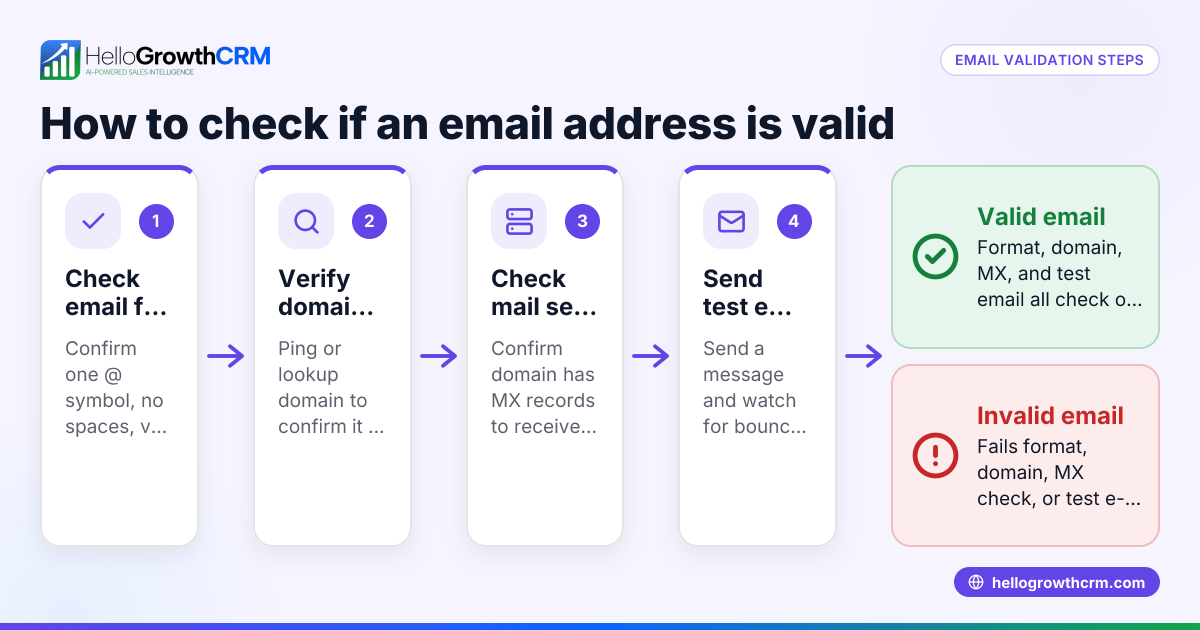
- Verify Email Addresses
- Use email verification tools to check if addresses are valid and active.
- Remove or correct invalid or mistyped emails from your lists.
- Monitor Bounce Reports
- After sending a campaign, review bounce notifications.
- Identify hard bounces (permanent failures) and remove those addresses.
- Check Spam Folder Placement
- Ask a few contacts to check if your emails land in their spam or inbox.
- Use seed lists or inbox placement tools if available.
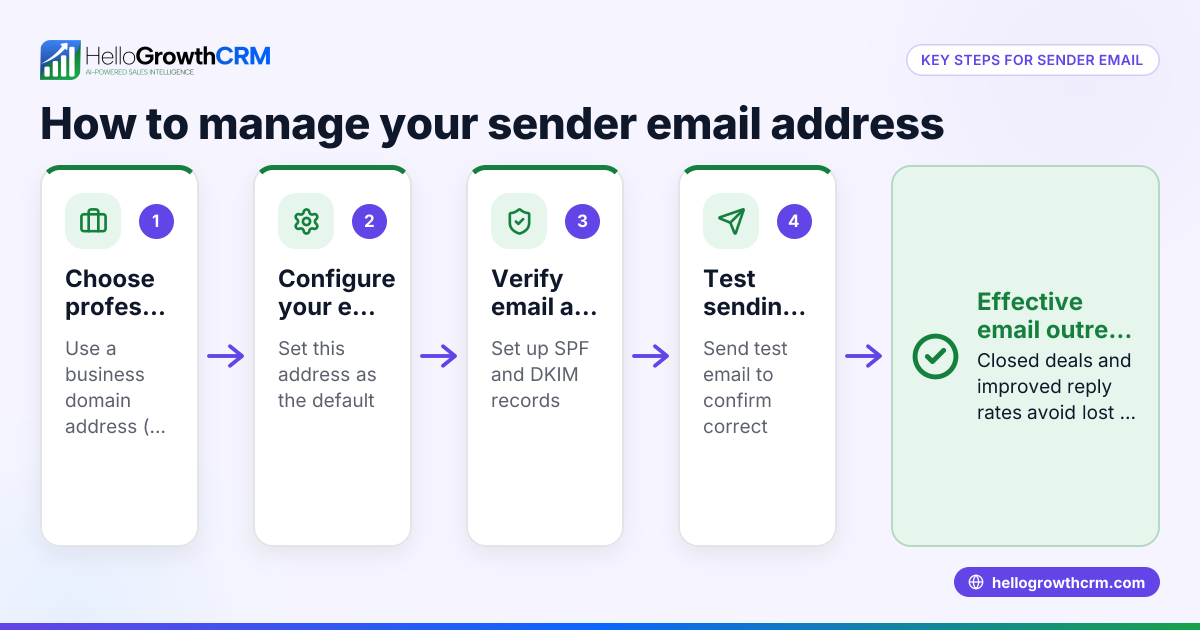
- Review Authentication Settings
- Ensure your domain has SPF, DKIM, and DMARC records correctly set up.
- These help receiving servers verify your emails are legitimate.
- Analyze Engagement Metrics
- Track open rates, click rates, and replies.
- Low engagement can hurt deliverability over time.
- Test Sending from Different Email Clients
- Send test emails to accounts on Gmail, Outlook, Yahoo, etc., to see how they are handled.
- Clean Your List Regularly
- Remove inactive or unresponsive contacts periodically.
- Use a Reputable Email Sending Service or CRM
- Tools like HelloGrowthCRM help manage sequences and monitor replies to improve deliverability and engagement.
For more on automating your email outreach, see email automation and sequences.
Example (fictional figures)
A B2B software reseller in Denver, Colorado, sent a batch of 5,000 emails on 03/15/2026 to prospects gathered from trade shows and web forms. They want to check deliverability before their next campaign.
- Total emails sent = 5,000
- Hard bounces reported = 350
- Soft bounces (temporary issues) = 150
- Emails opened = 1,200
- Replies received = 180
Step 1: Calculate bounce rate
Bounce rate = (Hard bounces + Soft bounces) ÷ Total emails sent Bounce rate = (350 + 150) ÷ 5,000 Bounce rate = 500 ÷ 5,000 = 0.10 or 10%
Step 2: Remove hard bounces from list
Cleaned list size = Total emails sent - Hard bounces Cleaned list size = 5,000 - 350 = 4,650
Step 3: Calculate open rate on cleaned list
Open rate = Emails opened ÷ Cleaned list size Open rate = 1,200 ÷ 4,650 ≈ 0.258 or 25.8%
Step 4: Calculate reply rate
Reply rate = Replies received ÷ Cleaned list size Reply rate = 180 ÷ 4,650 ≈ 0.0387 or 3.87%
This shows a 10% bounce rate, which is moderately high and indicates the need to improve list quality. The open and reply rates provide insight into engagement.
Common mistakes
- Not verifying email addresses before sending
- Prevent by using email verification tools to catch typos and invalid emails.
- Ignoring bounce reports
- Prevent by regularly reviewing bounce notifications and removing hard bounces.
- Sending to unengaged contacts indefinitely
- Prevent by cleaning your list of inactive emails every few months.
- Failing to set up SPF, DKIM, and DMARC
- Prevent by coordinating with your domain host or IT to configure these authentication protocols.
- Overloading recipients with too many emails
- Prevent by spacing out emails using sequences and campaigns to avoid spam complaints (see email automation and sequences).
- Using inconsistent sender names or email addresses
- Prevent by standardizing your sender details to build recognition and trust.
Doing this in HelloGrowthCRM
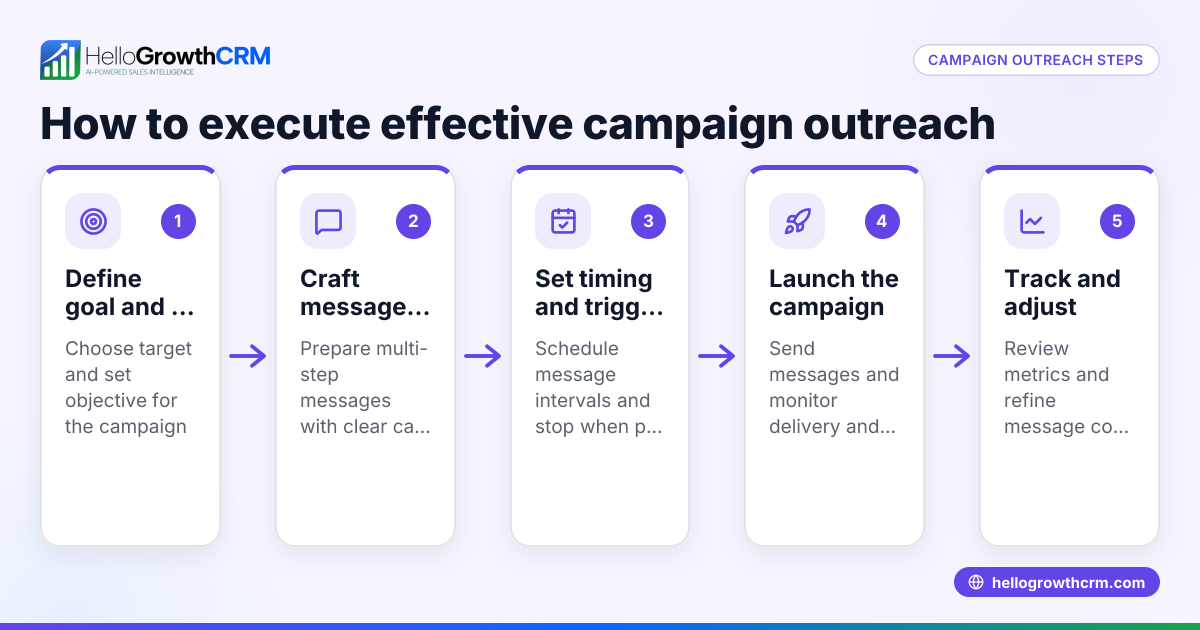
HelloGrowthCRM offers a shared inbox called HelloMail where your team can see all replies to quotation emails on the deal, ensuring no lead is missed. Its sequences and campaigns feature lets you set up a five-step follow-up over two weeks that runs automatically and stops as soon as the prospect replies. This helps maintain steady contact without overwhelming recipients or risking spam flags. Learn more about these features at email automation and sequences.
Frequently asked questions
How can I test if an email address is valid before sending? You can use email verification services that check if the email exists and can receive mail. These tools detect typos, inactive accounts, and temporary issues. Verifying before sending reduces bounce rates and protects your sender reputation.
What causes emails to bounce and how do I fix it? Emails bounce due to invalid addresses, full inboxes, server issues, or spam filters blocking delivery. Fix bounces by removing invalid emails, retrying soft bounces later, and ensuring proper authentication (SPF, DKIM, DMARC).
Why do my emails go to spam even if addresses are correct? Spam filters consider content, sender reputation, and recipient engagement. Avoid spammy language, maintain consistent sender info, authenticate your domain, and send relevant content to engaged contacts.
How often should I clean my email list? Clean your list every 3-6 months by removing inactive or bouncing contacts. Regular cleaning improves deliverability and engagement rates.
Can HelloGrowthCRM help improve email deliverability? Yes, HelloGrowthCRM's shared inbox and automated sequences help manage replies efficiently and maintain consistent follow-up without spamming prospects. See more on WhatsApp and SMS CRM and HelloGrowthCRM for the United States.
Key takeaways
- Verify email addresses before sending to reduce bounces.
- Monitor bounce reports and remove invalid emails promptly.
- Set up SPF, DKIM, and DMARC for email authentication.
- Use automated sequences to space emails and stop on reply.
- Regularly clean your list to maintain engagement and sender reputation.
- HelloGrowthCRM features like HelloMail and sequences help manage follow-up and improve deliverability.
Start improving your email deliverability today. Start on the Free Forever plan (200 leads, no credit card).
Ready to put this into practice?
Set up your pipeline, WhatsApp follow-ups, and AI lead scoring in minutes — free, no credit card.
Try HelloGrowthCRM freeGet CRM tips in your inbox
Join thousands of sales professionals who get weekly insights on CRM strategy, AI automation, and pipeline optimization.

The HelloGrowthCRM team publishes guides on CRM strategy, AI sales tools, and revenue operations for small business sales teams.