HelloGrowthCRM software
Built for real small-business sales teams
HelloGrowthCRM helps reps qualify faster, follow up on time, and close more deals—with practical automation in one place.
- AI lead scoring and pipeline visibility
- Built-in dialer, WhatsApp, and email automation
- Sales forecasting and RevOps-ready reporting
A closing call is the last direct phone conversation a salesperson has with a lead to finalize a sale. It is the moment to confirm the prospect’s decision, clear any remaining doubts, and secure their commitment. For small business owners, mastering the closing call can significantly improve sales success and reduce lost opportunities.
Why this comes up / what goes wrong
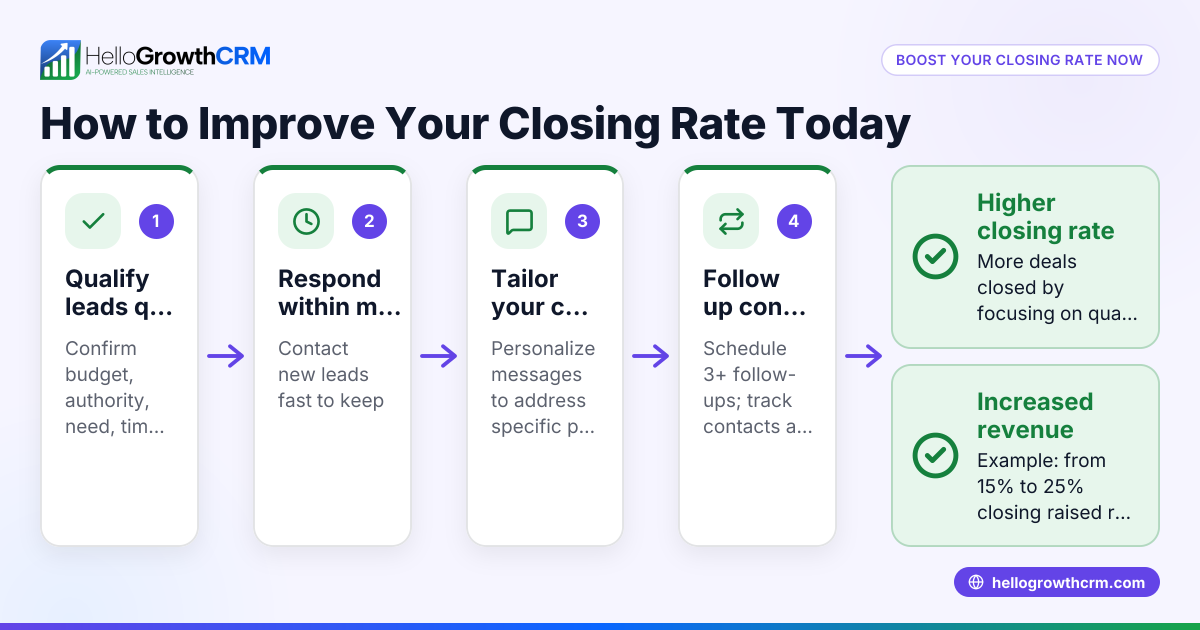
Small businesses often depend on personal interaction to close deals, but many face challenges due to lack of a clear closing call process. Leads can grow cold if follow-up is delayed or disorganized. When sales teams rely on texts, emails, and spreadsheets without a dedicated system, it’s difficult to track call outcomes and next steps. This leads to missed chances and frustrated prospects who may turn to competitors. A focused closing call helps maintain momentum and clarifies the path to purchase.
Step-by-step
- Prepare thoroughly before the call: Review the lead’s history, needs, and previous conversations. Gather all relevant product or service details.
- Set a clear agenda at the start: Explain that the purpose is to finalize details and address any last questions.
- Confirm the prospect’s interest and readiness: Ask if they feel ready to proceed or if they need more information.
- Listen carefully and address objections: Respond clearly to any hesitations with solutions or reassurances.
- Summarize key benefits and terms: Recap the main advantages, pricing, delivery, or contract terms.
- Ask directly for the sale: Invite the prospect to commit, such as signing a contract or placing an order.
- Clarify next steps: Explain what happens after the call, including payment, delivery, or onboarding.
- Log the call outcome and plan follow-up if needed: Keep detailed notes of the result and schedule next actions.
Using a CRM with a built-in CRM dialer helps organize these steps and ensures call outcomes are recorded accurately.
Example (fictional figures)
Sunrise Realty, a small residential real estate team in Phoenix, Arizona, uses closing calls to finalize home sales. On 06/15/2026, agent Lisa calls a buyer interested in a $350,000 home.
- Lisa reviews the buyer’s file and notes previous questions.
- She confirms the buyer is ready to proceed.
- The buyer asks about closing costs estimated at $7,000.
- Lisa explains the closing costs and payment timeline.
- She summarizes the benefits: location, price, and included appliances.
- Lisa asks, “Shall we start the paperwork to secure the home?”
- The buyer agrees.
- Lisa logs the call outcome as “Sale committed” and schedules a follow-up for contract signing.
Worked example calculations:
$350,000 (home price) + $7,000 (closing costs) = $357,000 (total buyer cost)
This clear, detailed approach keeps the process efficient and transparent.
Common mistakes
- Rushing the call: Pushing for a quick yes can alienate prospects. Prevent this by listening fully and addressing concerns.
- Not preparing: Missing lead details causes lost opportunities. Always review the lead’s history before calling.
- Ignoring objections: Dismissing hesitations leaves doubts unresolved. Answer objections clearly and patiently.
- Failing to log outcomes: Without recording results, follow-up can be missed. Use a CRM to track call details.
- Not setting next steps: Leaving the prospect unsure about what happens next risks losing momentum. Always clarify the following actions.
Avoid these mistakes by following the step-by-step guide and using tools like HelloGrowthCRM’s dialer.
Doing this in HelloGrowthCRM
HelloGrowthCRM offers a built-in CRM dialer that allows reps to work leads directly from inside the CRM. Each call’s outcome is logged on the lead’s record, keeping your sales pipeline organized and up to date. This reduces manual tracking errors and ensures your team can follow up efficiently after closing calls.
Frequently asked questions
What is the main goal of a closing call? The main goal is to confirm the prospect’s readiness to buy, answer any last questions, and obtain a commitment to proceed. It is a focused conversation aimed at finalizing the sale.
How long should a closing call last? Typically, a short amount of time is sufficient for a closing call. It should be long enough to address concerns but concise enough to respect the prospect’s time.
What if the prospect isn’t ready during the closing call? If the prospect hesitates, identify their objections and offer clear answers. If more time is needed, schedule a follow-up call rather than pushing too hard.
Can closing calls be done by text or email? While texts and emails support follow-up, a closing call by phone is more effective for building trust and handling objections in real time. HelloGrowthCRM also supports managing communication sequences via WhatsApp and SMS to complement calls (WhatsApp and SMS CRM).
How do I track closing calls efficiently? Using a CRM with a built-in dialer helps. Calls are made and logged in one place, making it easy to track outcomes and plan next steps.
Key takeaways
- A closing call is the final direct conversation to secure a sale.
- Preparation and clear communication are essential.
- Listening and addressing objections prevents lost deals.
- Always log call outcomes and set clear next steps.
- Avoid rushing or ignoring concerns during the call.
- Using a CRM dialer helps organize and track closing calls.
Master your closing calls today by trying HelloGrowthCRM. Start on the Free Forever plan (200 leads, no credit card) to improve your sales process and never lose a lead to slow follow-up.
Ready to put this into practice?
Set up your pipeline, WhatsApp follow-ups, and AI lead scoring in minutes — free, no credit card.
Try HelloGrowthCRM freeGet CRM tips in your inbox
Join thousands of sales professionals who get weekly insights on CRM strategy, AI automation, and pipeline optimization.

The HelloGrowthCRM team publishes guides on CRM strategy, AI sales tools, and revenue operations for small business sales teams.