HelloGrowthCRM software
Built for real small-business sales teams
HelloGrowthCRM helps reps qualify faster, follow up on time, and close more deals—with practical automation in one place.
- AI lead scoring and pipeline visibility
- Built-in dialer, WhatsApp, and email automation
- Sales forecasting and RevOps-ready reporting
Connecting your Facebook lead ads and email leads directly into PipelineDeals centralizes your sales pipeline and speeds up follow-up. Many small businesses struggle because leads from Facebook or email inquiries stay scattered in inboxes or spreadsheets, causing slow responses and lost sales.
Why this comes up / what goes wrong
Small business owners often run Facebook lead ads to generate inquiries and receive leads via email notifications. However, without integration, these leads sit in email inboxes or spreadsheets, making it hard for sales teams to track and follow up quickly. This leads to missed opportunities, duplicated efforts, and no clear view of your sales pipeline in PipelineDeals.
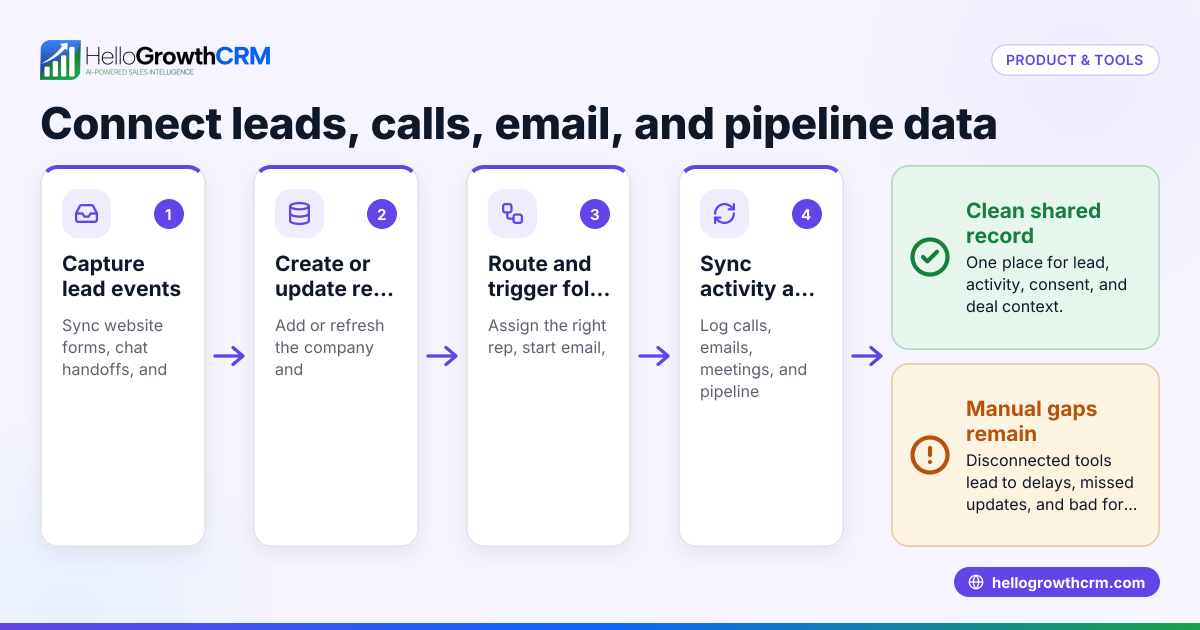
Connecting email and Facebook lead ads to PipelineDeals ensures every lead is captured as a contact or deal in your CRM pipeline, assigned to an owner, and given a next step. This reduces manual work and improves team coordination.
Step-by-step
- Set up Facebook Lead Ads form:
- Create a lead ad campaign in Facebook Ads Manager.
- Design a lead form that captures essential information like name, email, phone, and enquiry details.
- Publish the lead ad.
- Connect Facebook Lead Ads to PipelineDeals:
- Use a third-party integration tool like Zapier or Integromat to link Facebook Lead Ads to PipelineDeals.
- In Zapier, create a Zap with Facebook Lead Ads as the trigger and PipelineDeals as the action.
- Map lead form fields to PipelineDeals contact or deal fields.
- Test the Zap to ensure leads flow into PipelineDeals automatically.
- Set up email forwarding or parsing:
- If you receive leads by email (e.g., from web forms or other sources), set up an email parser or forwarding rule.
- Use an email parser tool to extract lead details from incoming emails.
- Connect the parser to PipelineDeals via API or integration platform to create leads or contacts.
- Verify lead capture and assignment:
- Check PipelineDeals to confirm new leads appear with correct data.
- Assign leads to sales team members with clear next steps.
- Automate notifications and follow-ups:
- Set reminders or tasks in PipelineDeals for timely follow-up.
- Use email sequences or templates if supported.
- Monitor and optimize:
- Regularly review lead flow and pipeline health.
- Adjust Facebook lead forms or integration settings as needed.
Example (fictional figures)
On 01/05/2024, an Indian SME runs a Facebook lead ad campaign with a budget of ₹50,000.
- Facebook generates 100 leads.
- Each lead is automatically sent to PipelineDeals via Zapier.
- The sales team converts 10 leads into ₹1,00,000 deals each.
Calculations:
₹1,00,000 × 10 = ₹10,00,000 (total deal value)
The integration saves 2 hours daily previously spent on manual lead entry, valued at ₹500/hour.
2 hours × ₹500 × 22 working days = ₹22,000 saved monthly.
This shows how connecting Facebook lead ads and email to PipelineDeals can increase revenue and reduce admin time.
Common mistakes
- Not testing the integration before going live:
- Prevent by running test leads through the system to confirm data flows correctly.
- Ignoring field mapping mismatches:
- Prevent by carefully mapping Facebook form fields to PipelineDeals fields to avoid missing or incorrect data.
- Not assigning leads promptly:
- Prevent by setting automatic lead assignment rules or notifications.
- Relying solely on email notifications without automation:
- Prevent by automating lead capture into PipelineDeals instead of manual email handling.
- Overlooking follow-up tasks:
- Prevent by creating pipeline tasks and reminders to ensure timely contact.
- Not monitoring integration health:
- Prevent by regularly checking integration logs and lead flow.
Doing this in HelloGrowthCRM
HelloGrowthCRM captures every enquiry from forms, calls, or WhatsApp as a lead with an owner and a next step, avoiding leads getting lost in notebooks. Its AI lead scoring helps telecallers prioritize leads most likely to convert first, speeding up follow-up. The HelloMail shared inbox lets your whole team see replies to quotation emails on each deal without switching apps. Learn more about HelloGrowthCRM’s AI CRM, AI lead scoring, and email automation and sequences.
Frequently asked questions
Can I connect Facebook lead ads directly to PipelineDeals without third-party tools? Currently, PipelineDeals does not offer native direct integration with Facebook lead ads. Using third-party platforms like Zapier is the common method to automate lead capture.
How do I ensure email leads are correctly added to PipelineDeals? Set up email forwarding or use an email parser tool to extract lead details and push them into PipelineDeals automatically. Testing the setup before full use is essential.
What fields should I capture on Facebook lead forms for PipelineDeals? At minimum, capture name, email, and phone number. Additional fields like enquiry details help your sales team qualify leads faster.
How can I avoid losing leads when using email and Facebook lead ads? Automate lead capture into PipelineDeals to prevent leads from being stuck in inboxes or spreadsheets. Assign owners and next steps immediately.
Is there a way to prioritize which leads my sales team calls first? PipelineDeals itself may not have AI lead scoring. HelloGrowthCRM offers AI lead scoring to help telecallers focus on leads most likely to convert first.
Key takeaways
- Connecting Facebook lead ads and email leads to PipelineDeals centralizes your sales pipeline.
- Use integration tools like Zapier to automate lead capture from Facebook lead ads.
- Set up email parsing or forwarding to bring email leads into PipelineDeals automatically.
- Test your integration thoroughly and map fields carefully to avoid data errors.
- Assign leads promptly and set follow-up tasks to avoid losing opportunities.
- HelloGrowthCRM offers features like AI lead scoring and shared inboxes to improve lead management.
Start managing your leads better today. Start on the Free Forever plan (200 leads, no credit card).
Ready to put this into practice?
Set up your pipeline, WhatsApp follow-ups, and AI lead scoring in minutes — free, no credit card.
Try HelloGrowthCRM freeGet CRM tips in your inbox
Join thousands of sales professionals who get weekly insights on CRM strategy, AI automation, and pipeline optimization.

The HelloGrowthCRM team publishes guides on CRM strategy, AI sales tools, and revenue operations for small business sales teams.