HelloGrowthCRM software
Built for real small-business sales teams
HelloGrowthCRM helps reps qualify faster, follow up on time, and close more deals—with practical automation in one place.
- AI lead scoring and pipeline visibility
- Built-in dialer, WhatsApp, and email automation
- Sales forecasting and RevOps-ready reporting
A business API lets your sales systems pass data to each other automatically. For a B2B team in the United States, that means website leads, call activity, emails, and pipeline updates move into one CRM without reps copying and pasting every detail.
Key takeaways
- A business api connects lead sources, communication tools, and pipeline records in real time.
- The main goal is simple: remove manual entry so reps spend more time selling.
- For U.S. teams, the best setup also supports email and calling workflows that fit CAN-SPAM and TCPA requirements.
- Start with a few high-value events, like form fills, booked meetings, and call outcomes, before adding every tool.
- An ai business api can help route leads, score fit, and trigger next steps faster than rule-only workflows.
- The right CRM setup should make reporting, forecasting, and rep accountability easier, not harder.
What is a business API in B2B sales?
A business api is a way for software tools to share data and actions. In a B2B sales team, it usually connects your website, forms, calling system, inbox, meeting scheduler, CRM, and reporting stack.
The practical value is not the API itself. The value is what it removes. Reps stop retyping contact details. Managers stop chasing missing notes. RevOps stops cleaning up duplicate records every Friday.
A common U.S. setup looks like this:
- A buyer fills out a website form.
- The form sends data into the CRM.
- The CRM creates or updates the company and contact.
- Lead routing assigns the record to the right rep.
- A follow-up email starts.
- A call task is created.
- Pipeline stage updates feed dashboards and forecasts.
Without that flow, every handoff depends on a person remembering to do it. That creates delays, missing records, and bad forecasts.
For growing teams in Chicago, Houston, or Detroit, the issue gets worse as volume rises. Ten leads a day may still be manageable. Fifty leads across inbound forms, partner referrals, booked demos, and outbound replies usually is not.
Why does a business API matter for U.S. sales teams?
It turns scattered sales activity into one clean record. That matters because most B2B revenue teams still work across several systems at once.
A rep may use:
- A website form tool for lead capture
- A work inbox for email
- A dialer or calling tool
- A meeting scheduler
- A CRM
- QuickBooks or Stripe for finance visibility
- An ERP in manufacturing or distribution
If those systems do not talk to each other, your CRM becomes incomplete. Then the team stops trusting it. Once trust drops, usage drops too.
For U.S. companies, that has real consequences. You may need clean records for handoffs to finance, customer success, or account management. Buyers may ask security questions before signing. Larger accounts often expect process maturity, data controls, and clear audit trails that support common SOC 2 expectations.
A connected CRM also helps with outreach compliance. Email and phone workflows should be built with care around CAN-SPAM and TCPA obligations. When systems are disconnected, opt-outs, call outcomes, and contact preferences can be missed.
How does a business api reduce manual entry?
It moves lead, activity, and deal data between tools automatically so reps do not have to enter the same information twice.
That simple change improves speed, data quality, and follow-up consistency. It also helps managers trust dashboards because fewer records depend on human memory. The best setups focus first on the events that drive revenue, not every field in every system.
Here is what manual entry usually looks like in practice.
A prospect fills out a form on your site. A rep gets an email notification. The rep copies the data into the CRM. Then they create a contact, add the company, assign the owner, log the source, send an email, and schedule a call.
That is too many steps for a process that should happen in seconds.
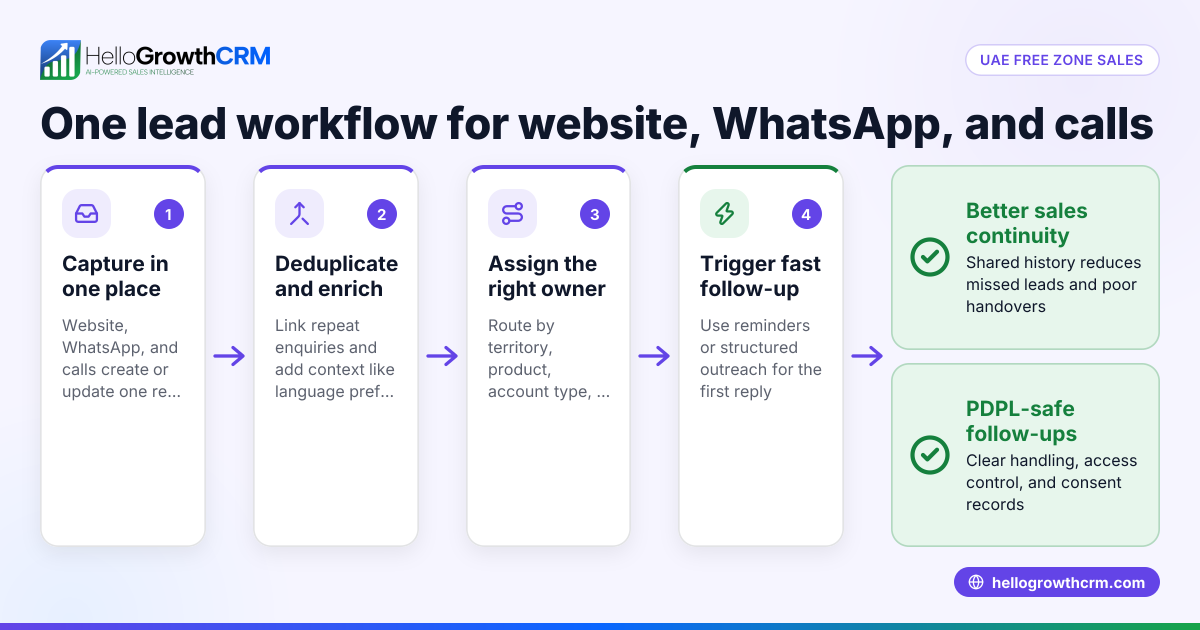
With a connected workflow, your CRM handles most of that automatically. A form fill can create a new record, enrich it, assign it to a rep, trigger a sequence, and open the first task. If the lead already exists, the system updates the current record instead of creating a duplicate.
The same idea applies to calling and email. If a rep places a call, the outcome should log back to the contact and opportunity. If a prospect replies by email, the CRM should reflect the conversation and update next actions.
That is where an AI CRM becomes useful. Instead of only storing data, it can help interpret what happened and suggest what to do next.
Which systems should you connect first?
Start with website forms, inbound scheduling, email, calling, and your core pipeline stages.
Those connections cover the highest-value parts of the sales motion. They also create the biggest time savings fast. Once those basics work, add reporting, finance visibility, and any ERP or post-sale handoff systems that matter to your process.
If you try to connect everything at once, the project often stalls. A better approach is to map your revenue workflow from first touch to closed deal, then identify where people still copy data manually.
For most B2B sales teams in the United States, the first-wave integrations should be:
1. Website lead capture
This includes contact forms, demo requests, content downloads, and chat handoffs. Every submission should create or update records automatically.
2. Email activity
Sales emails, replies, bounces, and unsubscribes should feed into the CRM so the team has one communication history. If your team runs outbound campaigns, email automation matters here.
3. Calling data
Call attempts, connection status, duration, notes, and outcomes should sync back to the lead or opportunity. This helps managers coach better and keeps the pipeline current.
4. Meeting bookings
When a buyer books time, the CRM should update the record, set the owner, and move the opportunity if needed.
5. Pipeline changes
Stage changes, value changes, close dates, and loss reasons need to be logged consistently. This is essential for sales forecasting.
Once those are stable, many teams then add finance and operations context. For example, syncing customer status from QuickBooks or Stripe can help sales avoid poor handoffs. In manufacturing, ERP data may matter for product availability, quoting, or account history.
What data should a business API move between tools?
Move only the fields and events your team actually uses to qualify, route, follow up, and forecast.
Too much sync creates clutter. Too little sync creates blind spots. The goal is a shared revenue record that is clean, useful, and easy to maintain across marketing, sales, and RevOps.
Start with a small set of field groups.
Contact and company basics
These are the minimum identity fields:
- Full name
- Work email
- Phone number
- Company name
- Job title
- Website domain
- Source and campaign
- State and industry when relevant
Activity events
These fields capture buyer engagement:
- Form submitted
- Email sent
- Email opened when tracked
- Reply received
- Call made
- Call outcome
- Meeting booked
- Meeting attended
- Task completed
Pipeline fields
These help managers run the business:
- Lead status
- Opportunity stage
- Deal amount in USD ($)
- Estimated close date
- Owner
- Loss reason
- Next step
- Forecast category
Consent and preference signals
These are often forgotten, but they matter:
- Email unsubscribe status
- Call permissions and preferences when tracked
- Source of consent
- Date of opt-out or update
Clean consent data helps reduce outreach mistakes and supports more reliable process controls.
How to set up a business API workflow without creating a mess
The best business api projects start with process, not software. If you automate a broken workflow, you only create bad data faster.
Use this five-step method.
1. Map the revenue journey
Write down each step from lead capture to closed deal. Note every tool involved. Then mark each place where someone re-enters data by hand.
A simple map might include:
- Website form submit
- Lead created
- Owner assigned
- Intro email sent
- Call task opened
- Meeting booked
- Opportunity created
- Stage advanced
- Proposal sent
- Deal won or lost
This shows where your API connections should start.
2. Define the source of truth
Pick one system to own each core object.
For example:
- CRM owns contacts, companies, and opportunities
- Website form owns raw submissions
- Calling system owns call recordings and timestamps
- Finance system owns invoicing and payment status
Without clear ownership, fields will overwrite each other and users will lose trust.
3. Standardize fields before connecting tools
This step prevents duplicate values and messy reporting.
Decide:
- Which lifecycle stages you use
- How owners are assigned
- How lead sources are named
- What counts as a qualified meeting
- Which loss reasons are allowed
If one tool says “Demo Booked” and another says “Booked Demo,” your reports break fast.
4. Automate only the key actions first
Do not sync every possible field. Start with the actions that affect speed and revenue.
Good first automations include:
- Create or update lead from form submit
- Route by territory, account owner, or product line
- Trigger first-touch email
- Create call task
- Update stage when meeting is booked
- Log call results back to CRM
A strong AI lead scoring setup can also help prioritize which records deserve fast follow-up.
5. Test with real sales scenarios
Run several common cases before launch:
- A brand-new lead
- A repeat lead from the same company
- A buyer who books a meeting first
- A prospect who replies by email before a call
- A contact who unsubscribes
- A lead assigned to the wrong rep
Test whether the record stays clean and whether the right follow-up happens every time.
Common business API mistakes to avoid
Most failures come from trying to automate too much too early. The second big mistake is ignoring the rep workflow.
Here are the most common problems.
Syncing duplicate records
If contact matching is weak, every form fill creates a new record. That hurts reporting and annoys reps. Use clear matching logic, often based on work email and company domain.
Logging activity without context
A synced call is not very useful if it is not tied to the right contact, account, and open opportunity. Activity should support action, not just fill a timeline.
Overwriting valuable fields
If two systems can edit the same field, one may erase the other. Protect owner, stage, amount, and close-date logic carefully.
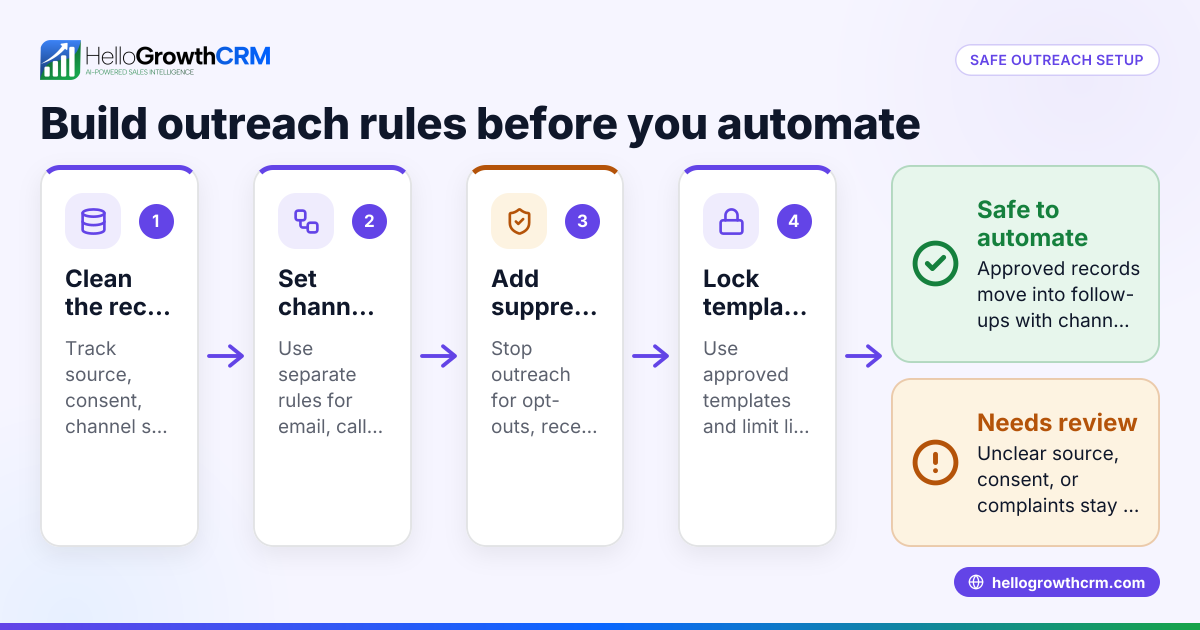
Automating without opt-out controls
If a prospect unsubscribes from email, that status should flow across your outreach tools. If not, your team risks avoidable compliance and brand issues.
Building for RevOps, not reps
A workflow that looks clean in a diagram may still be painful in daily use. Reps need simple records, fast updates, and clear next steps.
This is one reason some teams choose a CRM with managed RevOps. It can help keep process, automation, and adoption aligned as the team grows.
Where does AI fit into a business API setup?
AI helps interpret sales signals and trigger better actions, not just pass data from one tool to another.
That matters when your team handles many inbound leads, mixed outbound activity, and long sales cycles. An ai business api setup can score likely fit, spot buying signals in replies or call notes, and recommend follow-up timing based on real activity.
Here are a few useful examples.
Smarter lead routing
Instead of assigning only by geography or round-robin, AI can weigh company fit, urgency, product interest, and prior engagement.
Better prioritization
Not every form fill deserves the same response time. AI can rank leads by likely quality so reps focus first on high-intent accounts.
Automated summaries
Call notes and email threads can be summarized into next steps, risks, and deal changes. That saves rep time and improves manager visibility.
Forecast support
AI can look at stage movement, stalled deals, meeting frequency, and activity patterns to identify pipeline risk earlier.
The key is to use AI where it improves decision-making. It should not add noise or hide the process.
How do you choose the right CRM and API setup?
Choose the system that makes clean data, fast follow-up, and accurate forecasting easier for the team every day.
A good setup should connect your lead sources, communication channels, and pipeline in one place. It should also be simple enough that reps actually use it, because unused automation still creates bad data.
As you evaluate options, ask practical questions.
Can it connect the systems you already use?
Look for solid integrations with the tools that matter in your process.
Can it automate both inbound and outbound workflows?
Many teams handle demo requests, website inquiries, outbound sequences, and phone follow-up at the same time.
Does it support calling, email, and pipeline updates in one workflow?
If reps still need three tools open for basic tasks, adoption will suffer.
Does reporting reflect real rep behavior?
You need dashboards based on actual synced events, not estimated activity or manually updated spreadsheets.
Can your team manage it without a full-time admin?
Small and mid-sized B2B teams usually need a setup that stays maintainable as volume grows.
If you want a practical place to start, review the available features and compare fit with your current process. If budget timing is part of the decision, you can also check pricing.
A simple rollout plan for U.S. B2B teams
If your team is still doing a lot of manual entry, do not try to fix everything this quarter. Pick one pipeline, one lead source group, and one communication workflow.
A realistic rollout plan looks like this:
Week 1: Document the current process
List tools, fields, owners, and handoffs. Identify manual entry points and duplicate creation points.
Week 2: Clean the core data model
Standardize stages, sources, owners, and matching rules. Remove old fields nobody uses.
Week 3: Connect lead capture and routing
Start with website forms, booked meetings, and owner assignment. Make sure every lead lands correctly.
Week 4: Add communication sync
Connect email and calling activity so reps work from one record.
Week 5: Add reporting and forecast views
Confirm that stage movement, activity, and deal values in USD ($) feed dashboards correctly.
Week 6: Review adoption
Ask reps what saves time and what still feels slow. Fix workflow friction before adding more automation.
This kind of phased approach is usually safer than a full rebuild. It gives you cleaner data and faster value without overwhelming the team.
If your goal is less admin work and better visibility, an AI CRM with practical automation can be a strong fit.
Read next
This article covers one part of a bigger topic. For the complete picture, read our guide to business api.
Ready to put this into practice?
Set up your pipeline, WhatsApp follow-ups, and AI lead scoring in minutes — free, no credit card.
Try HelloGrowthCRM freeGet CRM tips in your inbox
Join thousands of sales professionals who get weekly insights on CRM strategy, AI automation, and pipeline optimization.

The HelloGrowthCRM team publishes guides on CRM strategy, AI sales tools, and revenue operations for small business sales teams.