HelloGrowthCRM software
Built for real small-business sales teams
HelloGrowthCRM helps reps qualify faster, follow up on time, and close more deals—with practical automation in one place.
- AI lead scoring and pipeline visibility
- Built-in dialer, WhatsApp, and email automation
- Sales forecasting and RevOps-ready reporting
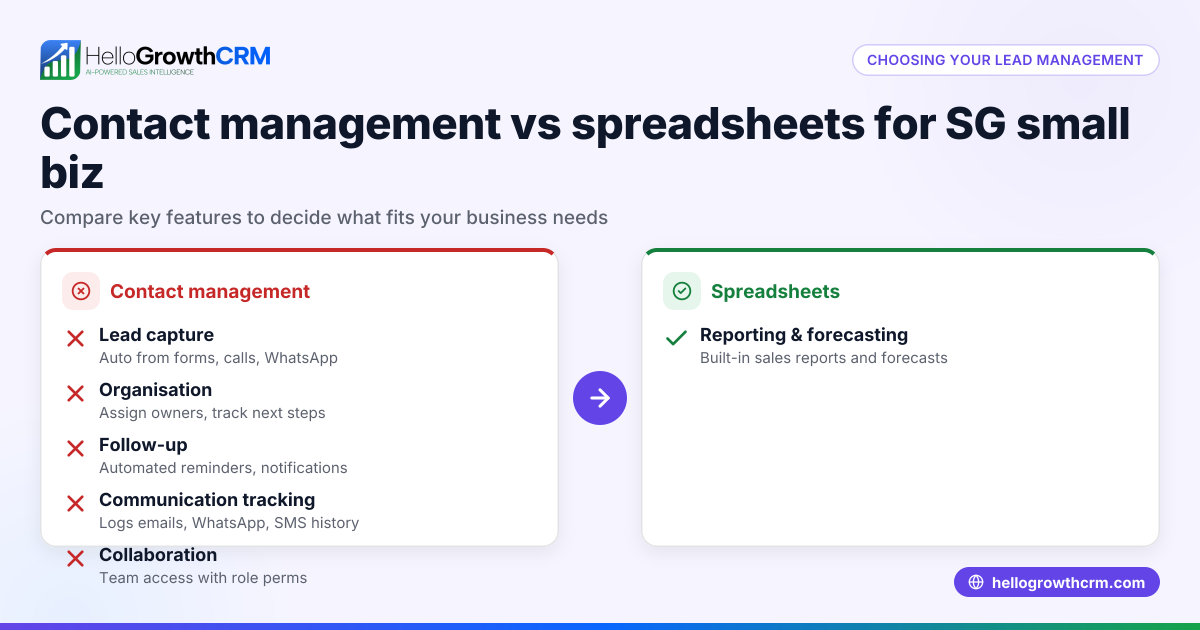
Contact management systems and spreadsheets are two common ways UK small businesses organise customer contacts. Contact management systems automate lead capture from forms, calls and WhatsApp, assign each lead an owner with a next step, and keep sales moving. Spreadsheets rely on manual data entry and lack automation, which can slow follow-up and cause errors.
Why this comes up / what goes wrong
Many small businesses begin with spreadsheets because they are free and familiar. When contacts are few and sales simple, spreadsheets can work. But as enquiries increase, spreadsheets become harder to maintain. Manual entry leads to mistakes, duplicated contacts, and missed follow-ups. Sales teams may lose leads or waste time hunting for information.
Contact management systems are designed to avoid these problems. They centralise contacts, assign ownership, and set reminders for next actions. This helps teams follow up promptly and keeps the sales process organised.
Step-by-step
Here is a comparison table showing how contact management systems and spreadsheets perform on important criteria for UK small businesses:
| Criteria | Contact Management | Spreadsheets |
|---|---|---|
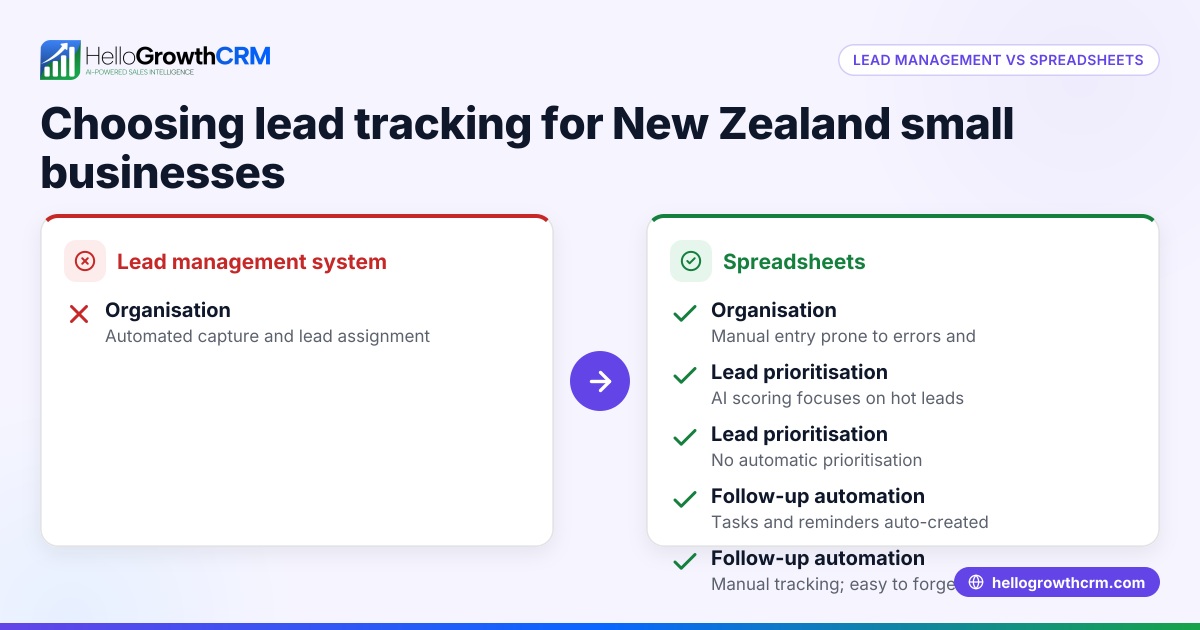
| Lead Capture | Automatic from web forms, calls, WhatsApp | Manual entry prone to errors |
| Organisation | Centralised database, searchable, tagged | Flat lists, limited sorting/filtering |
| Collaboration | Assign contacts, next steps, notifications | Shared file but no task assignment |
| Follow-up Reminders | Automated alerts and task boards | Manual tracking, easy to forget |
| Reporting & Forecasting | Built-in sales pipeline views and reports | Manual formulas and charts needed |
| Accessibility | Cloud-based, accessible on multiple devices | File-based, requires syncing |
| Scalability | Handles growing contacts and teams | Becomes unwieldy as contacts grow |
Who should pick which?
- Use spreadsheets if your contact list is very small, your sales process is simple, and you have no dedicated sales team.
- Choose a contact management system if you want better organisation, team collaboration, automated follow-up, or plan to grow your sales.
For a detailed feature comparison, see compare CRMs.
Example (fictional figures)
A kitchen-fitting company in Leeds receives 100 new enquiries monthly. They compare using a spreadsheet versus a contact management system for one month.
Spreadsheet:
- Time entering contacts: 10 minutes per enquiry × 100 = 1,000 minutes (16.7 hours)
- Time lost on follow-up errors (missed calls, duplicates): estimated 5 hours
- Total time: 16.7 + 5 = 21.7 hours
Contact Management System:
- Time entering contacts: automatic capture, 0 minutes
- Time saved on follow-up due to reminders: 0 hours lost
- Time reviewing reports: 1 hour
- Total time: 1 hour
Labour cost saving (assuming £15/hour):
- Spreadsheet: 21.7 hours × £15 = £325.50
- Contact management: 1 hour × £15 = £15
- Savings: £325.50 - £15 = £310.50 per month
This example shows how contact management reduces admin time and follow-up errors, saving money and improving sales efficiency.
Common mistakes
- Overloading spreadsheets with many contacts: Causes slow performance and errors. Prevent by moving to a contact management system early.
- Not assigning ownership of contacts: Leads to confusion and missed follow-ups. Use tools that assign owners and next steps.
- Failing to update contact information regularly: Results in outdated data. Schedule regular reviews or automate updates where possible.
- Ignoring follow-up reminders: Causes lost leads. Choose systems with automated alerts.
- Relying on email or WhatsApp without tracking: Makes sales progress hard to monitor. Integrate communications with contact management.
For more on managing sales communication, see WhatsApp and SMS CRM.
Doing this in HelloGrowthCRM
HelloGrowthCRM captures every enquiry from a form, call or WhatsApp as a lead with an owner and a next step, instead of leaving it in a notebook or spreadsheet. This keeps leads organised and moving through your sales pipeline without manual data entry. To learn more about using HelloGrowthCRM in the UK, visit HelloGrowthCRM for the United Kingdom.
Frequently asked questions
Is a spreadsheet enough for managing contacts in a small UK business? A spreadsheet can work for very small contact lists and simple sales processes. However, it lacks automation, team collaboration, and follow-up reminders, which become critical as your business grows.
How does contact management improve sales follow-up? Contact management systems assign leads to owners, set next steps, and send reminders. This reduces missed calls and forgotten tasks, improving conversion rates.
Can I switch from spreadsheets to a contact management system easily? Yes, many systems allow importing spreadsheet data. Planning the migration and training your team helps ensure a smooth transition.
What features should a UK small business look for in a contact management system? Look for automatic lead capture, task assignment, follow-up reminders, easy accessibility, and reporting tailored to your sales process.
Is HelloGrowthCRM suitable for UK small businesses? Yes, HelloGrowthCRM supports lead capture from forms, calls, and WhatsApp, assigning owners and next steps to keep your sales organised. It is designed for small and mid-sized businesses in the UK.
Key takeaways
- Spreadsheets are simple but prone to errors and poor follow-up as contacts grow.
- Contact management systems automate lead capture, assign owners, and remind teams to follow up.
- For very small teams with few contacts, spreadsheets may suffice temporarily.
- Businesses aiming to grow sales and improve organisation benefit from contact management.
- HelloGrowthCRM offers automatic lead capture with ownership and next steps to keep your sales pipeline moving.
Choosing the right tool depends on your business size, sales complexity, and growth plans.
Start on the Free Forever plan (200 leads, no credit card) to organise leads efficiently with HelloGrowthCRM.
Ready to put this into practice?
Set up your pipeline, WhatsApp follow-ups, and AI lead scoring in minutes — free, no credit card.
Try HelloGrowthCRM freeGet CRM tips in your inbox
Join thousands of sales professionals who get weekly insights on CRM strategy, AI automation, and pipeline optimization.

The HelloGrowthCRM team publishes guides on CRM strategy, AI sales tools, and revenue operations for small business sales teams.