HelloGrowthCRM software
Built for real small-business sales teams
HelloGrowthCRM helps reps qualify faster, follow up on time, and close more deals—with practical automation in one place.
- AI lead scoring and pipeline visibility
- Built-in dialer, WhatsApp, and email automation
- Sales forecasting and RevOps-ready reporting
CRM capabilities are the features that enable your business to track, engage, and support customers at every stage of their journey—from first contact to repeat purchase and service. Understanding these capabilities in relation to the customer life cycle helps you choose a CRM that fits your sales and service process.
Why this comes up / what goes wrong
Small business owners in Singapore often juggle multiple tools like WhatsApp, email, and spreadsheets to manage leads and customers. This scattered approach causes slow follow-up, lost leads, and poor customer service. When evaluating CRM software, owners want to know which capabilities support the full customer life cycle effectively, so their team actually uses the system and improves sales and retention.
Step-by-step
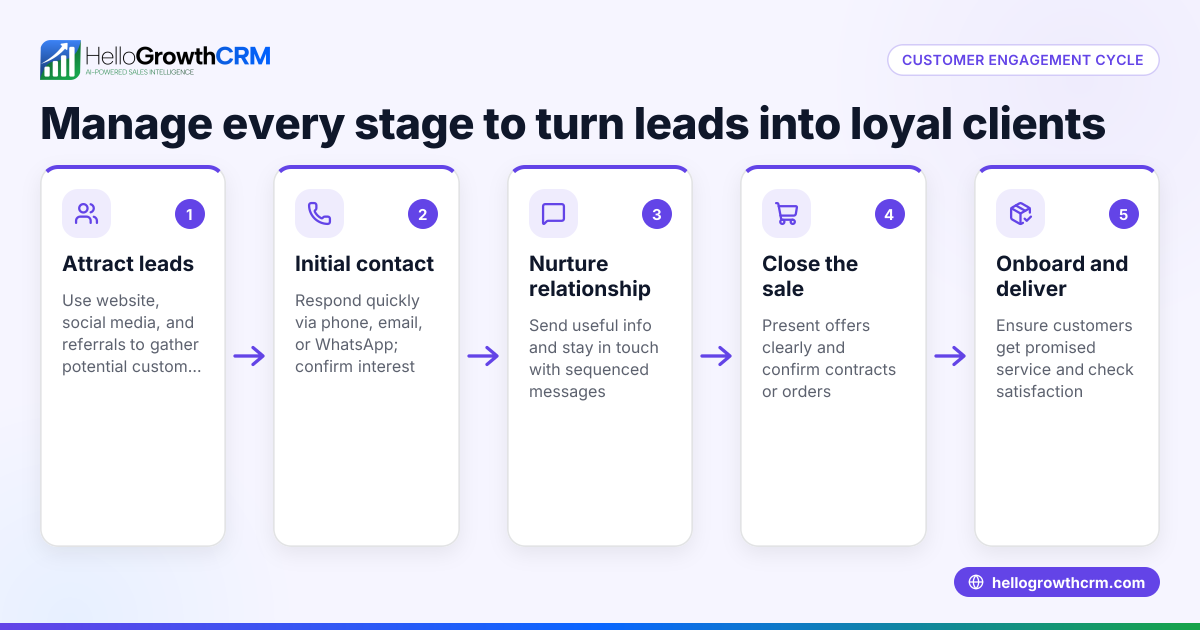
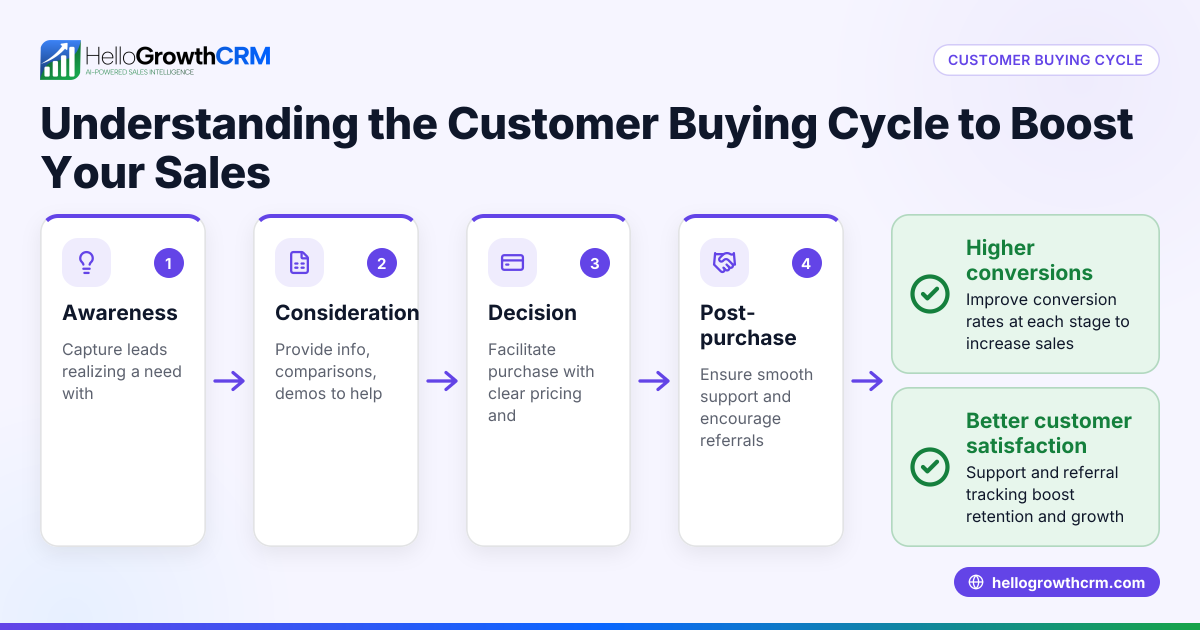
- Map your customer life cycle stages
- Identify stages like lead capture, qualification, sales follow-up, deal closing, onboarding, and post-sale support.
- Check if the CRM supports managing contacts and activities at each stage.
- Check lead capture and communication channels
- Ensure the CRM can capture leads from web forms or integrations.
- Confirm it supports communication channels your team uses, such as WhatsApp and SMS, with logs on each lead record.
- Evaluate task and activity management features
- Look for task boards or activity lists that assign follow-ups with due dates.
- Confirm the CRM makes daily calls or tasks visible to avoid missed follow-ups.
- Assess post-sale customer service tools
- Verify if the CRM keeps service requests, tickets, and customer interactions on the same record as the deal.
- Check for features like customer portals or knowledge bases if you offer self-service.
- Consider pipeline and reporting capabilities
- Confirm the CRM can visualise sales pipelines and forecast revenue.
- Check if it provides reporting on customer interactions and sales progress.
- Test integration and ease of use
- Ensure the CRM integrates with tools you already use.
- Choose one your team finds intuitive to encourage adoption.
- Review pricing and plans
- Compare plans based on features needed for your business size.
- Look for free or trial options to test before committing.
Example (fictional figures)
An F&B supplier in Woodlands tracks leads from their website and WhatsApp inquiries. They need to follow up quickly and manage orders and service requests.
- On 01/04/2026, they capture 50 leads from web forms and WhatsApp.
- Each lead requires 3 follow-ups before closing or disqualification.
- Follow-ups are scheduled as tasks with due dates.
- 15 leads convert to deals worth an average of S$8,000 each.
- Post-sale, service tickets are logged on the same customer record.
Calculations:
Number of leads = 50 Follow-ups per lead = 3 Total follow-ups = 50 × 3 = 150
Leads converted = 15 Average deal size = S$8,000 Total sales = 15 × S$8,000 = S$120,000
This example shows the importance of task management for follow-ups and keeping all customer data in one place.
Common mistakes
- Using multiple disconnected tools
- Prevent by choosing a CRM that supports WhatsApp and SMS conversations logged on lead records to centralise communication.
- Ignoring task management
- Prevent by using CRM features like activities and task boards to schedule follow-ups with due dates.
- Not tracking post-sale service
- Prevent by selecting a CRM that keeps service tickets and requests on the same customer record as the deal.
- Choosing a complex CRM with low adoption
- Prevent by testing ease of use and selecting a CRM tailored for small teams.
- Overlooking integration with existing tools
- Prevent by verifying CRM supports necessary integrations and channels.
Doing this in HelloGrowthCRM
HelloGrowthCRM supports WhatsApp and SMS conversations that are logged on each lead record, allowing follow-ups as messages on the channels customers already use. After the sale, service requests stay on the same customer record as the deal, keeping all information together. Activities and task boards turn every follow-up into a task with a due date, showing the day's calls as a list rather than relying on memory. Learn more about HelloGrowthCRM for Singapore here, WhatsApp and SMS CRM features here, and activities and task boards here.
Frequently asked questions
What CRM capabilities are essential for managing the customer life cycle? Essential capabilities include lead capture, communication logging (WhatsApp, SMS, email), task and activity management for follow-ups, sales pipeline tracking, and post-sale service management on the same customer record.
How does WhatsApp integration help in CRM? WhatsApp integration allows teams to communicate with leads and customers on a familiar channel, with conversations automatically logged on the lead record. This improves response speed and keeps communication history organised.
Why is task management important in a CRM? Task management ensures timely follow-ups by turning each action into a scheduled task with a due date, helping teams avoid missed calls or emails and improving lead conversion.
Can a CRM handle post-sale customer service? Yes, a CRM that supports service tickets and customer portals keeps post-sale requests linked to the same customer record, providing a complete view of customer interactions.
How do I choose a CRM that my team will actually use? Choose a CRM with an intuitive interface, supports your communication channels, integrates with your existing tools, and includes task boards to simplify daily workflows. Testing free plans or trials can help.
Key takeaways
- CRM capabilities must cover the entire customer life cycle, from lead capture to post-sale service.
- Communication logging on channels like WhatsApp and SMS centralises conversations.
- Task and activity management with due dates prevents missed follow-ups.
- Keeping service requests on the same customer record improves support efficiency.
- Choose a CRM that fits your team’s workflow and integrates with existing tools.
Start managing your customer life cycle efficiently with HelloGrowthCRM. Start on the Free Forever plan (200 leads, no credit card).
Ready to put this into practice?
Set up your pipeline, WhatsApp follow-ups, and AI lead scoring in minutes — free, no credit card.
Try HelloGrowthCRM freeGet CRM tips in your inbox
Join thousands of sales professionals who get weekly insights on CRM strategy, AI automation, and pipeline optimization.

The HelloGrowthCRM team publishes guides on CRM strategy, AI sales tools, and revenue operations for small business sales teams.