HelloGrowthCRM software
Built for real small-business sales teams
HelloGrowthCRM helps reps qualify faster, follow up on time, and close more deals—with practical automation in one place.
- AI lead scoring and pipeline visibility
- Built-in dialer, WhatsApp, and email automation
- Sales forecasting and RevOps-ready reporting
CRM comparisons are essential for small businesses looking to improve sales and customer management. To compare CRMs effectively, you need to assess your business needs, evaluate features, pricing, and usability, and consider how well the software integrates with your workflows. This article explains why CRM comparisons come up, outlines a step-by-step process to guide your evaluation, highlights common mistakes, and presents a Canadian example to clarify costs.
Why this comes up / what goes wrong
Small-business owners often search for CRM comparisons when their current methods—like spreadsheets, text messages, or email chains—fail to keep up with lead follow-up demands. Leads get lost or delayed, sales teams struggle with inconsistent data, and reporting is unreliable. Owners want to find a CRM that their team will actually use, one that supports multiple communication channels such as WhatsApp and SMS, and ideally includes automation features like AI-assisted follow-ups.
Without a clear comparison, businesses risk choosing software that is too complex, too expensive, or lacks critical features. They also face challenges in understanding pricing models, user limits, and integration capabilities. This can lead to wasted time, frustrated staff, and missed sales opportunities.
Step-by-step
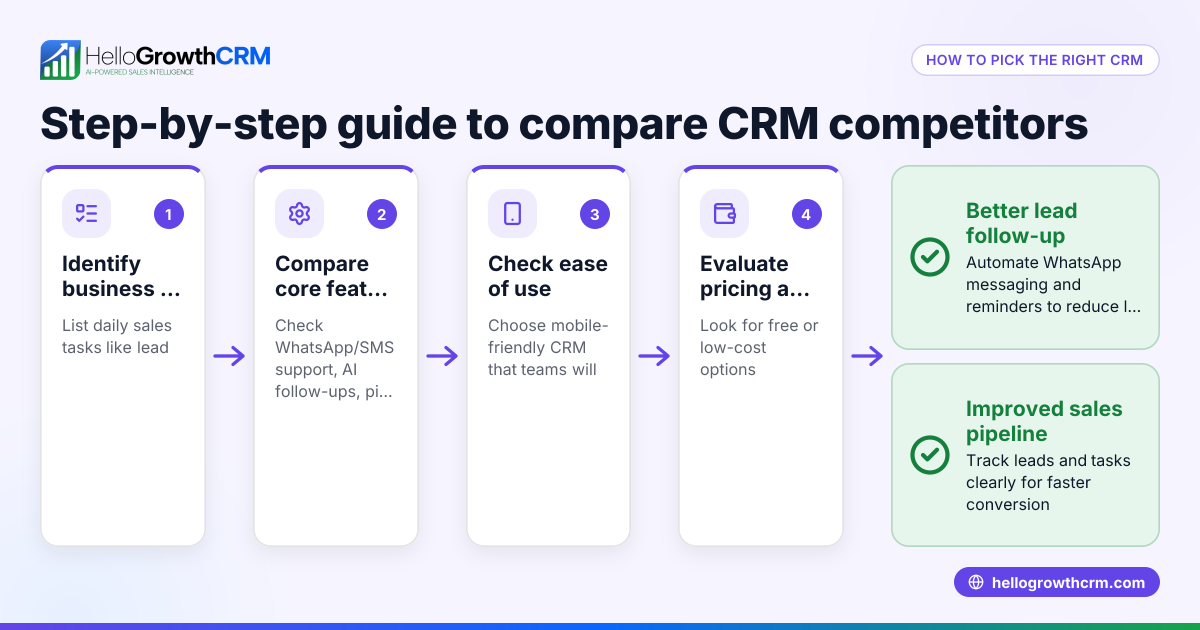
- Identify your business needs: Start by listing what your sales team requires. Consider lead capture methods, communication channels (email, WhatsApp, SMS), task management, reporting, and automation features. Knowing your priorities will guide your comparison.
- Research CRM features: Look for CRMs that support your key communication channels and workflows. For example, some CRMs log WhatsApp conversations on lead records and allow follow-ups to go out as messages, which can improve response times.
- Evaluate usability: Choose software that your team can adopt easily without extensive training. A complicated interface can reduce adoption and lower sales efficiency.
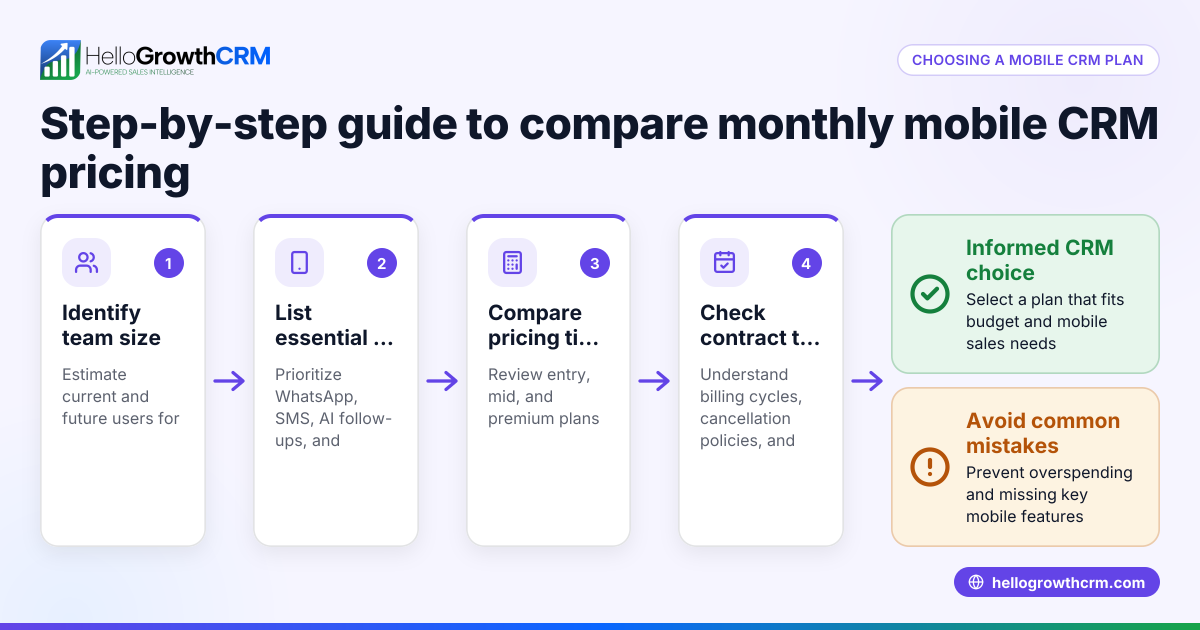
- Compare pricing and plans: Review the cost per user or per lead, setup fees, and any add-ons. Look for free trials or free plans to test the CRM before committing.
- Check integrations: Ensure the CRM can connect with your existing tools like web forms, email platforms, or marketing software. Integrations reduce double work and improve data accuracy.
- Test customer support and resources: Responsive support is crucial for onboarding and troubleshooting. Check if the vendor offers live chat, phone support, or extensive documentation.
- Review security and compliance: Confirm the CRM meets your data security requirements, especially if you handle sensitive customer information.
For a detailed list of CRM features to compare, see CRM features. To explore side-by-side options, visit compare CRMs.
Example (fictional figures)
A bilingual insurance agency in Laval, Quebec, with 10 sales reps wants to compare CRM costs for 2024.
- Monthly subscription per user: C$40
- Number of users: 10
- Setup fee: C$500 (one-time)
- Additional automation add-on: C$100/month
Calculations:
Monthly cost = C$40 × 10 = C$400 Annual subscription = C$400 × 12 = C$4,800 Automation add-on annual cost = C$100 × 12 = C$1,200 Total first year cost = C$4,800 + C$500 + C$1,200 = C$6,500
This example helps the agency budget and compare this CRM against others with different pricing or features.
Common mistakes
- Choosing based on price alone: Cheaper CRMs may lack essential features. Prevent this by prioritizing features that impact daily workflows and long-term value.
- Ignoring user adoption: Complex interfaces reduce usage and slow down sales processes. Prevent this by testing the CRM with your team before buying.
- Overlooking communication channels: If your team uses WhatsApp heavily, choose a CRM that logs and automates WhatsApp messages to keep conversations consolidated.
- Skipping integration checks: Lack of integration causes double work and data errors. Prevent this by confirming the CRM supports your current tools.
- Not verifying support availability: Poor support delays problem resolution and frustrates users. Prevent this by reviewing support options and response times before purchase.
More tips on avoiding mistakes are in the HelloGrowthCRM for Canada guide.
Doing this in HelloGrowthCRM
HelloGrowthCRM supports WhatsApp and SMS messaging, logging all WhatsApp conversations on the lead record, and allows follow-ups to go out as messages. Its AI agents draft follow-up messages after calls, so sales reps only review and send them, saving time. For small teams, the Free Forever plan lets two users run their pipeline at no cost until they need calling or WhatsApp automation. Learn more about these features at HelloGrowthCRM for Canada.
Frequently asked questions
What should I look for when comparing CRM software? Focus on features that match your sales process, ease of use, pricing, communication channels supported (like WhatsApp and SMS), and integration options.
Are free CRM plans worth considering? Yes, free plans let small teams test CRM functionality with no risk. They often have limits but can cover basic pipeline management.
How important is automation in a CRM? Automation like AI-assisted follow-ups saves time and reduces missed leads. It can improve sales efficiency but may come at higher plan levels.
Can a CRM handle WhatsApp conversations? Some CRMs, including HelloGrowthCRM, log WhatsApp chats on lead records and enable follow-up messages directly via WhatsApp.
How do I ensure my team uses the CRM? Choose software that matches your team’s preferred communication channels, is easy to use, and offers helpful automation. Training and leadership support also help.
Key takeaways
- Start CRM comparisons by listing your business’s specific sales and communication needs.
- Evaluate features, pricing, usability, and integrations carefully.
- Avoid common mistakes like choosing solely on price or ignoring user adoption.
- Use examples with realistic costs to budget effectively.
- Consider CRMs that support WhatsApp and SMS for better lead engagement.
- Test free plans to understand the software before committing.
Choosing the right CRM can improve your sales follow-up and team coordination. To get started without risk, you can Start on the Free Forever plan (200 leads, no credit card).
Ready to put this into practice?
Set up your pipeline, WhatsApp follow-ups, and AI lead scoring in minutes — free, no credit card.
Try HelloGrowthCRM freeGet CRM tips in your inbox
Join thousands of sales professionals who get weekly insights on CRM strategy, AI automation, and pipeline optimization.

The HelloGrowthCRM team publishes guides on CRM strategy, AI sales tools, and revenue operations for small business sales teams.