HelloGrowthCRM software
Built for real small-business sales teams
HelloGrowthCRM helps reps qualify faster, follow up on time, and close more deals—with practical automation in one place.
- AI lead scoring and pipeline visibility
- Built-in dialer, WhatsApp, and email automation
- Sales forecasting and RevOps-ready reporting
A CRM for realtors is software designed to help real estate agents and agencies manage leads, client communications, and sales workflows effectively. It enables you to track inquiries, schedule follow-ups, and manage property deals all in one place, reducing the risk of losing leads due to slow responses or scattered information.
Why this comes up / what goes wrong
Many small and mid-sized real estate businesses in India rely on WhatsApp, spreadsheets, or manual notes to manage leads. This often leads to missed follow-ups, lost opportunities, and inefficient team coordination. Realtors face challenges such as:
- Handling multiple leads from platforms like IndiaMART or JustDial without a central system.
- Tracking conversations spread across WhatsApp chats and phone calls.
- Difficulty in prioritizing leads and managing sales pipelines.
- No clear visibility on sales forecasts or team performance.
These issues slow down sales cycles and reduce closing rates, making a dedicated CRM essential.
Step-by-step
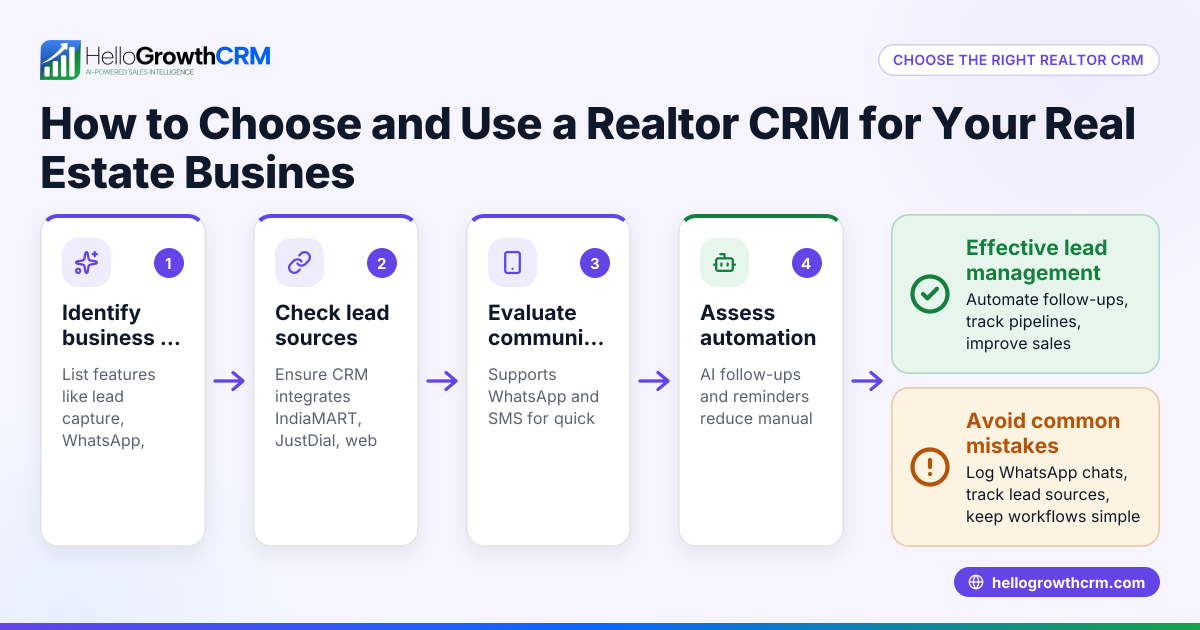
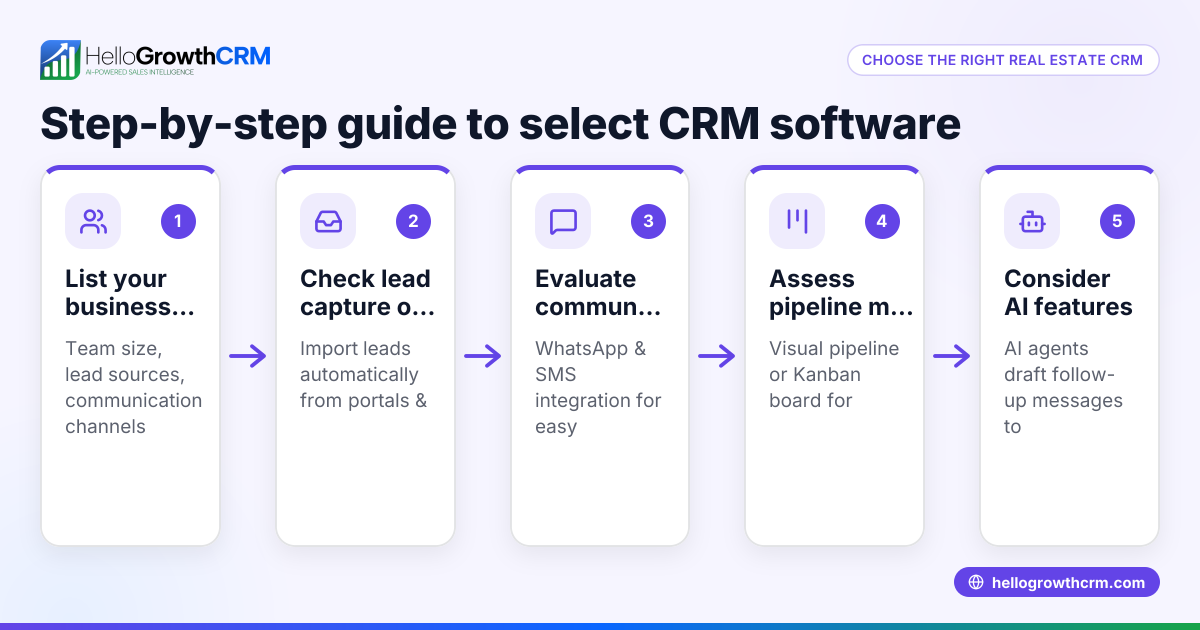
- Identify your core needs: List what your real estate business requires from a CRM. Check if you need lead capture from online portals, WhatsApp integration, pipeline management, or sales forecasting.
- Check communication channels: Ensure the CRM supports the channels you use most, like WhatsApp and SMS, so all conversations are logged and follow-ups can be sent from the system.
- Evaluate lead management features: The CRM should allow you to capture leads automatically, score them for priority, and assign them to team members.
- Look for pipeline and task boards: Visual tools to track deal stages and pending tasks help keep sales organized.
- Assess automation and AI support: Features like AI agents that draft follow-up messages after calls can save time and improve response rates.
- Consider managed support options: If you don’t have a dedicated sales manager, check if the CRM offers managed revenue operations to keep your follow-up queue active.
- Review reporting and forecasting tools: Accurate sales forecasts and reports help plan your business growth.
- Check ease of use and adoption: The CRM should be simple enough for your telecalling teams and sales reps to use daily without extra training.
- Compare pricing and plans: Match features to your budget and growth plans. Avoid hidden costs.
- Test with a free trial or demo: Use the CRM hands-on to see if it fits your workflow.
Example (fictional figures)
Rajesh runs a real estate agency in Mumbai with 10 sales agents. He receives 150 leads per month from IndiaMART and JustDial.
- Lead capture automation saves each agent 2 hours weekly previously spent on manual entry.
- Faster follow-ups increase lead conversion from 10% to 15%.
Calculations for one month:
Leads received = 150
Old conversion = 10% × 150 = 15 sales
New conversion = 15% × 150 = 22.5 sales (rounded to 23)
Average deal value = ₹25,00,000
Old revenue = 15 × ₹25,00,000 = ₹3,75,00,000
New revenue = 23 × ₹25,00,000 = ₹5,75,00,000
Revenue increase = ₹5,75,00,000 - ₹3,75,00,000 = ₹2,00,00,000
This shows how a CRM improving follow-up speed and lead management can significantly boost revenue.
Common mistakes
- Ignoring WhatsApp integration: Many realtors lose leads by managing conversations outside the CRM. Use a CRM that logs WhatsApp chats and sends follow-ups directly to avoid this.
- Overcomplicating the system: Choosing a CRM with too many features can overwhelm your team. Pick one that matches your actual daily needs.
- Not automating follow-ups: Manual follow-ups are often delayed. Using AI agents to draft messages after calls helps reps respond faster.
- Skipping managed support if no sales manager: Without someone overseeing follow-ups, leads fall through the cracks. Managed RevOps ensures weekly follow-up execution.
- Neglecting pipeline visibility: Without clear task boards, deals stall unnoticed. Use visual pipelines to track progress.
- Not testing before buying: Always try a free plan or demo to confirm usability and fit.
Doing this in HelloGrowthCRM
HelloGrowthCRM supports realtors with WhatsApp and SMS integration, logging all conversations on the lead record and enabling follow-ups as messages. Its AI agents (in beta on the Growth plan) draft follow-up messages post-call for quick review and sending. For founders without a sales manager, Managed RevOps provides weekly follow-up queue management, pipeline hygiene, and KPI reporting to keep sales moving. Learn more about WhatsApp and SMS CRM.
Frequently asked questions
What features should a CRM for realtors have? A good realtor CRM should support lead capture from online portals, WhatsApp and SMS communication logging, pipeline management, task boards, AI-assisted follow-ups, and sales forecasting. These features help manage leads efficiently and close deals faster.
Can I use WhatsApp as my main communication channel in a CRM? Yes. A WhatsApp-native CRM logs all WhatsApp conversations on the lead record and allows sending follow-ups as WhatsApp messages. This keeps communication centralised and easy to track.
How does AI help in a realtor CRM? AI agents can draft follow-up messages after calls, update lead records, and automate routine workflow steps. This saves time for sales reps and ensures timely responses.
What if I don’t have a sales manager? Some CRMs offer Managed RevOps services where a specialist handles follow-ups, pipeline cleanup, and reporting weekly. This ensures leads are actively pursued even without an internal sales manager.
Is it better to use a CRM with built-in calling features? A built-in CRM dialer lets sales reps call leads directly from the CRM, logging calls and notes automatically. This reduces switching between apps and improves data accuracy. See built-in CRM dialer for details.
How do I start with a CRM without upfront cost? Many CRMs offer a free plan with basic features and lead limits so you can test the system without a credit card. HelloGrowthCRM, for example, has a Free Forever plan for up to 200 leads.
Key takeaways
- Realtors need a CRM that captures leads, logs WhatsApp messages, and manages pipelines.
- AI-assisted follow-ups and managed support improve response times and lead conversion.
- Avoid common mistakes like ignoring WhatsApp integration or skipping testing.
- Built-in dialers and task boards help keep sales organised and efficient.
- Start with a free plan to evaluate before committing.
Start managing your real estate leads better today. Start on the Free Forever plan (200 leads, no credit card) to see how HelloGrowthCRM can help your team stay on top of follow-ups and close more deals.
Ready to put this into practice?
Set up your pipeline, WhatsApp follow-ups, and AI lead scoring in minutes — free, no credit card.
Try HelloGrowthCRM freeGet CRM tips in your inbox
Join thousands of sales professionals who get weekly insights on CRM strategy, AI automation, and pipeline optimization.

The HelloGrowthCRM team publishes guides on CRM strategy, AI sales tools, and revenue operations for small business sales teams.