HelloGrowthCRM software
Built for real small-business sales teams
HelloGrowthCRM helps reps qualify faster, follow up on time, and close more deals—with practical automation in one place.
- AI lead scoring and pipeline visibility
- Built-in dialer, WhatsApp, and email automation
- Sales forecasting and RevOps-ready reporting
CRM integration with lead buyer tools means linking your CRM software directly to lead sources such as IndiaMART and JustDial. This connection ensures that enquiries from these platforms automatically become leads in your CRM with assigned owners and next steps, eliminating manual data entry and reducing lead loss.
Why this comes up / what goes wrong
Many Indian small and mid-sized businesses buy leads from platforms like IndiaMART and JustDial to grow sales. Without integration, leads arrive as emails, WhatsApp messages, or spreadsheets. This causes delays in follow-up, lost leads, and untracked sales activities. Sales teams often waste time copying details manually, increasing errors and slowing conversion.
Business owners searching for "crm integration with lead buyer tools" want to automate lead capture and ensure every enquiry is assigned, followed up promptly, and tracked in one place. They also want to know what to check before choosing a CRM that supports these integrations and how to avoid common pitfalls.
Step-by-step
- Identify your lead sources: List all lead buyer tools you use, e.g., IndiaMART, JustDial, or others. Check if your CRM supports these integrations or if custom API work is needed.
- Check CRM integration capabilities: Ensure the CRM can automatically capture leads from these platforms. Confirm it assigns leads to owners with next steps to avoid leads falling through cracks.
- Evaluate data flow and fields: Verify what information transfers from the lead source to the CRM. Check if phone numbers, emails, product interests, and enquiry details map correctly.
- Assess lead qualification features: Look for AI lead scoring or similar tools that help your telecalling team prioritize calls to leads most likely to convert.
- Test the integration: Run trial enquiries from your lead buyer tools and confirm they appear correctly in the CRM with ownership and follow-up tasks.
- Train your sales team: Make sure telecallers and sales reps understand how to use the CRM leads board and follow-up sequences effectively.
- Monitor and optimise: Regularly check lead capture accuracy and follow-up speed. Adjust lead assignment rules and scoring as needed.
Example (fictional figures)
A Delhi-based electronics retailer buys leads from IndiaMART. They receive 500 enquiries monthly, each costing ₹200.
- Monthly lead cost: 500 × ₹200 = ₹1,00,000
- Without integration, 20% of leads are lost due to manual errors: 500 × 20% = 100 leads lost
- Assuming a 10% conversion rate on received leads, lost leads cost: 100 × 10% = 10 lost sales
- Average sale value: ₹5,000
- Revenue lost: 10 × ₹5,000 = ₹50,000
By integrating IndiaMART leads directly into the CRM, they recover these 100 leads, potentially adding ₹50,000 in revenue monthly and saving time spent on manual data entry.
Common mistakes
- Ignoring integration compatibility: Choosing a CRM without checking if it supports your lead buyer tools leads to manual work. Prevent this by verifying integrations upfront, see integrations (WhatsApp, Tally, IndiaMART).
- Not mapping all lead data fields: Missing important enquiry details in the CRM causes poor follow-up. Always test data completeness during setup.
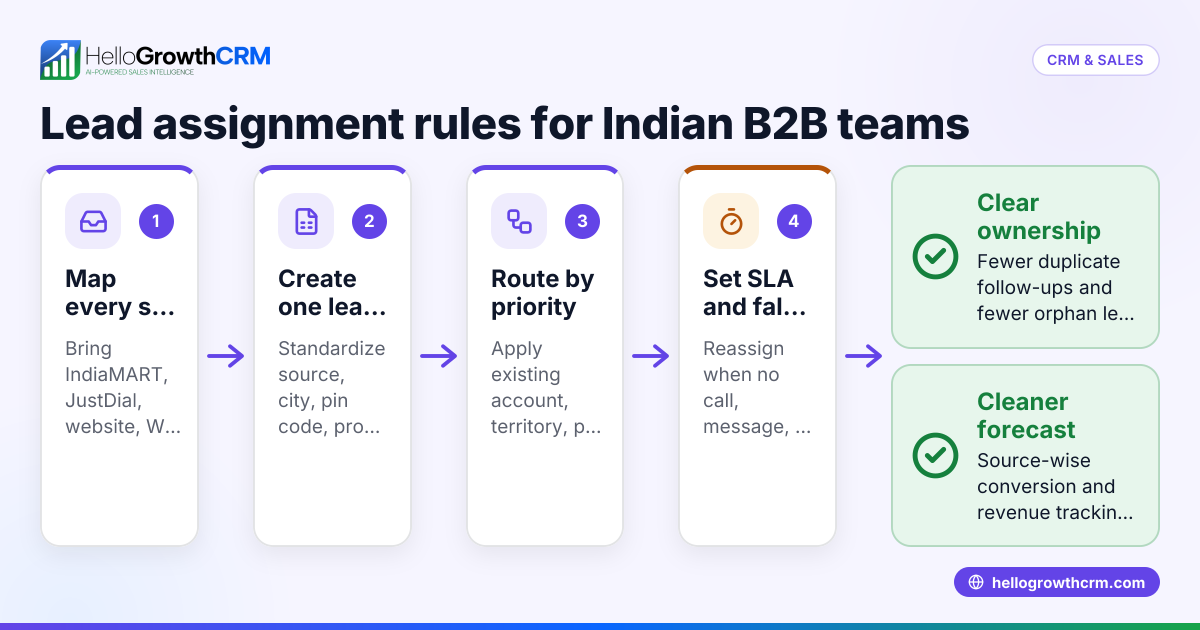
- Skipping lead assignment rules: Without automatic lead ownership, leads remain unassigned and ignored. Set clear owner and next step rules in your CRM.
- Neglecting lead prioritization: Calling leads randomly wastes effort. Use AI lead scoring to focus on high-potential leads, learn more at AI lead scoring.
- Not training your team: A CRM is only effective if used correctly. Train telecallers and sales staff on the integrated system and workflows.
Doing this in HelloGrowthCRM
HelloGrowthCRM captures every enquiry from forms, calls, or WhatsApp as a lead with an owner and a next step, so leads don’t get lost in notebooks or spreadsheets. It integrates directly with IndiaMART and JustDial, bringing enquiries straight into the CRM. Telecalling teams benefit from AI lead scoring that helps them call leads most likely to convert first. Learn more about these features at HelloGrowthCRM for India.
Frequently asked questions
What lead buyer tools can HelloGrowthCRM integrate with? HelloGrowthCRM integrates with popular Indian lead sources like IndiaMART and JustDial, automatically capturing enquiries as leads in the CRM.
How does AI lead scoring help telecalling teams? AI lead scoring ranks leads by their likelihood to convert, so telecallers prioritize calls effectively, improving sales efficiency.
Can I automate follow-up messages after integration? While HelloGrowthCRM supports sequences via email, WhatsApp, and SMS, you should check the CRM’s capabilities for automating follow-ups based on lead status.
Is technical expertise needed to set up these integrations? Basic integrations with IndiaMART and JustDial are built-in. For custom lead buyer tools, some API work may be needed; check with the CRM provider.
How do I monitor integration performance? Use CRM reports and dashboards to track lead capture rates, follow-up tasks completed, and conversion metrics regularly.
Key takeaways
- Integrating your CRM with lead buyer tools automates lead capture and reduces manual errors.
- Verify the CRM supports your lead sources and maps enquiry data correctly.
- Use AI lead scoring to prioritize leads and improve telecalling effectiveness.
- Train your sales team on the integrated system to ensure consistent follow-up.
- Regularly monitor lead flow and conversion metrics to optimize your sales process.
Start integrating your lead buyer tools with a CRM that fits your business needs. To try this yourself, start on the Free Forever plan (200 leads, no credit card).
Ready to put this into practice?
Set up your pipeline, WhatsApp follow-ups, and AI lead scoring in minutes — free, no credit card.
Try HelloGrowthCRM freeGet CRM tips in your inbox
Join thousands of sales professionals who get weekly insights on CRM strategy, AI automation, and pipeline optimization.

The HelloGrowthCRM team publishes guides on CRM strategy, AI sales tools, and revenue operations for small business sales teams.