HelloGrowthCRM software
Built for real small-business sales teams
HelloGrowthCRM helps reps qualify faster, follow up on time, and close more deals—with practical automation in one place.
- AI lead scoring and pipeline visibility
- Built-in dialer, WhatsApp, and email automation
- Sales forecasting and RevOps-ready reporting
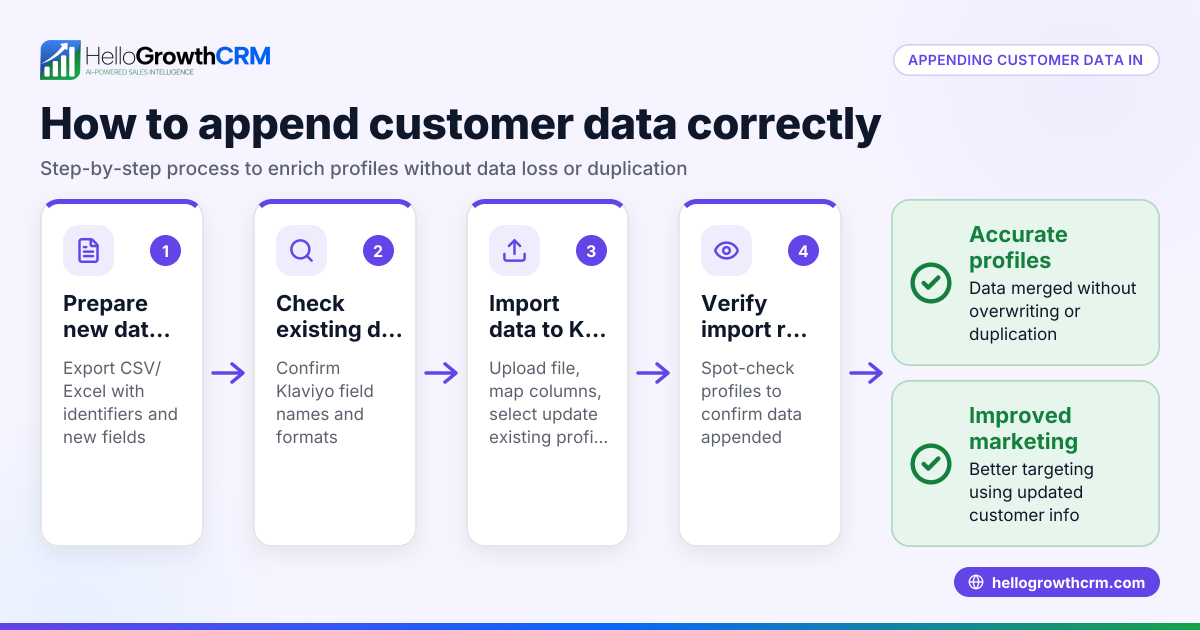
CRM Klaviyo integration connects your CRM system with Klaviyo’s email marketing platform, enabling data sharing such as contact details and campaign activity. This integration helps small businesses automate marketing workflows and improve lead follow-up by syncing sales and marketing data.
Why this comes up / what goes wrong
Many Australian small businesses run sales and marketing on separate tools like spreadsheets, email, or text messages. They search for CRM Klaviyo integration because they want to avoid losing leads due to slow follow-up or manual data entry errors. Founders and sales leaders want to combine customer data with marketing automation to create targeted campaigns and track results. However, they often struggle with choosing the right CRM that integrates well with Klaviyo and fits their team’s workflow.
The challenge is selecting a CRM that not only syncs seamlessly with Klaviyo but also supports the sales team's daily activities without causing friction. Without integration, data silos form, leading to missed opportunities and inefficient marketing efforts.
Step-by-step
- Identify your CRM and Klaviyo versions: Check which CRM software you use and the Klaviyo plan you have. Confirm they support integration or if a third-party connector is needed.
- List your integration goals: Decide what data you want to sync (contacts, segments, campaign activity) and which workflows to automate (e.g., welcome emails, abandoned cart reminders).
- Check integration methods: Determine if the integration is native (built-in) or requires third-party tools like Zapier or APIs. Native integrations are easier to maintain and generally more reliable.
- Evaluate data syncing frequency and reliability: Check how often data updates sync between CRM and Klaviyo and whether syncing is two-way or one-way. Frequent syncing reduces delays in marketing actions.
- Assess user experience and team adoption: Ensure your sales and marketing teams find the integration easy to use and that it fits their existing processes. Poor adoption can undermine the benefits of integration.
- Review security and compliance: Verify that the integration complies with Australian privacy laws and data protection standards to keep customer data safe.
- Test with a small segment: Before full rollout, test the integration with a limited set of contacts to check data accuracy and workflow automation. This helps identify issues early.
- Plan ongoing monitoring and support: Assign someone to monitor integration health and handle issues promptly to avoid disruptions.
Example (fictional figures)
An Adelaide-based registered training organisation wants to integrate their CRM with Klaviyo to automate email reminders for course enrolments.
- They have 2,000 contacts in their CRM.
- They want to send automated reminders 7 days before course start.
- They test syncing 100 contacts first.
Calculations: 100 contacts × 1 reminder email each = 100 emails sent Assuming a $0.10 cost per email (illustrative), total cost = 100 × $0.10 = A$10
If successful, they will scale to 2,000 contacts: 2,000 × 1 reminder email = 2,000 emails 2,000 × $0.10 = A$200
This test allows them to verify data sync and email delivery before committing to full integration.
Common mistakes
- Not clarifying integration goals upfront: Prevent by listing exactly what data and workflows you want integrated. This avoids wasted effort and confusion.
- Choosing non-native connectors without testing: Prevent by researching and trialling third-party tools before buying. Native integrations tend to be more stable.
- Ignoring team training: Prevent by involving sales and marketing teams early and providing clear instructions. This improves adoption and reduces errors.
- Overlooking data privacy compliance: Prevent by reviewing Australian privacy laws and ensuring vendor compliance. This protects your business legally.
- Skipping small-scale testing: Prevent by running pilot tests before full implementation. This helps catch issues early.
- Neglecting ongoing monitoring: Prevent by assigning responsibility for integration health checks. Regular checks prevent downtime.
Doing this in HelloGrowthCRM
HelloGrowthCRM supports API and integrations, allowing enquiries from IndiaMART and JustDial to arrive directly as leads in the CRM. It also offers WhatsApp and SMS workflows, logging conversations on lead records and enabling follow-ups via messages. Additionally, its AI agents can draft follow-up messages after calls for sales reps to review and send. These features help small businesses improve lead engagement and automate follow-ups efficiently. Learn more about HelloGrowthCRM’s integrations and WhatsApp and SMS CRM.
Frequently asked questions
Can I integrate any CRM with Klaviyo? Not all CRMs have native Klaviyo integration. Many require third-party tools or custom API work. Check your CRM’s integration options and Klaviyo’s documentation before deciding.
What data syncs between CRM and Klaviyo? Typically, contacts, segments, purchase history, and email engagement data sync. The exact fields depend on the integration method and CRM capabilities.
How often does the data sync? Sync frequency varies by integration. Some update in real-time, others hourly or daily. Consider your business needs when evaluating.
Is Klaviyo integration secure? Reputable CRMs and Klaviyo comply with data protection laws, but you should verify each vendor’s security and privacy policies, especially for Australian regulations.
Can HelloGrowthCRM replace Klaviyo? HelloGrowthCRM focuses on CRM, lead capture, and messaging workflows including WhatsApp and SMS. It integrates with other platforms but does not replace Klaviyo’s specialised email marketing automation.
Where can I learn about integrations with HelloGrowthCRM? Visit the integrations page to see supported connections and how to connect your tools.
Key takeaways
- CRM Klaviyo integration syncs sales and marketing data to automate workflows.
- Define your integration goals and test on a small scale before full rollout.
- Avoid common mistakes by clarifying needs, training teams, and monitoring integration health.
- HelloGrowthCRM offers API integrations, WhatsApp and SMS workflows, and AI agents to support lead engagement.
- Check security and compliance with Australian privacy laws before integrating.
Start your CRM journey with HelloGrowthCRM and explore its integration capabilities. Start on the Free Forever plan (200 leads, no credit card).
Ready to put this into practice?
Set up your pipeline, WhatsApp follow-ups, and AI lead scoring in minutes — free, no credit card.
Try HelloGrowthCRM freeGet CRM tips in your inbox
Join thousands of sales professionals who get weekly insights on CRM strategy, AI automation, and pipeline optimization.

The HelloGrowthCRM team publishes guides on CRM strategy, AI sales tools, and revenue operations for small business sales teams.