HelloGrowthCRM software
Built for real small-business sales teams
HelloGrowthCRM helps reps qualify faster, follow up on time, and close more deals—with practical automation in one place.
- AI lead scoring and pipeline visibility
- Built-in dialer, WhatsApp, and email automation
- Sales forecasting and RevOps-ready reporting
A CRM that integrates with HelpScout enables seamless synchronization of customer support emails and tickets with your sales and lead management processes. This integration helps reduce lost leads, speeds up follow-up, and improves customer experience by keeping all communication in one place.
Why this comes up / what goes wrong
Many small businesses in the UAE use HelpScout for customer support because it centralises email conversations and tickets. However, when sales teams run their leads and deals in separate CRMs or spreadsheets, they miss the full picture of customer interactions. This disjointed approach causes slow follow-up, duplicated effort, and lost revenue opportunities. Business owners search for a CRM that integrates with HelpScout to unify support and sales data, streamline workflows, and improve team collaboration.
Step-by-step
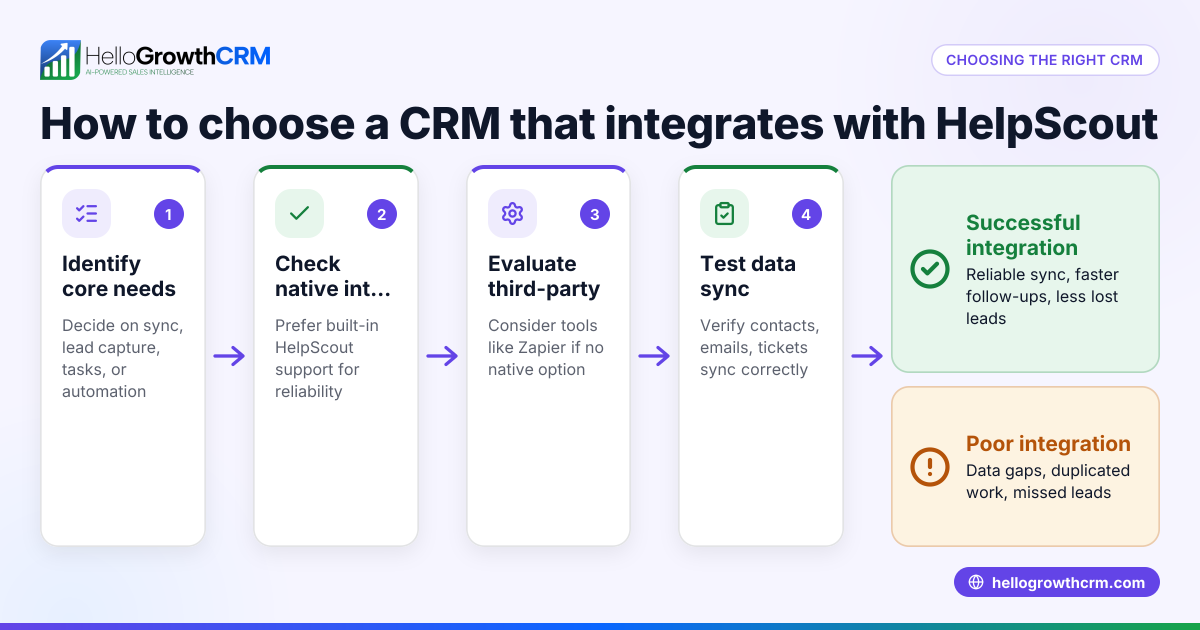
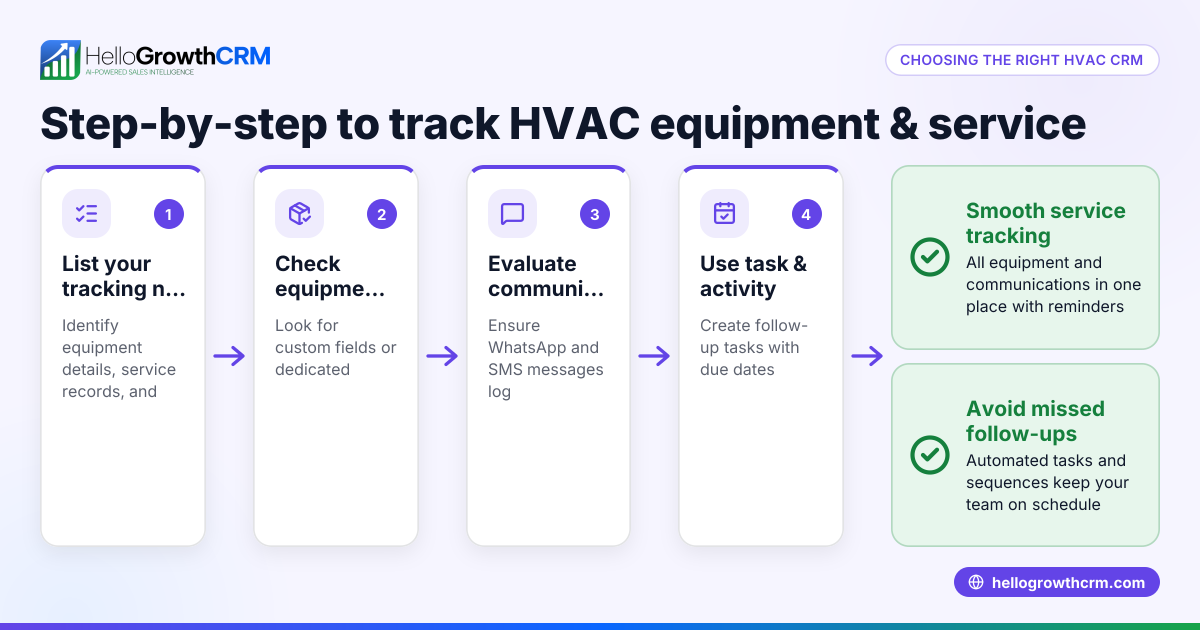
- Identify your key workflows: List what you want the integration to do. For example, syncing customer contact details, linking HelpScout tickets to CRM leads, or triggering follow-up tasks from support conversations.
- Check native integrations first: Some CRMs offer built-in HelpScout connectors that provide smoother, more reliable syncing. Look at the CRM’s integrations page or documentation for HelpScout support.
- Consider third-party connectors: If native integration is unavailable, tools like Zapier can connect HelpScout with many CRMs. Check the actions and triggers supported to ensure they cover your workflows.
- Evaluate ease of setup and use: Choose a CRM and integration that your sales and support teams find easy to adopt. Complex setups can delay benefits and reduce usage.
- Test data syncing and accuracy: Before fully switching, run a pilot to confirm that customer data, conversations, and ticket statuses sync correctly between HelpScout and the CRM.
- Assess additional features: Look for CRMs with sales automation, pipeline management, and communication tools like WhatsApp and SMS, which can boost follow-up efficiency.
- Review costs and scalability: Ensure the CRM and integration fit your budget and can scale as your business grows.
For details on CRM features like WhatsApp and SMS messaging or AI agents that draft follow-ups, see the built-in CRM dialer and integrations pages.
Example (fictional figures)
A dental clinic in Jumeirah, Dubai, wants to integrate HelpScout with its CRM to improve patient appointment follow-ups.
- Monthly revenue: AED 120,000
- Current lost leads due to slow follow-up: 10%, i.e. AED 12,000
- Estimated increase in conversion after integration: 5%, i.e. AED 6,000
Calculation of recovered revenue:
AED 120,000 × 10% = AED 12,000 (lost revenue) AED 12,000 × 50% = AED 6,000 (recovered revenue after integration)
The clinic invests AED 1,500 monthly in CRM and integration costs.
Net gain:
AED 6,000 - AED 1,500 = AED 4,500 additional monthly profit
This example shows how integrating HelpScout with a CRM can recover lost revenue through faster follow-up and better lead management.
Common mistakes
- Assuming all CRMs integrate with HelpScout: Always verify integration availability and features before choosing a CRM.
- Ignoring team training: Without proper onboarding, teams may underuse the integration, losing benefits.
- Overlooking data privacy and security: Check that the CRM and integration comply with UAE data protection requirements. NEEDS EXPERT REVIEW
- Not testing the integration thoroughly: Pilot testing prevents surprises like data mismatches or missing information.
- Choosing integrations based on price alone: Cheaper options may lack critical features or reliability.
- Neglecting mobile and messaging tools: In UAE markets, WhatsApp and SMS are key communication channels; ensure your CRM supports these.
For more on avoiding mistakes, see HelloGrowthCRM for the United Arab Emirates.
Doing this in HelloGrowthCRM
HelloGrowthCRM supports sales teams with WhatsApp and SMS messaging, logging all WhatsApp conversations on the lead record and enabling follow-ups as messages. Its AI agents (in Beta on Growth plans) draft follow-up messages after calls, so reps only review and send, saving time. The Free Forever plan lets a two-person team manage their pipeline at no cost until they need calling or WhatsApp automation. While HelloGrowthCRM does not currently have a native HelpScout integration, its strong messaging and AI features help small teams stay on top of leads and customer communication.
Frequently asked questions
Does HelloGrowthCRM integrate with HelpScout? HelloGrowthCRM currently does not offer a native HelpScout integration. However, you can use third-party tools like Zapier to connect them or manage customer communication directly through HelloGrowthCRM’s WhatsApp and SMS features.
What CRM integrates best with HelpScout? Look for CRMs that list HelpScout as a native integration or have robust third-party connector support. Prioritise ease of use, data syncing accuracy, and coverage of your key workflows.
Can I integrate HelpScout with CRMs using Zapier? Yes, Zapier supports HelpScout and many CRMs, allowing you to automate syncing contacts, tickets, and tasks. Check the specific triggers and actions available to ensure they meet your needs.
Do CRMs that integrate with HelpScout also support WhatsApp messaging? Not always. WhatsApp support depends on the CRM. HelloGrowthCRM offers WhatsApp and SMS messaging integrated into the CRM, which can complement HelpScout’s email-based support.
How do I evaluate if a CRM integration is right for my UAE business? Test the integration with your actual data, confirm it supports your workflows, check for local compliance, and ensure your team finds it easy to use. Consider the CRM’s ability to handle messaging channels popular in the UAE, like WhatsApp.
Key takeaways
- A CRM that integrates with HelpScout unifies sales and support data, reducing lost leads.
- Verify native or third-party integration availability and test syncing thoroughly.
- Avoid common mistakes like ignoring team training and data privacy compliance.
- Consider CRMs with WhatsApp and SMS capabilities to match UAE communication preferences.
- HelloGrowthCRM offers messaging and AI features to streamline follow-ups, though it does not have native HelpScout integration.
Choosing the right CRM integration with HelpScout can improve your sales follow-up and customer experience. Start managing your leads effectively by trying HelloGrowthCRM’s Free Forever plan, which supports up to 200 leads and requires no credit card at Start on the Free Forever plan (200 leads, no credit card).
Ready to put this into practice?
Set up your pipeline, WhatsApp follow-ups, and AI lead scoring in minutes — free, no credit card.
Try HelloGrowthCRM freeGet CRM tips in your inbox
Join thousands of sales professionals who get weekly insights on CRM strategy, AI automation, and pipeline optimization.

The HelloGrowthCRM team publishes guides on CRM strategy, AI sales tools, and revenue operations for small business sales teams.