HelloGrowthCRM software
Built for real small-business sales teams
HelloGrowthCRM helps reps qualify faster, follow up on time, and close more deals—with practical automation in one place.
- AI lead scoring and pipeline visibility
- Built-in dialer, WhatsApp, and email automation
- Sales forecasting and RevOps-ready reporting
A CRM with built-in caller and call tracking lets sales teams make calls directly from the CRM, automatically logs call outcomes, and keeps the full call history tied to each lead or deal. This integration reduces manual data entry, speeds up follow-up, and provides visibility into sales activities.
Why this comes up / what goes wrong
Small and mid-sized business owners often lose leads or slow down sales because they rely on separate tools for calls and CRM tracking. For example, they might use mobile phones or third-party apps for calls and then try to manually log details in spreadsheets or notebooks. This disconnect causes missed follow-ups, incomplete records, and poor sales forecasting. When teams use text messages, emails, and spreadsheets alongside calls, the scattered information makes it hard to track progress or measure performance.
Choosing a CRM with built-in caller and call tracking addresses these issues by combining calling and lead management in one place. It helps inside sales teams work more efficiently and ensures every call counts.
Step-by-step
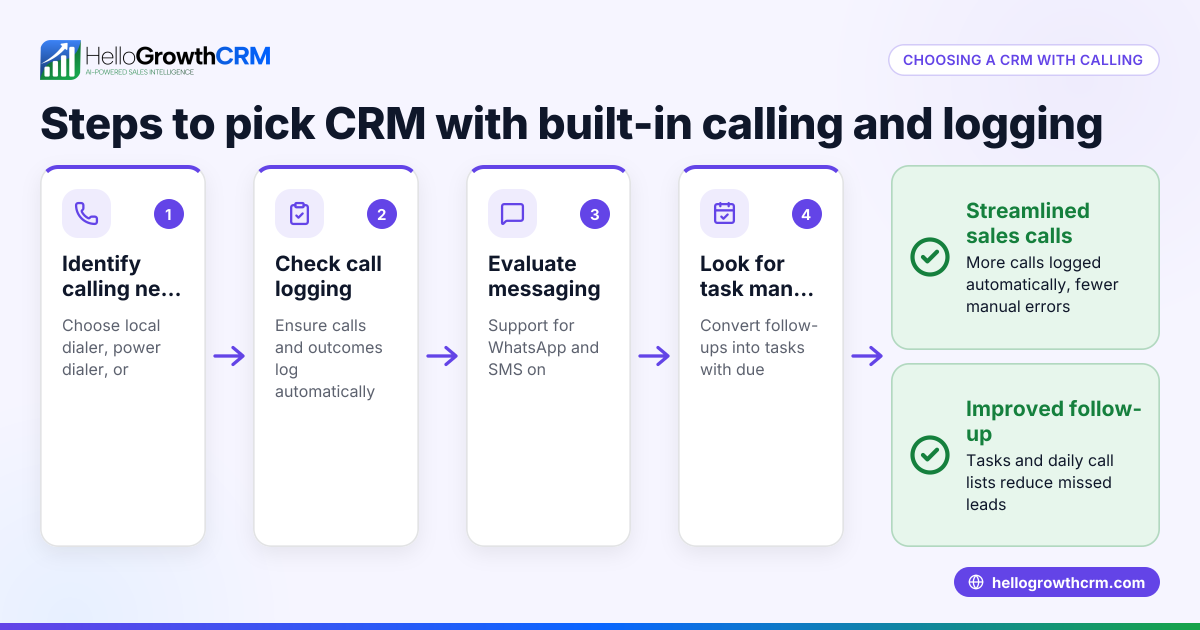
- Define Your Calling Needs
- Decide if you need basic click-to-call functionality or advanced features like power dialing.
- Check if the CRM supports logging call outcomes automatically.
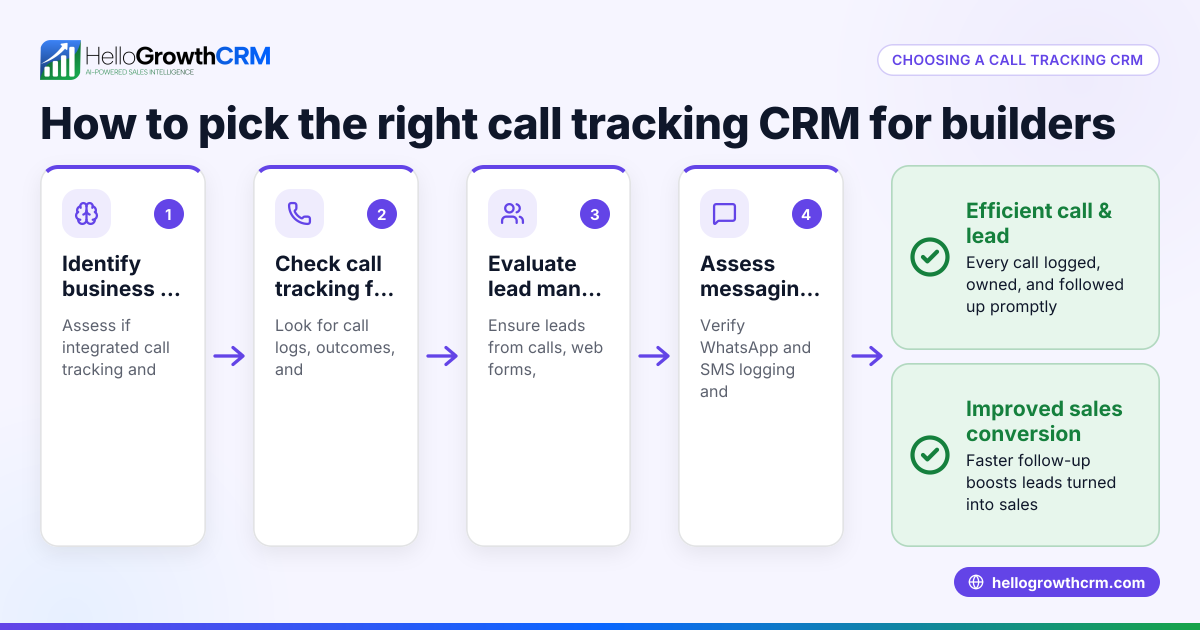
- Check Call Tracking Capabilities
- Confirm the CRM keeps a full call history linked to each lead or deal.
- Look for features that log call duration, timestamps, and call results.
- Evaluate Integration with Messaging Channels
- See if the CRM supports WhatsApp and SMS messaging within the same platform for multichannel engagement.
- Ensure messages and conversations are logged on lead records.
- Consider Lead Management Features
- Verify that all incoming inquiries from web forms, calls, or messages automatically create leads with assigned owners and next steps.
- Look for pipeline and task boards to track lead progress.
- Test Usability for Your Team
- Try the built-in dialer interface to ensure it is easy for reps to use.
- Check that call outcomes can be logged quickly during or after calls.
- Review Reporting and Forecasting
- Confirm the CRM offers sales forecasting and call activity reports to measure performance.
- Assess Pricing and Plan Limitations
- Check if the built-in dialer is included in your plan or requires an upgrade.
- Understand any limits on call volume or features.
Example (fictional figures)
A landscaping contractor in Charlotte, North Carolina, wants to improve follow-up on leads generated from their website and phone inquiries. They receive 100 leads per month and estimate that 60% convert to a call.
- Leads per month = 100
- Calls needed = 100 × 60% = 60 calls
- Average time per call = 10 minutes
- Total calling time = 60 × 10 = 600 minutes = 10 hours
Without a built-in dialer, reps spend 5 minutes logging each call manually.
- Logging time = 60 × 5 = 300 minutes = 5 hours
Total time spent on calls and logging = 10 + 5 = 15 hours
With a CRM having a built-in dialer and call tracking:
- Calls and logging happen simultaneously, saving 5 hours monthly.
- Reps can focus more on follow-ups and closing deals.
This time saving can translate to faster response times and higher conversion rates.
Common mistakes
- Choosing a CRM without integrated call logging
- Prevent by confirming the CRM automatically logs call outcomes and history.
- Ignoring messaging channel integration
- Prevent by selecting a CRM that supports WhatsApp and SMS alongside calls for unified communication.
- Overlooking user experience for telecallers
- Prevent by testing the dialer interface to ensure it is intuitive and efficient.
- Not assigning lead owners and next steps automatically
- Prevent by using a CRM that creates leads from all inquiries with clear ownership and follow-up tasks.
- Failing to review plan limitations and costs
- Prevent by checking which features are included in your subscription tier.
- Neglecting reporting needs
- Prevent by choosing a CRM that provides call activity and sales forecasting reports.
Doing this in HelloGrowthCRM
HelloGrowthCRM offers a built-in dialer that lets telecallers work a list from inside the CRM and logs the outcome of each call on the lead record. WhatsApp conversations with leads are also logged, and follow-ups can be sent as messages. Every inquiry from a form, call, or WhatsApp lands as a lead with an assigned owner and a next step, keeping your sales process organized instead of scattered in notebooks. Learn more about the built-in CRM dialer, WhatsApp and SMS CRM, and how HelloGrowthCRM for the United States fits your business.
Frequently asked questions
What is a CRM with built-in caller and call tracking? It is a CRM system that allows users to make phone calls directly within the software and automatically logs call details such as duration, timestamps, and outcomes. This integration helps sales teams track their communication history without manual entry.
How does call tracking improve sales performance? Call tracking provides visibility into which leads have been contacted, the results of each call, and follow-up needs. This reduces missed opportunities and helps managers forecast sales more accurately.
Can I use messaging apps like WhatsApp with a CRM that has built-in calling? Yes, some CRMs integrate messaging apps like WhatsApp and SMS alongside calling, enabling multi-channel communication and logging all conversations on lead records.
What should I look for when choosing a CRM with a built-in dialer? Check for ease of use, automatic call logging, support for messaging channels, lead assignment and task management, and reporting features. Also, verify if the dialer is included in your subscription plan.
Is call recording included in built-in dialers? Not all built-in dialers include call recording. Check the CRM’s feature list carefully if call recording is essential for your business. NEEDS EXPERT REVIEW
Key takeaways
- A CRM with built-in caller and call tracking integrates calling and lead management to streamline sales.
- Look for automatic call outcome logging and full call history tied to leads.
- Integration with WhatsApp and SMS messaging enhances multi-channel engagement.
- Assigning leads with owners and next steps improves follow-up and organization.
- Test usability and verify reporting capabilities before choosing.
- Understand pricing and plan limits for dialer features.
Start improving your sales follow-up by trying HelloGrowthCRM’s built-in dialer and messaging features. Start on the Free Forever plan (200 leads, no credit card) today.
Ready to put this into practice?
Set up your pipeline, WhatsApp follow-ups, and AI lead scoring in minutes — free, no credit card.
Try HelloGrowthCRM freeGet CRM tips in your inbox
Join thousands of sales professionals who get weekly insights on CRM strategy, AI automation, and pipeline optimization.

The HelloGrowthCRM team publishes guides on CRM strategy, AI sales tools, and revenue operations for small business sales teams.