HelloGrowthCRM software
Built for real small-business sales teams
HelloGrowthCRM helps reps qualify faster, follow up on time, and close more deals—with practical automation in one place.
- AI lead scoring and pipeline visibility
- Built-in dialer, WhatsApp, and email automation
- Sales forecasting and RevOps-ready reporting
A customer complaint log template USA is essential for small and mid-sized businesses to keep organized records of customer complaints. It ensures timely follow-up, proper resolution, and helps improve customer satisfaction. This article covers why such a template is needed, how to use it step-by-step, a detailed example with realistic US figures and calculations, common mistakes to avoid, and how HelloGrowthCRM supports complaint tracking.
Why this comes up / what goes wrong
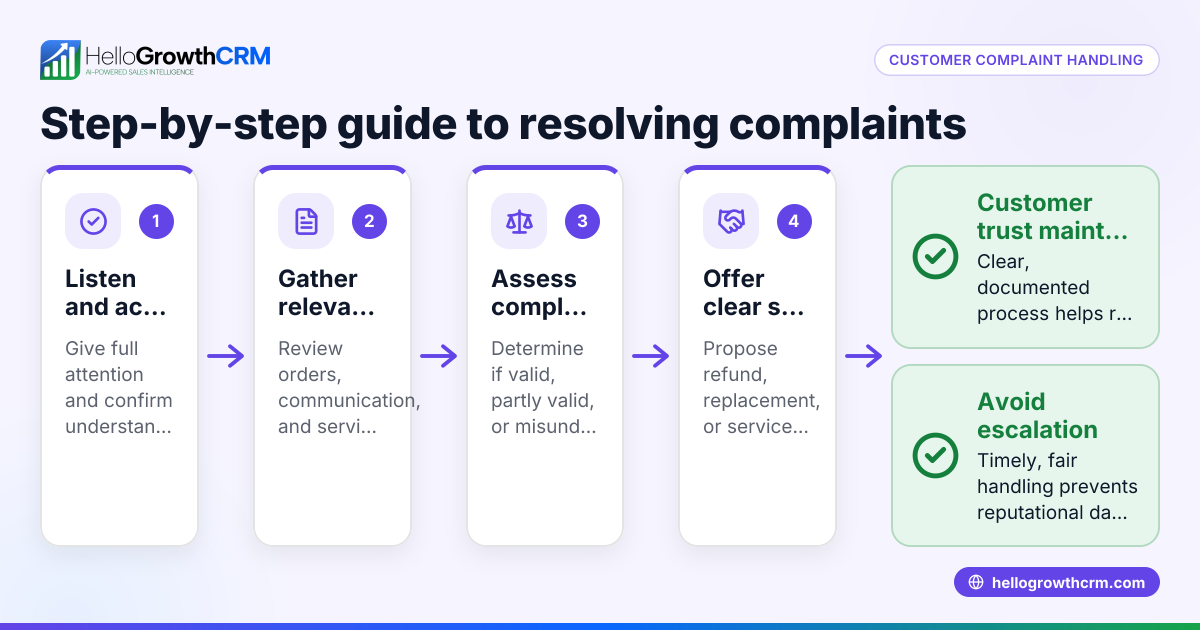
Small-business owners often lose track of customer complaints when they rely on scattered notes, emails, or spreadsheets. This leads to slow responses, missed follow-ups, and unresolved issues harming customer trust and repeat business. Without a structured complaint log, complaints can be forgotten or improperly handled, causing frustration for both customers and staff. A ready-to-use customer complaint log template helps by providing a consistent place to record complaint details, status updates, and resolution steps. This clarity reduces errors and improves customer service, helping businesses retain customers and improve their reputation.
Step-by-step
- Create or download a complaint log template: Use a spreadsheet or document that includes columns for Date, Customer Name, Contact Info, Complaint Description, Product/Service, Priority, Assigned Staff, Status, and Resolution Notes. Check that all these fields are present to capture all necessary information.
- Record complaints immediately: When a complaint comes in by phone, email, WhatsApp, or in person, enter the details into the log on the same day. Check for accuracy in customer contact info and complaint description to avoid confusion later.
- Assign responsibility: Note who on your team will handle the complaint. Check that this person is notified and understands the issue clearly.
- Track status updates: Update the complaint status regularly (e.g., New, In Progress, Resolved, Closed). Check that no complaint stays in the same status too long without action to ensure timely resolution.
- Record resolution and follow-up: Once resolved, add notes on how the complaint was handled and any follow-up steps. Check that the customer has been informed and is satisfied with the outcome.
- Review regularly: Weekly or monthly, review the log to identify recurring issues or delays. Check for patterns that need process improvements or training.
- Store securely and backup: Keep the log accessible to relevant staff but secure from unauthorized access. Check backups to prevent data loss.
For more sales and service templates, including follow-up cadences and pipeline boards, see sales templates. You can also explore free sales tools and calculators for related business management aids.
Example (fictional figures)
A landscaping contractor in Charlotte, North Carolina, uses a complaint log to track a recent issue with a customer named Jane Smith.
| Date | Customer Name | Contact | Complaint Description | Product/Service | Priority | Assigned Staff | Status | Resolution Notes |
|---|---|---|---|---|---|---|---|---|
| 05/10/2024 | Jane Smith | 704-555-1234 | Lawn not mowed as scheduled | Lawn Care | High | Mike Johnson | Resolved | Apologized, re-mowed 05/11/24 |
Steps shown with calculations:
- Complaint received and logged on 05/10/2024.
- Mike Johnson assigned and notified.
- Cost of re-mowing the lawn estimated at $150.
- Original job cost $1,200.
Calculations:
$1,200 × 10% = $120 (estimated discount for inconvenience)
$1,200 - $120 + $150 = $1,230 (adjusted total including re-mowing)
- Status updated to "Resolved" after re-mowing on 05/11/2024.
- Resolution notes recorded and customer informed.
This example shows how the complaint was tracked, assigned, resolved, and the financial impact calculated.
Common mistakes
- Delaying complaint entry: Leads to forgotten or mishandled issues. Prevent by logging complaints immediately.
- Incomplete information: Missing customer or complaint details cause confusion and delays. Prevent by checking all fields are filled before saving.
- No assigned staff: Complaints without owners get ignored or delayed. Prevent by assigning responsibility promptly.
- Not updating status: Stale status hides delays and frustrates customers. Prevent by scheduling regular status reviews.
- Lack of follow-up notes: No record of resolution wastes time and prevents learning. Prevent by documenting resolution steps clearly.
- Poor data security: Sensitive customer info exposed or lost. Prevent by restricting access and backing up data regularly.
For tips on tracking customer satisfaction and service requests after sales, see customer health score.
Doing this in HelloGrowthCRM
HelloGrowthCRM offers free sales tools, templates, and calculators including follow-up cadence and pipeline templates without requiring an account. After the sale, customer service requests and tickets stay linked on the same customer record as the deal, helping you manage complaints and resolutions efficiently in one place.
Frequently asked questions
What should a customer complaint log template include? A good template includes Date, Customer Name, Contact Info, Complaint Description, Product or Service involved, Priority level, Assigned Staff member, Status, and Resolution Notes. This covers all the key data needed to track and resolve complaints effectively.
Can I use Excel or Google Sheets for complaint logs? Yes, spreadsheets are a common and flexible way to maintain complaint logs. Ensure you have columns for all necessary fields and regularly update and back up the file to avoid data loss.
How often should I review the complaint log? Review the complaint log weekly or monthly to identify recurring problems and monitor response times. Regular reviews help improve your customer service processes and prevent issues from recurring.
How does HelloGrowthCRM help manage customer complaints? It keeps service requests and tickets on the same customer record as the deal, making it easy to track complaints and resolutions all in one place. It also offers free downloadable templates for follow-up and pipeline management.
Is there a risk of losing complaint data? Yes, if logs are not backed up or are stored insecurely. Prevent this by securing files, limiting access, and making regular backups.
Key takeaways
- Use a structured complaint log template with all key fields.
- Enter complaints immediately and assign responsibility.
- Update complaint status regularly and record resolution details.
- Review logs often to spot trends and improve service.
- Avoid common mistakes like incomplete info or poor data security.
- HelloGrowthCRM offers free templates and keeps service tickets linked to customer records.
Start tracking your customer complaints efficiently today. Start on the Free Forever plan (200 leads, no credit card).
Ready to put this into practice?
Set up your pipeline, WhatsApp follow-ups, and AI lead scoring in minutes — free, no credit card.
Try HelloGrowthCRM freeGet CRM tips in your inbox
Join thousands of sales professionals who get weekly insights on CRM strategy, AI automation, and pipeline optimization.

The HelloGrowthCRM team publishes guides on CRM strategy, AI sales tools, and revenue operations for small business sales teams.