HelloGrowthCRM software
Built for real small-business sales teams
HelloGrowthCRM helps reps qualify faster, follow up on time, and close more deals—with practical automation in one place.
- AI lead scoring and pipeline visibility
- Built-in dialer, WhatsApp, and email automation
- Sales forecasting and RevOps-ready reporting
A customer follow up tracker Excel template for Indian small and mid-sized businesses is a spreadsheet designed to organise customer details, follow-up dates, call outcomes, and next actions in one place. It helps sales teams avoid losing leads due to slow or missed follow-ups by providing a clear, easy-to-use format that anyone on the team can update and check.
Why this comes up / what goes wrong
Many Indian SMB owners rely on WhatsApp chats, scattered Excel sheets, or manual notes to track customer follow-ups. This often causes missed calls, forgotten promises, and slow responses, which cost sales opportunities. Without a structured tracker, teams struggle to prioritise which customer to contact next or identify overdue follow-ups. A ready-to-use Excel template solves this by giving a consistent format that is easy to maintain and share.
Step-by-step
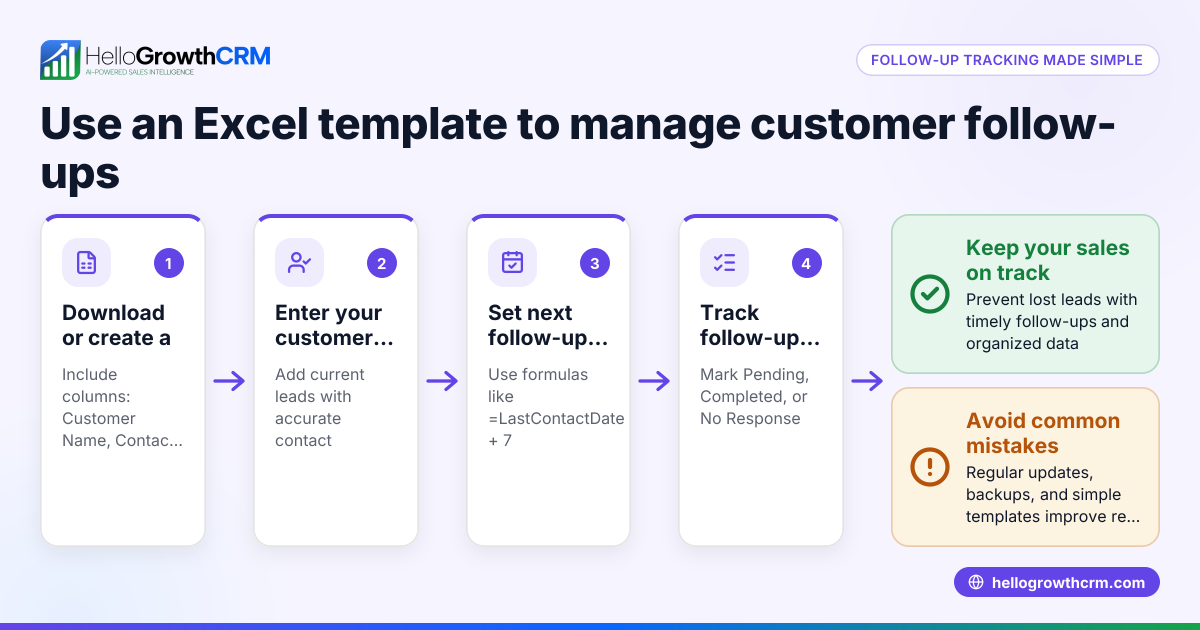
- Download or create the Excel template: Prepare a sheet with columns for Customer Name, Contact Number, Date of Last Contact, Follow-Up Date, Mode of Contact (Call/WhatsApp/Email), Follow-Up Status, and Next Action.
- Enter existing customer data: Fill in all known customer details and last contact dates. Check that phone numbers are accurate and consistently formatted.
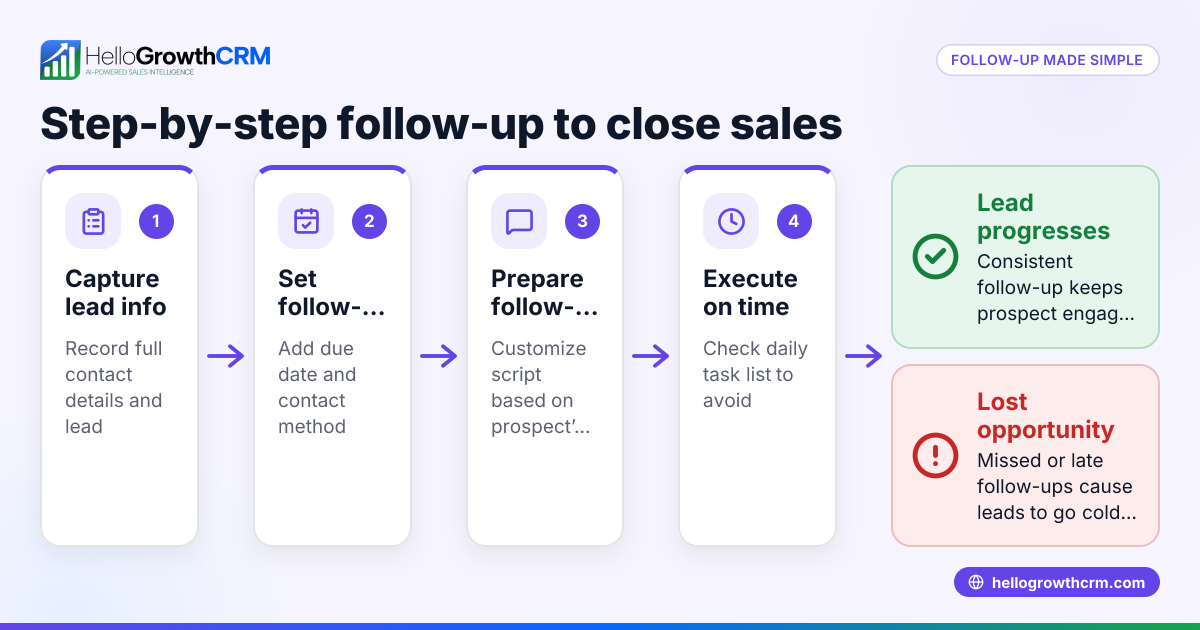
- Set follow-up dates: Decide the next follow-up date for each customer based on your sales cycle or urgency. Enter these dates clearly.
- Update follow-up status after contact: After each call or message, mark the status as Pending, Completed, or No Response. Add remarks or next steps.
- Sort and filter daily tasks: Use Excel’s filter to view customers with follow-up dates due today or earlier. This prioritises daily calls and messages.
- Review and revise weekly: At week’s end, check for overdue follow-ups or customers with no recent contact. Adjust dates or escalate as needed.
- Backup regularly: Save the file daily or upload it to cloud storage like Google Drive or OneDrive to prevent data loss.
Make sure your template includes conditional formatting or colour codes for overdue follow-ups to highlight urgent tasks.
Example (fictional figures)
An Indian small business selling industrial tools uses this follow-up tracker:
| Customer Name | Contact Number | Date of Last Contact | Follow-Up Date | Mode of Contact | Follow-Up Status | Next Action |
|---|---|---|---|---|---|---|
| Rajesh Traders | 9876543210 | 10/06/2024 | 15/06/2024 | Call | Pending | Call to confirm order |
On 15/06/2024, the sales rep calls Rajesh Traders:
- Marks Follow-Up Status as Completed
- Notes: "Order confirmed for ₹1,20,000"
- Sets next Follow-Up Date as 22/06/2024 for delivery confirmation
Calculations: ₹1,20,000 (order value) + ₹0 (no extra charges) = ₹1,20,000 (total order value)
This keeps the sales process transparent and organised.
Common mistakes
- Not updating the tracker immediately after contact: Leads to confusion and missed next steps. Prevent by updating right after each call or message.
- Ignoring overdue follow-ups: Causes lost sales opportunities. Use Excel filters and conditional formatting to highlight overdue tasks.
- Entering inconsistent contact details: Leads to failed calls or messages. Standardise phone number formats and verify regularly.
- Using multiple trackers or WhatsApp alone: Splits data and wastes time. Maintain one master Excel sheet or use a CRM.
- No backup of the file: Risks losing all data. Backup daily on cloud storage or shared drives.
Doing this in HelloGrowthCRM
HelloGrowthCRM offers activities and task boards where each follow-up becomes a task with a due date, so the day's calls appear as a list instead of relying on memory. Its sequences and campaigns feature automates a five-step follow-up over two weeks that stops immediately when the prospect replies. Additionally, AI agents draft follow-up messages after calls, so sales reps only need to review and send. This reduces manual tracking and helps teams focus on selling. Learn more about sales task boards and email automation and sequences.
Frequently asked questions
Can I customize the Excel template for different industries? Yes, you can easily add or remove columns to suit your industry needs, such as product details, payment status, or delivery dates.
How often should I update the follow-up tracker? Update it immediately after every customer interaction to keep data accurate. Weekly reviews help catch overdue tasks and plan next steps.
Is Excel enough for growing sales teams? Excel works for small teams but becomes harder to manage as leads increase. Consider a CRM like HelloGrowthCRM for automated task boards and follow-up sequences.
Can I integrate WhatsApp communication with the tracker? Excel itself doesn’t integrate with WhatsApp. HelloGrowthCRM is WhatsApp-native, enabling follow-ups within the CRM alongside calls and emails.
How do I prevent losing the Excel file or data? Save backups regularly on cloud services like Google Drive or OneDrive and restrict editing access to avoid accidental changes.
What is the best way to prioritise follow-ups daily? Use Excel’s filter and conditional formatting to highlight customers whose follow-up date is today or overdue. This helps focus on urgent calls. Alternatively, HelloGrowthCRM’s task boards list daily calls clearly.
Key takeaways
- Use a simple Excel template with key columns to track customer follow-ups.
- Update follow-up status and next action immediately after contact.
- Use Excel filters and conditional formatting to prioritise daily follow-ups.
- Avoid common mistakes like inconsistent data and missing updates.
- HelloGrowthCRM automates follow-ups with task boards, sequences, and AI agents.
- Back up your tracker regularly to avoid data loss.
Start organising your customer follow-ups more efficiently today. You can also Start on the Free Forever plan (200 leads, no credit card) with HelloGrowthCRM to automate and simplify your sales follow-up tasks.
Ready to put this into practice?
Set up your pipeline, WhatsApp follow-ups, and AI lead scoring in minutes — free, no credit card.
Try HelloGrowthCRM freeGet CRM tips in your inbox
Join thousands of sales professionals who get weekly insights on CRM strategy, AI automation, and pipeline optimization.

The HelloGrowthCRM team publishes guides on CRM strategy, AI sales tools, and revenue operations for small business sales teams.