HelloGrowthCRM software
Built for real small-business sales teams
HelloGrowthCRM helps reps qualify faster, follow up on time, and close more deals—with practical automation in one place.
- AI lead scoring and pipeline visibility
- Built-in dialer, WhatsApp, and email automation
- Sales forecasting and RevOps-ready reporting
A customer profile board is a centralised visual or digital tool that organises all key information about your customers, such as contact details, purchase history, communication records, preferences, and ongoing service requests. This helps your sales and support teams quickly understand each customer’s current status and needs, enabling faster, more personalised follow-up and better customer service.
Why this comes up / what goes wrong
Many small businesses in the UK struggle with scattered customer data. Information may be spread across WhatsApp chats, emails, spreadsheets, or paper notes. This fragmentation causes slow follow-up, missed opportunities, and poor customer experience. Without a clear customer profile board, teams can lose track of previous purchases, open support tickets, or referral sources, making it harder to build strong relationships or forecast sales.
Step-by-step
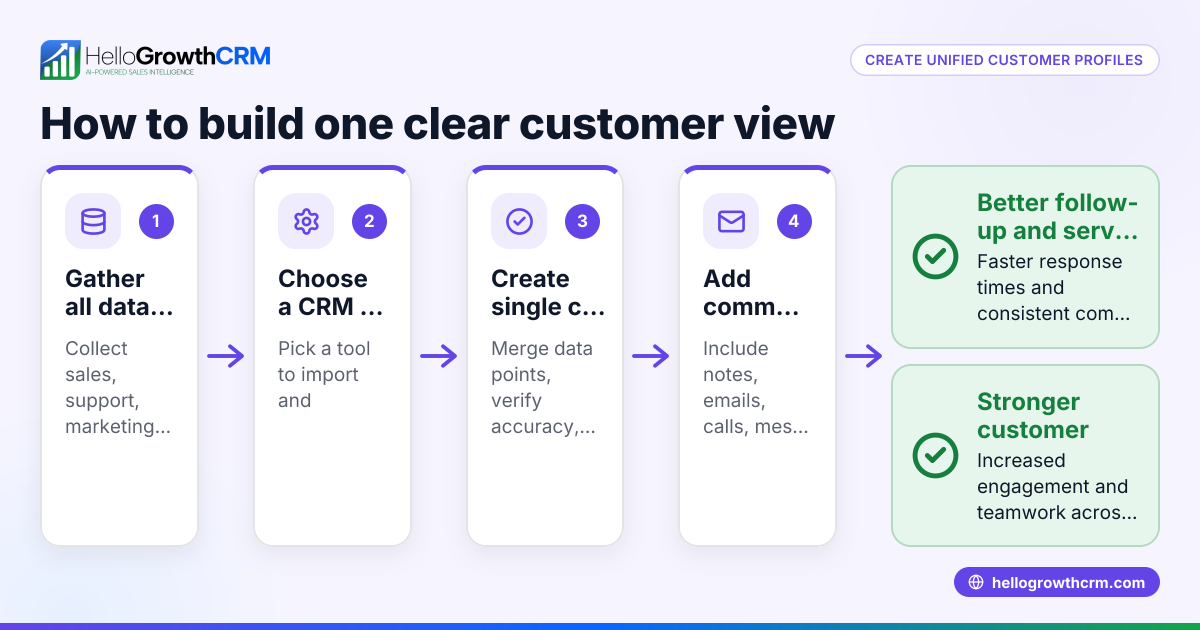
- Collect customer data systematically: Gather all relevant customer details, including names, contact information, purchase history, communication records, preferences, and any past service requests. Check that all data is accurate and up to date.
- Choose a format for your customer profile board: Decide whether to use a digital CRM, spreadsheet, or physical board. A digital CRM is usually better for accessibility and integration, especially if your team uses WhatsApp or email regularly.
- Create individual customer profiles: For each customer, create a profile containing their contact details, recent interactions, purchase history, preferences, and any notes on issues or requests.
- Organise profiles visually: Use columns, sections, or cards to categorise customers by status such as new lead, active client, or support needed. Make sure the layout highlights priority customers for quick action.
- Integrate communication channels: Link WhatsApp messages, emails, and phone call records to each customer profile if possible. This ensures your team has the full context of past conversations and can avoid repeating questions or losing leads. See WhatsApp and SMS CRM for integration options.
- Add service requests and tickets: Track support issues or service requests on the same customer profile to maintain a complete history. This helps your team respond quickly and keeps all information in one place.
- Regularly update and review the board: Schedule weekly or biweekly checks to add new interactions, update customer status, and remove outdated information. Consistent updates keep the board reliable and useful.
Example (fictional figures)
A Manchester letting agency started a customer profile board on 01/05/2026 to organise tenant and landlord data.
- Total tenants: 50
- Average monthly rent per tenant: £1,200
- Total monthly rent income = 50 × £1,200 = £60,000
- Landlord leads: 30
- Conversion rate goal: 20% (to active landlords)
- Expected new landlords = 30 × 20% = 6
- Average monthly rent per landlord property: £1,500
- Additional monthly income from new landlords = 6 × £1,500 = £9,000
By organising tenant and landlord information on a customer profile board, the agency improved follow-up speed and increased monthly rent income by £9,000 through better lead conversion.
Common mistakes
- Scattered data sources: Prevent this by consolidating all customer information into one customer profile board or CRM.
- Outdated information: Avoid this by scheduling regular profile reviews and updates.
- Complex or inaccessible boards: Keep the board simple and ensure all team members have easy access.
- Ignoring communication history: Link WhatsApp and emails to customer profiles to maintain full context and prevent lost leads (see WhatsApp and SMS CRM).
- Not tracking service requests: Include support tickets and service issues in the profile to keep a complete customer history.
- Failing to categorise customers by status: Use clear categories like new lead, active client, or support needed to prioritise follow-up.
Doing this in HelloGrowthCRM
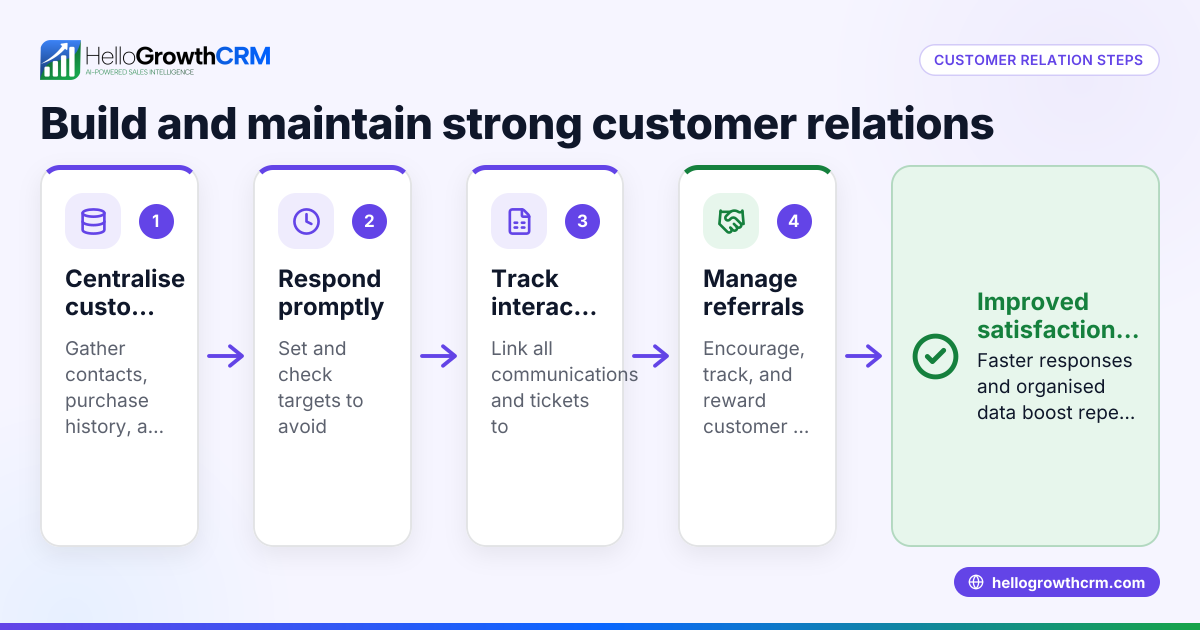
HelloGrowthCRM supports managing a customer profile board with features such as a branded customer portal, referral programme tracking, support tickets, and a knowledge base. After the sale, all service requests stay linked on the same customer record as the deal, ensuring your team has a full view of each customer's journey and needs. These tools help you manage follow-up and customer support efficiently. Learn more about these capabilities and customer health scoring at customer health score.
Frequently asked questions
What is the main benefit of a customer profile board? It centralises all customer data in one place, allowing your team to quickly understand each customer's status, preferences, and history. This leads to faster, more personalised follow-up and better customer relationships.
Can I use WhatsApp chats in a customer profile board? Yes, integrating WhatsApp and SMS communication into customer profiles improves context and reduces lost leads. HelloGrowthCRM offers features to link these channels directly to customer records (WhatsApp and SMS CRM).
How often should I update my customer profile board? Regular updates, such as weekly or biweekly reviews, keep the information current and useful for sales and support decisions.
Is a digital customer profile board better than a physical one? Digital boards are generally better for accessibility, easy updates, and integration with communication channels, especially for teams working remotely or on the move.
How does HelloGrowthCRM help with customer profiles after a sale? It keeps service requests, support tickets, and referrals linked to the same customer record, providing a complete and accessible view of the customer journey.
Can a customer profile board help with forecasting sales? Yes, by tracking customer status and history, you can better predict which leads are likely to convert and when, improving sales forecasting accuracy.
Key takeaways
- A customer profile board organises all customer information in one accessible place.
- It prevents lost leads and slow follow-up by centralising communication and service history.
- Regular updates and integration with WhatsApp and email improve data accuracy.
- Avoid scattered data and complex boards to keep your team aligned and effective.
- HelloGrowthCRM supports customer profiles with tickets and referrals linked to deals, keeping service requests on the same record.
Start organising your customer data today to improve your sales and support. To get started easily, try HelloGrowthCRM’s Free Forever plan with 200 leads and no credit card required at Start on the Free Forever plan (200 leads, no credit card).
Ready to put this into practice?
Set up your pipeline, WhatsApp follow-ups, and AI lead scoring in minutes — free, no credit card.
Try HelloGrowthCRM freeGet CRM tips in your inbox
Join thousands of sales professionals who get weekly insights on CRM strategy, AI automation, and pipeline optimization.

The HelloGrowthCRM team publishes guides on CRM strategy, AI sales tools, and revenue operations for small business sales teams.