HelloGrowthCRM software
Built for real small-business sales teams
HelloGrowthCRM helps reps qualify faster, follow up on time, and close more deals—with practical automation in one place.
- AI lead scoring and pipeline visibility
- Built-in dialer, WhatsApp, and email automation
- Sales forecasting and RevOps-ready reporting
A customer service report is a summary that details how your business handles customer interactions, including inquiries, complaints, and support tickets. It helps you track the volume, type, and resolution time of customer service issues to identify trends and improve your service quality.
Why this comes up / what goes wrong
Small-business owners often find themselves overwhelmed by customer requests coming through various channels like email, phone, WhatsApp, SMS, or text messages. Without a clear, organized report, it’s difficult to know how well your team responds, which issues repeat, or where delays happen. This can lead to lost customers, poor reviews, and missed opportunities to improve your service and retain business. Many small teams run customer service on spreadsheets or scattered notes, which makes it hard to spot bottlenecks or track resolution rates effectively.
Step-by-step
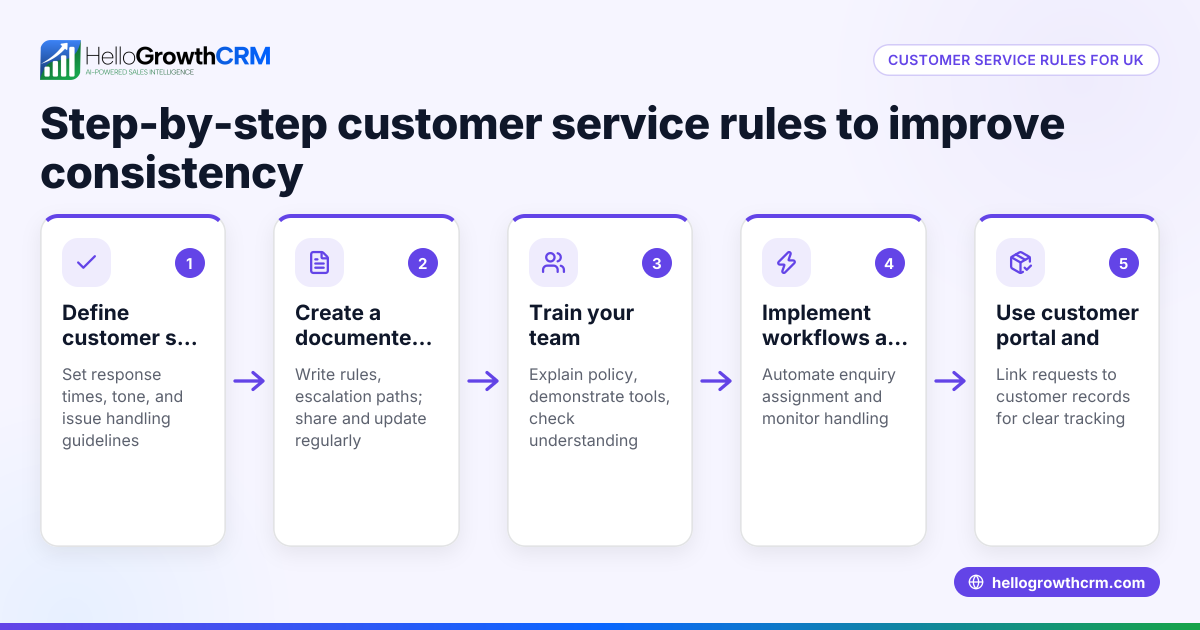
- Collect customer service data: Gather details from all service channels — emails, phone calls, WhatsApp messages, SMS, and support tickets. Check that you have the customer name, contact info, issue description, date/time, and how it was resolved.
- Categorize issues: Group requests by type such as product inquiry, technical support, billing, or complaints. Check that categories cover all common issues your customers report.
- Record response times: Note how long it takes to first respond and to resolve each issue. Check for any delays or bottlenecks.
- Track outcomes: Mark whether the issue was resolved, escalated, or pending. Check for repeat issues or unresolved cases.
- Summarize key metrics: Calculate total requests, average response time, resolution rate, and customer satisfaction if available. Check for trends like increasing complaints or slow responses.
- Analyze and report: Use the data to identify problem areas and opportunities for training or process improvement. Check that the report is clear and actionable for your team.
- Share with your team: Distribute the report regularly (weekly or monthly) to sales, support, and management. Check that everyone understands their role in improving service.
For more insights on tracking customer interactions, see WhatsApp and SMS CRM.
Example (fictional figures)
A B2B software reseller in Denver, Colorado, tracked their customer service for March 2026.
- Total requests: 120
- Product inquiries: 50
- Technical support: 40
- Billing issues: 20
- Complaints: 10
Average first response time: 4 hours Average resolution time: 24 hours
Resolution rate: 110 resolved out of 120 requests
Calculation of resolution rate:
110 ÷ 120 = 0.9167 or 91.67%
They noticed billing issues took longer to resolve, averaging 48 hours, compared to 18 hours for product inquiries. This indicated a need to train staff on billing processes and improve workflows.
Common mistakes
- Not centralizing data: Collecting service data from multiple unconnected sources leads to incomplete reports. Prevent this by using a CRM that consolidates all customer interactions.
- Ignoring response times: Focusing only on issue counts misses delays that frustrate customers. Always track and analyze response and resolution times.
- Lack of categorization: Without categorizing issues, you can’t identify recurring problems. Create clear categories and update them as needed.
- Not sharing reports: Keeping reports to yourself limits team improvement. Share regularly with relevant teams for transparency.
- Overcomplicating reports: Too much data or jargon can confuse readers. Keep reports clear and focused on actionable insights.
Learn more about measuring customer satisfaction with a customer health score.
Doing this in HelloGrowthCRM
HelloGrowthCRM helps small businesses manage customer service by keeping service requests, referrals, tickets, and knowledge base entries all on the same customer record. This means you can track issues from first contact through resolution without switching tools. The built-in pipeline forecast and AI insights show where deals or service requests stall, so you can prioritize follow-up without building complex spreadsheets. Visit HelloGrowthCRM for the United States to see how these features fit your business.
Frequently asked questions
What is a customer service report used for? A customer service report helps businesses monitor and improve how they handle customer interactions by tracking issue types, response times, and resolutions. It guides management decisions and training.
How often should I create a customer service report? Most small businesses benefit from monthly or weekly reports depending on volume. Frequent reporting helps catch issues early and keeps teams aligned.
What metrics are important in a customer service report? Key metrics include total requests, categorization of issues, average response and resolution times, resolution rate, and customer satisfaction scores if available.
Can I track customer service requests through WhatsApp and SMS? Yes, using a CRM designed for WhatsApp and SMS like HelloGrowthCRM helps you capture and organize these messages alongside emails and calls for comprehensive reports.
How do I improve customer service based on the report? Use the report to identify bottlenecks, train staff on common issues, and improve processes. Sharing the report with your team ensures everyone works on the same goals.
Key takeaways
- A customer service report tracks all customer interactions and resolutions to improve service.
- Collect data from all communication channels and categorize issues clearly.
- Measure response and resolution times to identify delays.
- Share reports regularly with your team to drive improvements.
- Avoid common mistakes like scattered data and overly complex reports.
- HelloGrowthCRM integrates service requests on customer records and offers AI insights to spot stalled cases.
Start managing your customer service better today. Start on the Free Forever plan (200 leads, no credit card).
Ready to put this into practice?
Set up your pipeline, WhatsApp follow-ups, and AI lead scoring in minutes — free, no credit card.
Try HelloGrowthCRM freeGet CRM tips in your inbox
Join thousands of sales professionals who get weekly insights on CRM strategy, AI automation, and pipeline optimization.

The HelloGrowthCRM team publishes guides on CRM strategy, AI sales tools, and revenue operations for small business sales teams.