HelloGrowthCRM software
Built for real small-business sales teams
HelloGrowthCRM helps reps qualify faster, follow up on time, and close more deals—with practical automation in one place.
- AI lead scoring and pipeline visibility
- Built-in dialer, WhatsApp, and email automation
- Sales forecasting and RevOps-ready reporting
A customer support bot is software that automatically handles routine customer questions and issues. It can provide instant responses to FAQs, guide customers through troubleshooting steps, and escalate complex problems to human agents when needed. Small businesses use support bots to speed up response times, reduce staff workload, and keep customers satisfied even outside business hours. This article covers why small businesses consider support bots, detailed steps to implement one, a fictional example with US figures, common pitfalls to avoid, and how HelloGrowthCRM supports customer service with tickets and a knowledge base.
Why this comes up / what goes wrong
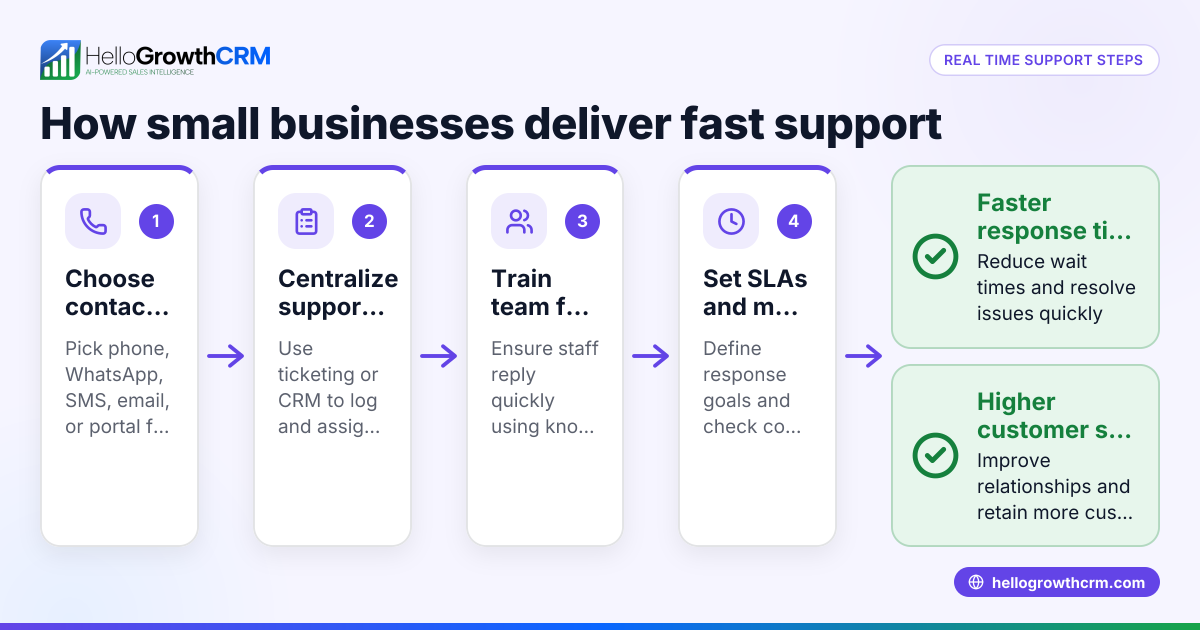
Small business owners often struggle to manage customer support efficiently. They may lose leads or customers due to slow responses or inconsistent information. Handling support manually through calls, emails, or text messages can overwhelm small teams, especially without dedicated support staff. Customers expect quick answers, but without automation, businesses risk delays, errors, or missed follow-ups. A customer support bot can help by providing instant answers to common questions and freeing staff to focus on more complex issues.
Step-by-step
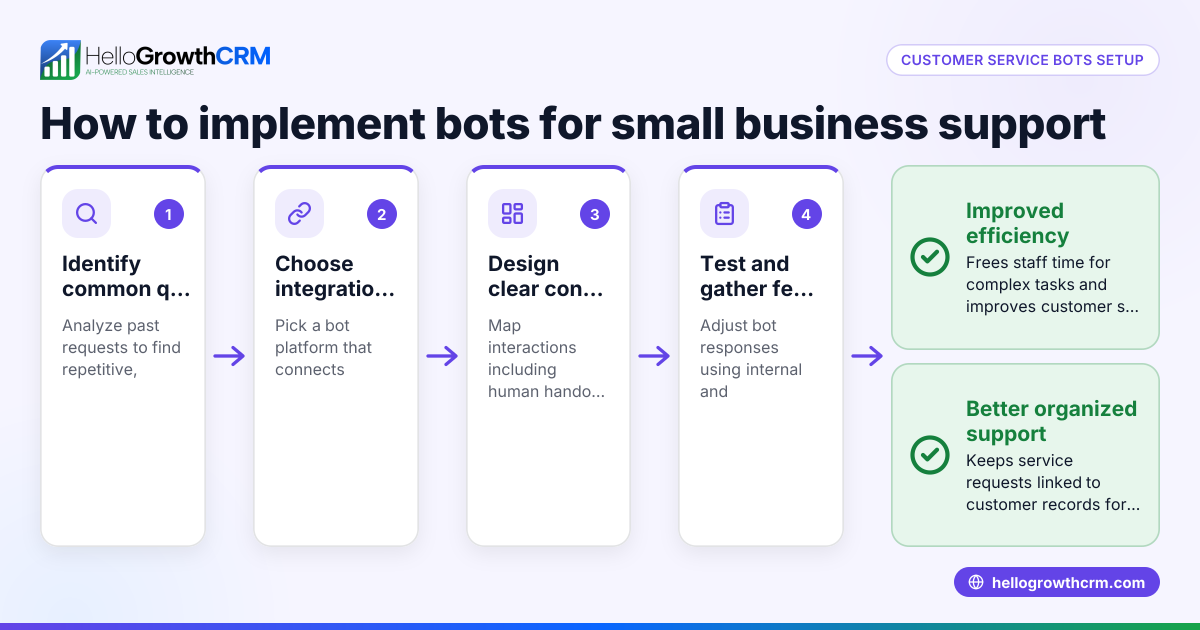
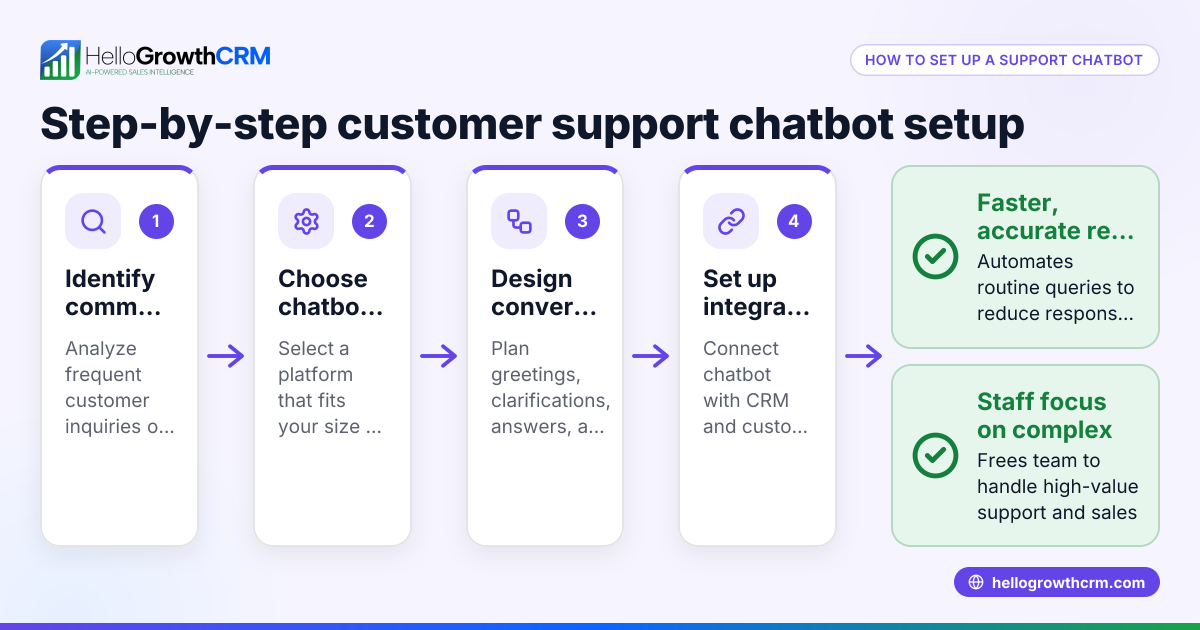
- Identify common customer questions and issues. Review your past support requests to find frequent questions a bot can handle, such as business hours, product details, or order status.
- Choose a customer support bot platform. Select one that integrates with your main communication channels like WhatsApp, SMS, or email, and can escalate tickets to human agents when needed.
- Create a knowledge base. Write clear, concise answers and troubleshooting guides that the bot will use to respond to customers.
- Set up the bot’s conversation flows. Design how the bot interacts, including greeting messages, response options, and triggers for escalation.
- Test the bot internally. Simulate typical customer questions to ensure the bot gives accurate and helpful responses.
- Launch the bot on your website or messaging channels. Monitor its performance and collect customer feedback.
- Train your team on handling escalated tickets. Make sure staff know how to smoothly take over from the bot for complex issues.
- Regularly update the bot and knowledge base. Keep information current based on new products, policies, or common questions.
Check that your bot supports integration with CRM tools to keep customer data and service requests in one place, improving follow-up and reporting. HelloGrowthCRM offers ticket management and a knowledge base to keep service requests linked to customer records. Learn more at customer health score.
Example (fictional figures)
A two-location dental practice in Columbus, Ohio, wants to reduce phone wait times and answer common patient questions automatically.
- The practice receives about 500 support inquiries monthly.
- They find that many questions are repeat inquiries about appointment scheduling, insurance, and office hours.
- Setting up a customer support bot costs $1,500 initially, plus $200 monthly for maintenance.
Calculation of potential time saved:
Total inquiries: 500
Estimated repeat questions bot can handle: 300 (assumed for this example)
Assuming each inquiry takes 5 minutes for a staff member:
Time saved per month: 300 × 5 minutes = 1,500 minutes = 25 hours
If staff hourly cost is $20:
Monthly savings: 25 hours × $20 = $500
Annual savings minus setup and maintenance:
$500 × 12 = $6,000
Minus setup: $1,500
Minus maintenance: $200 × 12 = $2,400
Net first-year savings:
$6,000 - $1,500 - $2,400 = $2,100
This example shows how a support bot can free staff time and reduce costs while improving customer experience.
Common mistakes
- Overloading the bot with complex queries. Prevent this by limiting the bot to simple FAQs and setting clear escalation paths to human agents.
- Ignoring updates to the knowledge base. Prevent this by scheduling regular reviews and updates based on new customer questions.
- Not integrating with CRM. Prevent this by choosing a bot platform that links support tickets and customer data for better tracking and follow-up.
- Lack of testing before launch. Prevent this by thoroughly simulating customer interactions to catch errors.
- Failing to train staff on escalations. Prevent this by providing clear procedures and training for handling tickets passed from the bot.
- Neglecting customer feedback. Prevent this by collecting and acting on feedback to improve bot responses.
Using tools like HelloGrowthCRM can help avoid these mistakes by providing integrated ticketing and a knowledge base that stays linked to customer records. See HelloGrowthCRM for the United States for details.
Doing this in HelloGrowthCRM
HelloGrowthCRM offers a branded self-service customer portal where your customers can find answers and submit support tickets. After the sale, service requests stay on the same customer record as the deal, keeping all information centralized. The platform also includes a referral program and a knowledge base to support your customers effectively. This integration helps your team manage tickets efficiently and maintain a clear history of customer interactions. Learn more about these features and how they support customer health and service at HelloGrowthCRM for the United States.
Frequently asked questions
What types of questions can a customer support bot handle? A support bot typically handles common questions like business hours, product details, order status, and simple troubleshooting. It can guide customers to resources or escalate complex issues to human agents.
How does a support bot improve customer experience? By providing instant answers 24/7, reducing wait times, and ensuring consistent information, a support bot helps keep customers satisfied and reduces frustration.
Can a support bot work with WhatsApp and SMS? Yes, many support bots integrate with messaging platforms like WhatsApp and SMS, letting customers get help where they communicate. HelloGrowthCRM supports these channels in its CRM. See WhatsApp and SMS CRM for details.
Do I need technical skills to set up a support bot? Basic technical skills help, but many platforms offer user-friendly interfaces and templates. You may also work with vendors or consultants to customize the bot for your business.
How do I measure if my support bot is effective? Track metrics like response time, number of tickets escalated, customer satisfaction, and resolution rates. Integrating with CRM tools can provide detailed reporting.
Key takeaways
- A customer support bot automates routine inquiries to speed up service and reduce staff workload.
- Small businesses use bots to handle FAQs, freeing staff for complex issues.
- Set up involves identifying FAQs, creating a knowledge base, designing conversation flows, testing, and training staff.
- Avoid mistakes like overloading the bot, neglecting updates, and poor integration with CRM.
- HelloGrowthCRM supports customer service with tickets and a knowledge base linked to customer records.
Start improving your customer support with a bot and manage service requests efficiently. Start on the Free Forever plan (200 leads, no credit card).
Ready to put this into practice?
Set up your pipeline, WhatsApp follow-ups, and AI lead scoring in minutes — free, no credit card.
Try HelloGrowthCRM freeGet CRM tips in your inbox
Join thousands of sales professionals who get weekly insights on CRM strategy, AI automation, and pipeline optimization.

The HelloGrowthCRM team publishes guides on CRM strategy, AI sales tools, and revenue operations for small business sales teams.