HelloGrowthCRM software
Built for real small-business sales teams
HelloGrowthCRM helps reps qualify faster, follow up on time, and close more deals—with practical automation in one place.
- AI lead scoring and pipeline visibility
- Built-in dialer, WhatsApp, and email automation
- Sales forecasting and RevOps-ready reporting
An email popup is a tool used on websites to collect visitor email addresses by displaying a prompt or form. Small business owners use email popups to build their contact lists for marketing, lead nurturing, or customer engagement. This article covers why email popups are useful, step-by-step instructions to implement one, a realistic example, common pitfalls, and how HelloGrowthCRM can assist with email follow-up and sequences.
Why this comes up / what goes wrong
Many small business owners want to grow their email list to reach potential customers more effectively. However, they often struggle with capturing visitor emails because their website lacks an easy or visible way to collect addresses. Without an email popup, visitors may leave without subscribing, and the business misses chances to follow up. On the other hand, poorly designed popups can annoy visitors, causing them to leave or avoid the site. Owners also find it challenging to manage email follow-up efficiently, especially when relying on manual emails or spreadsheets.
Step-by-step
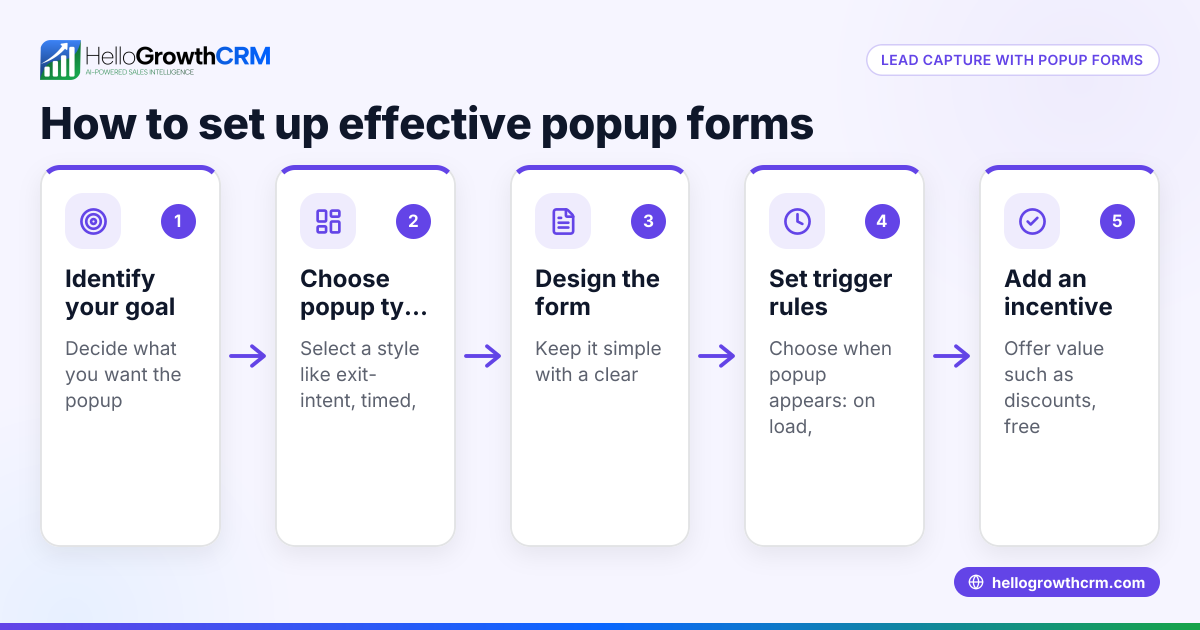
- Choose your email popup tool: Select a popup builder that integrates with your website platform and email marketing software. Check that it allows easy customization and triggers.
- Design your popup: Create a clear, simple form asking only for essential information like the email address. Include a compelling offer or reason to subscribe, such as a discount or free resource.
- Set display triggers: Decide when the popup appears—on page load, after a delay, or when the visitor tries to leave the page. Test different triggers to find what works best.
- Add privacy and consent information: Include a brief note about data use and a link to your privacy policy to comply with regulations.
- Test the popup: Preview it on desktop and mobile devices to ensure it looks good and functions well.
- Integrate with your email system: Connect the popup form to your email marketing or CRM system to automatically add new contacts.
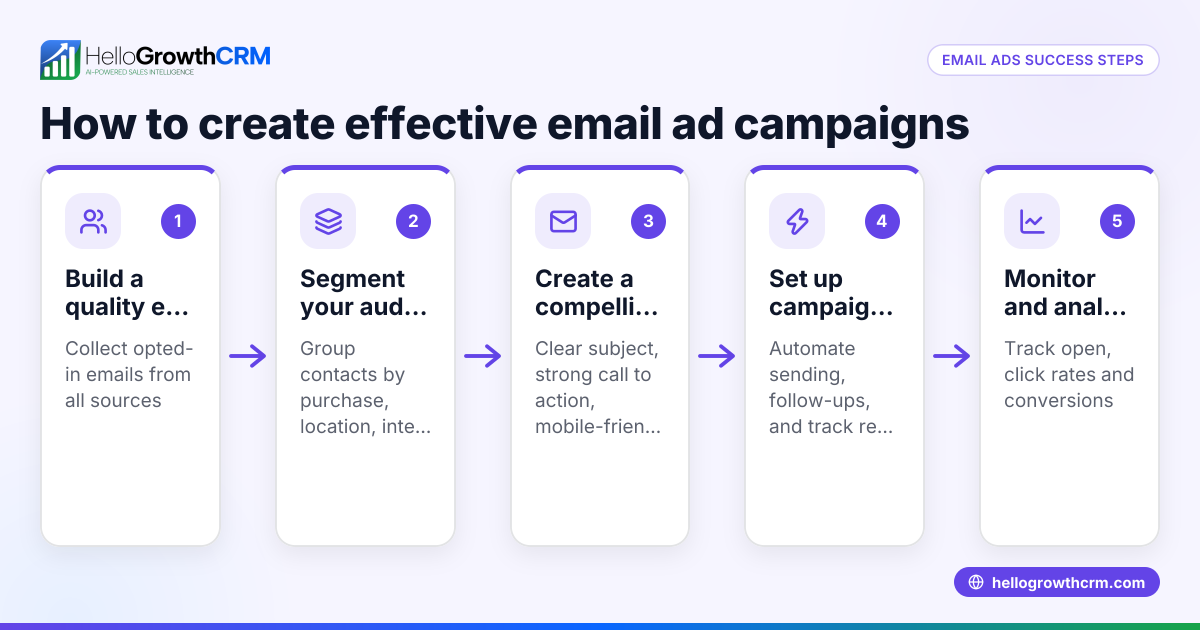
- Set up automated follow-up: Use email sequences or campaigns to send welcome messages and nurture leads without manual effort. Learn more about email automation and sequences.
- Monitor performance: Track sign-up rates and adjust design, timing, or messaging to improve results.
Example (fictional figures)
A B2B software reseller in Denver, Colorado, launches an email popup on 04/01/2026 offering a free whitepaper to website visitors.
- Website traffic: 5,000 visitors in April
- Popup conversion rate: 8% (visitors who submit their email)
- Emails collected: 5,000 × 8% = 400
The business then uses an automated five-step email sequence over two weeks to follow up.
- Email open rate: 50% of 400 = 200
- Response rate: 10% of 400 = 40 interested leads
This example shows how an email popup can generate hundreds of contacts and dozens of engaged leads with automated follow-up.
Common mistakes
- Too many fields: Asking for excessive information reduces sign-ups. Prevent by limiting fields to email and maybe first name.
- Poor timing: Showing the popup immediately or too late can annoy or miss visitors. Test triggers like exit intent or timed delay.
- No clear offer: Without a compelling reason to subscribe, visitors won’t convert. Provide value such as discounts or exclusive content.
- Ignoring mobile users: Popups that don’t display well on phones cause frustration. Always test on mobile.
- No follow-up plan: Collecting emails without a follow-up strategy wastes leads. Use automated sequences to engage prospects, as explained in email automation and sequences.
- Not integrating with CRM: Manually managing emails in spreadsheets leads to lost or delayed responses. Integrate with tools like HelloGrowthCRM for better management.
Doing this in HelloGrowthCRM
HelloGrowthCRM supports your email follow-up after capturing leads with features like the HelloMail shared inbox and automated sequences. The HelloMail shared inbox lets your sales team see replies to quotation emails collectively on the deal, avoiding missed responses. The sequences and campaigns feature runs a five-step follow-up over two weeks automatically and stops as soon as the prospect replies, saving time and improving engagement. Learn more about these features at email automation and sequences.
Frequently asked questions
What is the best timing for an email popup on my website? The best timing depends on your audience and website. Common triggers include showing the popup after a visitor spends 30 seconds on a page, when they scroll halfway down, or when they move the cursor to leave the page (exit intent). Test different triggers to see what yields the highest sign-up rate without annoying visitors.
How many fields should an email popup have? Keep it simple. Usually, just asking for the visitor’s email address is best. You can optionally ask for the first name to personalize messages. More fields reduce conversion because visitors prefer quick sign-ups.
Can I use email popups on mobile devices? Yes, but you must ensure the popup is mobile-friendly. It should be easy to close and not cover the entire screen. Many popup tools offer responsive designs that automatically adjust for mobile.
How do I avoid annoying visitors with my popup? Limit how often the popup appears to the same visitor, use clear and respectful messaging, and offer real value. Avoid popups on every page load or immediately on arrival.
How do I follow up with contacts collected from the popup? Integrate your popup with an email marketing system or CRM to automate follow-up emails. HelloGrowthCRM offers sequences and campaigns that send timed messages until the prospect replies, streamlining your sales outreach. See WhatsApp and SMS CRM for multi-channel options.
Key takeaways
- An email popup collects visitor emails by displaying a form on your website.
- Design popups with clear offers, minimal fields, and respectful timing.
- Test popup triggers and mobile display to maximize sign-ups.
- Use automated email sequences for timely, consistent follow-up.
- Avoid common mistakes like overcomplicating forms or lacking a follow-up plan.
- HelloGrowthCRM helps manage replies with a shared inbox and runs automated sequences to engage leads.
Start capturing and following up on leads today. Start on the Free Forever plan (200 leads, no credit card).
Ready to put this into practice?
Set up your pipeline, WhatsApp follow-ups, and AI lead scoring in minutes — free, no credit card.
Try HelloGrowthCRM freeGet CRM tips in your inbox
Join thousands of sales professionals who get weekly insights on CRM strategy, AI automation, and pipeline optimization.

The HelloGrowthCRM team publishes guides on CRM strategy, AI sales tools, and revenue operations for small business sales teams.