HelloGrowthCRM software
Built for real small-business sales teams
HelloGrowthCRM helps reps qualify faster, follow up on time, and close more deals—with practical automation in one place.
- AI lead scoring and pipeline visibility
- Built-in dialer, WhatsApp, and email automation
- Sales forecasting and RevOps-ready reporting
Popup forms are overlay windows on websites designed to grab visitor attention and collect contact information or encourage specific actions. Common popup form examples include email subscription forms, exit-intent popups offering discounts, webinar registration forms, and contact request forms. These popups help small businesses convert visitors into leads by delivering timely offers or capturing interest before visitors leave.
Why this comes up / what goes wrong
Small-business owners often find that many website visitors leave without engaging or providing contact details. This makes it hard to follow up and convert visitors into customers. Popup forms provide a practical solution by prompting visitors to take action, such as signing up for newsletters or receiving discounts. However, many owners are unsure which popup form types fit their business and how to implement them effectively without annoying their visitors. They seek clear examples and actionable steps to set up popup forms that work.
Step-by-step
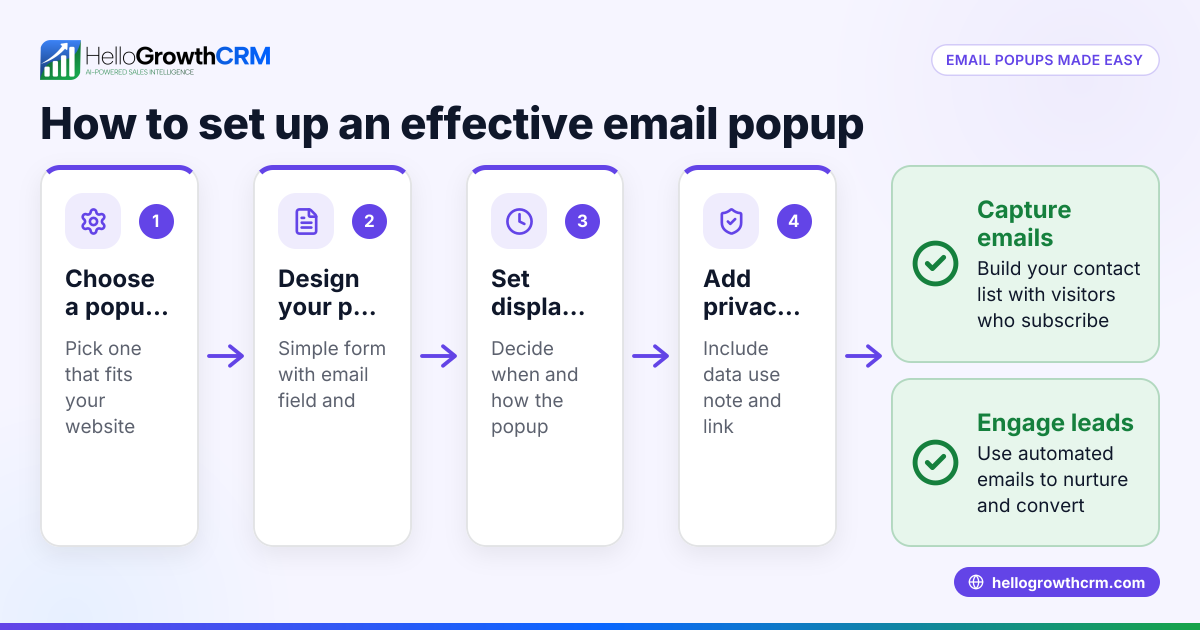
- Identify your goal: Decide what you want to achieve with the popup form. Common goals include collecting email addresses, promoting a discount, inviting webinar sign-ups, or requesting contact information.
- Choose the popup type: Pick a popup style that matches your goal. Examples are email capture popups, exit-intent popups (triggered when visitors try to leave), timed popups (after a delay), or slide-in forms.
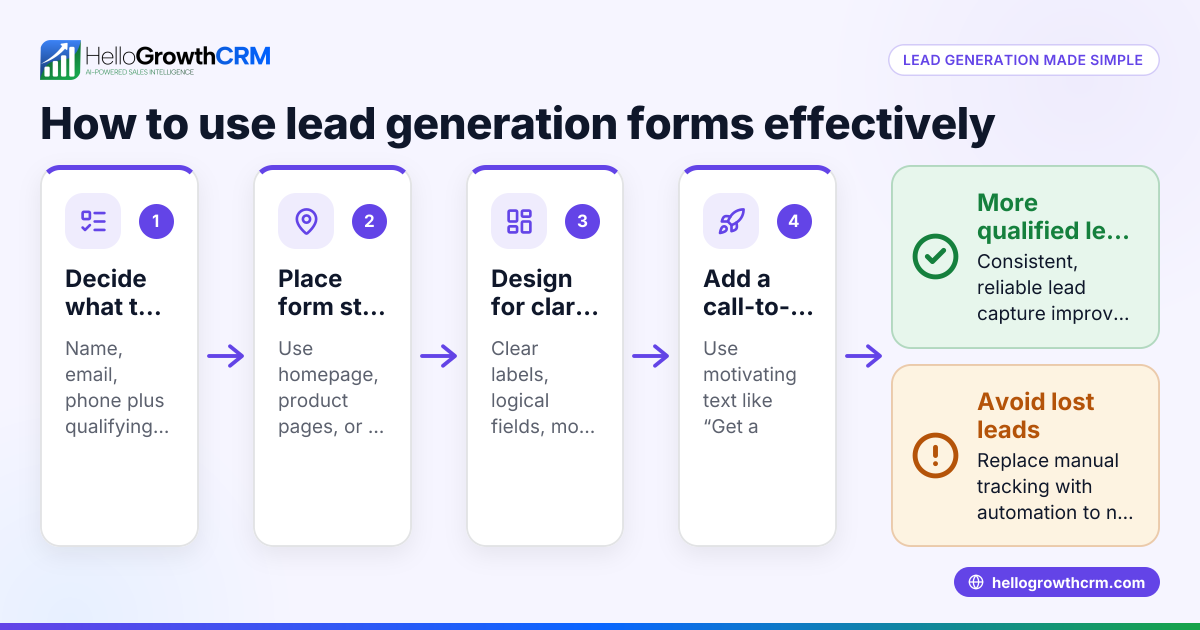
- Design the form: Keep the popup simple with a clear headline, brief description, and only essential fields (usually name and email). Avoid overwhelming visitors with too many fields.
- Set trigger rules: Decide when the popup should appear. Options include immediately on page load, after a set time delay, when the visitor moves the mouse toward the browser close button (exit intent), or after scrolling down a certain percentage.
- Add an incentive: Encourage visitors to sign up by offering value such as a discount coupon, free guide, or webinar access.
- Test on devices: Make sure the popup displays correctly on desktop and mobile devices without disrupting the user experience.
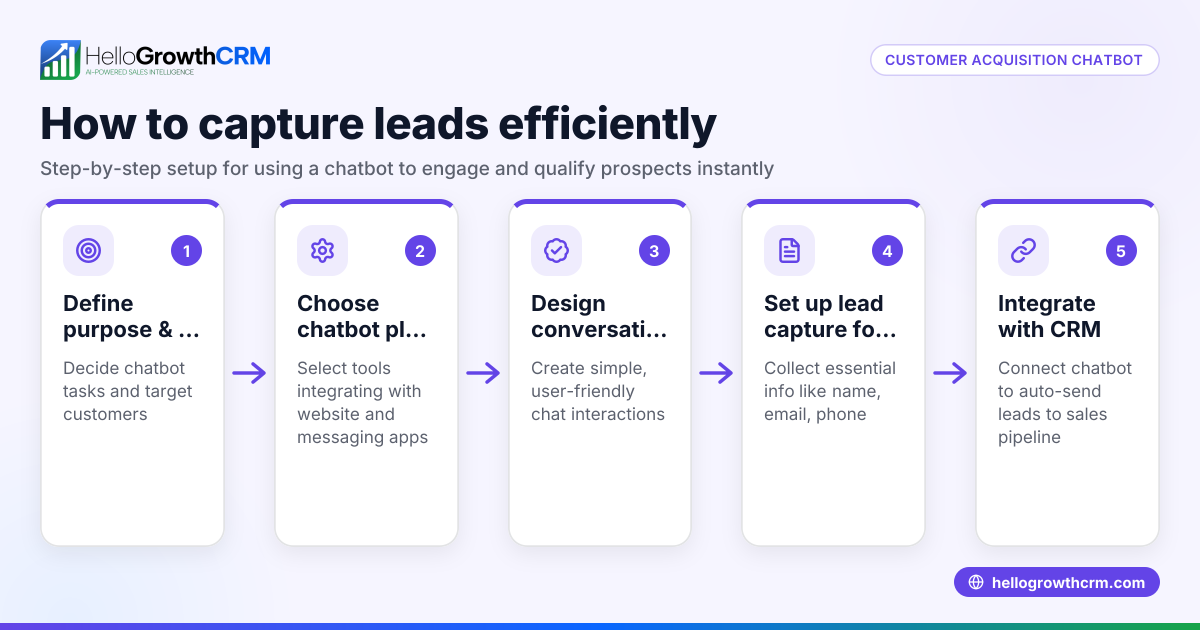
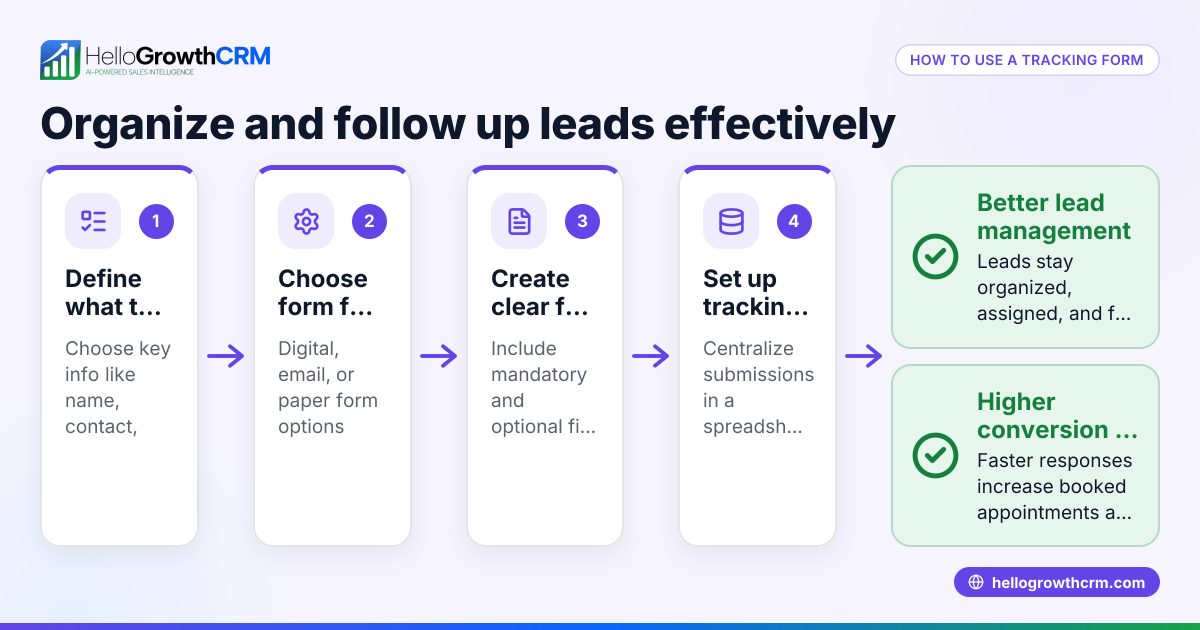
- Integrate with your CRM or email system: Ensure the data collected flows automatically into your lead management or email marketing tool, so you can follow up efficiently.
- Monitor and optimize: Track conversion rates and adjust your popup’s copy, design, or timing based on performance.
For managing leads captured through popup forms, consider a solution like HelloGrowthCRM for the United States, which offers lead capture, qualification, and pipeline entry tools.
Example (fictional figures)
A residential real-estate team in Phoenix, Arizona wants to grow their email list for monthly newsletters and property alerts.
- Goal: Collect 500 new email leads in 3 months.
- They create an exit-intent popup offering a free "Phoenix Homebuyer's Guide".
- The form asks for name and email only.
- The popup triggers when visitors move the mouse toward the browser close button.
- Conversion rate is 5% (visitors who see the popup and submit their info).
- Website traffic is 10,000 visitors per month.
Calculations:
Monthly leads = 10,000 visitors × 5% conversion rate = 500 leads
Total leads in 3 months = 500 leads × 3 months = 1,500 leads
This exceeds their goal of 500 leads.
This example shows how a well-targeted popup form can quickly build a quality lead list.
Common mistakes
- Too many fields: Asking for excessive information reduces form submissions. Prevent this by limiting fields to essentials like name and email.
- Poor timing: Showing popups immediately when a visitor lands or too late after they leave frustrates users. Test triggers like exit intent or after about 30 seconds.
- No clear value: Visitors won’t sign up without a compelling reason. Always offer an incentive such as a discount, free guide, or webinar access.
- Ignoring mobile users: Popups that don’t display well on phones cause high bounce rates. Always test responsiveness on mobile devices.
- Not integrating with CRM: Leads collected but not followed up quickly are lost. Use tools that sync popup data directly into your CRM or email system, such as WhatsApp and SMS CRM.
- Overusing popups: Too many popups annoy visitors and reduce site engagement. Limit frequency and use targeting wisely.
Frequently asked questions
What are the best types of popup forms for small businesses? The best popup forms depend on your goal. Email capture, exit-intent discounts, webinar sign-ups, and contact requests are common and effective. Choose one that matches your audience’s needs and your sales funnel.
How often should a popup appear to a visitor? Limit popup frequency to avoid annoyance. Showing a popup once per visitor session or once every few days is typical. Use cookies or session storage to manage this.
Can popup forms hurt SEO or user experience? If poorly implemented, aggressive popups can harm SEO and frustrate users. Google penalizes intrusive interstitials on mobile. Use subtle triggers and ensure easy dismissal.
How do I connect popup forms to my sales process? Integrate popup form submissions with your CRM or email marketing platform. This ensures leads are captured automatically and followed up promptly. For example, a system with a built-in CRM dialer helps sales teams contact leads faster.
Are popup forms effective on mobile devices? Yes, if designed responsively and triggered appropriately. Mobile popups should be easy to close and not cover the entire screen.
Key takeaways
- Popup forms capture leads by prompting visitors to take action before leaving.
- Choose popup types and triggers that match your business goals and audience behavior.
- Keep forms simple and offer clear incentives to maximize conversions.
- Test popups on all devices and monitor performance to optimize results.
- Avoid common mistakes like too many fields, poor timing, and ignoring mobile users.
- Integrate popup leads directly into your CRM or sales tools for fast follow-up.
Start building your lead list with popup forms tailored to your business needs. To manage leads efficiently, consider HelloGrowthCRM for the United States.
Start on the Free Forever plan (200 leads, no credit card) at HelloGrowthCRM.
Ready to put this into practice?
Set up your pipeline, WhatsApp follow-ups, and AI lead scoring in minutes — free, no credit card.
Try HelloGrowthCRM freeGet CRM tips in your inbox
Join thousands of sales professionals who get weekly insights on CRM strategy, AI automation, and pipeline optimization.

The HelloGrowthCRM team publishes guides on CRM strategy, AI sales tools, and revenue operations for small business sales teams.