HelloGrowthCRM software
Built for real small-business sales teams
HelloGrowthCRM helps reps qualify faster, follow up on time, and close more deals—with practical automation in one place.
- AI lead scoring and pipeline visibility
- Built-in dialer, WhatsApp, and email automation
- Sales forecasting and RevOps-ready reporting
Email preheader text is the brief line of text that shows up next to or below your email subject line in an inbox preview. It acts as a secondary headline to entice recipients to open your email by giving them a glimpse of what’s inside. For small-business owners managing sales and marketing emails, understanding and using preheader text effectively can improve open rates and engagement.
Why this comes up / what goes wrong
Many small-business owners send emails but overlook or don’t know how to customize the preheader text. Often, email clients automatically pull the first few words of the email body as the preheader, which can be generic or confusing, like "View this email in your browser" or "If you can’t see this message." This missed opportunity means your emails may get ignored or deleted because the preview doesn’t clearly communicate value.
Business owners who handle sales through email and text often juggle multiple tools like spreadsheets and separate messaging apps. Without a clear preheader, their outreach may seem unprofessional or fail to capture attention quickly. Learning to craft a concise, relevant preheader helps your email stand out in crowded inboxes.
Step-by-step
- Identify your email’s main message or offer. Decide what key benefit or information you want recipients to notice immediately.
- Write a short, clear preheader (40-90 characters). It should complement the subject line without repeating it. Keep it actionable or intriguing.
- Avoid generic phrases like “Click here” or “View online.” Instead, use text that encourages opening, such as “See how to save 20% today.”
- Test your preheader on different devices and email clients. Check how it appears on mobile and desktop inboxes to ensure it’s not cut off.
- Add the preheader text using your email platform’s dedicated field. Don’t just place it at the top of your email body; many email tools have a specific setting for preheader text.
- Use A/B testing if possible to compare different preheaders. This helps identify what works best for your audience.
- Integrate your email efforts with your CRM tool. Track which preheaders lead to higher open and reply rates to refine your approach.
Example (fictional figures)
A B2B software reseller in Denver, Colorado, sends a promotional email on 07/15/2026 offering a discount on cybersecurity software.
- Subject line: “Protect Your Business with 25% Off Cybersecurity”
- Preheader text: “Limited time offer expires 07/31 — stay secure now”
The reseller tracks that with this preheader, the email open rate rises from 18% to 26%. If they send to 5,000 contacts:
5,000 × 18% = 900 opens (without optimized preheader) 5,000 × 26% = 1,300 opens (with optimized preheader)
Increase in opens: 1,300 − 900 = 400 more potential leads seeing the offer.
This simple preheader helped the reseller reach 400 additional prospects who might engage and convert.
Common mistakes
- Leaving preheader text blank. Prevent this by always filling the preheader field with a meaningful preview.
- Repeating the subject line in the preheader. Avoid redundancy; use the preheader to add new information or a call to action.
- Using too long preheader text. Keep it concise to avoid truncation, especially on mobile devices.
- Including disclaimers or unsubscribe info in the preheader. Place these at the bottom of the email, not in the preview.
- Not testing the preheader display. Always preview your email in multiple clients to ensure clarity.
- Ignoring the link between email and CRM follow-up. Use tools like HelloGrowthCRM to automate follow-up sequences triggered by email replies, making every email count.
Doing this in HelloGrowthCRM
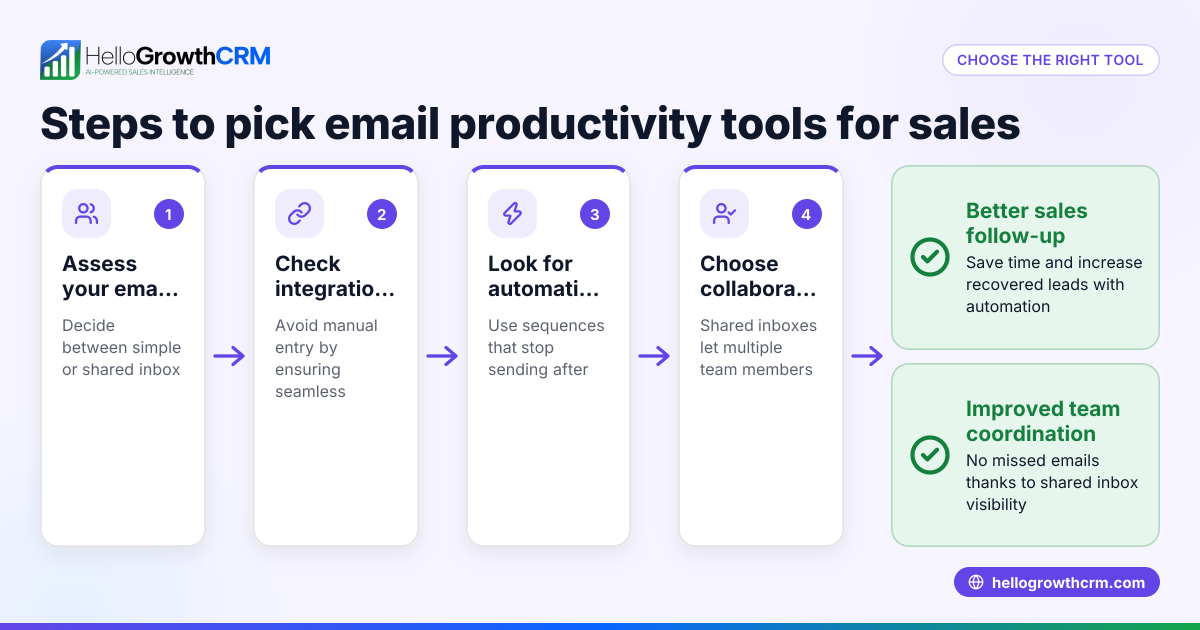
HelloGrowthCRM supports your email outreach with features like HelloMail shared inbox, where replies to a quotation email are visible to your entire team on the deal, ensuring no lead response is missed. Additionally, sequences and campaigns automate a five-step follow-up over two weeks that stops immediately when a prospect replies, helping you maximize engagement without manual effort. Learn more about email automation and sequences and how HelloGrowthCRM integrates email with WhatsApp and SMS in the WhatsApp and SMS CRM section.
Frequently asked questions
What is the ideal length for email preheader text? Aim for 40 to 90 characters to ensure the preview is visible on most devices without being cut off.
Can I use emojis in preheader text? Yes, emojis can attract attention but use them sparingly and only if they fit your brand tone and message.
Does every email need a preheader? Yes, including a preheader improves open rates by giving recipients a clear reason to open your email.
How do I add preheader text if I’m not using specialized email software? You can add preheader text by inserting hidden text at the very top of your email body or using your email platform’s preheader field if available.
Can preheader text affect email deliverability? Not directly, but irrelevant or spammy preheaders can reduce engagement, which may impact sender reputation over time.
How does HelloGrowthCRM help with email follow-up? HelloGrowthCRM automates follow-up with sequences that run until a prospect replies, and shared inbox features keep your team aligned on responses. See HelloGrowthCRM for the United States.
Key takeaways
- Email preheader text is the short preview after the subject line that encourages opens.
- Write concise, clear, and relevant preheaders that complement your subject line.
- Avoid common mistakes like leaving it blank or repeating the subject line.
- Test preheader display on multiple devices to ensure it looks good.
- Use HelloGrowthCRM’s email automation and shared inbox to manage replies and follow-ups effectively.
Start improving your email open rates by adding effective preheader text today. To manage your leads and automate follow-ups easily, Start on the Free Forever plan (200 leads, no credit card).
Ready to put this into practice?
Set up your pipeline, WhatsApp follow-ups, and AI lead scoring in minutes — free, no credit card.
Try HelloGrowthCRM freeGet CRM tips in your inbox
Join thousands of sales professionals who get weekly insights on CRM strategy, AI automation, and pipeline optimization.

The HelloGrowthCRM team publishes guides on CRM strategy, AI sales tools, and revenue operations for small business sales teams.