HelloGrowthCRM software
Built for real small-business sales teams
HelloGrowthCRM helps reps qualify faster, follow up on time, and close more deals—with practical automation in one place.
- AI lead scoring and pipeline visibility
- Built-in dialer, WhatsApp, and email automation
- Sales forecasting and RevOps-ready reporting
An email title is the subject line that appears in the recipient’s inbox before they open an email. It acts as a headline summarising the email’s purpose and content. For small business owners, writing a clear and compelling email title is essential to ensure emails are opened and read, improving sales, customer service, and follow-up success.
Why this comes up / what goes wrong
Small business owners often send emails for quotations, follow-ups, introductions, or updates. If the email title is vague, too long, or missing important details, recipients may overlook or delete the email, causing lost opportunities or delays. For example, a quotation email with a generic title like "Important" may not get the attention it deserves, leading to slow responses or missed sales. Furthermore, managing email communication without a shared view can cause duplicated efforts or missed replies, harming customer experience.
Step-by-step
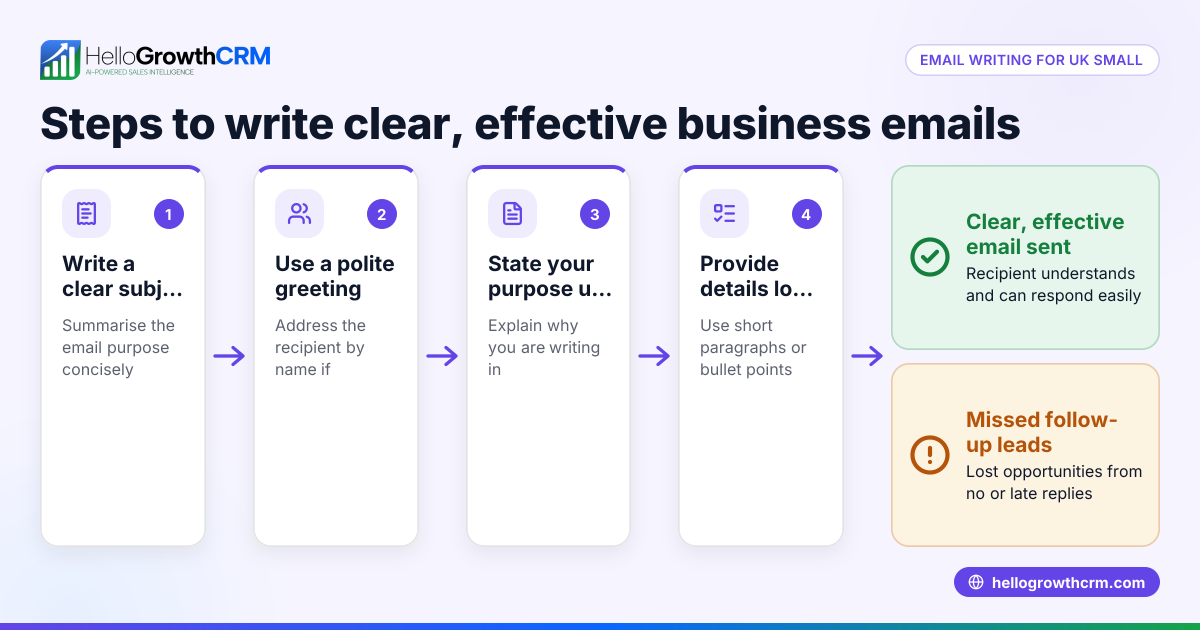
- Identify the purpose of your email: Decide if your email is a quotation, follow-up, introduction, or update. This shapes what your title should say.
- Keep it short and clear: Use 5 to 8 words that precisely describe the email content. For example, "Quote for Office Supplies – Bristol".
- Include key details: Add relevant info such as client name, date, or action needed to make the title informative.
- Use action words or questions: Words like "Review", "Confirm", or "Invitation" encourage recipients to act.
- Avoid spammy words and punctuation: Words like "Free", "Urgent", or excessive exclamation marks can cause spam filters to block your email.
- Personalise when possible: Including the recipient’s name or company can increase engagement.
- Test different titles: If emailing multiple prospects, try A/B testing titles to see which get better response.
- Proofread before sending: Check for typos, clarity, and relevance.
- Use consistent formatting: This makes your emails look professional and trustworthy.
- Monitor results and adjust: Track open rates and replies to learn what titles work best.
For smoother follow-ups, use email automation and sequences to schedule timely reminders that run automatically.
Example (fictional figures)
A recruitment consultancy in Bristol sends a quotation email on 15/04/2026 with the email title:
"Recruitment Quote for Acme Ltd – April 2026"
This title includes:
- Purpose: Quote
- Client name: Acme Ltd
- Date: April 2026
The email body offers recruitment services costing £12,000.
This clear title helps Acme Ltd identify the email quickly and respond promptly.
Calculation to demonstrate clarity:
- Service cost: £12,000
- VAT assumed at 20%: £12,000 × 20% = £2,400
- Total cost: £12,000 + £2,400 = £14,400
The clear title supports timely communication about this total offer.
Common mistakes
- Vague titles: Titles like "Hello" or "Important" don’t explain the email’s content. Prevent this by including specific details.
- Too long titles: Over 60 characters may be cut off in inbox previews. Keep titles concise.
- Using all caps or excessive punctuation: This looks unprofessional and may trigger spam filters. Use normal sentence case.
- Ignoring follow-up titles: Sending follow-ups with the same vague title can confuse recipients. Add "Follow-up:" or "Reminder:" to clarify.
- Not proofreading: Typos and unclear wording reduce credibility. Always check your titles.
- Not tracking results: Without tracking opens or replies, you won’t know which titles work. Use tools like HelloGrowthCRM’s sequences to monitor engagement (WhatsApp and SMS CRM).
Doing this in HelloGrowthCRM
HelloGrowthCRM provides a shared inbox called HelloMail where replies to quotation emails are visible to the whole team on the deal. This prevents missed responses and duplicated effort. You can also set up sequences and campaigns to automate follow-ups with a five-step outreach over two weeks. The sequence stops automatically when the prospect replies, saving time and improving response rates. Learn more about these features at email automation and sequences.
Frequently asked questions
What is the difference between an email title and the email body? The email title (subject line) is a brief summary shown in the inbox, while the email body contains the full message. The title’s job is to entice the recipient to open and read the body.
How long should an email title be? Aim for 5 to 8 words or under 60 characters so it displays fully in most inboxes. Short, clear titles perform better.
Can I use emojis in email titles? Emojis can attract attention but may not display correctly on all devices or look professional in B2B contexts. Use them cautiously.
How do I know if my email title is effective? Track open rates and replies. If engagement is low, try testing different titles with your audience.
Should I personalise email titles? Yes, including the recipient’s name or company can improve open rates by making the email feel more relevant.
What if my email gets marked as spam because of the title? Avoid spammy words, excessive punctuation, and all caps. Use professional, clear language.
Key takeaways
- An email title is the subject line that summarises your email and encourages opens.
- Keep titles short, specific, and relevant to the message.
- Avoid vague, long, or spammy titles to improve engagement.
- Use HelloGrowthCRM’s HelloMail shared inbox and sequences to manage emails and follow-ups efficiently.
- Test and track your email titles to find what works best.
Start building better email titles and managing your sales communication with HelloGrowthCRM. Start on the Free Forever plan (200 leads, no credit card).
Ready to put this into practice?
Set up your pipeline, WhatsApp follow-ups, and AI lead scoring in minutes — free, no credit card.
Try HelloGrowthCRM freeGet CRM tips in your inbox
Join thousands of sales professionals who get weekly insights on CRM strategy, AI automation, and pipeline optimization.

The HelloGrowthCRM team publishes guides on CRM strategy, AI sales tools, and revenue operations for small business sales teams.