HelloGrowthCRM software
Built for real small-business sales teams
HelloGrowthCRM helps reps qualify faster, follow up on time, and close more deals—with practical automation in one place.
- AI lead scoring and pipeline visibility
- Built-in dialer, WhatsApp, and email automation
- Sales forecasting and RevOps-ready reporting
A sales presentation is a planned communication designed to showcase your product or service's value to a potential customer. It typically involves explaining features, benefits, and pricing, aiming to convince the prospect to make a purchase or move further along the sales process.
Why this comes up / what goes wrong
Small-business owners in the UK often find themselves needing to present their offerings to customers but may struggle with organising their message clearly or following up effectively. Without a clear sales presentation, leads can lose interest or misunderstand the value, resulting in lost sales. Many small sales teams run their process informally through WhatsApp, email, or spreadsheets, which can lead to missed follow-ups or inconsistent messaging.
Step-by-step
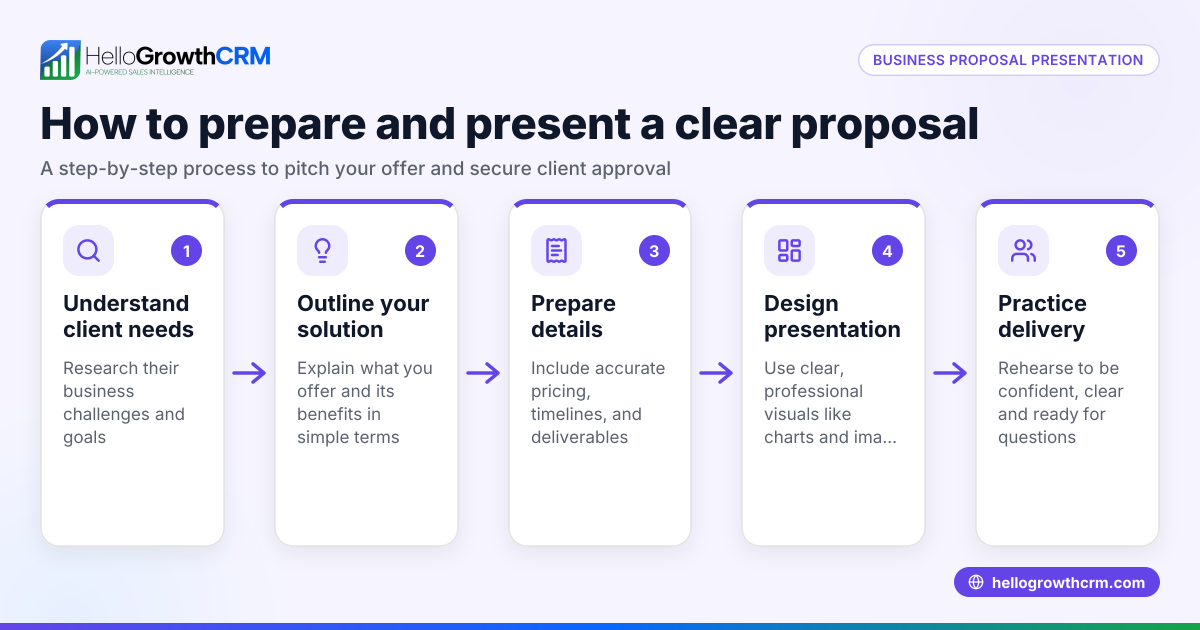
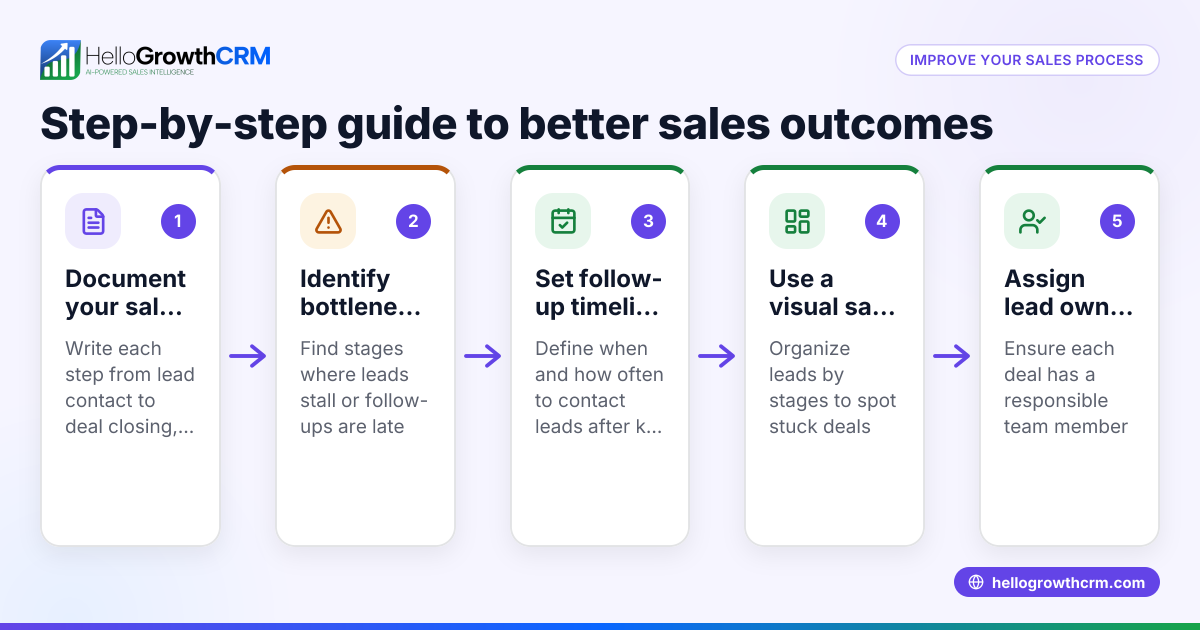
- Research your prospect: Understand their business needs, challenges, and goals. Check what information you already have and what you need to find out.
- Define your key message: Decide the main benefit your product or service offers that solves the prospect's problem.
- Structure your presentation: Start with an introduction, explain the problem, present your solution with features and benefits, show pricing or packages, and end with a clear call to action.
- Prepare visual aids: Use slides, product demos, or samples that support your message and keep the prospect engaged.
- Practice delivery: Rehearse your presentation to keep it clear, concise, and confident.
- Plan for questions: Anticipate common queries and prepare clear answers.
- Schedule follow-up: Agree on next steps and set reminders to follow up promptly after the presentation.
- Use a CRM to track: Record the presentation as a deal stage in your CRM with a follow-up date to avoid forgetting important leads. See how HelloGrowthCRM supports this below.
For managing your sales pipeline and follow-ups, consider the Deals (pipeline) feature of HelloGrowthCRM.
Example (fictional figures)
A kitchen-fitting company in Leeds, "Leeds Kitchens Ltd", prepared a sales presentation for a new client on 15/03/2026.
- They researched the client’s needs and identified a need for modern, durable kitchen units.
- Key message: "Our kitchens combine style with durability, tailored to your home."
- Presentation cost estimate: £12,000 for supply and fitting.
- They structured the presentation to highlight quality materials, competitive pricing, and after-sales service.
- After the presentation, they set a follow-up date for 22/03/2026.
The follow-up call confirmed the client’s interest, and a deal was moved to the 'quote sent' stage in their CRM with the follow-up date noted.
Common mistakes
- Lack of preparation: Prevent by researching the prospect and rehearsing your presentation.
- Overloading with information: Prevent by focusing on key benefits rather than every feature.
- Ignoring follow-up: Prevent by setting reminders in a CRM to track next steps.
- Using inconsistent messaging across channels: Prevent by standardising your sales presentation content.
- Not engaging the prospect: Prevent by including questions and interactive elements.
- Failing to tailor the presentation: Prevent by customizing your message to each prospect’s specific needs.
Using tools like HelloGrowthCRM’s Territories, field operations and commissions can help manage field visits and keep your sales team coordinated.
Doing this in HelloGrowthCRM
HelloGrowthCRM helps you keep track of your sales presentations and follow-ups through its Deals (pipeline) feature. When you send a quotation, it appears as a deal in the 'quote sent' stage with a follow-up date, so you never forget to check back. For businesses with field sales, the Territories, field operations and commissions feature lets reps log visits from their phones and managers see the day’s activity. If you don’t have a sales manager, the Managed RevOps service provides weekly follow-up support to keep your sales funnel moving smoothly.
Frequently asked questions
What is the purpose of a sales presentation? A sales presentation aims to explain your product or service to a potential customer clearly and persuasively, highlighting how it solves their problem and encouraging them to buy or take the next step.
How long should a sales presentation be? It should be long enough to cover key points clearly but short enough to keep the prospect’s attention, usually between 10 and 30 minutes depending on the complexity of the product.
What should I include in a sales presentation? Include an introduction, the prospect’s problem, your solution’s features and benefits, pricing or packages, and a clear call to action. Visual aids and a Q&A section help engagement.
How do I follow up after a sales presentation? Set a clear next step during the presentation, such as a follow-up call or meeting, and use a CRM to remind you to contact the prospect promptly.
Can HelloGrowthCRM help with sales presentations? Yes, HelloGrowthCRM’s Deals (pipeline) feature tracks your sales stages and follow-ups so you don’t lose leads. Its field operations tools help manage visits and commissions, and Managed RevOps can handle follow-up tasks if you lack a sales manager.
For more on using HelloGrowthCRM’s tools, see WhatsApp and SMS CRM and the built-in CRM dialer.
Key takeaways
- A sales presentation is a structured talk to persuade a prospect to buy.
- Preparation includes researching the prospect, defining your message, and practising delivery.
- Avoid common mistakes like poor preparation and missed follow-ups.
- Use a CRM like HelloGrowthCRM to track deals and follow-ups effectively.
- Tailor your presentation to each prospect and engage them interactively.
Start organising your sales presentations and follow-ups today with HelloGrowthCRM. Start on the Free Forever plan (200 leads, no credit card).
Ready to put this into practice?
Set up your pipeline, WhatsApp follow-ups, and AI lead scoring in minutes — free, no credit card.
Try HelloGrowthCRM freeGet CRM tips in your inbox
Join thousands of sales professionals who get weekly insights on CRM strategy, AI automation, and pipeline optimization.

The HelloGrowthCRM team publishes guides on CRM strategy, AI sales tools, and revenue operations for small business sales teams.