HelloGrowthCRM software
Built for real small-business sales teams
HelloGrowthCRM helps reps qualify faster, follow up on time, and close more deals—with practical automation in one place.
- AI lead scoring and pipeline visibility
- Built-in dialer, WhatsApp, and email automation
- Sales forecasting and RevOps-ready reporting
A sales invoice is a formal document sent by a business to a customer that lists the products or services sold, their quantities, prices, and the total amount due. It serves as a request for payment and provides essential details such as invoice number, issue date, payment due date, and payment terms. Small businesses use invoices to keep clear records, help customers understand what they owe, and ensure timely payments.
Why this comes up / what goes wrong
Small-business owners often look for a sales invoice example because creating clear, complete invoices can be challenging. Without a proper invoice, customers may delay payment or dispute charges. Owners who rely on manual tracking through spreadsheets, text messages, or email may miss important details like payment terms or unique invoice numbers. This can cause confusion, lost revenue, and difficulty following up on unpaid bills. Clear invoices help avoid these issues by documenting the transaction precisely.
Step-by-step
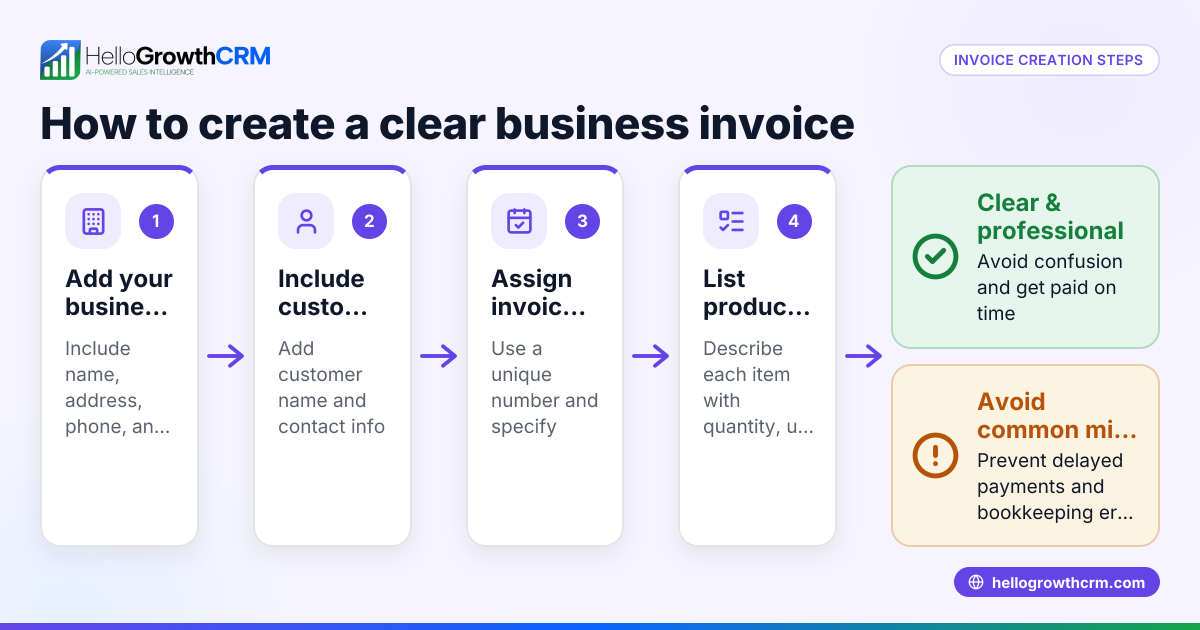
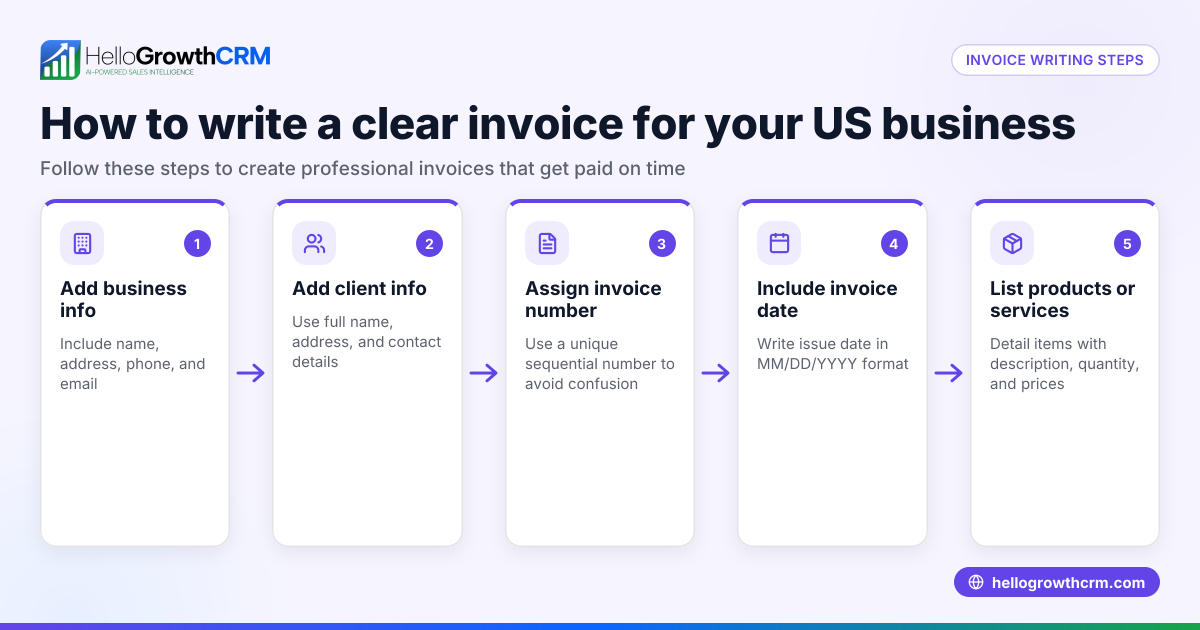
- Add your business information: Include your company name, address, phone number, and email at the top.
- Include customer details: Add the customer's name, company (if applicable), and contact information.
- Assign a unique invoice number: Use a sequential numbering system to track invoices and avoid duplicates.
- Date the invoice: Specify the invoice issue date and the payment due date.
- List products or services sold: For each item, provide a description, quantity, unit price, and line total.
- Calculate totals: Sum all line totals, add any applicable taxes or discounts, and display the final amount due.
- Specify payment terms: State accepted payment methods and the due date for payment.
- Add any additional notes: Include messages like thank you notes or return policies if needed.
Check that all calculations are correct and that the invoice number is unique before sending. Using a CRM with pipeline and invoice tracking features can simplify this process and reduce errors. See more about managing deals and invoices with HelloGrowthCRM in the deals pipeline and quotes and invoices sections.
Example (fictional figures)
A Denver-based B2B software reseller issues an invoice on 04/10/2026 to a client for software licenses and support services.
| Description | Quantity | Unit Price | Line Total |
|---|---|---|---|
| Software License A | 10 | $500 | $5,000 |
| Annual Support Service | 1 | $1,200 | $1,200 |
Calculations:
$500 × 10 = $5,000 $1,200 × 1 = $1,200 $5,000 + $1,200 = $6,200 Total
Invoice details:
- Invoice Number: 2026-045
- Invoice Date: 04/10/2026
- Payment Due: 05/10/2026
- Payment Terms: Net 30 days
This invoice clearly shows what the client owes and when payment is expected.
Common mistakes
- Missing or duplicate invoice numbers: Prevent this by maintaining a sequential numbering system.
- Not specifying payment terms: Always include clear due dates and accepted payment methods.
- Leaving out business or customer contact info: Ensure full details are present to avoid confusion.
- Incorrect calculations: Double-check all math or use software to reduce errors.
- Delaying invoice sending: Send invoices promptly to encourage timely payment.
- Not tracking invoice status: Use a system to monitor sent, viewed, and paid invoices to follow up effectively.
Using a CRM with pipeline and invoice tracking features helps avoid these issues. See more about managing deals and invoices with HelloGrowthCRM in the deals pipeline and quotes and invoices sections.
Doing this in HelloGrowthCRM
HelloGrowthCRM includes built-in tools to create, send, and track quotes, proposals, and invoices directly from a deal record. When you send a quotation or invoice, its status (sent, viewed, accepted) appears alongside follow-up tasks on the same screen. This helps sales teams avoid forgetting to follow up or losing track of payments. The deals pipeline shows each opportunity’s stage, including 'quote sent', with follow-up dates to keep sales moving. For businesses with field sales reps, territory management and visit logging features help monitor sales activity and commissions. Learn more about these features in HelloGrowthCRM for the United States and the built-in CRM dialer.
FAQ
What is the difference between a sales invoice and a receipt? A sales invoice is a request for payment sent before or after delivering goods or services. A receipt is proof that payment has been received. Businesses send invoices to collect money and issue receipts once payment is made.
Do I need to include taxes on my sales invoice? If your business charges sales tax, include the tax amount and rate on the invoice. Check local regulations or consult an expert to confirm your obligations.
How should I number my sales invoices? Use a unique, sequential numbering system (e.g., 2026-001, 2026-002) to keep invoices organized and avoid duplicates. This helps track payments and is useful for accounting and audits.
Can I create sales invoices manually or should I use software? Manual invoices using templates or spreadsheets work for very small volumes but risk errors and lost follow-up. Software like HelloGrowthCRM automates invoice creation, sending, tracking, and payment reconciliation, saving time and reducing mistakes.
What payment terms should I include on my sales invoice? Common terms are Net 30 (payment due within 30 days) or Net 15. Specify accepted payment methods (e.g., check, credit card, bank transfer). Clear terms help customers know when and how to pay.
Key takeaways
- A sales invoice lists products/services, prices, quantities, and total amount due.
- Include business and customer details, invoice number, dates, and payment terms.
- Use sequential invoice numbers and double-check calculations.
- Send invoices promptly and track their status to follow up on unpaid bills.
- HelloGrowthCRM helps you create, send, and track invoices and deals efficiently.
Start managing your sales invoices more efficiently and avoid missed payments by using HelloGrowthCRM. Start on the Free Forever plan (200 leads, no credit card).
Ready to put this into practice?
Set up your pipeline, WhatsApp follow-ups, and AI lead scoring in minutes — free, no credit card.
Try HelloGrowthCRM freeGet CRM tips in your inbox
Join thousands of sales professionals who get weekly insights on CRM strategy, AI automation, and pipeline optimization.

The HelloGrowthCRM team publishes guides on CRM strategy, AI sales tools, and revenue operations for small business sales teams.