HelloGrowthCRM software
Built for real small-business sales teams
HelloGrowthCRM helps reps qualify faster, follow up on time, and close more deals—with practical automation in one place.
- AI lead scoring and pipeline visibility
- Built-in dialer, WhatsApp, and email automation
- Sales forecasting and RevOps-ready reporting
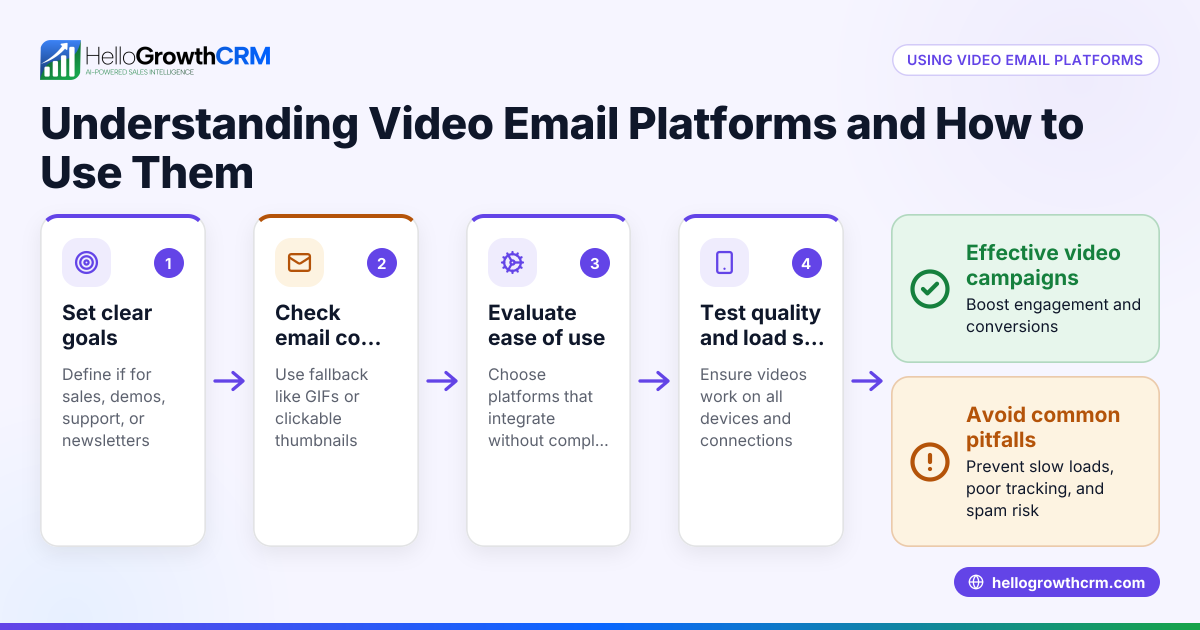
Embedding video directly in an email is often misunderstood. Most email services do not support playing videos inside the email itself. Instead, you embed a clickable image or thumbnail that links to a video hosted on a website or platform like YouTube or your own site. This approach ensures your recipients can view the video easily without technical issues.
Why this comes up / what goes wrong
Small business owners often want to include video in their email marketing to engage customers and explain products or services better. However, when they try to embed video files directly, many email clients block or do not display the video, leading to broken emails or poor user experience. This can cause lost leads or reduced engagement. The challenge is balancing rich content with email compatibility.
Step-by-step
- Create your video and upload it online. Use platforms like YouTube, Vimeo, or your website's hosting service to host the video.
- Capture a thumbnail image from the video. This is a still image representing the video content.
- Insert the thumbnail image into your email. You can use your email marketing tool or email client to add this image.
- Add a play button overlay to the thumbnail (optional). This signals to recipients that the image links to a video.
- Link the thumbnail image to the video URL. Ensure the link opens the video in a new tab or window.
- Test your email on multiple devices and email clients. Check that the thumbnail displays correctly and the link works.
- Avoid attaching video files directly to the email. Large files can be blocked or cause slow loading.
Example (fictional figures)
A plumbing company in Austin, Texas, wants to send a promotional email on 07/15/2026 featuring a how-to video on fixing leaks.
- They produce a 3-minute video hosted on their website.
- They capture a thumbnail image from the video showing a plumber at work.
- They add a play button overlay to the thumbnail.
- The email marketing tool inserts the thumbnail image and links it to https://austinplumbing.com/leak-fix-video.
- The campaign reaches 5,000 leads.
- The company expects a 10% click-through rate.
Calculations:
5,000 leads × 10% click-through = 500 video views
If each video viewer has a 5% chance of booking a service worth $300:
500 views × 5% conversion = 25 bookings
25 bookings × $300 = $7,500 expected revenue
This example shows how embedding a linked video thumbnail can drive leads and revenue without embedding the video file directly.
Common mistakes
- Embedding video files directly in the email. Prevent by linking a thumbnail image instead.
- Not testing the email on different clients. Prevent by sending test emails to Gmail, Outlook, Apple Mail, etc.
- Using large video files or attachments. Prevent by hosting videos online and linking.
- Failing to add a clear play button on the thumbnail. Prevent by overlaying a play icon to indicate it’s a video.
- Linking to videos that require login or are restricted. Prevent by using publicly accessible video URLs.
- Ignoring mobile responsiveness. Prevent by ensuring the thumbnail scales correctly on phones and tablets.
Doing this in HelloGrowthCRM
HelloGrowthCRM supports email outreach with sequences and campaigns that automate follow-ups over two weeks and stop when a prospect replies. Although you cannot embed video files directly in emails sent from HelloGrowthCRM, you can insert linked video thumbnails in your email templates. Replies to these emails are visible to the whole team in the HelloMail shared inbox, keeping everyone informed. For sales calls related to video campaigns, the built-in dialer logs call outcomes directly on the lead. Learn more about email automation and sequences and WhatsApp and SMS CRM.
Frequently asked questions
Can I embed a video that plays directly inside the email? Most email clients do not support playing videos inside emails. The best approach is to link a thumbnail image to an online video.
What video formats work best for email? Instead of sending video files, use image thumbnails linked to videos hosted on platforms like YouTube or your website.
Will embedding videos increase email load time? Embedding actual video files increases load time and may cause emails to be blocked. Linked thumbnails keep emails lightweight.
How can I track if recipients watch my video? Use video hosting platforms that provide analytics or track clicks on your thumbnail link within your email marketing tool.
Can HelloGrowthCRM send video emails? HelloGrowthCRM supports adding linked thumbnails in email sequences and tracks replies in a shared inbox, but does not embed playable videos inside emails.
Are there alternatives to video in email? Consider GIFs or animated images to show short clips, but test for compatibility and size.
Key takeaways
- Most email clients block embedded video playback; use linked thumbnails instead.
- Upload videos to a hosting platform and link from an image in your email.
- Add a play button overlay on thumbnails to signal video content.
- Test emails on multiple devices and clients before sending.
- Avoid attaching video files directly to emails.
- HelloGrowthCRM lets you automate follow-up emails with linked thumbnails and manage replies in a shared inbox.
Embedding video in email can improve engagement when done correctly. For your small business, start by creating a video, uploading it online, and linking a thumbnail image in your emails. Use tools like HelloGrowthCRM to automate follow-ups and keep your team aligned.
Start on the Free Forever plan (200 leads, no credit card) at HelloGrowthCRM.
Ready to put this into practice?
Set up your pipeline, WhatsApp follow-ups, and AI lead scoring in minutes — free, no credit card.
Try HelloGrowthCRM freeGet CRM tips in your inbox
Join thousands of sales professionals who get weekly insights on CRM strategy, AI automation, and pipeline optimization.

The HelloGrowthCRM team publishes guides on CRM strategy, AI sales tools, and revenue operations for small business sales teams.