HelloGrowthCRM software
Built for real small-business sales teams
HelloGrowthCRM helps reps qualify faster, follow up on time, and close more deals—with practical automation in one place.
- AI lead scoring and pipeline visibility
- Built-in dialer, WhatsApp, and email automation
- Sales forecasting and RevOps-ready reporting
An escalation contact is a specific individual or role within a company assigned to address issues that require higher-level intervention beyond standard customer service or sales channels. When a problem cannot be resolved at the first point of contact, escalating it to this contact helps ensure quicker resolution and accountability.
Why this comes up / what goes wrong
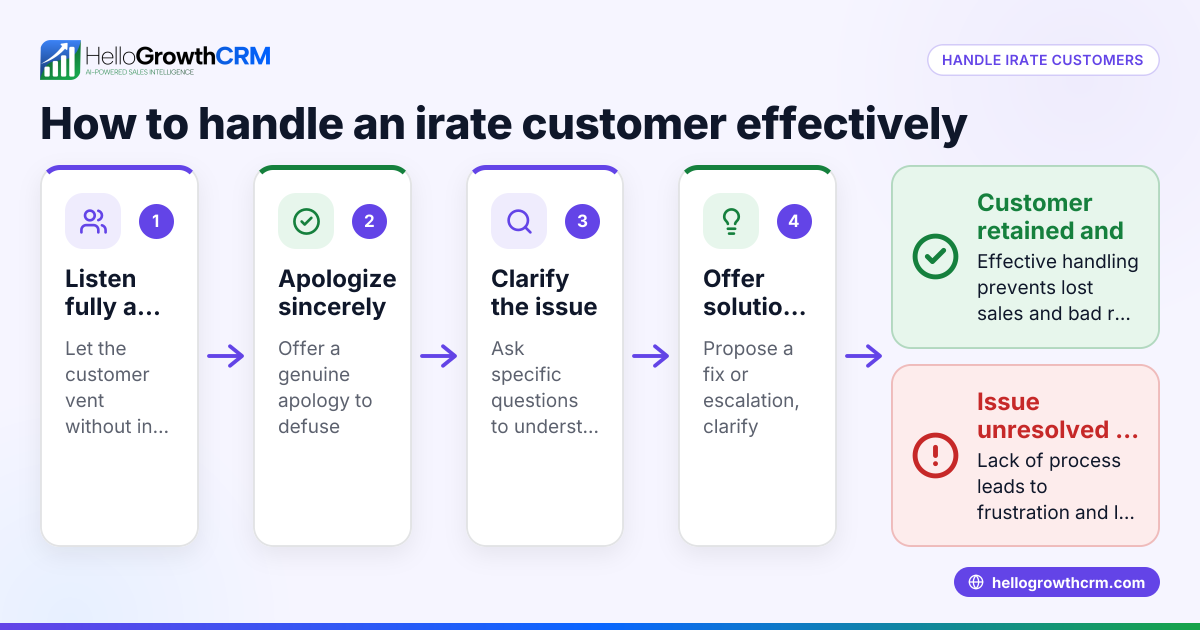
Small business owners often face situations where customer complaints, technical problems, or urgent requests get stuck in slow or ineffective communication loops. Without a clear escalation contact, issues can linger unresolved, causing frustration, lost sales, or damaged relationships. For example, a sales lead might go cold if a question about pricing or contract terms is not promptly answered by the usual sales rep. Or a vendor dispute might stall if no one takes ownership beyond the initial contact.
Many small businesses communicate over multiple channels such as email, text messages, and WhatsApp. Without a clear escalation path, messages can get lost or delayed, especially when teams are small and roles overlap. This can lead to unhappy customers and missed opportunities.
Having an escalation contact creates a clear path for urgent matters to reach someone empowered to act decisively. This is especially important for businesses that operate with small teams where roles overlap, or when communication happens across multiple channels like email, text, and WhatsApp.
Step-by-step
- Identify the types of issues that require escalation.
- Review common problems frontline staff cannot resolve.
- Check if these issues affect customer satisfaction, sales, or operations significantly.
- Assign an escalation contact.
- Choose a person with decision-making authority and knowledge.
- Ensure this person is reachable during business hours and has a backup if unavailable.
- Define clear criteria for escalation.
- Specify when and how frontline staff should escalate an issue (for example, after 24 hours without resolution).
- Establish communication channels such as phone, email, WhatsApp, or SMS.
- Communicate the escalation process to your team and customers.
- Train your team on escalation steps and provide the escalation contact’s details.
- Include escalation contact information in customer support materials or contracts.
- Monitor and review escalations regularly.
- Track how many issues are escalated and how quickly they are resolved.
- Adjust the process or contact assignment as needed.
- Use tools to manage escalations efficiently.
- Consider a CRM that supports multi-channel communication like WhatsApp and SMS to capture and track escalations effectively. Learn more about WhatsApp and SMS CRM.
- A built-in CRM dialer can help quickly reach escalation contacts by phone. See details about the built-in CRM dialer.
Example (fictional figures)
RockyTech Solutions is a B2B software reseller based in Denver, Colorado. They assign an escalation contact to handle urgent client issues.
- On 05/15/2026, a client has a billing dispute of $12,000 unresolved by the account manager for 3 days.
- The issue is escalated to the finance director, the designated escalation contact.
- The finance director reviews the case and authorizes a partial credit of $3,000 on 05/18/2026.
Calculation of credit:
$12,000 × 25% = $3,000
The client receives the credit, and the dispute is resolved within 3 days of escalation, preventing contract cancellation.
Common mistakes
- No clear escalation contact assigned.
- Prevent by designating a specific person and a backup escalation contact.
- Unclear escalation criteria.
- Prevent by documenting when and how to escalate to avoid confusion.
- Escalation contact unreachable or unresponsive.
- Prevent by ensuring availability and having a backup contact.
- Lack of communication about the escalation process to staff and customers.
- Prevent by training your team and including escalation contact info in customer materials.
- Ignoring multi-channel communication needs.
- Prevent by using tools that manage email, WhatsApp, SMS, and calls in one place, such as a WhatsApp and SMS CRM or a built-in CRM dialer.
- Not reviewing escalation effectiveness regularly.
- Prevent by tracking escalations and adjusting the process as needed.
Frequently asked questions
What is the difference between an escalation contact and customer service? Customer service handles routine inquiries and problems. An escalation contact is for issues that frontline staff cannot resolve and require higher authority or expertise.
How do I choose the right escalation contact? Pick someone with decision-making power, knowledge of the issue area, and reliable availability. They should be able to act quickly to resolve urgent matters.
Can escalation contacts be shared across departments? Yes, but clarity is key. Define which types of issues each escalation contact handles to avoid confusion.
How does a CRM help with managing escalation contacts? A CRM that integrates WhatsApp, SMS, email, and phone calls can centralize communication and make it easier to track escalations and follow-ups. Using a built-in CRM dialer can speed up reaching the escalation contact directly.
What if the escalation contact is unavailable? Always have a backup escalation contact and communicate this to your team. Set clear protocols for backup escalation to avoid delays.
Why is it important to communicate the escalation process to customers? Informing customers about how to escalate issues builds trust and shows your commitment to resolving problems quickly. It also reduces frustration by providing clear next steps.
Key takeaways
- An escalation contact is a designated person for urgent or unresolved issues.
- Clear criteria and communication about escalation prevent delays and frustration.
- Assign a reachable, authoritative person with a backup.
- Use multi-channel communication and tools like WhatsApp and SMS CRM or a built-in CRM dialer to manage escalations.
- Train your team and inform customers about the escalation process.
- Regularly review escalation effectiveness and adjust as needed.
Start managing your escalation contacts effectively to keep your business responsive and your customers satisfied. To try managing leads and communications smoothly, start on the Free Forever plan (200 leads, no credit card).
Ready to put this into practice?
Set up your pipeline, WhatsApp follow-ups, and AI lead scoring in minutes — free, no credit card.
Try HelloGrowthCRM freeGet CRM tips in your inbox
Join thousands of sales professionals who get weekly insights on CRM strategy, AI automation, and pipeline optimization.

The HelloGrowthCRM team publishes guides on CRM strategy, AI sales tools, and revenue operations for small business sales teams.