HelloGrowthCRM software
Built for real small-business sales teams
HelloGrowthCRM helps reps qualify faster, follow up on time, and close more deals—with practical automation in one place.
- AI lead scoring and pipeline visibility
- Built-in dialer, WhatsApp, and email automation
- Sales forecasting and RevOps-ready reporting
Follow up software helps small and mid-sized UK businesses organise and automate contacting leads and customers to improve conversion and sales efficiency. This article covers why follow up software is needed, step-by-step guidance on choosing the right tool, common pitfalls to avoid, a practical example, and how HelloGrowthCRM supports effective follow-up with task boards, automated sequences, and AI assistance.
Why this comes up / what goes wrong
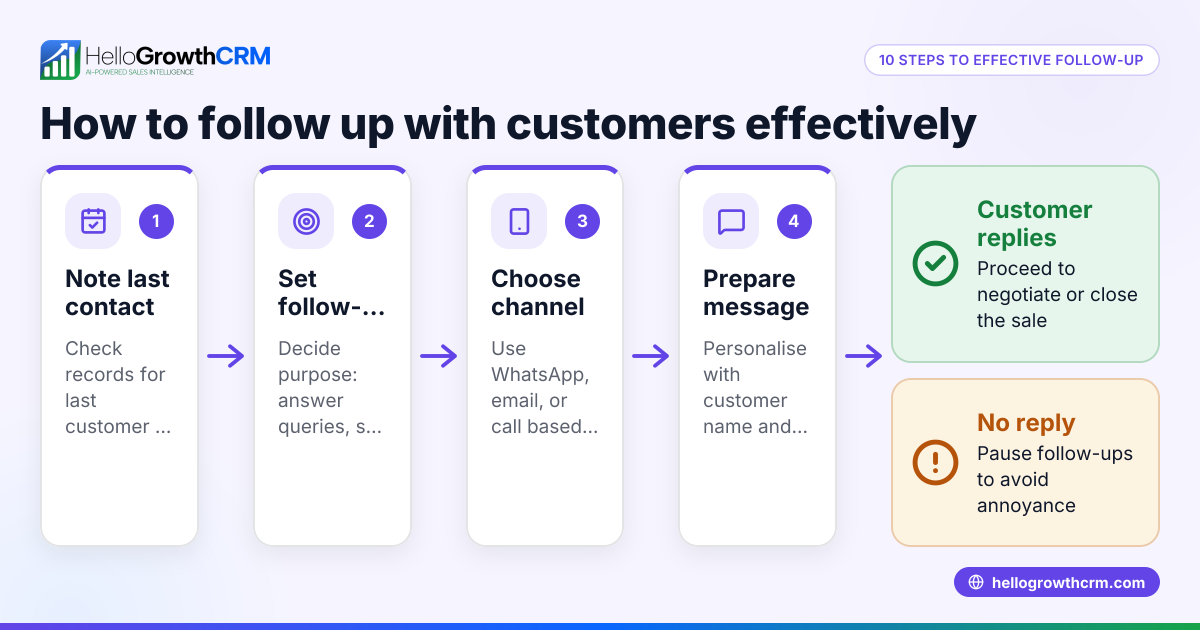
Many small business owners in the UK rely on manual methods such as spreadsheets, WhatsApp chats, and email threads to track leads and follow-ups. This approach often leads to missed opportunities because follow-ups get forgotten or delayed. Sales teams may struggle to prioritise which leads to contact next or lose track of conversations spread across various channels. Without a centralised system, it is difficult to measure follow-up effectiveness or forecast sales accurately. This creates a need for dedicated follow up software that organises tasks, automates communication, and provides visibility to the whole team.
Step-by-step
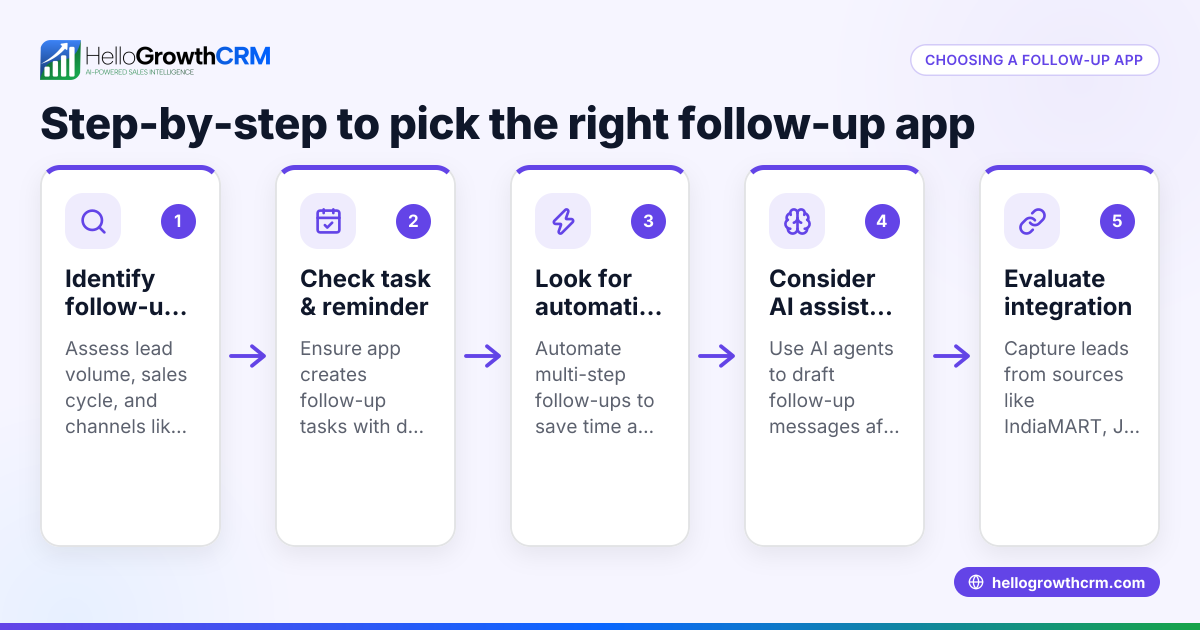
- Identify your follow-up needs: Consider how many leads you handle, how many follow-up steps you want to automate, and which communication channels (email, WhatsApp, SMS) your customers prefer.
- Check task and activity management features: Good follow up software should turn each follow-up into a task with due dates and provide a clear daily call or contact list to avoid relying on memory. Look for board-based task management to visualise progress. See sales task boards for examples.
- Evaluate automation capabilities: Automated sequences that send messages over time until a lead responds save time and ensure consistent outreach. Check if the software supports multi-step campaigns with pause-on-reply functionality. Learn more about email automation and sequences.
- Consider AI assistance: Some CRM tools offer AI agents that draft follow-up messages after calls, which your sales reps can review and send, speeding up the process.
- Integration and channel support: Confirm the software integrates with your lead sources (web forms, APIs) and supports your main contact channels like WhatsApp, email, and SMS.
- User adoption and ease of use: Choose software that your sales team will actually use daily. Look for intuitive interfaces and mobile access.
- Reporting and forecasting: Ensure the tool provides insights into follow-up success, lead status, and sales forecasts to inform decisions.
Example (fictional figures)
A kitchen-fitting company in Leeds has 150 active leads and wants to improve follow-up speed to increase conversions. They decide on a 5-step follow-up sequence over two weeks using email and WhatsApp.
- Average value per sale: £3,500
- Current conversion rate: 10% (15 sales from 150 leads)
- Expected conversion after better follow-up: 15% (23 sales from 150 leads)
Additional sales expected = 23 - 15 = 8
Additional revenue = 8 × £3,500 = £28,000
If each sale requires 3 follow-up calls and 5 messages, manual tracking leads to missed contacts. Using follow up software with automated sequences and task boards ensures all steps are completed on time.
Common mistakes
- Relying on memory or spreadsheets: Leads get lost or forgotten. Prevent by using task boards and automated reminders.
- Over-automating without personalisation: Generic messages can annoy prospects. Use AI agents to draft messages that reps review for a personal touch.
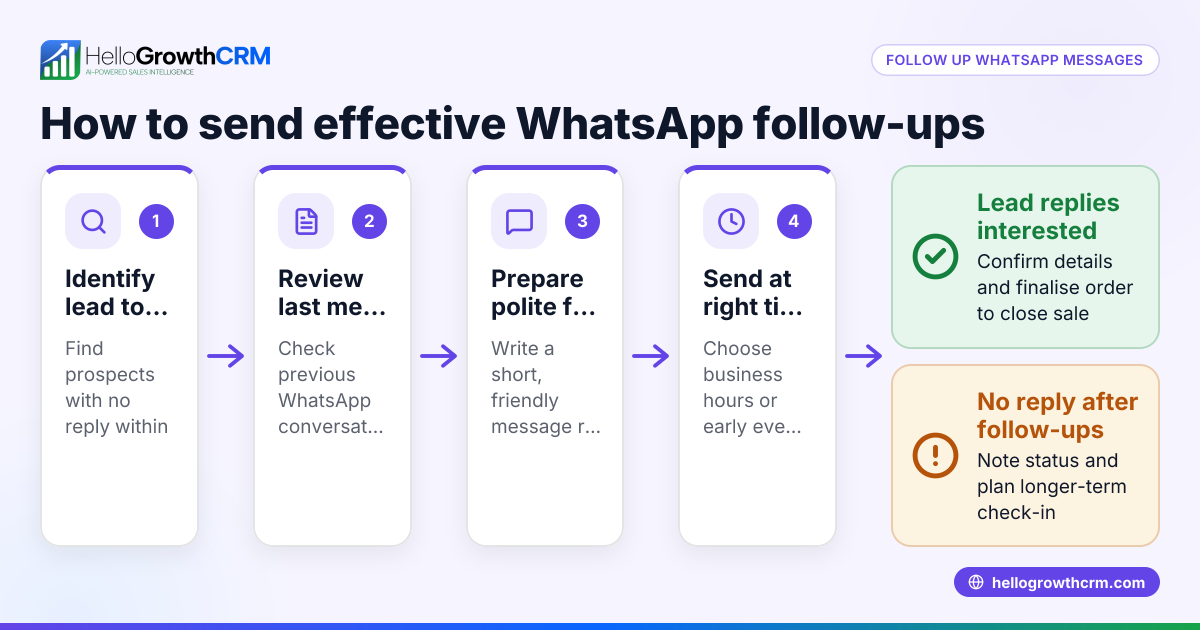
- Ignoring multi-channel communication: Limiting follow-ups to email misses customers who prefer WhatsApp or SMS. Choose software supporting multiple channels.
- Not tracking follow-up effectiveness: Without reporting, you can’t improve. Use software with clear metrics and sales forecasting.
- Choosing complicated software: If sales teams find it hard to use, adoption will be low. Pick intuitive tools with mobile access.
Doing this in HelloGrowthCRM
HelloGrowthCRM supports effective follow-up with three key features. Activities and task boards turn each follow-up into a task with a due date, showing the day’s calls as a clear list rather than relying on memory. Sequences and campaigns automate multi-step outreach over two weeks, stopping immediately when the prospect replies. AI agents (currently in Beta) draft follow-up messages after calls, so sales reps only need to review and send. Find out more about these features at sales task boards and email automation and sequences.
Frequently asked questions
What is follow up software? Follow up software is a tool that helps businesses organise and automate contacting leads and customers after initial interaction. It schedules reminders, sends automated messages, and tracks responses to improve sales conversion.
How does follow up email software differ from general follow up software? Follow up email software focuses mainly on automating email outreach sequences, while general follow up software may include calls, SMS, WhatsApp messaging, task management, and AI assistance for a broader communication approach.
Can follow up software integrate with WhatsApp? Yes, some follow up software supports WhatsApp messaging natively, allowing you to send and receive messages within the tool. HelloGrowthCRM is WhatsApp-native, combining messaging with CRM features.
How do I ensure my sales team uses the follow up software? Choose software that is easy to use, mobile-friendly, and integrates with your existing workflows. Features like task boards that show daily calls and AI drafting can reduce workload and encourage adoption. Training and ongoing support also help.
Is it possible to automate follow-ups without losing personal touch? Yes. Automation can handle routine messages, but tools that allow message review and AI drafting help reps personalise communication. Automation should stop once a prospect replies to avoid over-contacting.
How can I measure if follow up software improves sales? Look for reporting features that show follow-up completion rates, response rates, lead conversion rates, and sales forecasting. Comparing these metrics before and after implementation indicates effectiveness.
See also HelloGrowthCRM for the United Kingdom for localised support.
Key takeaways
- Follow up software organises and automates lead contact to prevent missed opportunities.
- Choose software with task boards, multi-channel sequences, and AI drafting assistance.
- Avoid common mistakes like over-automation, poor tracking, and complicated tools.
- HelloGrowthCRM offers task boards, automated sequences, and AI agents to streamline follow-up.
- Effective follow-up improves sales conversion and forecasting accuracy.
Start your follow-up improvement journey with HelloGrowthCRM. Start on the Free Forever plan (200 leads, no credit card).
Ready to put this into practice?
Set up your pipeline, WhatsApp follow-ups, and AI lead scoring in minutes — free, no credit card.
Try HelloGrowthCRM freeGet CRM tips in your inbox
Join thousands of sales professionals who get weekly insights on CRM strategy, AI automation, and pipeline optimization.

The HelloGrowthCRM team publishes guides on CRM strategy, AI sales tools, and revenue operations for small business sales teams.